
Content Management System for Digital Signage
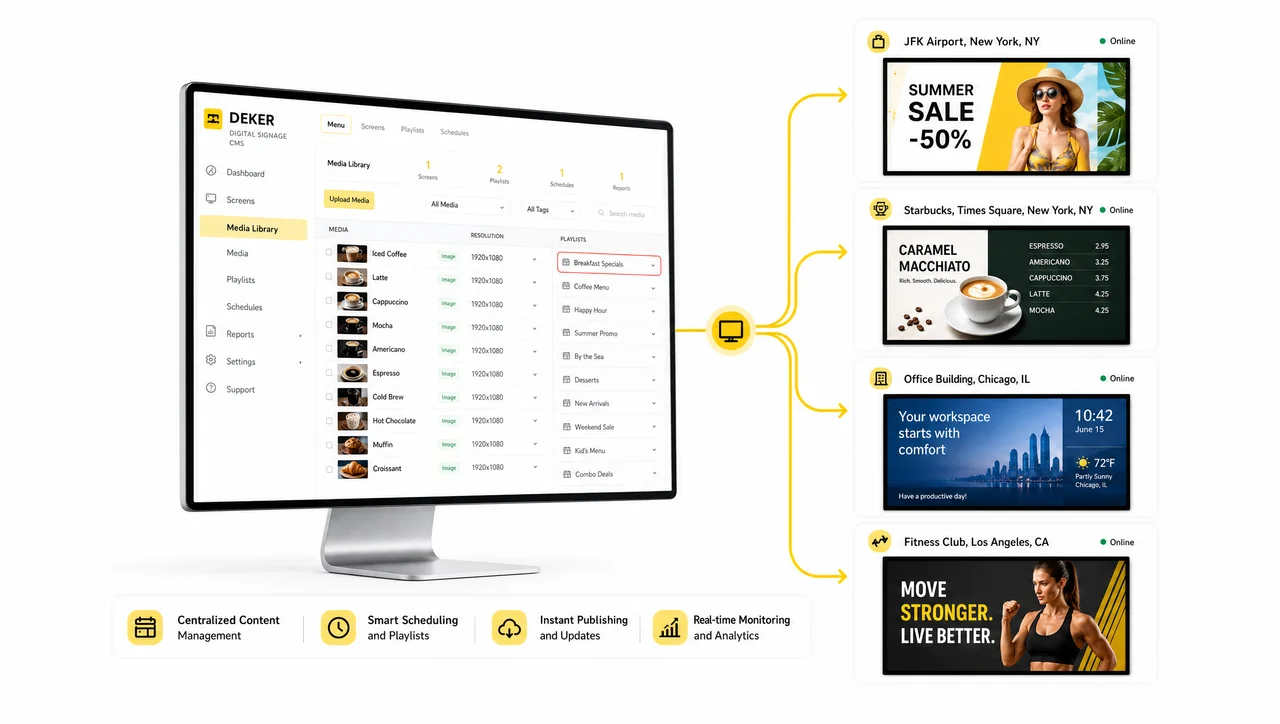
A content management system for digital signage lets one person update prices, menus, and promotions on every screen from a single dashboard. Decker goes further: it confirms the change actually reached the screen, not just that it was sent.



-
Verified, not sent the CMS confirms it, others assume
Most digital signage CMS platforms report that content was sent. Decker’s CMS confirms it’s actually live on screen and flags failures first.
-
Content management for digital signage that reacts to your data
The CMS detects a source change and republishes the affected screen on its own, instead of waiting for someone to open a design file and start a new approval cycle.
-
One digital signage CMS login for the whole network
One admin panel schedules, publishes, and monitors every screen — no per-location software, no separate logins, no content drift between stores.
What Is a Content Management System for Digital Signage?
A content management system for digital signage is software that centralizes content creation, scheduling, and publishing across every screen in a network, so one update reaches every store without anyone touching a device. Most platforms — including Decker — combine three layers in one dashboard: a content editor, a scheduling engine, and a delivery pipeline that pushes changes to media players in the field.
The distinction worth knowing before you shop: digital signage CMS and digital signage content management system mean the same thing. What separates products in this category isn’t the label — it’s whether the platform stops at “we sent it” or confirms what landed on the glass.
Decker was built first for digital menu boards in restaurants and retail, around one operational reality: a chain doesn’t need software that assumes the screen is showing the right menu. It needs software that knows.
Why Restaurants and Retail Chains Need Digital Signage Content Management
A content management system for digital signage exists because printed menus and one-off screen updates break down as a network grows. Four problems drive most restaurant and retail teams to centralize control:
-
Frequent price and menu changes
Seasonal items, combo deals, and cost-driven price changes happen constantly. Without central content management for digital signage, each change means a new design file and a trip to every screen.
-
Network growth outpaces manual control
A fifth location makes synchronization harder. A fiftieth makes content drift across stores the norm, not the exception.
-
Staff absorb the slack
When screens lag behind reality, cashiers spend the day explaining discrepancies to guests, and order mistakes follow.
-
Static content can't sell
A menu board that never changes doesn’t highlight combos, doesn’t shift for the morning rush versus the evening rush, and doesn’t respond to what’s actually in stock.


Core Features of Decker's Digital Signage CMS Platform
Every Decker plan runs on the same centralized digital signage CMS platform; higher tiers add automation and network-scale controls. Six building blocks cover what any competent CMS software for digital signage should do:
-
Full-featured content editor
Build and update any screen layout — no design software, no rebuild cycle for every change.
-
Ready-to-use template library
Start from a content template instead of a blank canvas.
-
Content playlists and scheduling
Set screen schedules, operating hours, and rotation rules once; they run themselves after that.
-
Daypart-based automation
Push breakfast, lunch, and dinner menus automatically on a time trigger, with no manual switch.
-
Location-based content management
Push one campaign to one store, one region, or the whole network from the same dashboard.
-
Tag-based playlist and promotion rules
Configure a rule once; marketing doesn’t re-touch every store for a limited-time offer.


Decker Verifier: Remote Content Management for Digital Signage That’s Actually Confirmed
Editing, scheduling, and publishing are table stakes for the category — what happens after publishing is where most vendors stop, and where Decker doesn’t. Decker’s CMS dashboard shows something most content management systems can’t: whether a screen actually displayed what you published, not just whether the publish succeeded. Most digital signage CMS platforms report on their own actions — content sent, playlist updated, schedule triggered. None of that tells you a frozen player, a dropped HDMI input, or a screen that silently went dark is happening right now, because the CMS has no independent way to check.
Decker’s CMS closes that gap with a second data feed: Decker Verifier, a compact device installed next to each screen. Inside the same admin panel used for scheduling and content management, the dashboard adds:
- A live status view — confirmed-showing vs. sent-but-unconfirmed, per screen, not per log entry
- Failure alerts routed to the right person inside the CMS, instead of a ticket someone has to go looking for
- Per-screen uptime history in the same reporting view as your playback data — not a separate tool bolted on
- A searchable, photo-evidence audit trail for brand-standard and compliance checks
- One login for scheduling, publishing, and confirmed-display reporting — most competitor CMS platforms only give you the first two
The reason this sits at the CMS layer and not just the hardware layer is straightforward — remote content management for digital signage is only as good as what the dashboard can actually confirm. Software-only platforms in this category, along with the restaurant-operations tools that also push content to screens, build CMS reporting that reflects what their own software did. Decker’s CMS reporting reflects what the screen is doing, because it reads from a source the software side cannot fake.
What your CMS dashboard can confirm
| Capability | Typical software-only CMS | Decker’s CMS |
| Content was published | ✅ | ✅ |
| Content is actually showing right now | ❌ | ✅ |
| Per-screen uptime history, in the same dashboard | ❌ | ✅ |
| Automatic failure alerts inside the CMS | ❌ | ✅ |
| Photo-evidence audit trail | ❌ | ✅ |
Across live deployments, 2,600+ Verifier units already feed this data into the dashboard. Verified execution is what Decker’s CMS adds on top of the category — and it’s where the category’s own terminology gets confusing, since “software” and “CMS” get used as if they’re interchangeable.
Digital Signage Software vs. a Digital Signage CMS: What’s the Difference
Digital signage software is the full stack — hardware compatibility, media players, network management, and content, bundled together — while a digital signage content management system is just the content layer inside that stack: creation, scheduling, approval, and distribution.
Why the distinction matters when you’re buying:
- Budgeting — Assume you only need content tools and you’ll underprice hardware integration and remote device management, which sit outside a pure CMS.
- Network size — One screen in one store rarely needs more than solid digital signage content management. Fifty screens across ten locations need device monitoring, fault handling, and remote control — full software, not a content layer alone.
- Workflow and roles — Multi-location teams with region managers, franchise owners, and corporate marketing need role-based content permissions. That’s a CMS problem, not a hardware problem.
In practice, most working systems — Decker included — bundle both: a digital signage content management system for the content side, plus a device layer (Decker Verifier) for the hardware side. The question isn’t “software or CMS.” It’s whether your vendor gives you both, or asks you to duct-tape a second tool on top.
How Decker's CMS Automation Engine Works
A digital signage CMS earns the word “automated” when it reacts to a data change on its own, not when someone opens the dashboard and edits a screen by hand. Decker’s CMS watches connected data sources and republishes the right screen element automatically — the same engine behind Decker’s dayparting and tag-based rules. The clearest example: a price change in the POS.
-
Step 1.
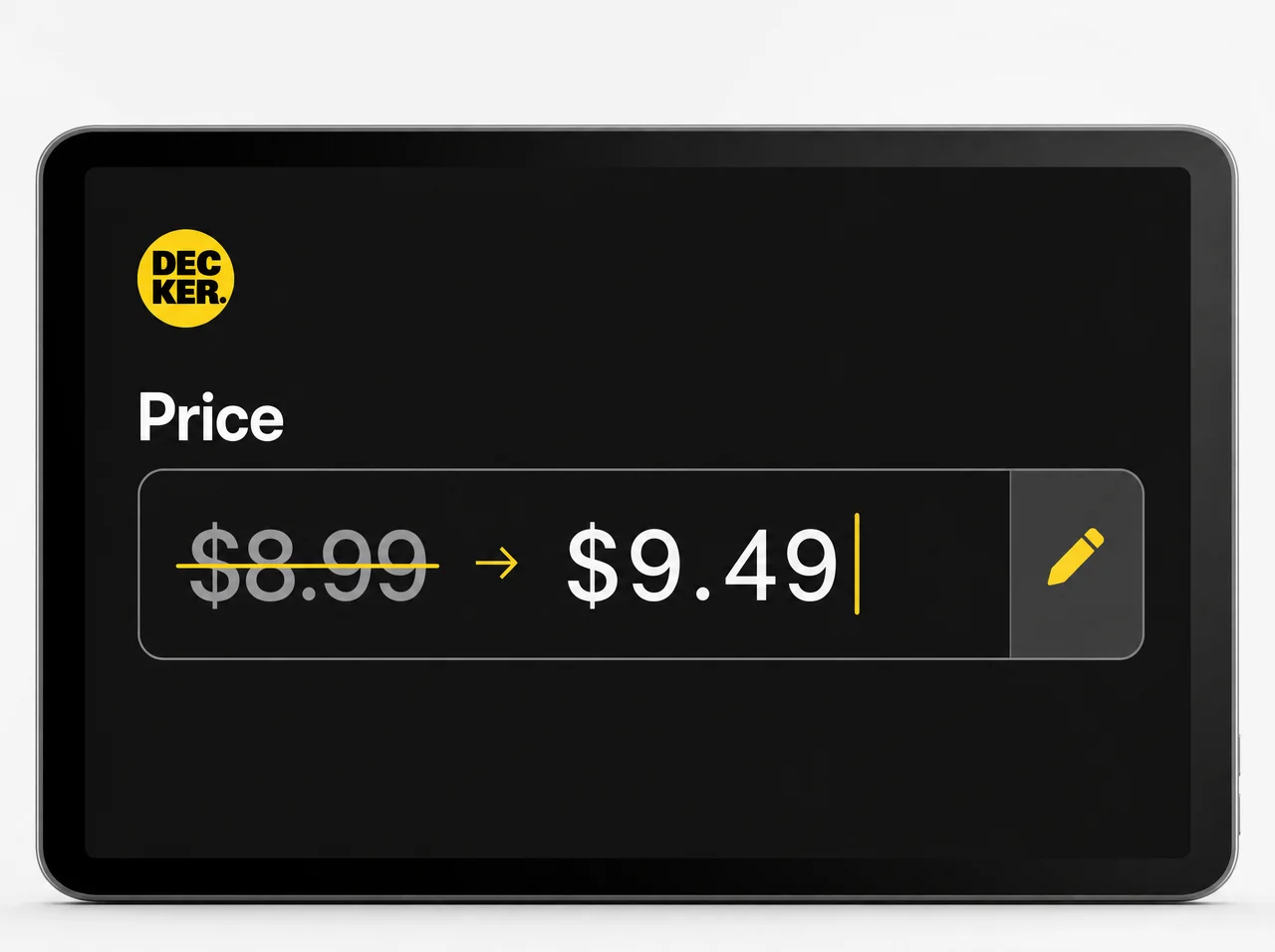
Price or item changes in the POS
A price or item changes in your POS system or a connected spreadsheet — no separate entry required.
-
Step 2.
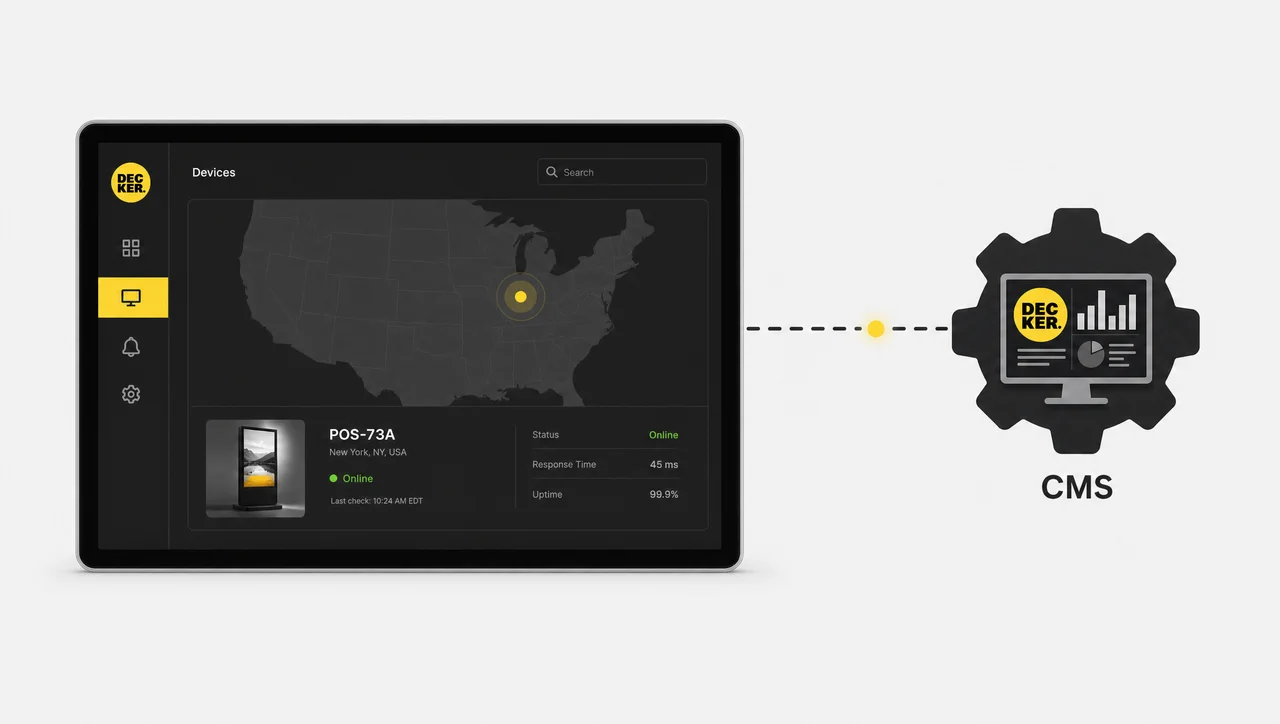
The CMS engine detects the change
The engine identifies exactly which data points moved, without a full re-scan of the network.
-
Step 3.
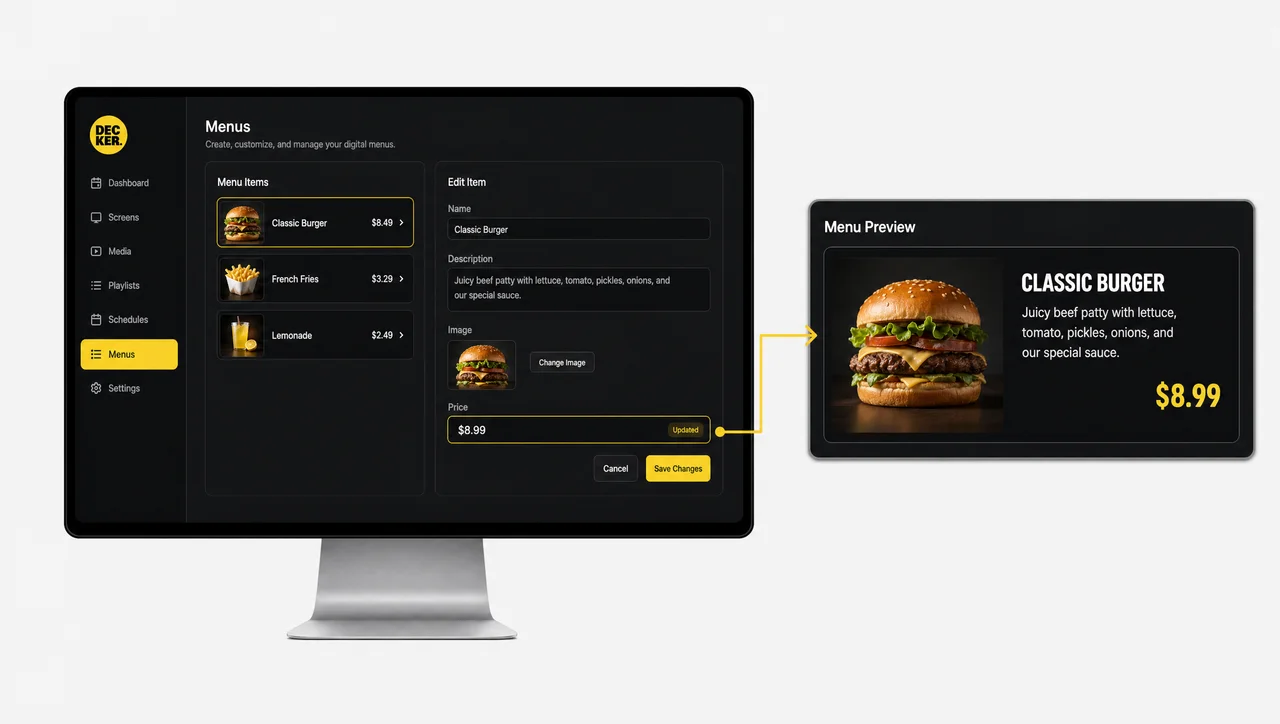
AI mapping matches the design element
The changed data is matched to the right element in the existing layout; fonts, formatting, and structure stay untouched.
-
Step 4.
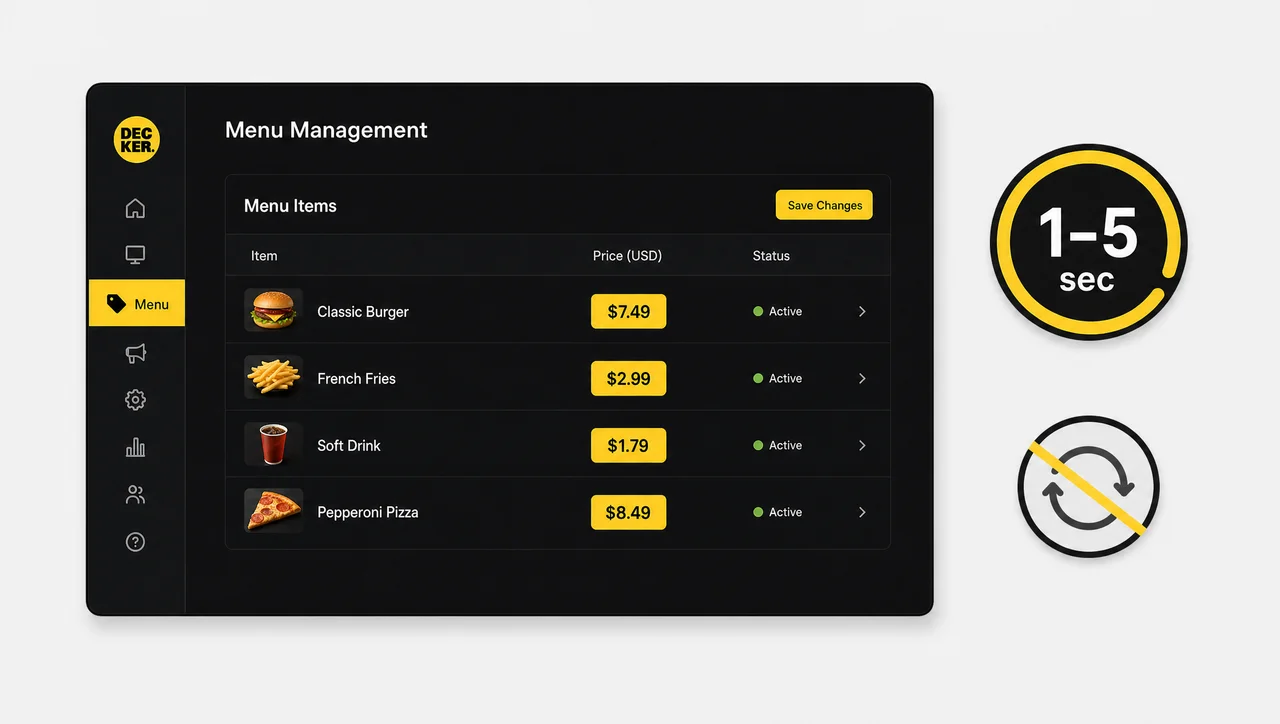
The screen updates in 1–5 seconds
The updated fragment publishes without a full-screen reload or flicker.
-
Step 5.
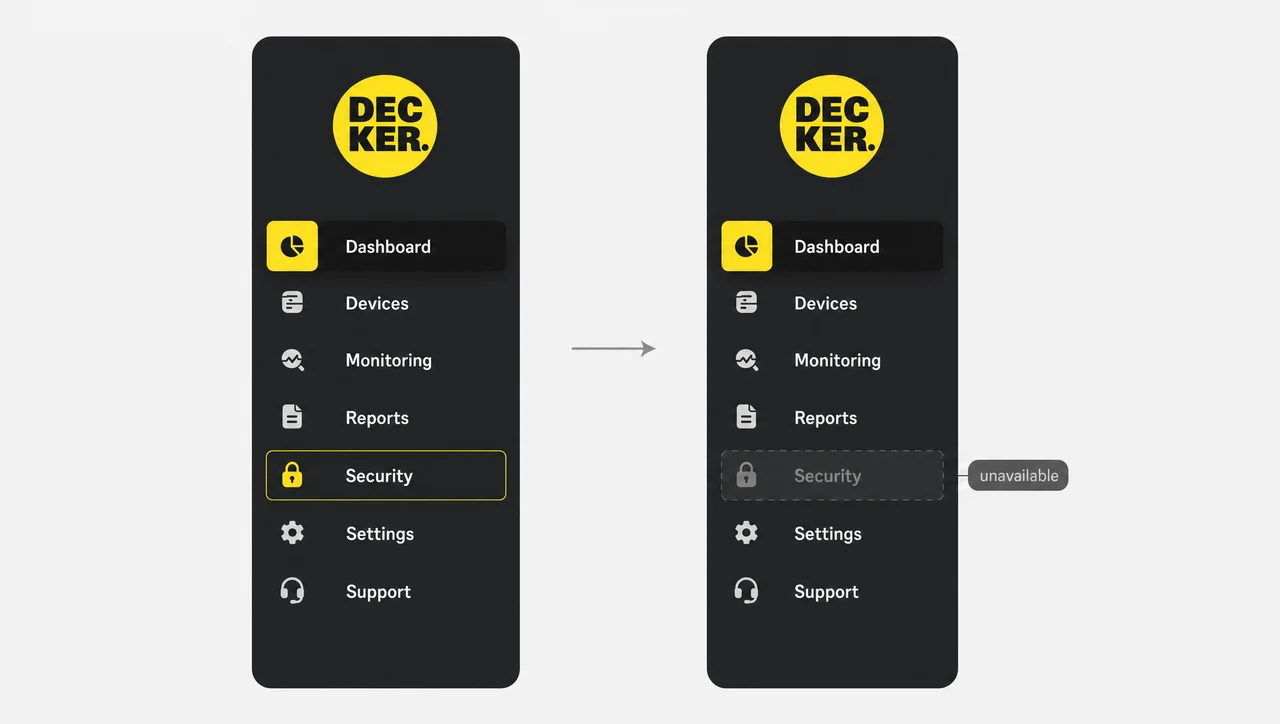
Unavailable items drop out automatically
Items marked unavailable at the source disappear from the screen, so nobody sees what isn’t actually available.
Pricing
Decker’s digital signage CMS platform runs on a per-screen model, from a free single-screen plan to custom enterprise contracts. Automated POS price sync comes with the Professional plan and above:
| Plan | Screen minimum | Best for |
| Starter | Single screen | Testing the platform on a single screen |
| Essential | Per-screen billing | Multi-screen content management, no POS automation |
| Professional | Per-screen billing | AI design generation, daypart automation, POS/Excel price sync |
| Premium | Per-screen billing | Multi-location hierarchies, SSO, menu-to-sales attribution |
| Enterprise | Custom | Large networks, dedicated SLA and onboarding |
| + Decker Verifier | Add-on, any paid plan | Verified execution on top of any tier |
Every paid tier starts with a 30-day free trial, no credit card required. Current per-screen rates are on the pricing page.
When a Full Digital Signage CMS Might Be More Than You Need
A full digital signage CMS platform is not the right purchase for every screen. Four situations where a lighter option costs less:
-
One screen, content that rarely changes
If your menu updates less than once a month, the free Starter tier covers it. Paying for automation you won’t use isn’t a good trade.
-
No POS or spreadsheet feeding your pricing
Professional’s core value is automatic price sync. Without a POS or Excel source, that feature goes unused — Essential covers content management without it.
-
Fewer than five screens, one location
Premium’s org hierarchies, SSO, and franchise management solve governance problems you don’t have yet. Essential or Professional does the job for less.
-
Static branding content on a fixed schedule
A design that never changes on a schedule doesn’t need a full content management system for digital signage — a simple static player costs less.


What Decker Customers Say

Decker helps our team keep menu screens current without Photoshop files or USB drives. We can update prices, menu items, and assortment details through one web interface, so routine changes take minutes instead of weeks.
Decker connected our menu data with our screens, so our team can update prices, items, and offers without rebuilding printed menus. We moved menu changes out of design and print cycles, and our ordering area now shows current information much faster.

Decker gave our team one place to schedule promotions, update menu items, and keep screen content consistent from day one. We avoided printed menus, USB files, and outside contractors, so our staff can manage changes inside one workflow.
Digital Signage CMS FAQ
What is a CMS for digital signage?
A digital signage CMS — sometimes shortened to just digital CMS — is software that centralizes content creation, scheduling, and publishing across every screen in a network, so updates go out from one dashboard instead of screen by screen.
What's the difference between digital signage software and a digital signage CMS?
Software covers the full system — hardware, players, network, and content. A CMS is the content layer inside that system: creation, scheduling, and distribution. Most working platforms, Decker included, bundle both.
Does Decker work with my POS system?
Yes. Professional plans and above sync prices and out-of-stock items automatically from a connected POS system or a spreadsheet — no manual re-entry.
Is there a free content management system for digital signage plan?
Yes. Decker’s Starter plan is free forever for one screen, with no credit card required. Paid plans bill per screen and start with a 30-day free trial — current rates are on the pricing page.
How is Decker different from other digital signage CMS software?
Most platforms confirm that content was sent. Decker Verifier, an optional hardware add-on, confirms what’s actually showing on the screen in real time and flags failures before a customer notices.
How fast do price changes reach the screen?
On Professional plans and above, a price change in your POS reaches the screen in 1–5 seconds, without a full-screen reload.
Can one system manage screens across multiple locations?
Yes. Location-based content management lets you push a change to one store, one region, or the entire network from the same dashboard — available from the Professional plan up.
What if I only need basic content management for digital signage, not automation?
The Essential plan covers content editing, templates, playlists, and scheduling without POS automation — enough for a digital signage content manager running things by hand, and a reasonable starting point if you don’t yet sync pricing from a POS or spreadsheet.
Get Started
Tell us about your screen network and we’ll recommend a plan — including whether Decker Verifier is worth adding for your setup.


