
Airport Digital Signage for Flights, Wayfinding and Terminal Screens
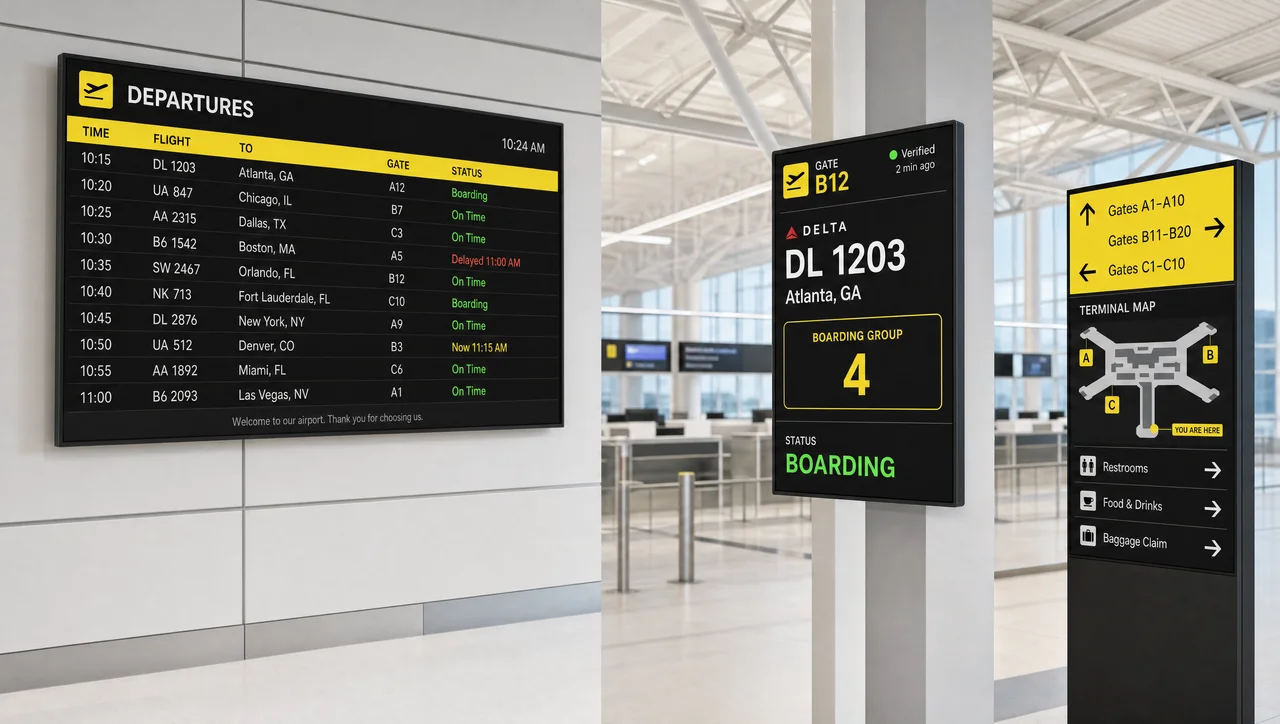
Airport digital signage puts flight updates, wayfinding, gate-lounge content and concession promos on one managed network of screens. Decker publishes to any terminal zone in minutes, confirms that each panel is actually lit, and keeps playing from local cache when the network drops.
-
Verified
No dark screen at a gate. Decker reads the panel’s own light through a sensor, so a black board raises an alert instead of waiting for a passenger to report it.
-
Minutes
Gate change to every screen. A reassignment moves through the feed to boards, gate displays and wayfinding maps in Decker without anyone retyping a number.
-
Offline
Keeps playing through an outage. Content is cached on the player, so a concourse network failure stops updates to the screens, not the screens themselves.
What Digital Signage for Airport Terminals Can Show
Digital signage for airport terminals covers six content jobs on one digital signage platform, so a gate change, a promo and a weather panel are not three separate systems to maintain. Every zone pulls from the same content library and the same schedule.
-
Arrivals and Departures
Live flight numbers, destinations, boarding times, gate reassignments and delay listings. When the source schedule changes, airport arrival digital signage and airport digital departure signage redraw themselves — nobody retypes a gate number at 5 a.m.
-
Wayfinding to Gates and Baggage Claim
Terminal maps and directories with gate numbers, restrooms, dining, taxi ranks and belt assignments. Digital wayfinding signage airport-wide runs from one map source, so a gate move redraws every panel at once. Airport baggage signage digital panels update the belt as soon as the flight is assigned, which is the single change passengers act on fastest.
-
Check-In and Security Instructions
Liquid rules, document requirements, family and reduced-mobility lanes, and what to have out of the bag before the belt. Static posters go stale the week a rule changes; a screen does not.
-
Advertising and Concession Promos
Retail offers, duty-free campaigns, lounge upsells and paid slots sold to local vendors and car rental brands. One screen can carry flight data and a paid creative in separate zones.
-
Local Information and Weather
Destination forecasts, city events, points of interest and ground transport options — the content arriving passengers look for while they wait for a bag.
-
Real-Time Announcements
Time-sensitive notices, operational messages and security procedure reminders. Airport information digital signage reaches the whole concourse faster than a PA announcement reaches a passenger wearing headphones.


Key Zones for Digital Signage in Airports
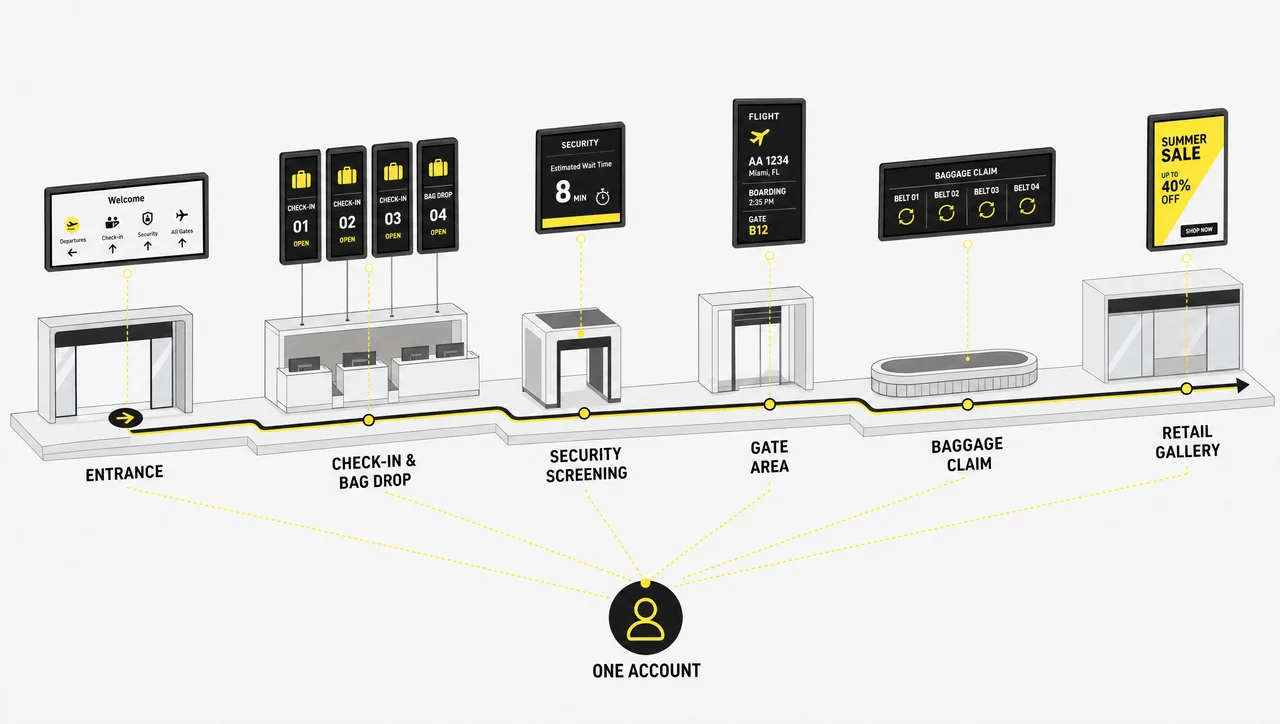
Placement decides whether a screen gets read or ignored. Digital signage at airports is rarely under-installed and often badly placed. Digital signage in airports works hardest where passengers are already stopped, already anxious, or already deciding what to spend money on.
-
Terminal Entrance
First orientation point: which hall to enter, which airline sits where, current security wait, weather on arrival. This is where the whole journey either starts calmly or does not.
-
Check-In and Bag Drop
Airline procedures, baggage allowances, self-service kiosk instructions and lane assignments. Screens here answer the questions agents are asked hundreds of times a shift, and Decker holds a different layout per airline desk block.
-
Security Checkpoint
Preparation instructions before the belt, current lane status and wait times pulled in as a feed, while ticket numbers and counter calling run on their own logic.
-
Gate Lounges
Boarding status, seat group calls, and content for the dead time in between. The longest dwell in the terminal happens at the gate, which makes these airport digital signage screens the most valuable inventory you own.
-
Baggage Claim
Belt assignments, connecting transport, ground services, and advertising to a captive audience that has nothing to do but watch a carousel.
-
Concessions and Duty-Free
Store hours, offers and menu content. Airport terminal digital signage operating hours change with the first and last bank of flights — schedules can follow the flight bank instead of a fixed clock. Food-court boards with prices are covered by our digital menu boards.


Waiting Displays That Make the Wait Feel Shorter
Two hours at a gate feels longer than two hours anywhere else, because there is nothing to do but check the board again. Waiting displays change that arithmetic: live news, sport, destination facts, terminal shop offers and social feeds run alongside boarding status, so passengers look up for content and catch operational updates by accident. Perceived wait drops, gate crowding around the flight board thins out, and dwell time in front of a screen becomes inventory an advertiser will pay for.
Decker schedules this content by flight bank, so the loop that runs during a red-eye is not the loop that runs at the morning peak. In larger halls the same content scales onto video wall configurations and other digital signage solutions without a separate content workflow.
Live Flight Data on Every Screen
Terminal information changes faster than any manual process can keep up with, so airport digital signage systems are only as good as the feed behind them. Decker pulls scheduled data and pushes it to the screens that need it:
- Flight schedules connect through the platform API, so departures, arrivals, delays and gate changes update automatically
- When the source system updates, the screens update — no export, no USB stick, no walking the concourse
- Zone rules decide what shows where: a gate screen shows one flight, a hall screen shows the full bank
- Ground transport, car rental and taxi information sits alongside the schedule instead of on a separate board
- Weather, news and destination feeds fill the rest of the layout automatically
- Decker keeps the last known schedule on screen if the feed itself stops responding, instead of blanking the panel
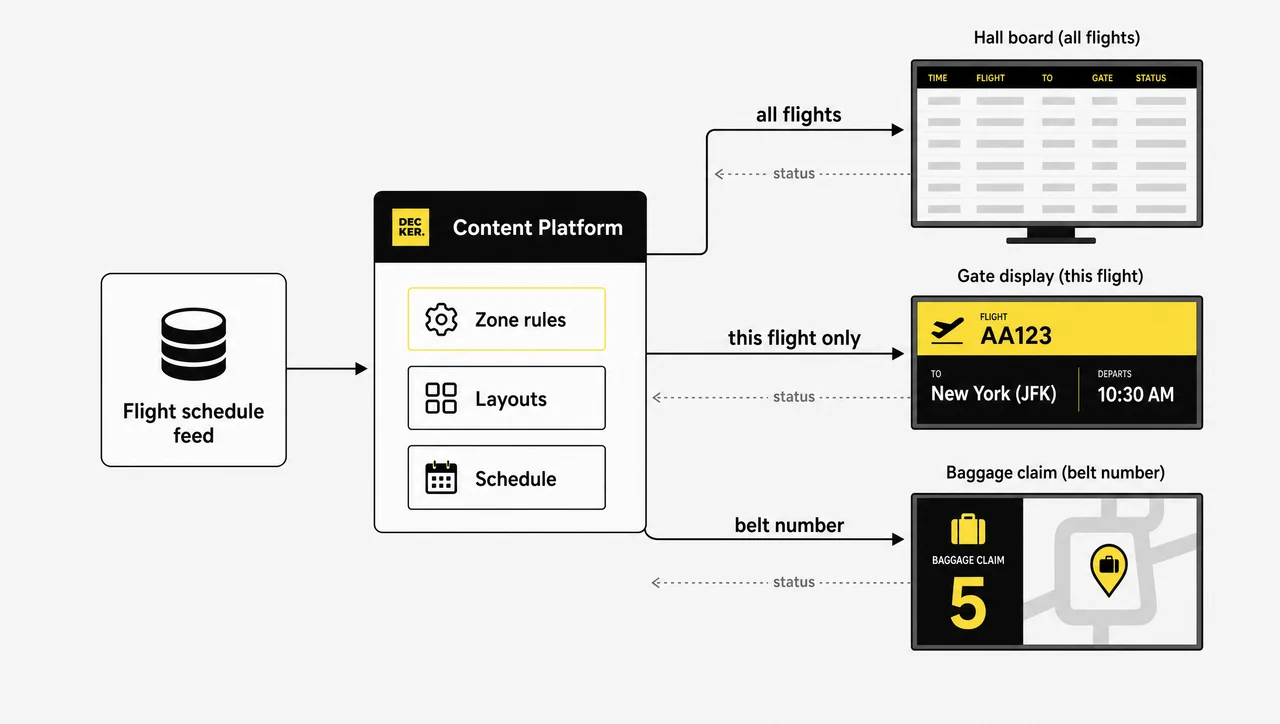
Electronic airport digital signage stops being a display problem and becomes a data problem, which is why live data and dashboard integrations matter more than the panel.
One Platform for Hundreds of Airport Screens
A mid-size terminal runs dozens of screens; a large one runs hundreds across concourses that a single technician cannot walk in a day. Airport digital signage software exists to make that a desk job. Decker groups screens by terminal, concourse, gate block or tenant, then publishes a playlist to the whole group in one action. Recurring schedules handle the daily rhythm — early bank, mid-day, red-eye — without anyone touching the system. Access roles keep airline tenants, concession operators and the operations team in their own lanes, each editing only their screens. Remote monitoring shows player status, last publish and connection state for every device on one page.
The underlying content engine is the same digital signage CMS that runs the rest of the platform, and the airport digital signage display software runs on Decker players against standard commercial panels.
Screens That Don’t Go Dark
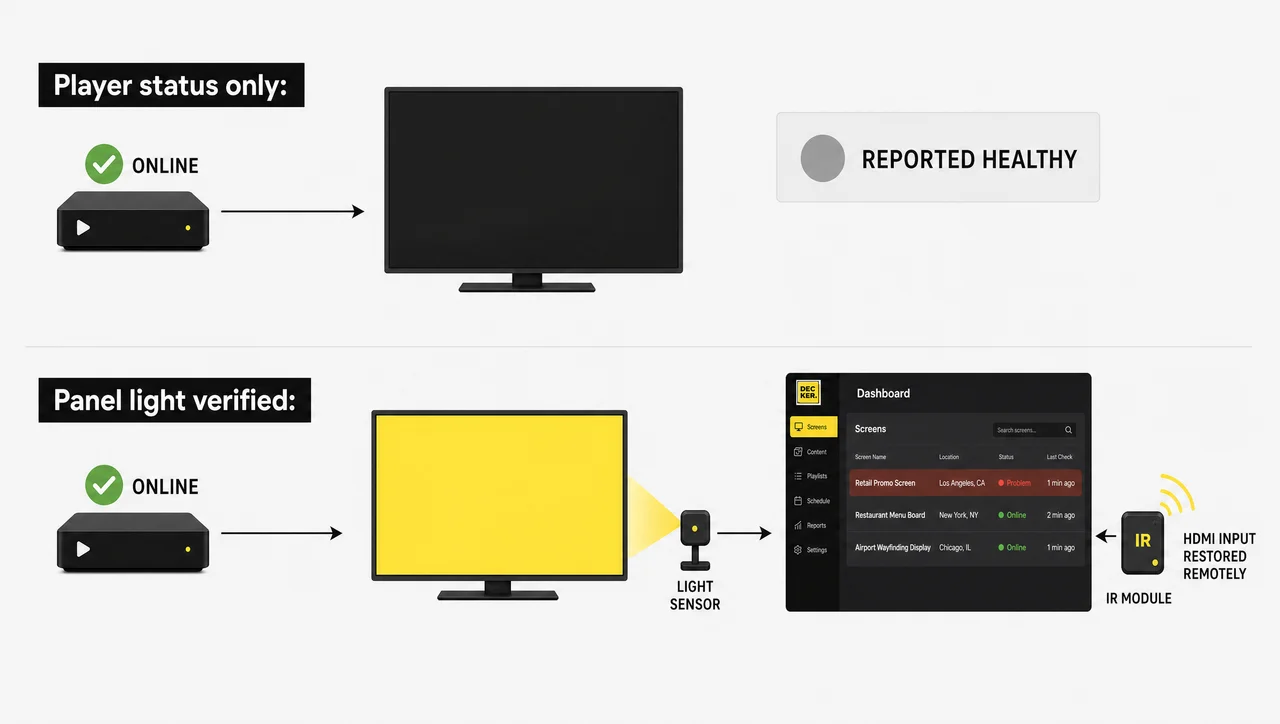
⚠️ “Remote monitoring” doesn’t always mean the screen is on: most platforms report that the player is online, not that the panel is lit. A display switched to the wrong HDMI input after a power dip still reports as healthy — and stays black until someone walks the concourse and notices.
Decker closes that gap in hardware. A photodiode sensor in the Decker Verifier reads the actual light coming off the panel and reports its real state, so a dark screen at a gate raises an alert instead of waiting for a passenger complaint. An infrared module sends the display back to the correct input remotely after a power event, which matters most in post-security zones where an engineer needs badge access and an escort to reach a screen that needs one button pressed. Scheduled power control shuts panels down between the last arrival and the first departure bank, cutting the matrix degradation that comes from running consumer displays 18 to 24 hours a day. By company data, this combination reduces screen downtime by around 60%.
Turn Terminal Screens Into Revenue
Non-aeronautical revenue is where a screen network pays for itself. Terminal inventory is unusually good: high dwell, captive attention, and an audience with disposable time and a boarding pass. Decker sells that inventory two ways — direct deals with concession tenants, car rental brands and local advertisers, or programmatic auctions where a creative is bought and delivered to a screen in milliseconds.
Digital signage analytics for airports report impressions, revenue and audience composition in the Decker account, so an ad slot at baggage claim can be priced differently from one at a gate. Networks running Decker Advertising work on a revenue-share model on top of the per-screen subscription, which means unsold airport digital signage advertising time becomes yield instead of a wallpaper loop.
How to Roll Out an Airport Digital Signage Solution
Most terminals start with one concourse and expand, and a staged Decker rollout takes weeks rather than quarters. Airport digital signage solutions fail more often on sequencing than on technology — data before templates, templates before schedules:
-
Step 1.
Map the zones and the screens
Walk the terminal and list every screen position by zone: entrance, check-in, checkpoint, gates, claim, concessions. Note power, network and mounting for each, and mark which positions sit behind security.
-
Step 2.
Connect players and panels
Install a Decker Player per screen and bring the devices online. Screens appear in the account as they connect, grouped by the zones you defined.
-
Step 3.
Wire the data and the templates
Connect the flight schedule feed, build layouts for each zone type, and set the access roles for operations, tenants and advertisers.
-
Step 4.
Publish, verify and schedule
Push content to a group, confirm on the monitoring page that every panel is lit, then set the recurring schedules. From here, updates are a two-minute task.
Types of Airport Digital Signage Displays
Digital signage airports install today falls into six recognisable types, and the airport digital displays signage industry names most of them by function rather than by hardware. Digital signage solutions for airports are usually bought type by type, and knowing which one you are specifying matters: each has a different data source, a different refresh rate and a different owner inside the airport. Every type below can carry two or more languages in the same layout, which is what international terminals need without doubling the playlist count.
FIDS — Flight Information Display Systems
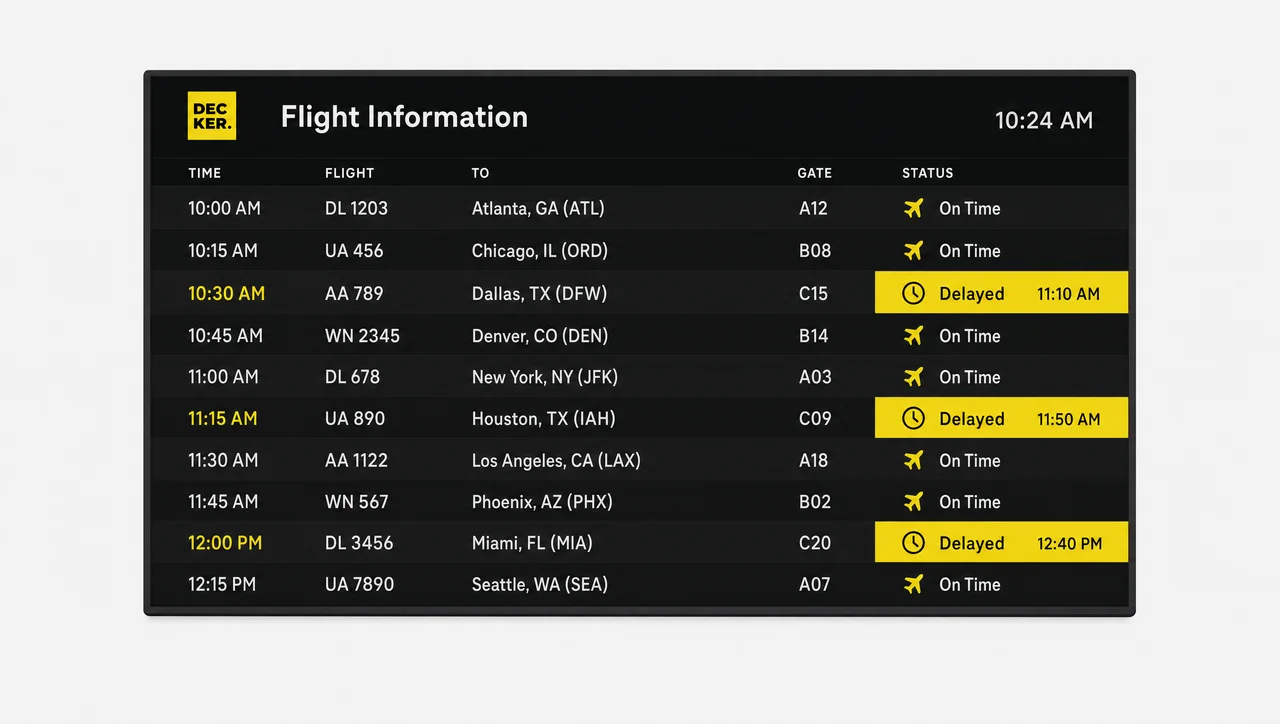
The airport flight digital signage everyone pictures first — full arrival and departure boards in the main hall, driven by the schedule feed, refreshed continuously. The largest, densest layouts in the terminal, and the ones passengers stop walking to read.
GIDS — Gate Information Displays
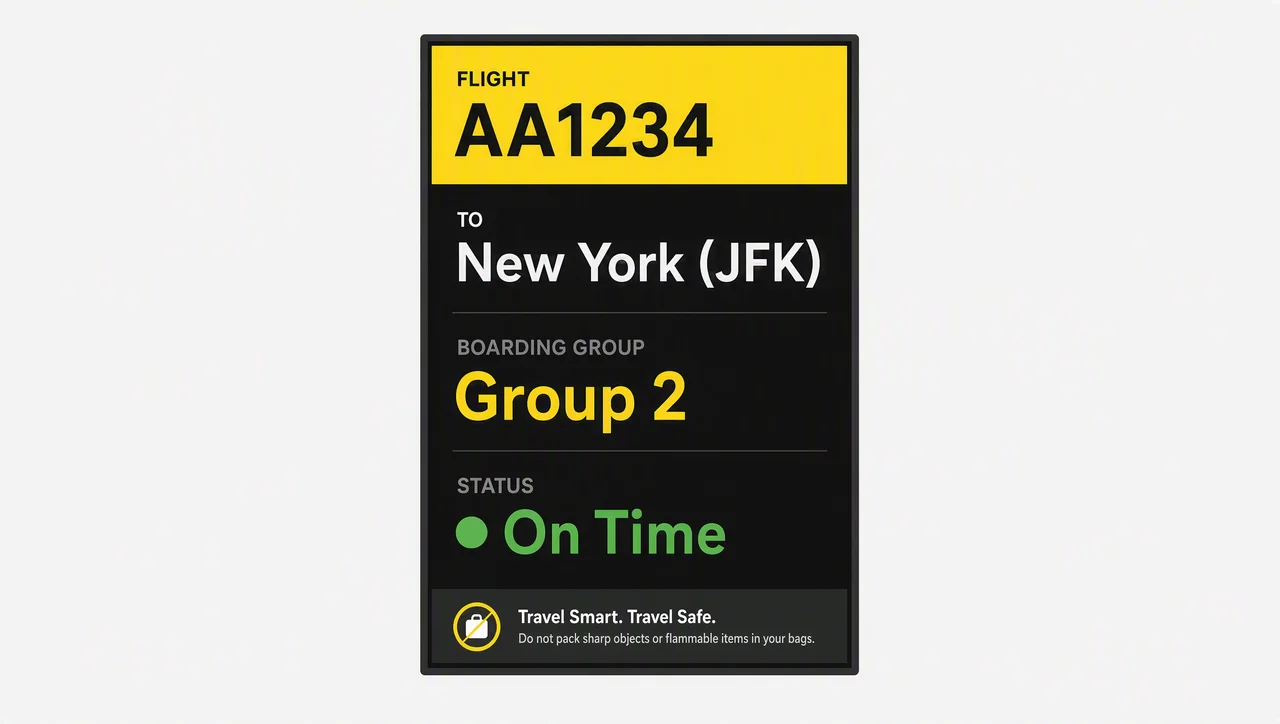
Single-flight screens at the boarding desk showing flight number, destination, boarding group and status. Content narrows to one flight at a time and switches automatically when the gate is reassigned, along with prohibited-item and priority-boarding notices.
BIDS — Baggage Information Displays
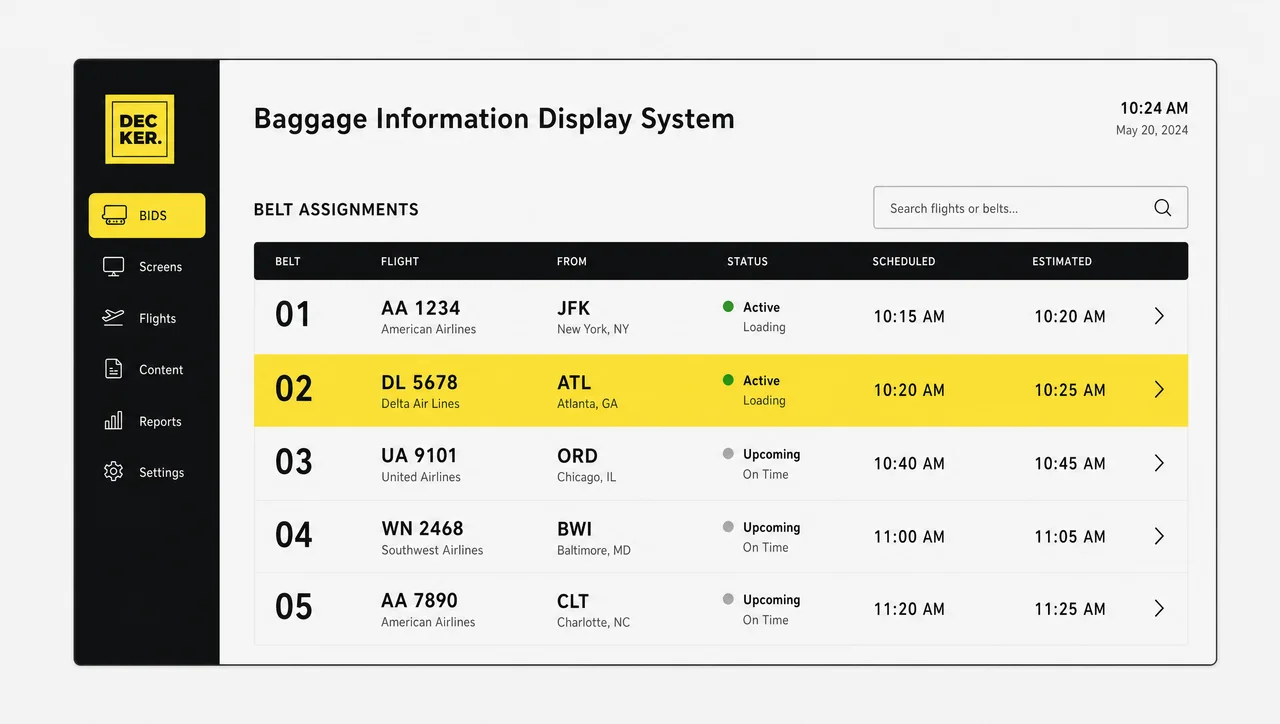
Belt assignment screens in the claim hall, tied to the same schedule feed. The refresh here is the one arriving passengers act on immediately, and Decker treats the surrounding screen space as sellable inventory for a captive audience.
Wayfinding and Directory Displays
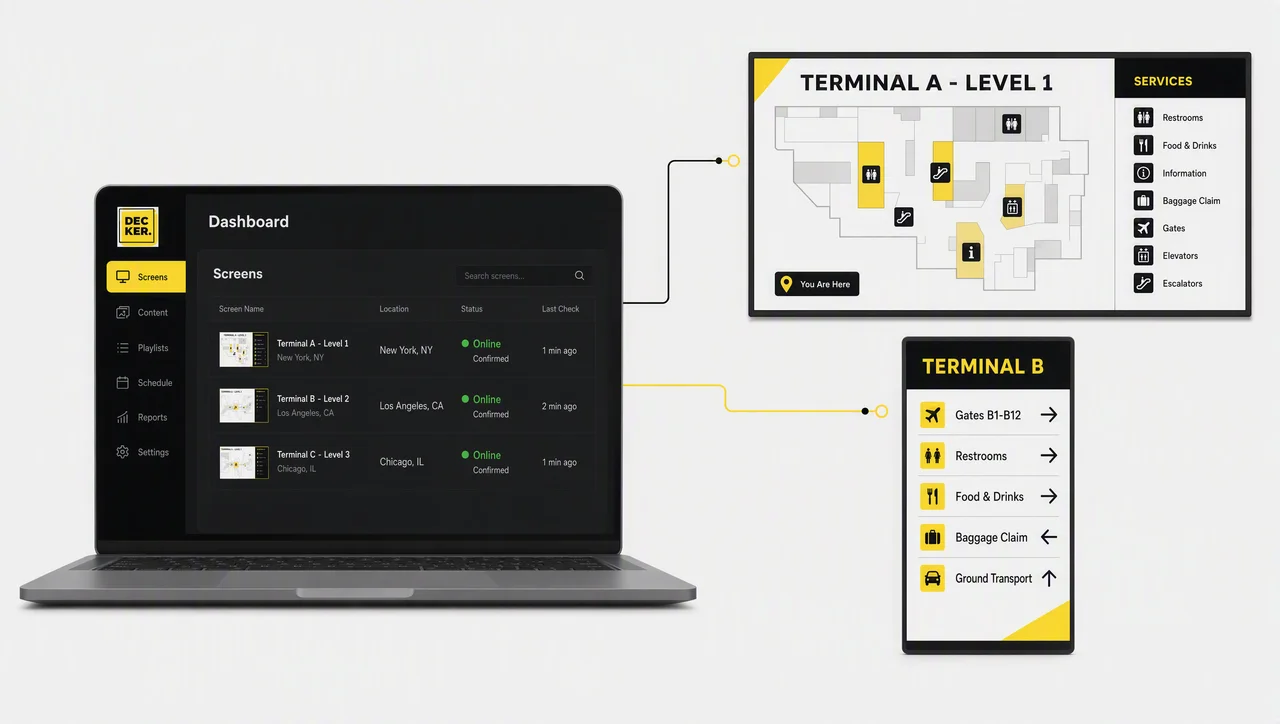
Terminal maps, service directories and directional panels published from Decker as a single layout family. Digital signage wayfinding airport teams maintain from one map source stays consistent across every hall, unlike printed signs that get replaced piecemeal.
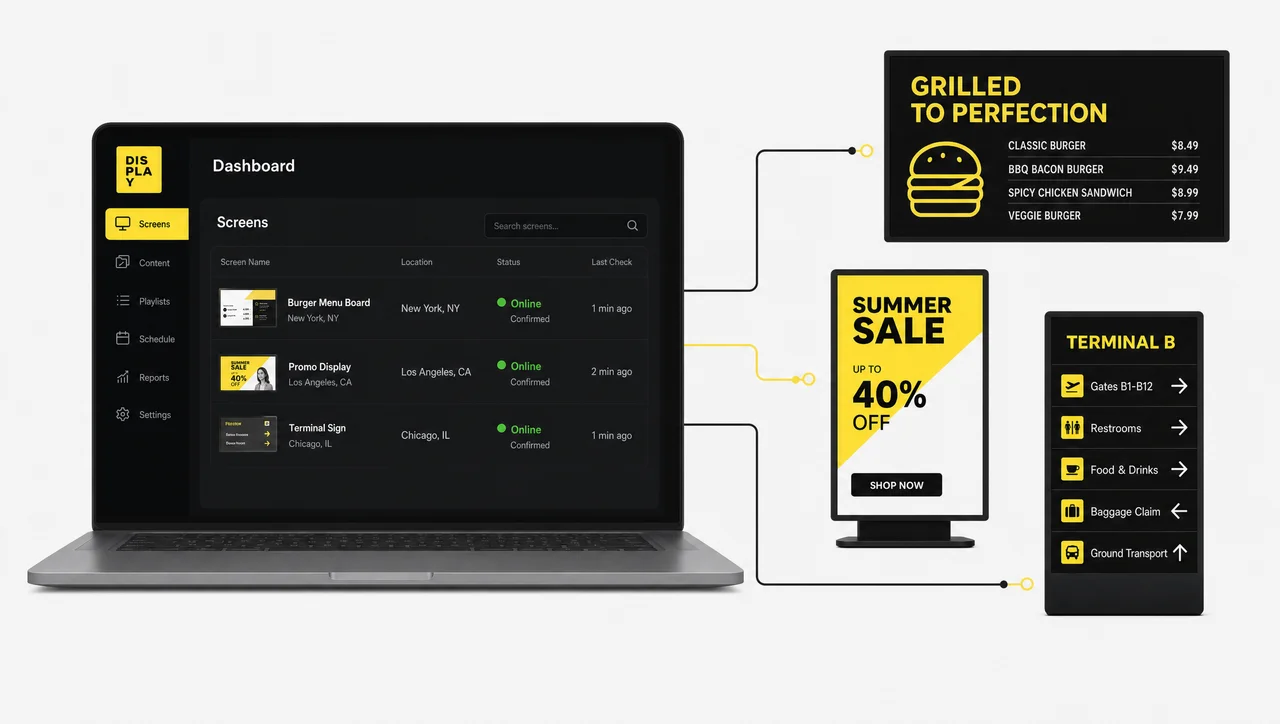
Advertising and Retail Displays
Screens carrying paid creative, concession offers and duty-free campaigns, either as a full-screen loop or as a zone inside an information layout. This is where digital signage for airports stops being a cost line and starts being non-aeronautical revenue.
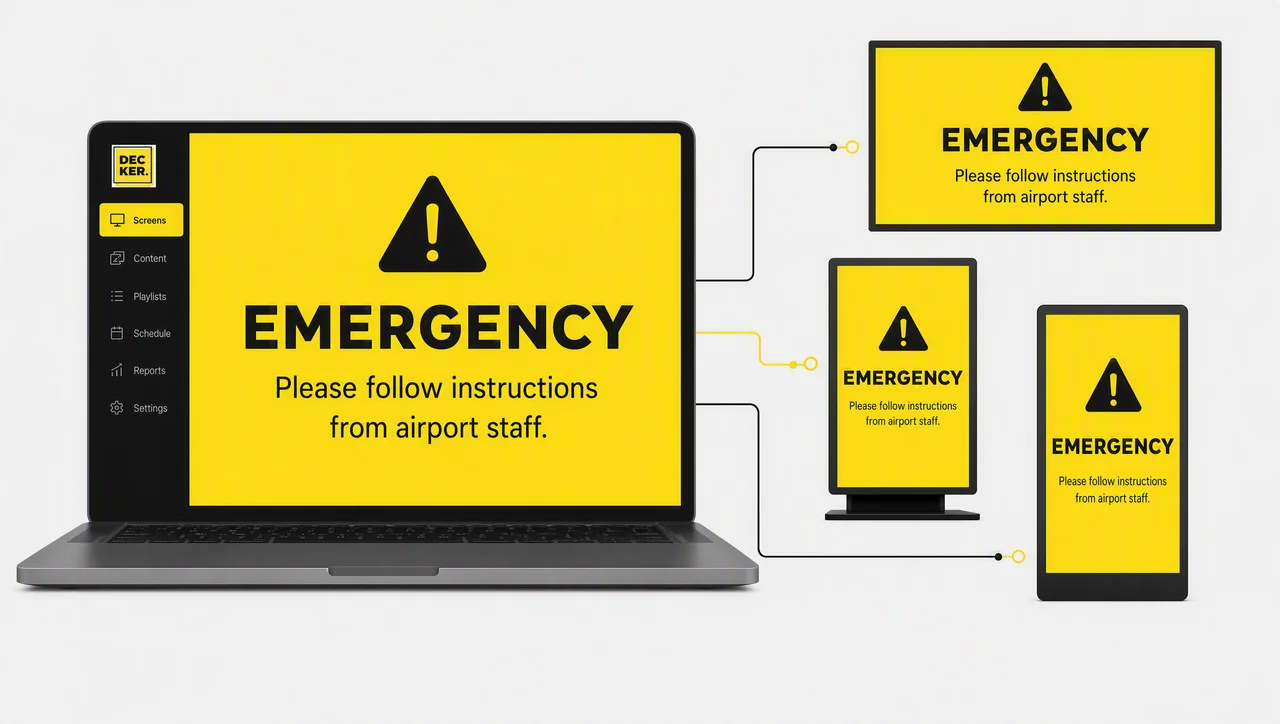
Emergency and Override Displays
Any screen in the network that can be taken over instantly by a priority message. Not a separate display type so much as a mode every screen has to support, and the reason override rights and screen takeover need their own access role.
Built for the Way a Terminal Actually Runs
- 18-hour duty cycle
- Panels run from the first bank to the last arrival — Decker schedules to the flight day, not office hours.
- Screens behind security
- Badging and escort to reach a panel — Decker recovers it without the walk.
- Mixed tenants
- Airlines, concessions and ground handlers edit their own screens, never yours.
- IROPS peaks
- One weather event rewrites every Decker board in the terminal within minutes.
- International passengers
- Layouts carry two or more languages without a second playlist to maintain.
- Screens nobody watches
- A panel between two exits earns less than one at a gate — placement is measurable.
Related Scenarios
-
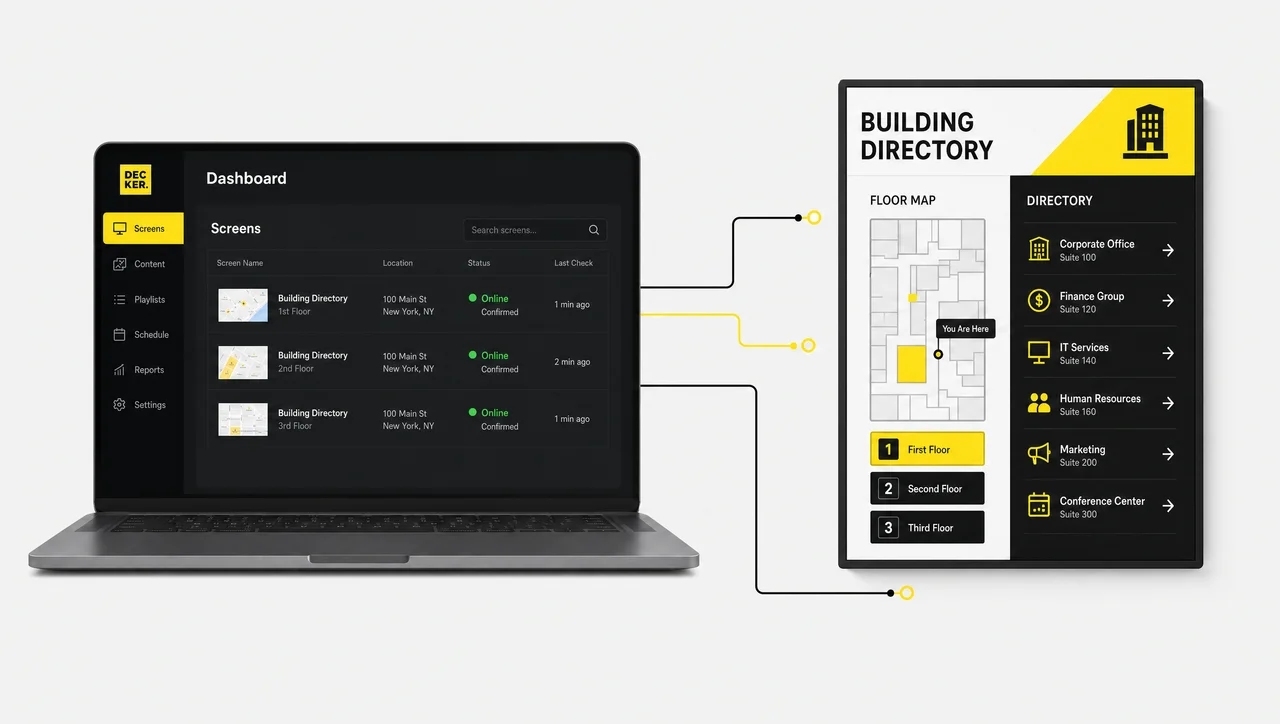
Wayfinding and Directories
Interactive maps and building directoriesDeeper wayfinding logic than a terminal overview.
-
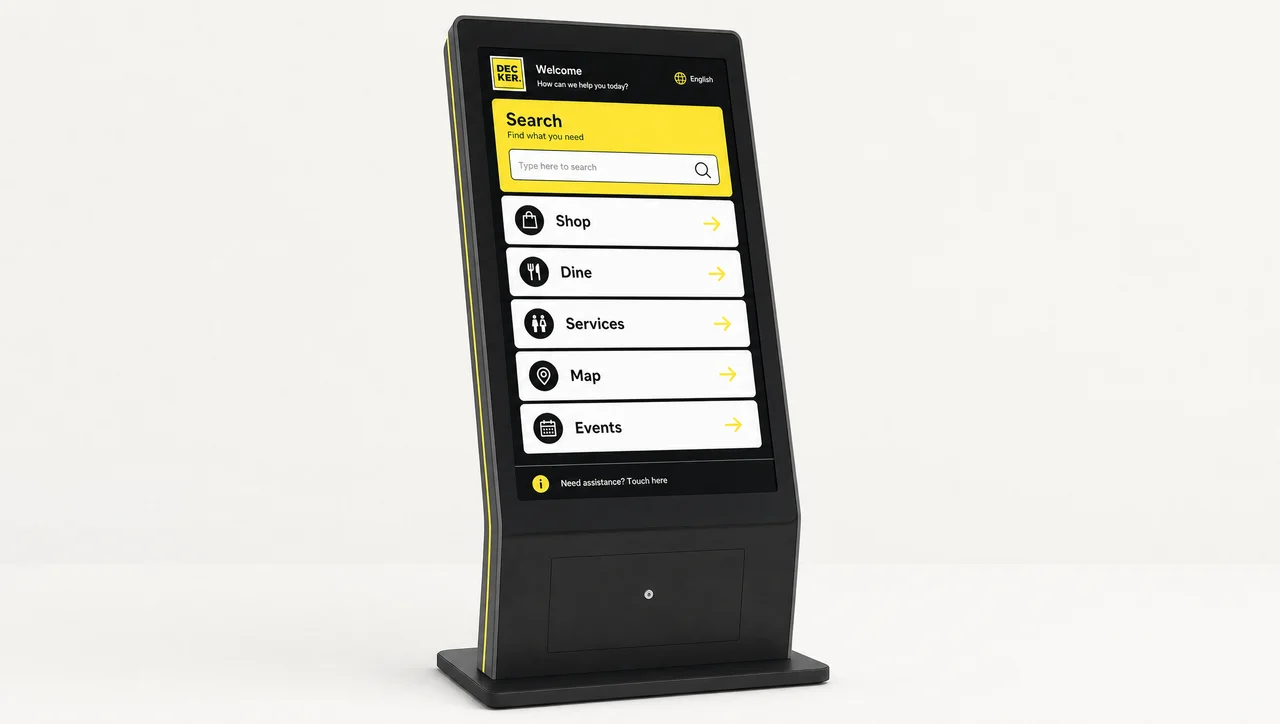
Interactive Kiosks
Touchscreens passengers operate themselvesSelf-service search for gates, services and shops.
-
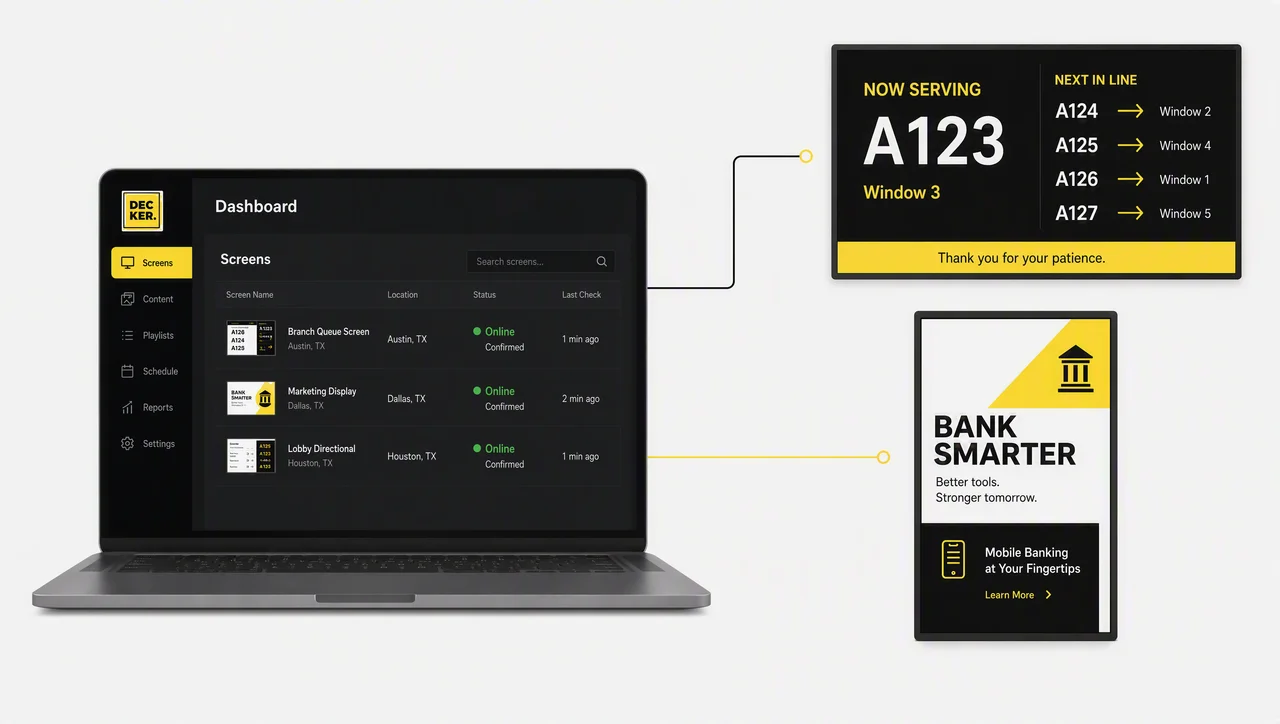
Queue Management
Electronic queue and calling systemsFor checkpoints and desks that issue tickets.
-
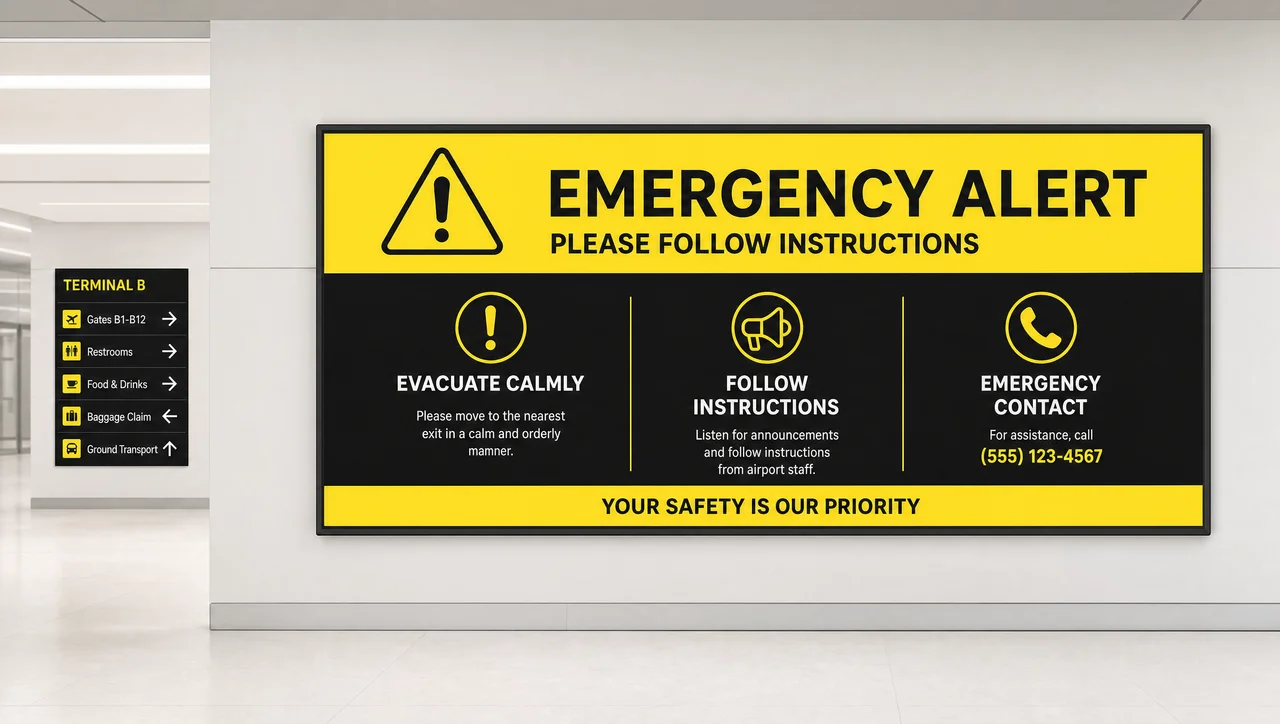
Emergency Alerts and Screen Takeover
Instant override of every screenScreen displaying a full-width emergency alert message.
-
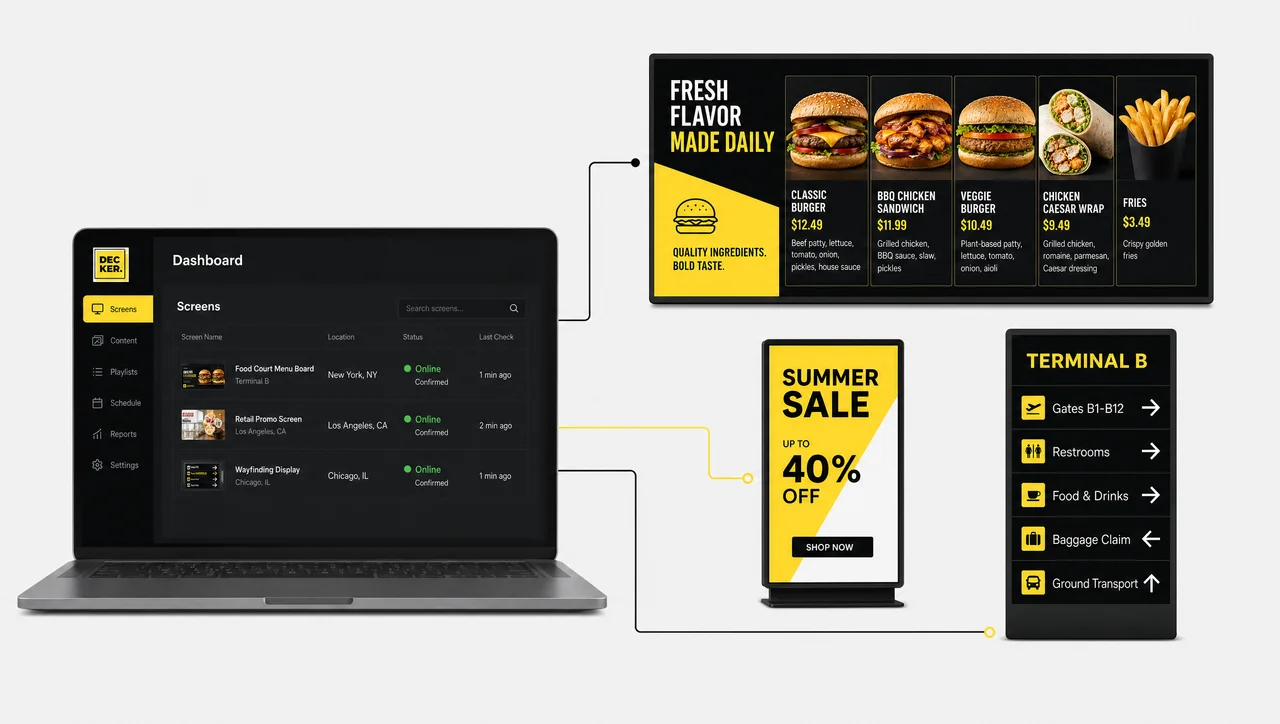
Digital Menu Boards
Food-court and cafe menu screensPrices and items synced from the POS.
-

Video Walls
Multi-panel display configurationsFor atriums, halls and arrival galleries.
Airport Digital Signage FAQ
What does a terminal screen network actually cover?
Airport digital signage is a network of screens across a terminal, managed centrally, that displays flight information, wayfinding, operational notices and advertising. Content is scheduled and published from one account instead of being loaded onto each display by hand.
What should I compare when picking a platform?
Judge airport signage software on four things: whether it connects to your flight data source automatically, whether it groups screens by zone rather than one by one, whether it tells you a panel is genuinely lit rather than merely reachable, and whether access roles let tenants edit their own screens without touching yours. Free tools usually fail on the last two.
Can the screens show live flight information?
Yes. The schedule feed connects through the platform API, and departures, arrivals, delays and gate changes redraw on the affected screens automatically as the source data changes.
What happens if the terminal network goes down?
Playback continues from content cached on the player, so screens keep running through an outage. New content and schedule updates resume once the connection is restored — an offline player cannot receive what it has not downloaded.
Does it work for outdoor and apron positions?
The software drives outdoor displays, but the panel has to be rated for it. Indoor terminal positions run on standard commercial screens; ramp and curbside positions need industrial LED sourced separately.
Are terminal screens a security risk?
They are network endpoints, so they are treated as such: players authenticate to the platform, publishing rights are scoped by role, and an operator who can edit a concession loop cannot push to a flight board. Screens left on default credentials are the real exposure in airport deployments, not the signage layer itself.
How much does an airport screen network cost?
There is no universal airport digital signage pricelist, because cost scales with screen count, zones and whether you sell advertising. Pricing is per screen per month with a revenue-share option for networks monetising inventory, and current plans and rates stay authoritative as they change.
Ready to See It on Your Screens
Bring one concourse online and judge Decker on real flight data, real dwell time and a real monitoring dashboard. Book a demo to see the platform on your terminal layout, or ask for a quote sized to your screen count.


