
Digital Signage for QSR
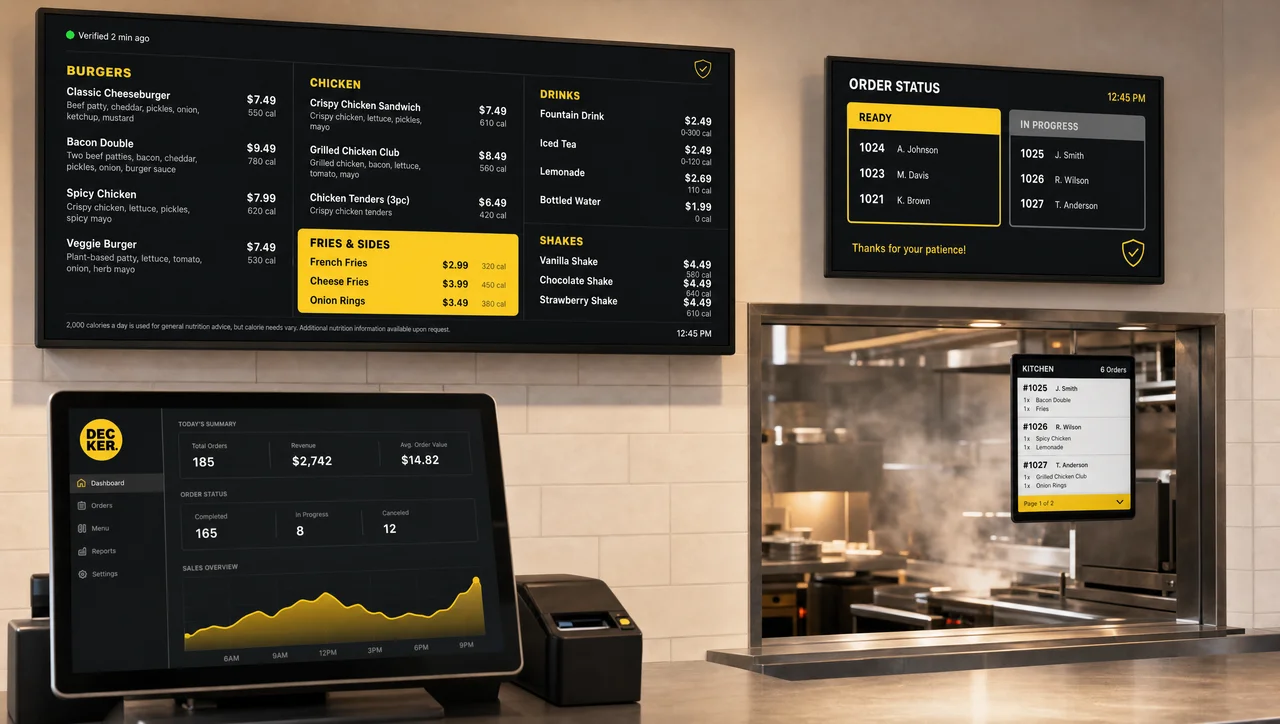
QSR digital signage covers every screen in the restaurant, not just the menu board: drive-thru navigation, order-status boards, the waiting area, and back-of-house dashboards, backed by hardware that confirms each screen is actually displaying content instead of software that only assumes it is.



-
One system Every QSR screen, one platform
Drive-thru, front counter, waiting area, and back-of-house all run — and are verified — from a single dashboard instead of six separate tools.
-
Verified past the counter Not just the register up front
Independent hardware checks the drive-thru board, the waiting-area screen, and the kitchen dashboard alike, catching a stalled screen before the lunch rush turns it into a complaint.
-
Built for the rush Breakfast, lunch, dinner, and drive-thru
Screens switch from breakfast to lunch to dinner on their own, and drive-thru, counter, and waiting-area displays all move together — no one manually swapping boards before the line forms.
What “digital signage for QSR” actually covers
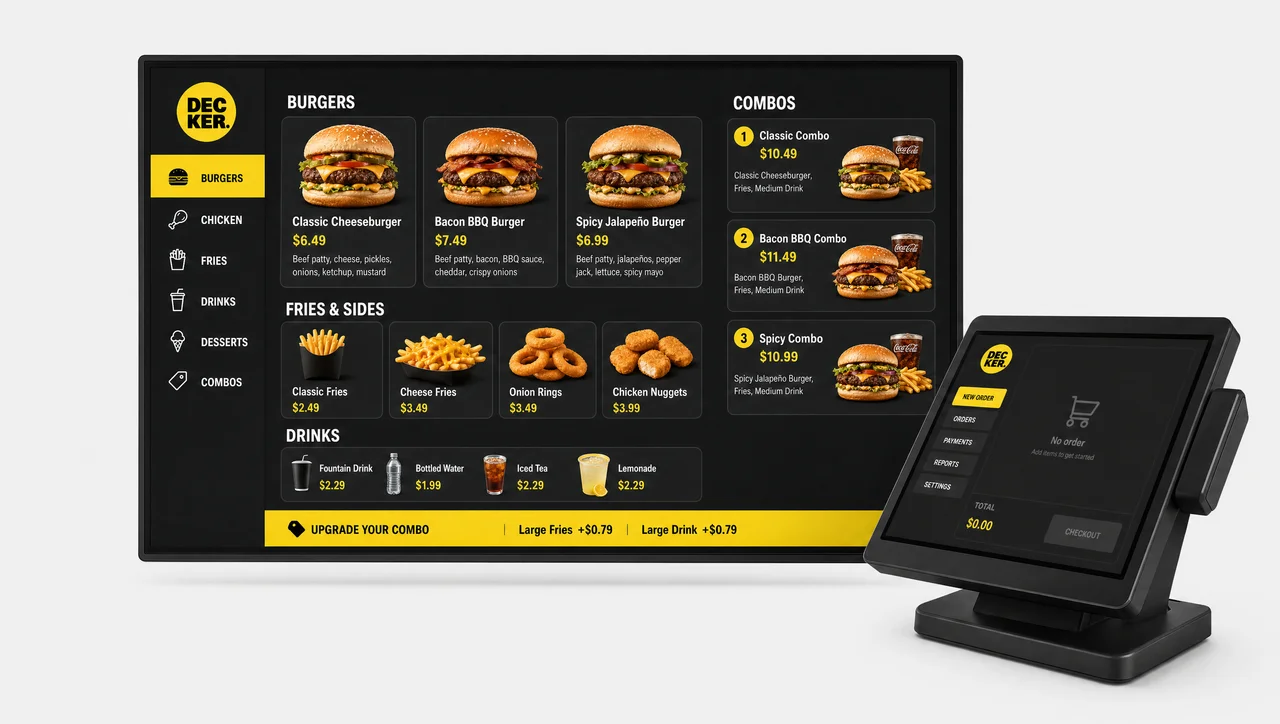
QSR digital signage has to cover more screens than most operators budget for at the planning stage. A single location typically needs a drive-thru order confirmation board, one or two front-counter menu boards, an order-status display for the pickup counter, and — increasingly — a back-of-house dashboard showing ticket times to the kitchen.
Digital signage for QSR runs on one software-and-hardware layer that connects all of those screens as one system rather than as separate one-off installs. It pulls menu and pricing data from a single source, schedules dayparts automatically, and reports every screen’s status to one dashboard instead of a phone call from every store manager. It’s one of several digital signage solutions built for a specific type of location.
Not to be confused with a system focused only on menu pricing and speed of service — that narrower job is covered by digital menu boards for QSR, in the related pages below. This page is about the whole location.
Every screen in a QSR location, not just the menu board
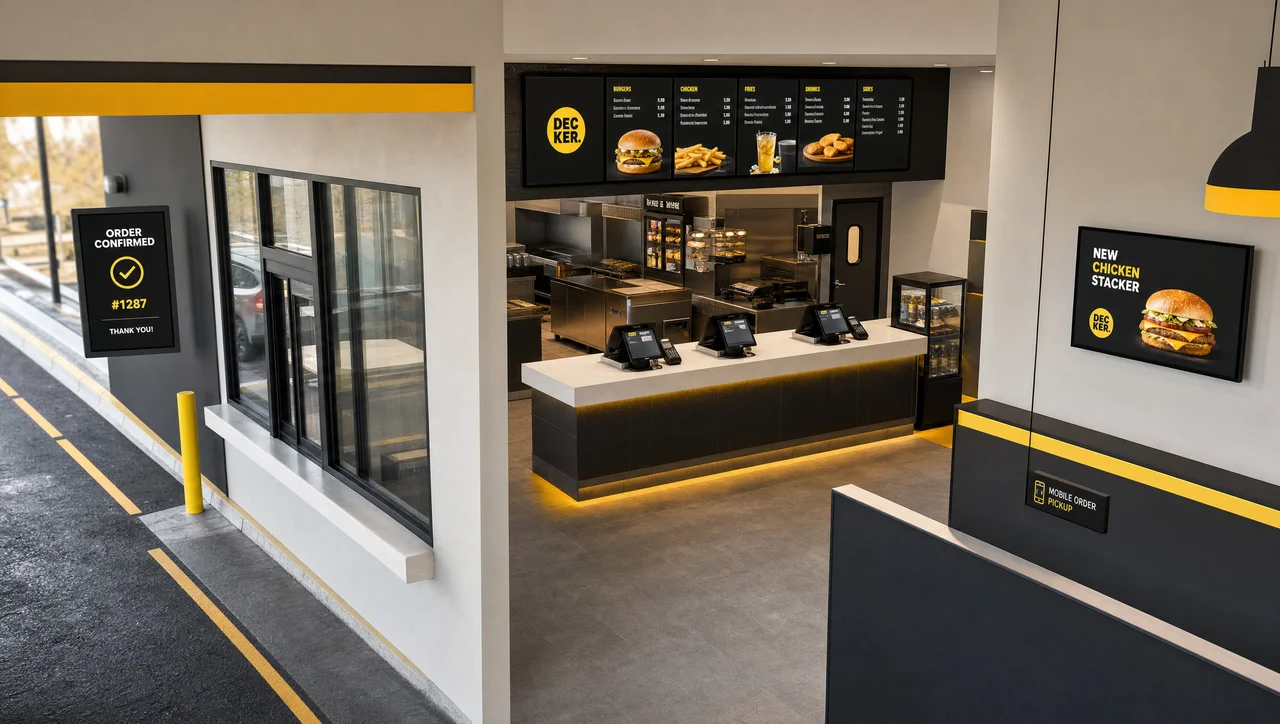
A full QSR digital signage deployment connects several kinds of screens working together — one system instead of six separate vendor relationships:
-
Drive-thru navigation and order confirmation
pre-menu teaser boards and order-confirmation screens that keep cars moving through the lane and reduce order-taking errors at the speaker post.
-
Front-counter and pickup menu boards
the core price and product display, synced to daypart schedules and, when connected to POS, to live availability.
-
Order-status boards
number- or name-based pickup boards that cut “is my order ready” questions at the counter during rush periods.
-
Waiting-area and queue content
promotional and brand content positioned to occupy attention while a line moves, distinct from anything selling a specific price.
-
Back-of-house dashboards
ticket times, prep-station load, and shift communication for kitchen and crew, kept separate from anything a guest sees.
-
Staff communication screens
break-room and back-office displays for shift changes, safety notices, and onboarding content, running on the same platform as the customer-facing screens.

Why “the content was sent” isn’t the same as “it’s on screen”
Most QSR digital signage software pushes content to a screen and reports that the push succeeded. What it can’t tell an operator is whether the screen actually rendered it — a frozen player, a stuck HDMI input, or a dropped connection all look identical from the software side, and nobody finds out until a customer complains.
POS platforms that added signage as an extension close part of that gap by tying content to live pricing, but they share the same blind spot elsewhere: none independently confirms a screen is displaying anything at all.
Decker was built on the opposite assumption: every screen can fail, and the platform should know the moment it does. For deployments using Decker Verifier, each monitored screen uses a Decker Player plus an independent Verifier, independent hardware that monitors player and display, restarts either remotely, and logs real uptime per screen.
| Capability | Software-only signage | POS-based signage | Decker |
| Pushes content to screens | ✅ Yes | ⚠️ Partial | ✅ Yes |
| Confirms content is actually displaying | ❌ No | ❌ No | ✅ Yes |
| Monitors screen and media player separately | ❌ No | ❌ No | ✅ Yes |
| Remote restart without a technician visit | ❌ No | ❌ No | ✅ Yes |
| Verified uptime data per screen | ❌ No | ❌ No | ✅ Yes |
| Auto-regenerates menu design on price change | ❌ No | ❌ No | ✅ Yes |
That gap between sending content and showing it is, as a result, exactly what the Decker Verifier closes.
How Decker verifies every screen in real time
QSR digital signage that can’t confirm its own uptime is just an expensive TV. The Decker Verifier turns “we pushed the update” into “the drive-thru board at location #247 is showing it right now.” It runs independently of the media player, so a frozen Player or a stuck HDMI source on any screen doesn’t need a technician on site to fix — the Verifier can power-cycle both devices and switch the input remotely, and the fault is visible on the dashboard the moment it happens.
That same monitoring layer tracks a measurable uptime number per screen, per store, per month, across every screen type in the location, not just the register up front. It detects a quiet screen immediately, before the lunch rush turns it into a complaint.
⚠️ Cloud CMS uptime dashboards don’t guarantee a screen is on: most of them confirm that content was delivered to the device, not that the device is currently rendering it. Without a separate hardware check, a dark screen and a working one report the same “delivered” status.
That said, the distinction between delivered and displayed is also where the real ROI numbers start.
QSR digital signage ROI: what actually moves the needle
The ROI conversation for a full QSR deployment centers on three things: how many separate tools an operations team juggles, how much downtime costs in lost visibility, and how much staff time menu changes eat up.
Consolidation is the number most operators underweight. One connected QSR digital signage solution means one login, one support contact, and one uptime report instead of stitching together separate tools for drive-thru, menu boards, and back-of-house screens.
On downtime, Decker deployments have reported roughly 60% less unplanned screen downtime once hardware verification is in place. On update speed, POS-linked menu updates have cut that specific cycle by up to 80%, since a price change can go live the moment it’s edited in POS.
Sales lifts are harder to isolate: some Decker deployments have reported gains in the 15–20% range from more visible, better-timed promotions, though that depends heavily on the baseline and shouldn’t be treated as guaranteed.
When a full QSR system isn’t worth it yet
Not every QSR location gets a return from a full deployment on day one. It’s worth ruling out before signing anything:
- A single independent location with a menu that changes twice a year or less. The value of POS-linked auto-regeneration comes from how often it saves a redesign cycle — at low change frequency, a well-designed static board can be cheaper over three years than a managed subscription.
- No reliable wired or cellular connectivity at the site. Remote monitoring, instant push updates, and real-time fault alerts all depend on the screen staying connected — without it, the hardware-verification advantage has nothing to report back to.
- Fewer than roughly 5 locations testing the concept before committing budget. Store-level A/B testing and regional pricing rules are built for multi-location operators comparing stores against each other; a single test kitchen won’t generate enough data to use them.
- A drive-thru-only footprint with a single order-confirmation screen and no menu board. A whole-location deployment covering waiting-area and back-of-house dashboards is more system than one screen needs.
- A chain already running a stable software-only platform for promotional content that never touches pricing. If nothing on screen is tied to POS data, the core Decker advantage — auto-regenerated, price-accurate boards — doesn’t add incremental value over what’s already working.
Getting a QSR location live: the rollout path
A typical rollout moves through the same sequence whether it’s one pilot store or a hundred-location network:
-
Step 1.
Connect the screens.
Decker Player and Verifier hardware ships and installs per screen, typically within 24 hours of arrival; existing displays and mounts are usually reused.
-
Step 2.
Configure the platform.
Templates, user roles, and access levels are set up so store managers and marketing see only what they need to.
-
Step 3.
Integrate POS and other systems.
Menu items, prices, and availability sync from the POS platform so the board never runs ahead of what’s actually being sold.
-
Step 4.
Set schedules and rules.
Daypart transitions, happy-hour timers, and any store-specific or regional pricing rules are configured once and run on their own after that.
-
Step 5.
Verify and monitor.
The Verifier confirms every screen is live before launch, then reports status and uptime as the network scales past the first store.
QSR vs. full-service restaurants: which page you actually need
-
 Learn more
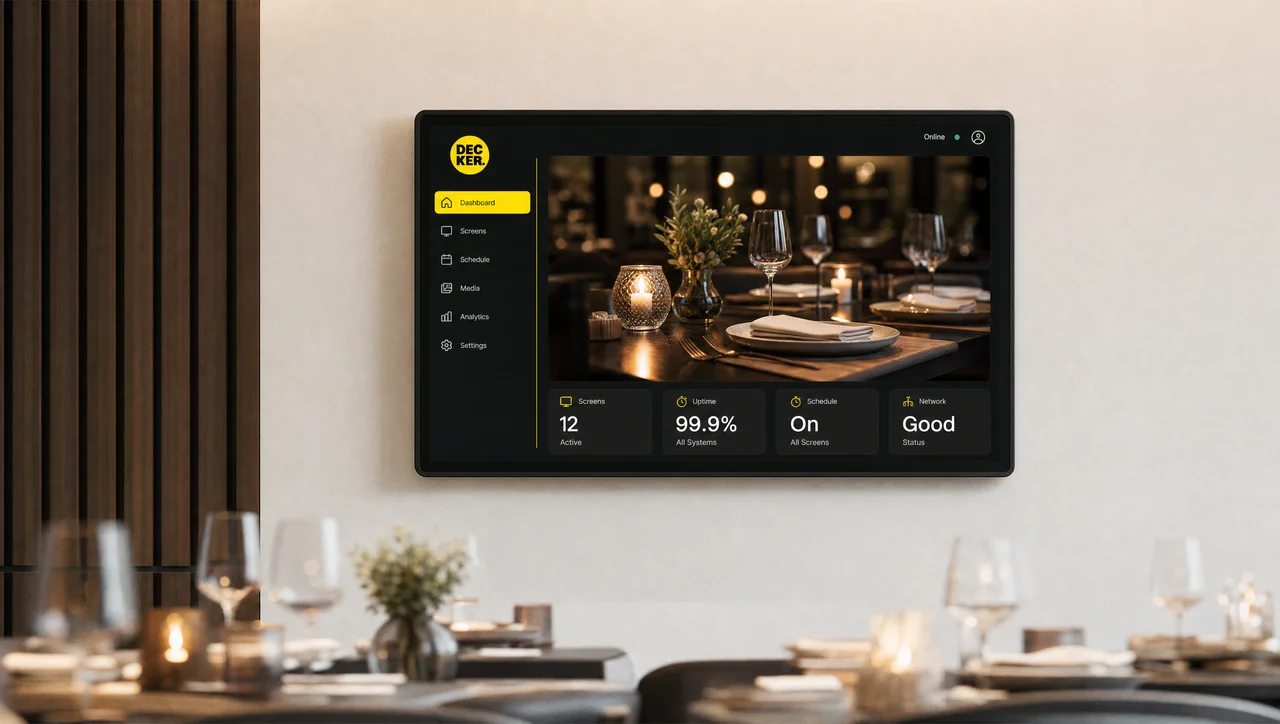
Full-Service Restaurants
Ambiance over counter speed Digital signage built for full-service dining rooms instead of quick-service throughput.
-
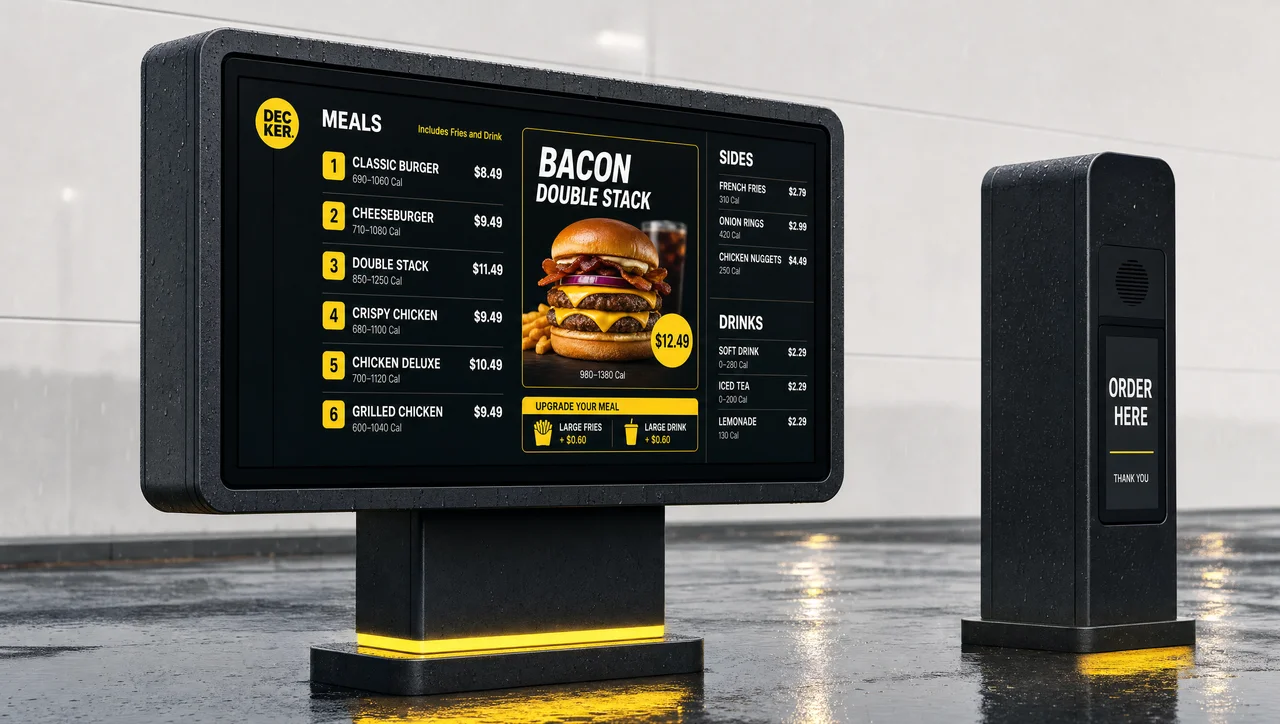
Drive-Thru Menu Boards
Just the outdoor pricing board. Weatherproof boards sync to POS pricing without the rest of the whole-location system.
-
 Learn more
QSR Menu Boards
Menu pricing and speed of service. A narrower product for menu and price display alone, not the whole-location system.
QSR Digital Signage FAQ
What is digital signage for QSR?
It’s the combined software and hardware system — also called quick service restaurant digital signage — that runs every screen in a quick-service location — drive-thru boards, front-counter menus, order-status displays, waiting-area content, and back-of-house dashboards — as one managed network instead of separate, unconnected installs.
Is digital signage expensive for a QSR?
Cost depends on screen count, hardware quality, and how many locations are rolling out at once. Most of that cost gets offset over time by lower printing costs, less manual labor spent on menu changes, and better-timed promotions — though the specific payback period varies enough by chain that it’s worth modeling against your own store count rather than a generic benchmark.
What do I need to set up QSR digital signage?
At minimum: a display per screen location, a media player connected to it, a content management platform to schedule and push updates, and a reliable internet connection at each store. A hardware-verification layer like the Decker Verifier is optional but is what closes the gap between “content was sent” and “content is showing.”
How is Decker different from other QSR digital signage companies?
Most QSR digital signage vendors are software-only — they send content and assume the screen displays it. Decker can pair each screen with independent hardware (Player + Verifier) that confirms what’s actually on screen, tracks real uptime per location, and can restart a stalled screen remotely without a technician visit.
What's the best digital signage for a QSR?
The best digital signage for a QSR is judged less by screen count and more by whether it can confirm a screen is actually on. When comparing the top digital signage vendors for QSR, look for POS-linked pricing, independent hardware verification, and daypart scheduling built into the platform rather than added on top after the fact.
Is Decker QSR digital signage software, or something more?
Both. Decker runs QSR digital signage software for content, scheduling, and POS integration, plus Decker Player and Verifier hardware that confirms what’s actually on screen — most restaurant digital signage software stops at the content layer and assumes the screen is showing it.
Is Decker a QSR digital signage solutions provider for US chains?
Yes — Decker works as a QSR digital signage solutions provider and vendor for restaurant chains in the US, running software, verified hardware, and POS integration as one connected platform instead of three separate purchases.
Is this the same as digital signage for restaurants?
Digital signage for restaurants and QSR chains shares the same core technology, but the buying decision differs: a full-service dining room usually needs ambiance and table-side promotion, while a QSR needs order speed and drive-thru throughput — different formats, covered on separate pages below.
Can digital signage handle drive-thru menu boards specifically?
Yes — drive-thru boards are one screen type within a full QSR deployment, built to withstand outdoor conditions and sync with the same POS-linked pricing as the indoor menu boards.
Does digital signage integrate with our POS system?
Yes, for enterprise POS integrations Decker connects directly so menu items, prices, and availability update automatically, and Decker tracks store-level performance against sales.
How long does it take to roll out digital signage across a QSR network?
A single pilot location can go live in days once hardware ships; a multi-hundred-location rollout is usually phased over weeks so each new batch of stores is verified before the next batch begins.
What happens if a screen goes down at 2am with nobody on site?
The Verifier detects the fault immediately and, in most cases, restarts the player or display and restores the HDMI connection on its own — without a technician visit. If it can’t self-recover, the fault shows on the monitoring dashboard in real time rather than waiting for a customer or manager to notice.
See what digital signage for QSR looks like on your own screens
Talk to the Decker team about connecting your first location — no redesign of your menu required to start.


