Starter
One screen with media, playlists, and schedules, free forever.
$0
Free forever · 1 screen No credit card
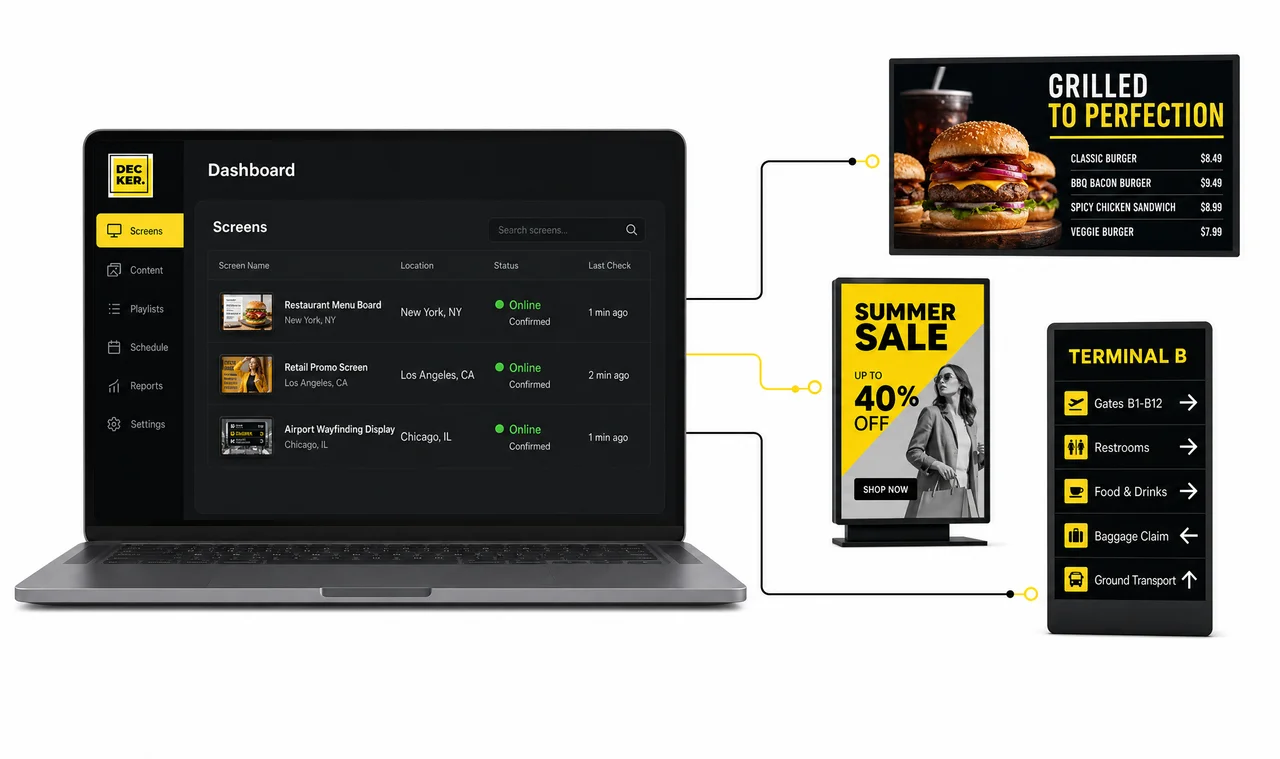
Decker Digital Signage is cloud-based digital signage software for screen networks: it connects screens, menus, and promotions to POS and ERP data, publishes updates in minutes, and verifies that every screen keeps playing. Restaurants, retailers, and multi-location teams catch a dark display before a customer does.



Decker checks each screen after publishing and logs photo evidence, so playback is a record, not an assumption.
POS, ERP, and API data flow into screen templates, so teams change menus and prices without rebuilding layouts.
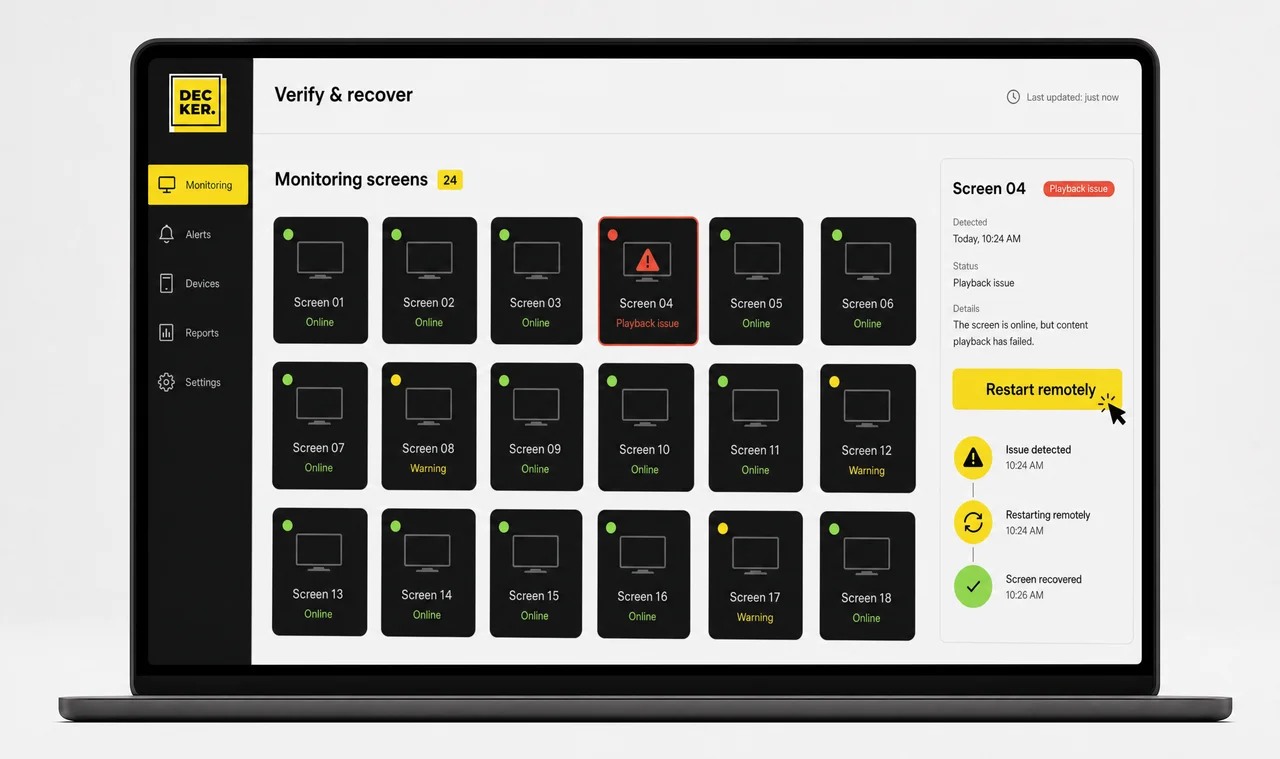
Decker checks each screen and player after a publish, so teams catch playback issues and recover displays remotely.
Digital signage software is the layer that schedules, publishes, and monitors content on connected screens, separately from the screens and players it controls. Teams also call it a digital signage system, a digital signage platform, a digital signage program, or a digital signage CMS. Decker runs that layer for a screen network of any size, from one display to hundreds of sites across several states.
Most digital signage systems stop at delivery: they send a file and assume it plays. Decker adds the missing step. Decker Player displays the content, and Decker Verifier confirms it played, so delivery and playback become two separate, checked facts. Next, here is what the platform controls from one dashboard.
Decker is a digital signage platform that manages content, schedules, locations, access, integrations, alerts, and recovery from one dashboard, instead of a CMS, a POS export, and a spreadsheet of screen IDs stitched together.
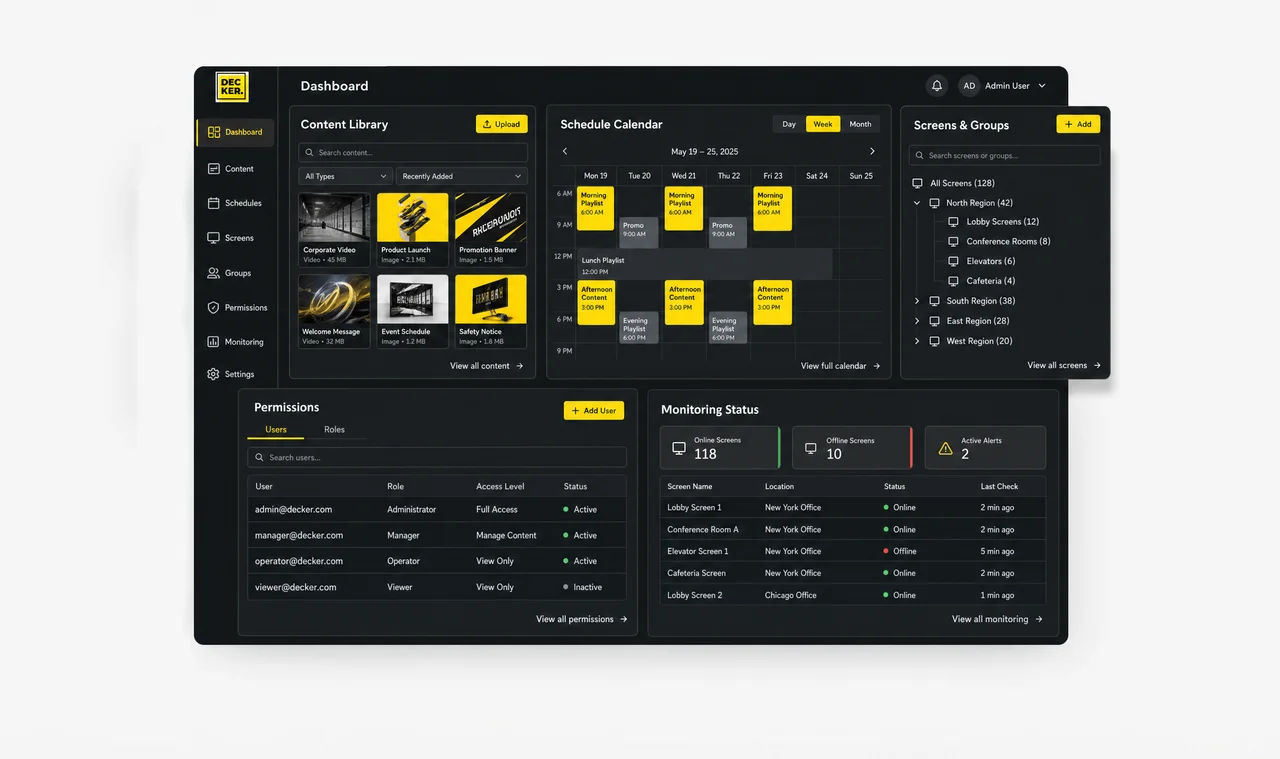
Decker updates every screen from one library of media, menus, and campaigns. Screens never get rebuilt from scratch, because the digital signage software keeps one source for every asset.
Screens publish by time of day, location, screen group, business format, and campaign window.
Displays join groups by site, zone, region, franchise unit, and operating purpose.
Each role publishes only what it is permitted to, so marketing, operations, and local teams keep the right permission level across the screen network.
Decker connects POS, ERP, and API feeds to each display the moment it joins a location, so price and menu changes reach it automatically.
Displays report status, playback changes, connection gaps, and alert events after every publish.
Decker restarts playback and corrects display state remotely, without a truck roll. Most faults close from the dashboard before anyone drives to the site.
Unlike a standard digital signage platform, which sends a file and assumes the screen shows it, Decker verifies playback on each screen and player after every publish with Decker Verifier, so you know content actually plays, not just that it was sent.
Decker Player drives a screen, receives content published from the platform, and shows it on the glass.
Decker Verifier checks a display after publishing and confirms screen status, player status, playback, and connection signals, with photo evidence for the audit trail.
Screens restart remotely, recover their HDMI source, or accept power control instead of a site visit, where the hardware setup supports it.
Continuous verification turns uptime per screen into an operating number teams track, not a guess based on the last complaint from a location manager. It also makes locations comparable with each other, which a publish log never does.
Decker digital signage software follows the same four steps for every rollout, whether it covers one location or hundreds: data in, content out, status back.
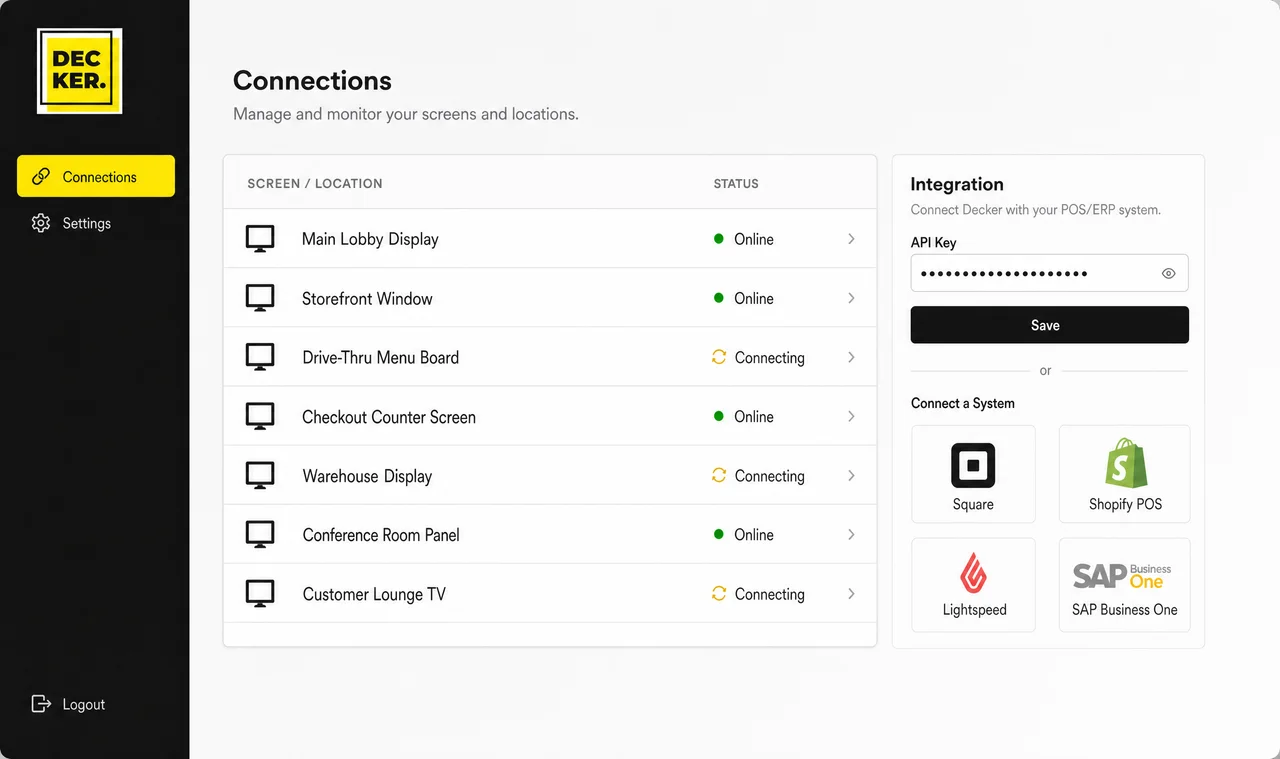
Decker connects each display to POS, ERP, API, players, and content sources, so every screen receives the data and business context of its location. Screens connect once and keep that context afterwards.
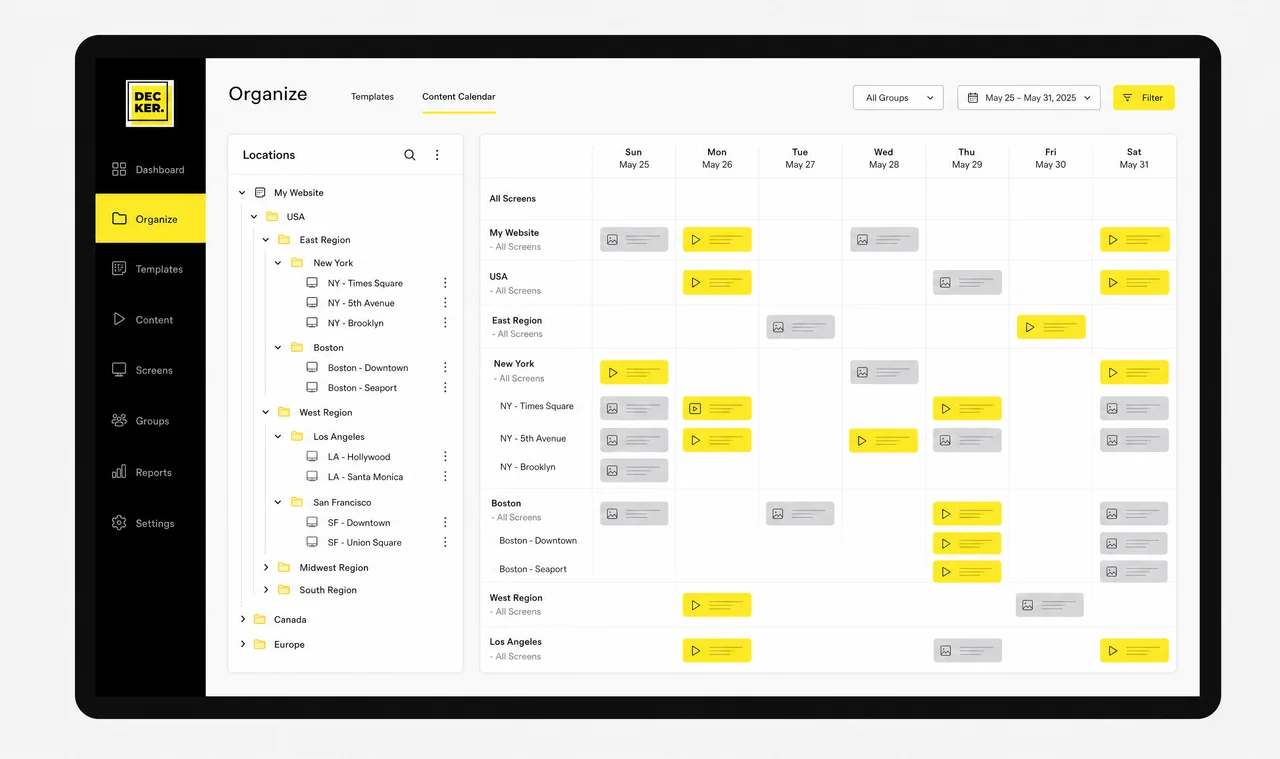
Decker organizes templates, playlists, schedules, locations, and roles in one place, so teams control what plays on each screen group, location, and business scenario.
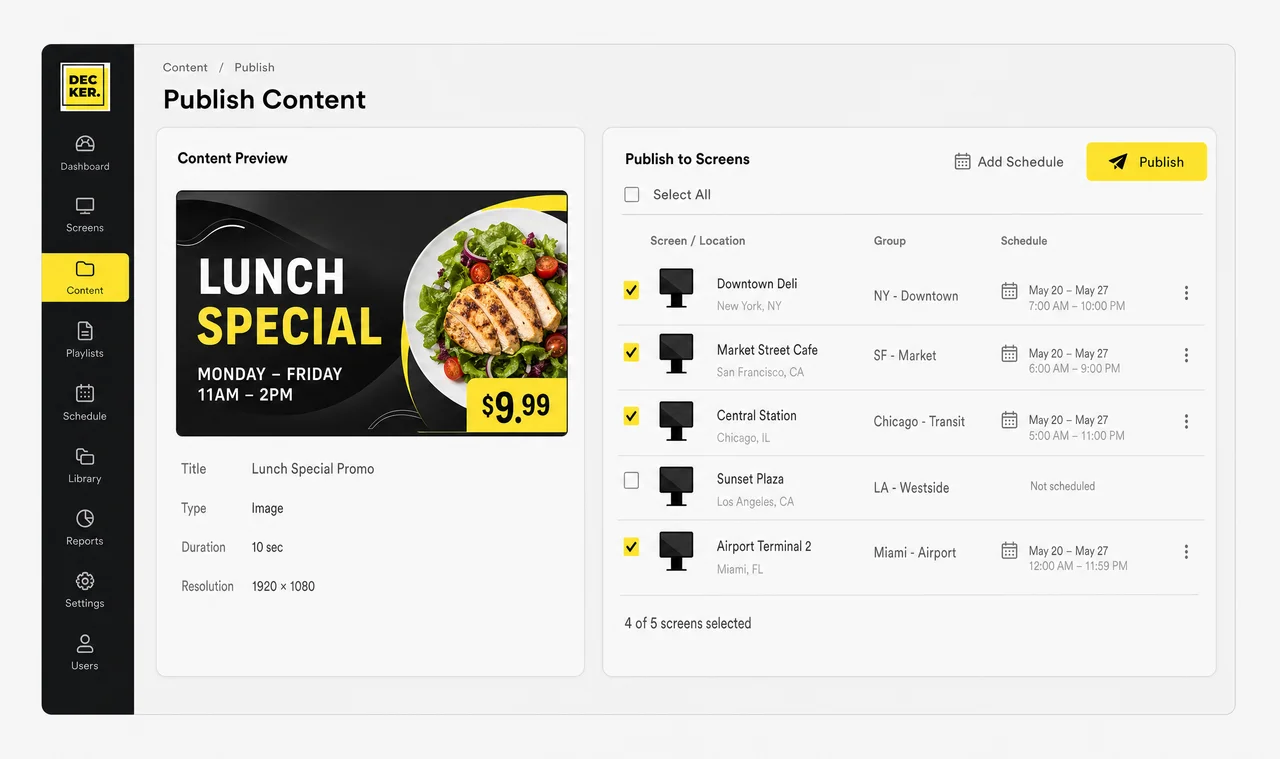
Decker publishes to each screen the content that matches its group, location, time, and campaign, without manual file replacement or a local check at each site. Screens publish nothing that falls outside those rules.
Decker verifies screens and their playback after publishing; supported issues recover remotely, and the rest get flagged for on-site service. Each new location goes through the same four steps.
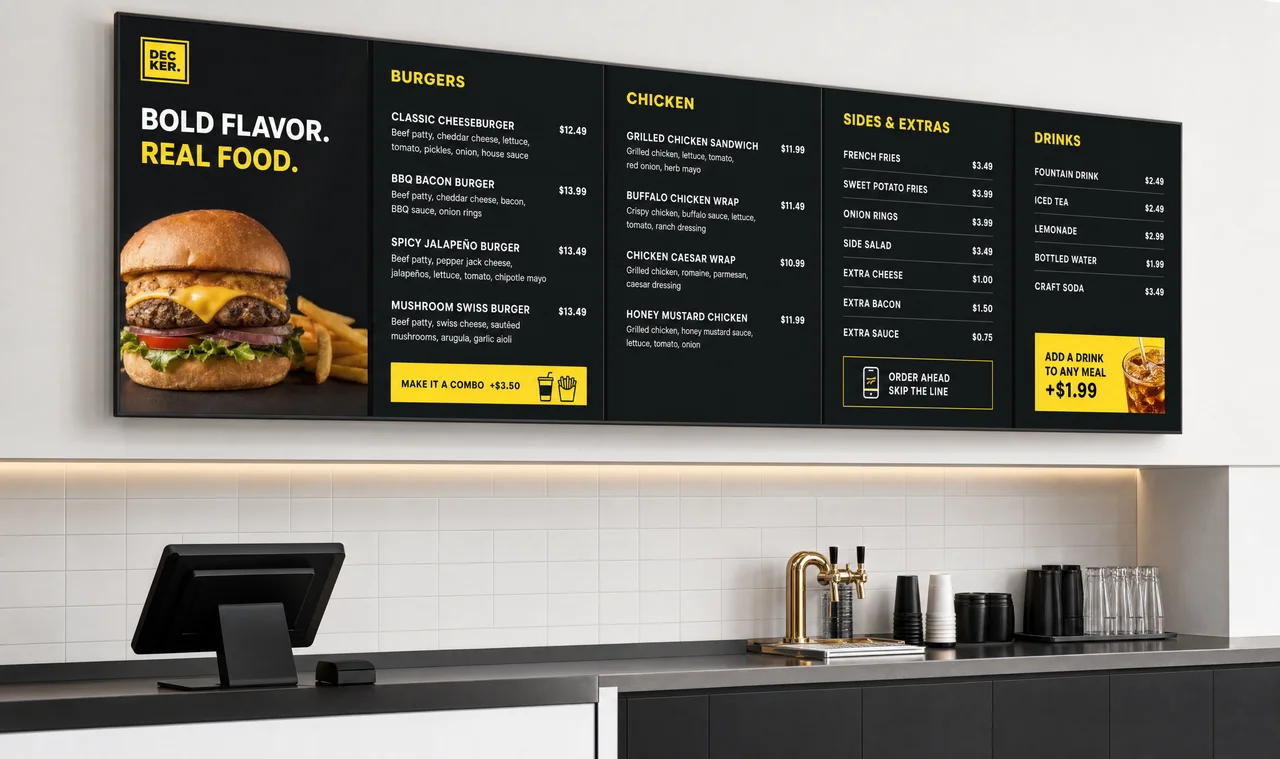
Update menu prices, items, and offers on every screen from one POS-connected workflow.
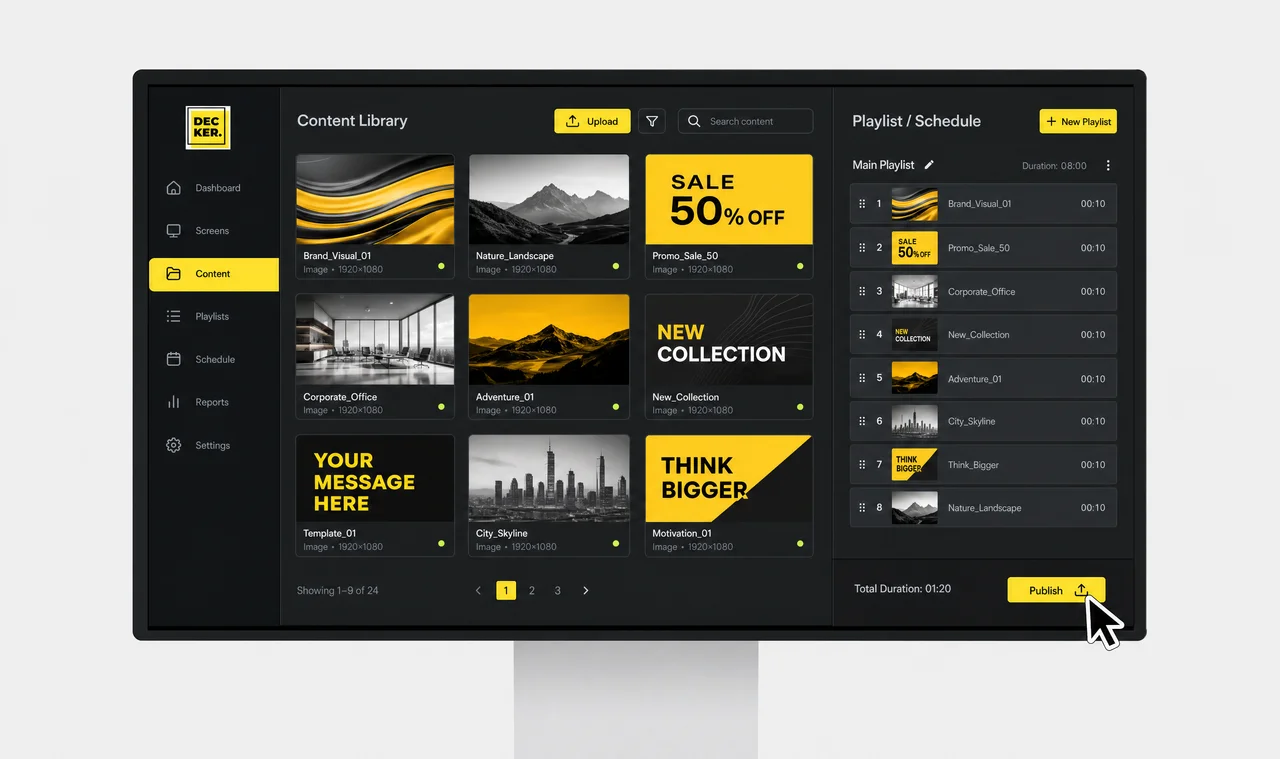
Manage media, schedules, playlists, and publishing rules from one screen content system.
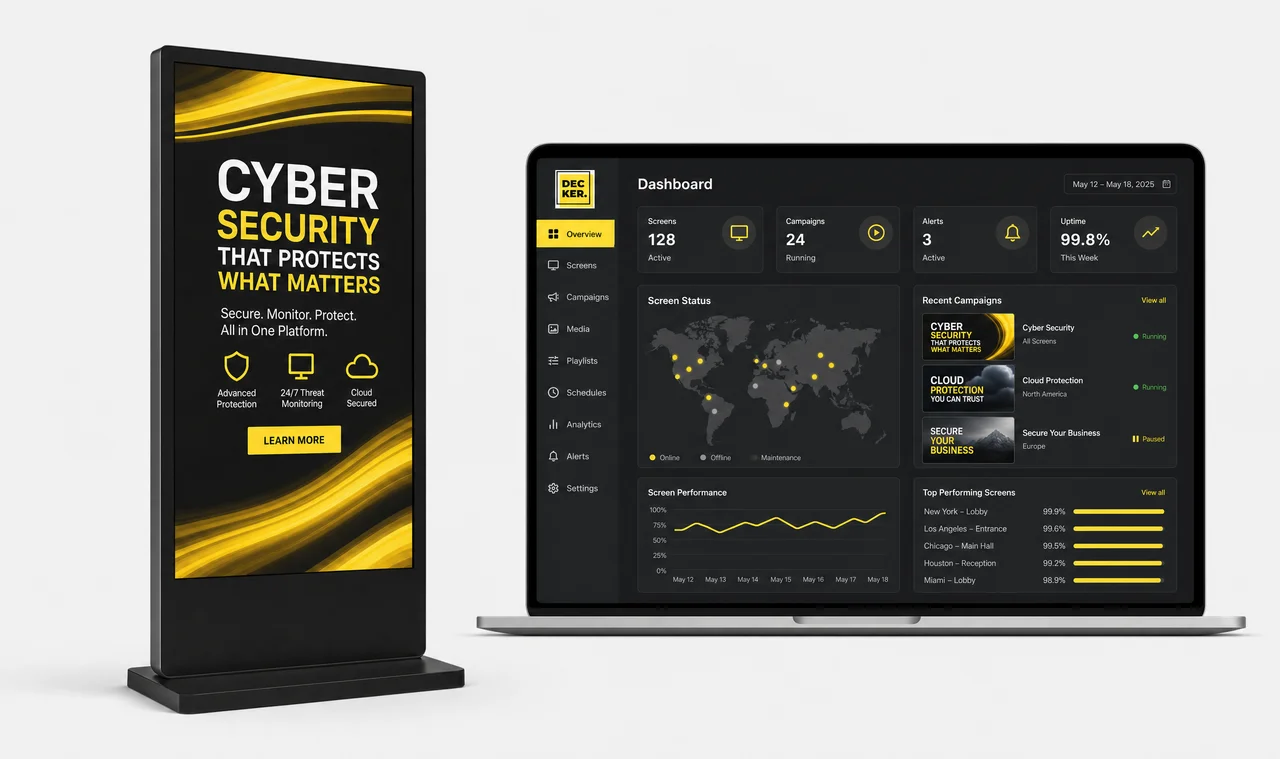
Sell direct deals and let real-time auctions fill unsold airtime, with every play confirmed.
Decker connects point-of-sale, ERP, and API data straight to screen templates, so teams update prices, items, and offers at every screen network location at once, with no designer and no USB drive. A price change in the source system reaches the screen before the next customer walks in.
Decker syncs price, item, and availability changes from the business system to each screen before the next publish.
Displays update only where values changed, not across the full layout, because Decker maps each value to templates and display rules.
Screens publish on a schedule by time, location, and format, so each site shows the right offer during the right window.
According to operator materials, well-timed promotions lift sales by up to 15–20% compared with static, rarely updated screens. The figure is not from an audited study, so treat it as directional.
Decker runs digital signage solutions across industries, from a single location to a multi-state screen network, connecting content, menus, promotions, schedules, and display status in one workflow, so each location shows the right message on the right screen at the right time.
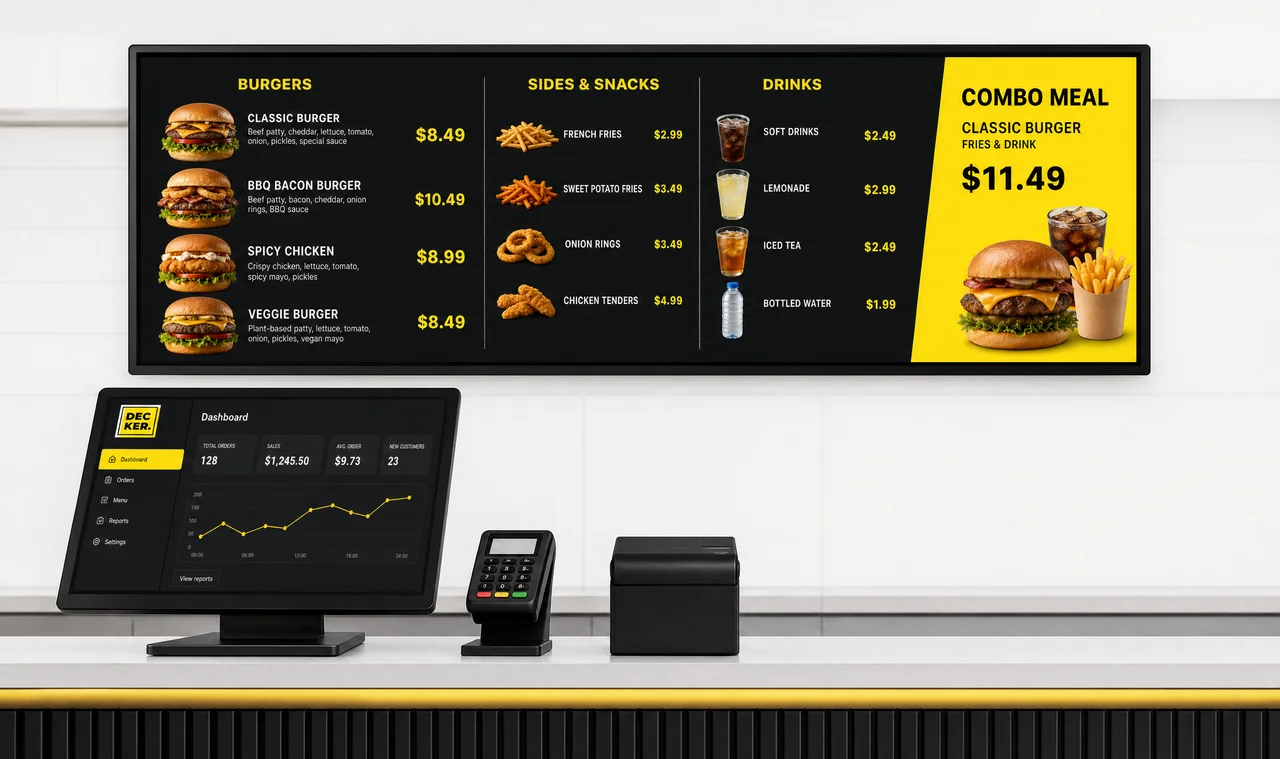
Manage menus, offers, and screen content.
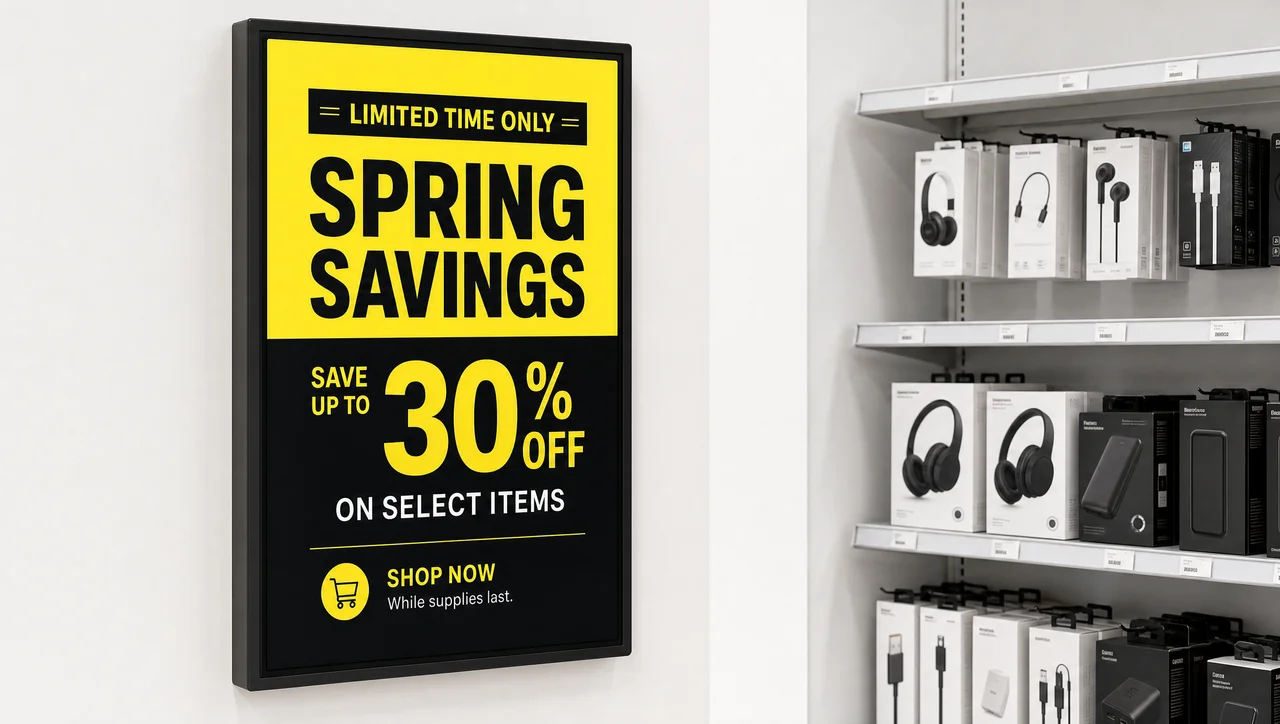
Publish promotions across store screens.
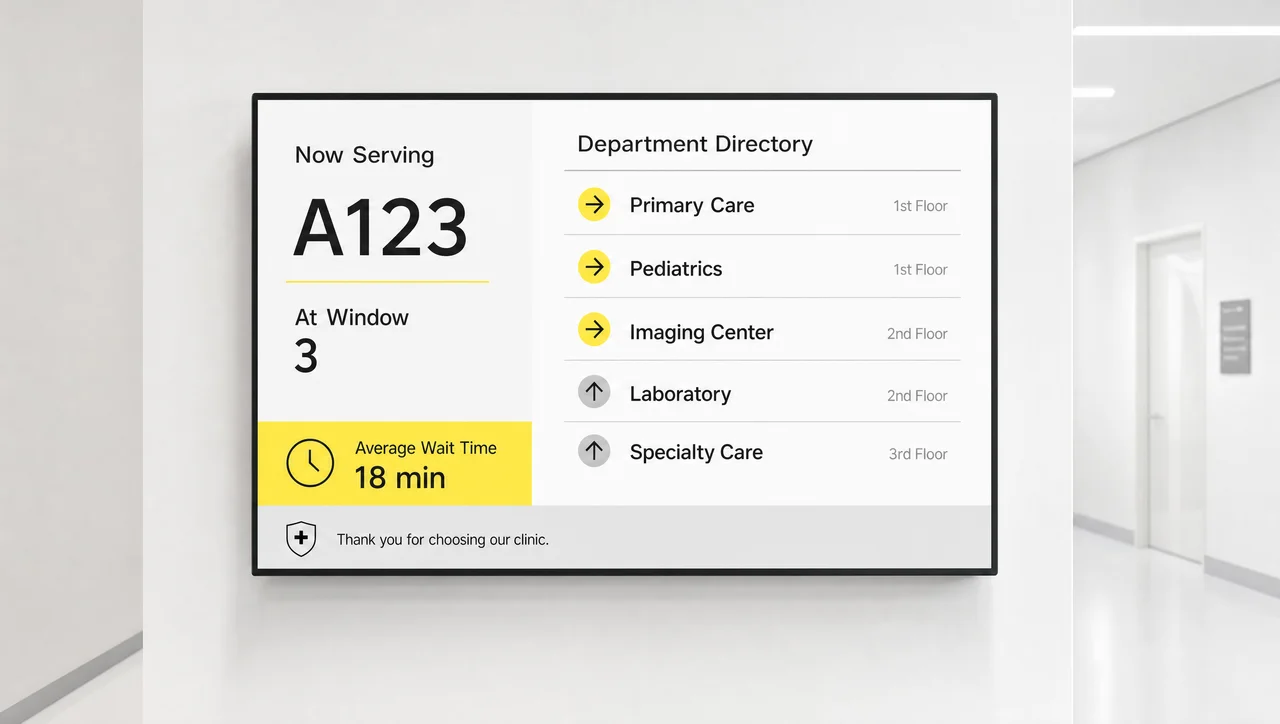
Show patient updates and wayfinding.
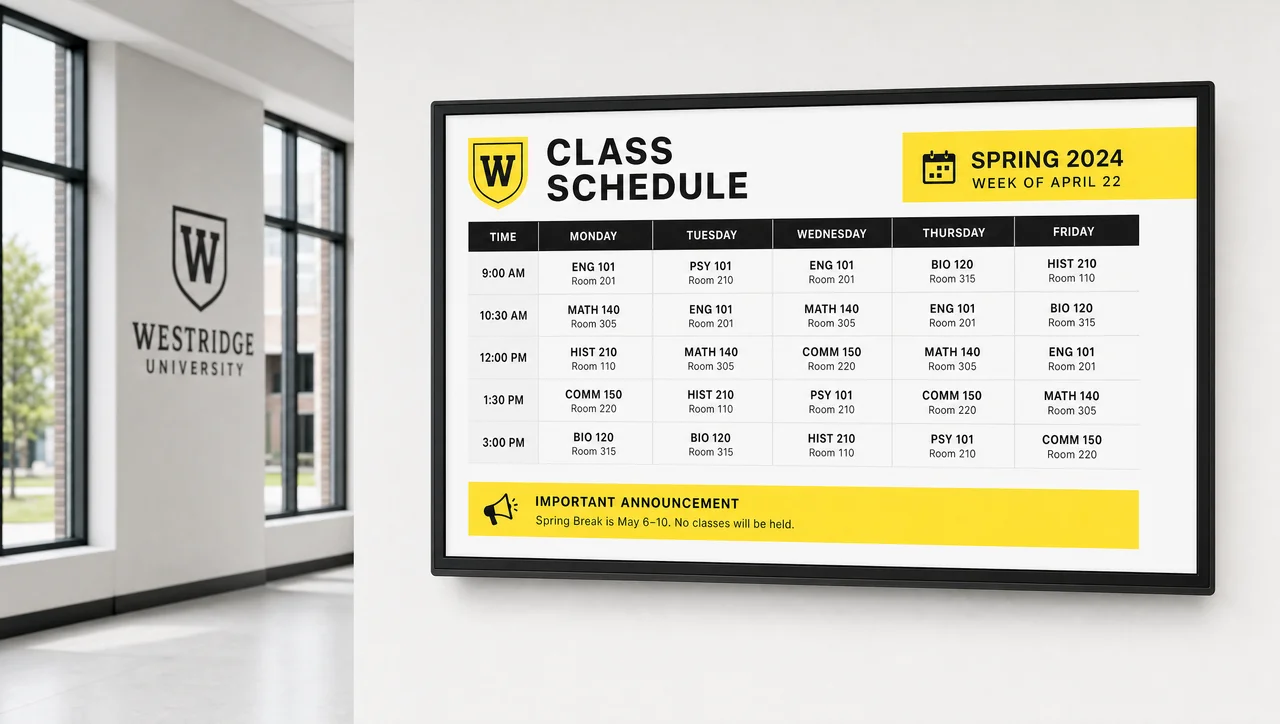
Share schedules, alerts, and notices.
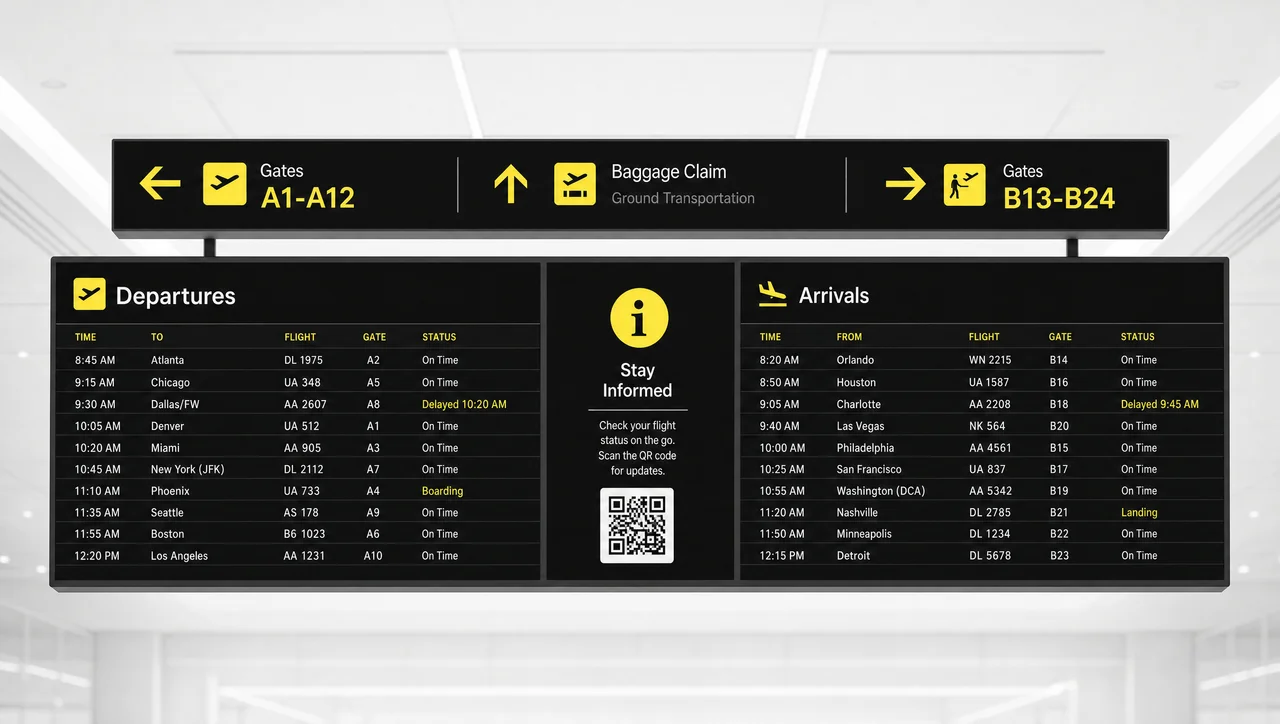
Guide passengers with live screen updates.
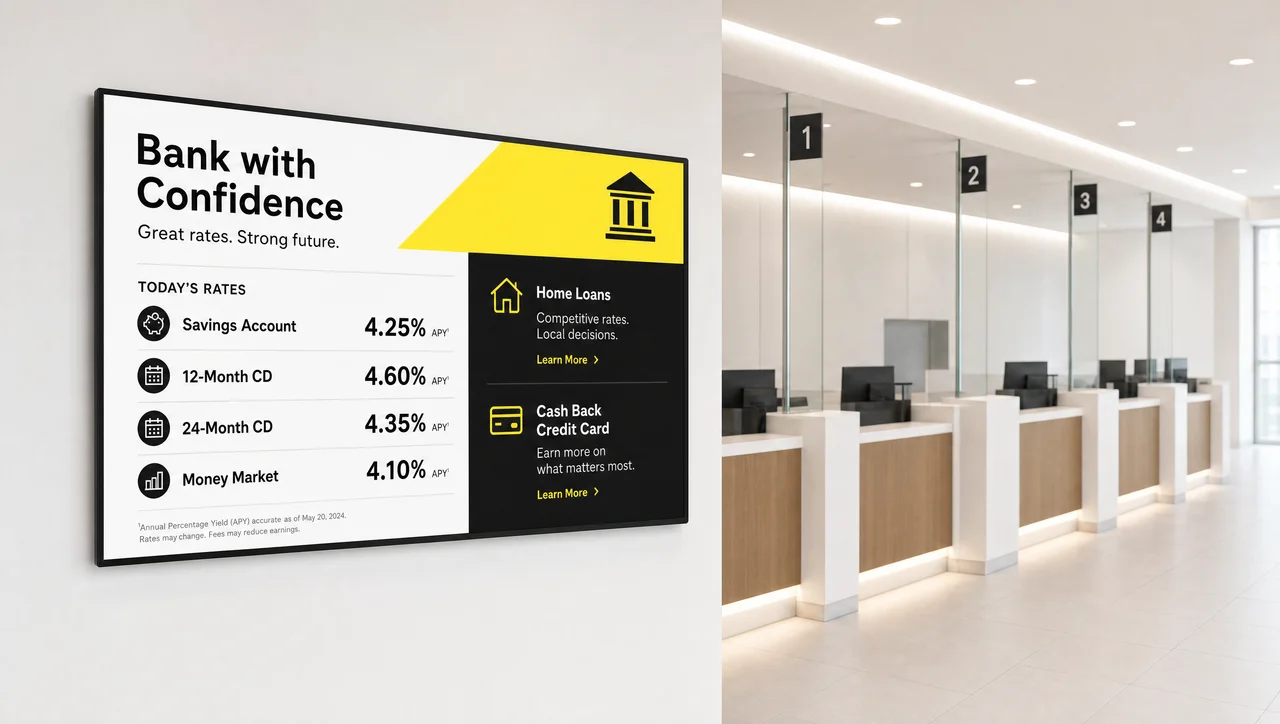
Display rates, offers, and branch notices.
Decker digital signage software runs one workflow across mixed digital signage hardware over HDMI and built-in apps: digital menu boards, TVs, corporate displays, multi-panel walls, touchscreens, information and promo displays, and directory screens.
Displays do not all need a dedicated player. Supported smart TVs and commercial panels run the Decker app directly; other displays connect to an external player, an Android box or a mini PC, over HDMI. Unlike a single-brand built-in app, one workflow covers a mixed fleet. In addition, every display in that fleet reports back to the same monitoring view.
Decker is the digital signage platform that monitors screens after every publish, the step most signage platforms skip, and alerts operations teams when playback, connection, or display state puts a screen at risk of downtime.
Screens across the network report status, playback, player availability, and display state after content goes live, not after a customer complains.
Decker alerts the team when playback changes, a connection gap opens, or display state needs attention.
Decker recovers a display from the dashboard where supported: a restart, an HDMI source recovery, or power control.
Each screen flags whether the issue recovers remotely or needs a technician on site, so nobody checks screens by hand and field service is dispatched on evidence, not on a complaint.
Decker digital signage software competes with three alternatives that most teams try first, across one screen or 500, and each comes with a real trade-off:
| Approach | What you get | The trade-off |
|---|---|---|
| Screen manufacturer’s built-in app | Works out of the box | Locks a network to one display brand: if part of the fleet runs on other screens, one dashboard won’t cover all of them |
| Free or community-built tool | No license cost | Puts someone on your team in the server admin seat: updates, backups, and support fall on you, and syncing business data in is rarely included |
| General-purpose signage SaaS | Scheduling and publishing, covered well | Few platforms connect POS or ERP data directly to screen templates, and fewer still verify that a screen is still actually playing after the file goes out |
| Decker | POS/ERP-connected screen templates plus playback verification | Built for networks that need that connection: more platform than a single static screen typically needs |
Free forever rarely means free for a whole network. Decker’s Starter plan stays free for exactly one screen; POS/ERP sync, multi-location workspaces, and Decker Verifier start on paid plans.
Decker’s position: connect the business data to the screen, then verify the screen is doing its job, the two pieces that a generic tool or a free single-screen app typically leaves for someone else to handle manually. As a result, the platform fits some networks better than others.
Start with one screen free, test every paid feature on up to five screens for 14 days, and pay per screen only when you scale. POS and data sync start on Professional; multi-location workspaces and API access come with Premium.
One screen with media, playlists, and schedules, free forever.
Several screens with templates, playlists, and app integrations.
POS and data sync, scheduling automation, and proof of play.
Multi-location workspaces, custom roles, SSO, and API access.
Custom rollout, training, 1-hour SLA, and a dedicated manager.
Decker sells digital signage software for networks with real integration and verification needs; below 5 screens it delivers more platform than you need. It is the wrong fit if:
Burger Shop replaced quarterly print menus with four POS-connected screens in its order area. Price and item changes now reach the screens in 1–2 minutes.

Decker helps our team keep menu screens current without Photoshop files or USB drives. We can update prices, menu items, and assortment details through one web interface, so routine changes take minutes instead of weeks.
Decker connected our menu data with our screens, so our team can update prices, items, and offers without rebuilding printed menus. We moved menu changes out of design and print cycles, and our ordering area now shows current information much faster.

Decker gave our team one place to schedule promotions, update menu items, and keep screen content consistent from day one. We avoided printed menus, USB files, and outside contractors, so our staff can manage changes inside one workflow.
Most digital signage platforms schedule and publish content, then stop. Decker digital signage software adds screen monitoring, remote recovery, and playback verification with Decker Verifier, whether the network has 10 screens or 500.
Yes. The free Starter plan covers one screen, free forever, with no credit card and without a contract. POS/ERP sync, automation, multi-location workspaces, and Decker Verifier come with paid plans.
Decker is a commercial cloud platform: our team handles hosting, updates, and support, so nobody on your side runs a server.
Yes. The platform connects POS, ERP, and API data with screen templates, so prices, menu items, and availability update on screens without rebuilding layouts manually.
Yes, on paid plans with the Decker Verifier add-on. Scheduling software alone can’t see what’s on the glass; Verifier checks each display after publishing and confirms screen status, playback, and connection, instead of assuming a sent file is a displayed file.
Yes, where the hardware setup supports it. Screens restart remotely, recover their HDMI source, or accept power control from the dashboard, and the rest get flagged for on-site service.
Yes. Screen groups, locations, roles, and workspaces let central and local teams run a single site, a regional network, or a multi-brand franchise from one account.
Decker supports TVs, menu screens, corporate displays, multi-panel walls, touchscreens, information and promo displays, and directory screens. Supported smart TVs and commercial panels run the Decker app directly; other displays use an external Android or mini-PC player.
The platform is operated by Alpha Intec, Inc., a corporation incorporated in the State of Delaware, USA, with its principal place of business at 8305 Sunset Blvd, Los Angeles, CA 90069, United States. Decker’s digital signage security model encrypts traffic with TLS 1.3, and platform access uses MFA, role-based permissions, and IP allowlisting. California residents have CCPA/CPRA rights described in the Privacy Policy, and the same request process applies to every screen network on the account.
Start free on the Starter plan with one screen, start a trial of a paid tier, or request a demo to review your screen network, integrations, and pricing with the Decker team.
In a 14-minute session, we map your screen network, POS, and integration needs, then show how Decker publishes, verifies, and recovers your displays. No commitment required.