
Digital Signage for Corporate Communications Across Every Site
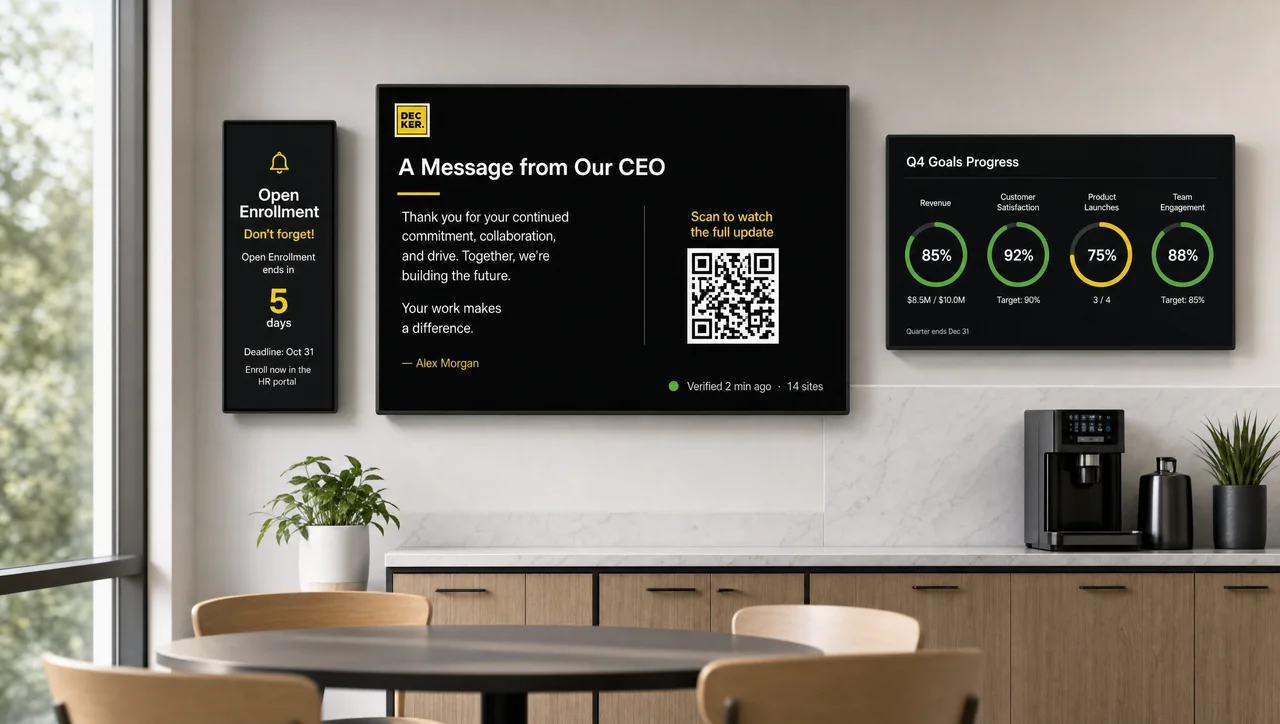
Decker is a digital signage solution for corporate communications that sends company news, leadership messages, and HR deadlines to screens at every office and site from one dashboard. Updates reach the screens in 1–5 seconds, and a separate device confirms that each screen actually shows them. As a result, every employee sees the same news at every site.
-
Every site on air Proof HQ news runs at each branch
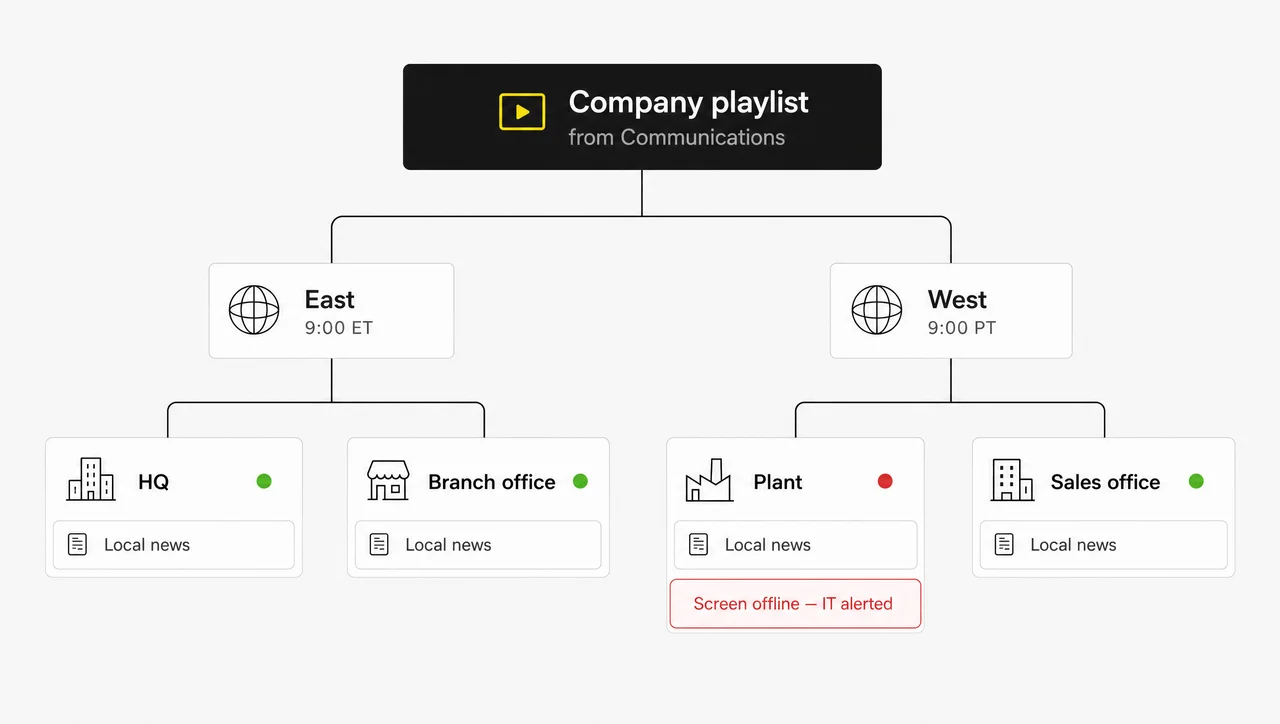
Verifier alerts IT when a screen at any office goes dark, so a CEO message never plays to a black screen at a branch.
-
HQ + local Company news and site news together
Communications owns the company playlist, each site adds its own notices, and both run on the same screens.
-
Beyond the inbox Seen with no open and no click
About a third of internal emails go unopened; in contrast, a screen shows the headline where people work.
What Is Corporate Digital Signage?
Corporate digital signage is a network of screens that a company manages from one CMS to share company information with employees and visitors at every site. Like other digital signage solutions for business, it runs on three parts: a display, a player device, and CMS software that publishes and schedules content.
In a corporate environment, corporate digital signage for company communications replaces printed posters, corkboard memos, and notices that go out of date the day after they are pinned. A slide changes in minutes, nobody has to walk the building to swap paper, and the screens change how information flows across the whole company. Unlike shopper-facing digital signage, corporate environment screens speak to employees, so the content follows the company calendar instead of sales promotions.
Most corporate networks mix several formats:
- Digital notice boards for announcements and reminders in shared areas
- KPI dashboards for goals and live results
- Video walls for brand stories in headquarters lobbies
- Interactive kiosks for self-service information
Screens go wherever employees gather, and the TVs already hanging in break rooms and office lobbies can show company content through digital signage hardware that sits behind the screen. Beyond hardware, the real question is where corporate digital signage fits among the channels a company already uses.
How Digital Signage Fits Into Corporate Communications
Digital signage for corporate communication delivers the short version of a message to the places employees physically pass, while email and the intranet hold the full details. With digital signage, corporate communication reaches the people the inbox misses. PoliteMail’s 2025 benchmark of 4.8 billion internal emails sent to more than 12 million employees found an average open rate of 64% and a click-through rate of 6.8%, with the average employee receiving 16 corporate emails a month. A screen in a break room needs no open and no click.
Next to email and the intranet, corporate digital signage has its own job:
| Channel | Best for | Where it falls short |
|---|---|---|
| Intranet | Policies, full articles, documents | Seen only by people who go looking |
| Email and newsletters | Detailed updates, links, sign-up requests | About one in three messages goes unopened |
| Chat and employee app | Remote staff and quick team threads | Urgent posts get buried in busy channels |
| Digital signage | Short, visual, company-wide messages on site | Not seen by remote staff; not for long documents |
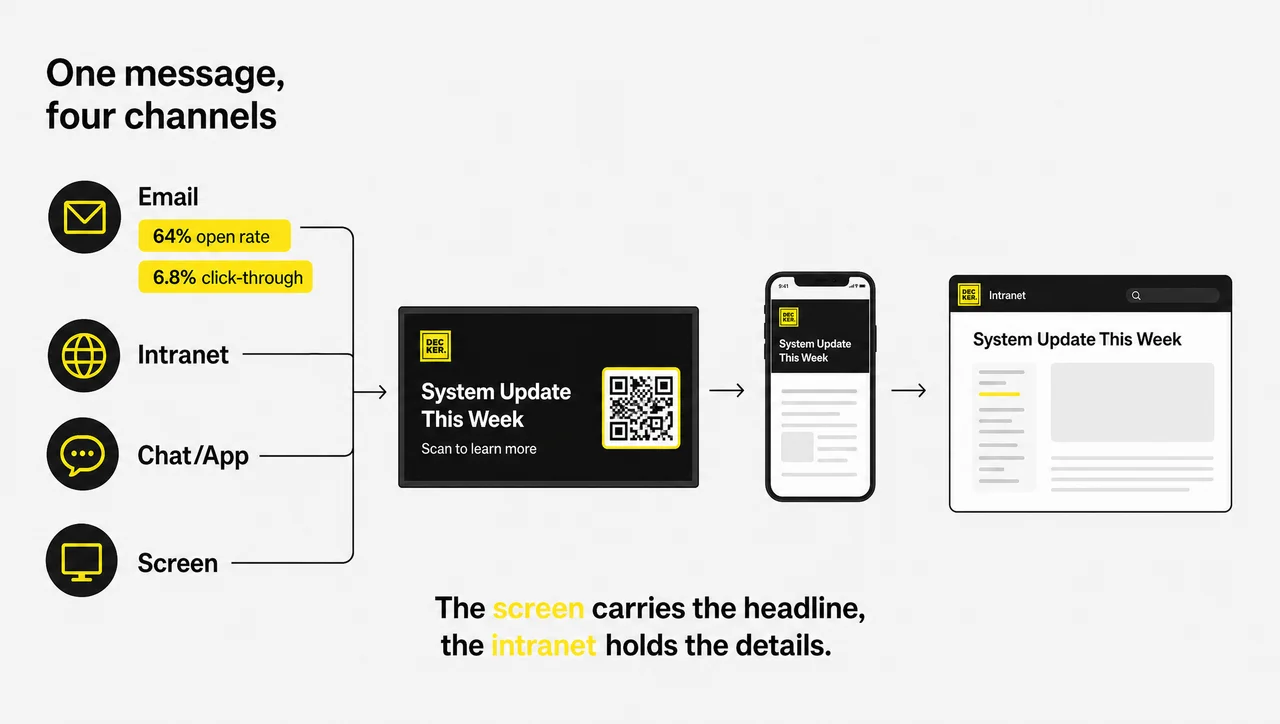
The strongest campaigns use all four. A quarterly theme runs in the newsletter, the full story sits on the intranet, and the screen shows a headline with a QR code that leads to the article.
When a Screen Is the Wrong Channel
- The audience works remotely. Employees who work from home that week never pass the screen. Reach them by email or the app.
- The message concerns one person. Pay, performance, and individual HR cases do not belong on a screen that visitors can read.
- The message runs longer than about 30 words. People read a slide in seconds, so anything that needs a paragraph belongs on the intranet.
- You need proof that each employee read it. Screens cannot collect acknowledgments. Use email or a form with tracking.
Overall, for corporate communication, digital signage works best as one company channel in a mix, and that mix is where corporate digital signage gets its benefits.
Benefits of Digital Signage in Corporate Communications
The benefits of digital signage in corporate communications come from reach without a click: one message appears at every site at once, stays on brand, and changes in seconds.
-
One message at every site at the same time
Corporate digital signage publishes to all screens, one region, or one location from a single dashboard. Headquarters and branch offices see the same announcement on the same morning, which closes the communication gap between head office and the field.
-
Leadership updates that live outside the inbox
A short version of the CEO’s message runs on screens while the full letter stays on the intranet. Employees who skipped the email still see the headline several times a day.
-
Change messages that stick
Reorganizations, new policies, and office moves need repetition. A screen repeats the key message for weeks, while a single email gets one read and then goes into a folder.
-
Less printing and no outdated posters
Instead of reprinting safety or policy posters every quarter, the team updates one slide. A message with an end date removes itself, so an expired announcement never stays on the wall.
-
Company results people can see
Quarterly goals and progress toward them stay visible on screens across the company. Live figures come from connected business dashboards. As a result, teams track progress without waiting for a monthly slide deck.


What to Put on Corporate Communications Digital Signage
Corporate communications digital signage works best with short, time-bound content that every employee at a site should see: leadership updates, company news, HR deadlines, and safety reminders. The table shows who usually owns each type and how often it should change:
| Content | Typical owner | How often to update |
|---|---|---|
| Leadership message, town hall announcement and recap | Communications | Per event |
| Company news, awards, customer testimonials | Communications | Weekly |
| Policy changes and change management updates | Communications and HR | Until the change takes effect |
| Open enrollment, benefits, wellness programs, training deadlines | HR | Per deadline |
| Quarterly goals and results | Leadership or finance | Monthly or quarterly |
| Mission, values, volunteer and inclusion initiatives, “this day in company history” | Communications | Rotate every few weeks |
| Safety reminders | Facilities or EHS | Monthly |
Most rows start from ready-made corporate communications templates, and existing decks go on screen through Google Slides and PowerPoint integrations. Evacuation instructions and severe-weather warnings cannot wait for their turn in a rotation, so they need an emergency alert that takes over every screen.
Content Rules for Corporate Screens
- Target by audience. Finance does not need HR reminders meant for the sales team. Send each playlist to the screen group whose audience needs it.
- Mix in light content. News headlines, weather, and traffic keep people looking at the screen, and the corporate messages get seen between them.
- Keep it fresh. Live data updates on its own, announcements change with each event, and values slides rotate every few weeks. A slide that stays up for months becomes wallpaper.
- One message per slide. Keep each slide near 30 words, with text large enough to read from across the room.
Next, corporate digital signage software has to handle timing, targeting, and permissions for all of this content.
Corporate Digital Signage Software for Communications Teams
Corporate digital signage software earns its place when it handles the routine of corporate communications: timing, targeting, and publishing rights. It is software that creates, schedules, and controls content for every display, and the team manages it from anywhere with an internet connection. Here is how the digital signage software corporate communications teams use handles four situations:
-
A leadership message live at every site at once
Group screens by site and region, then schedule the message by time of day and location, so each office sees it at the start of its own workday. Decker sends only the changed parts of a scene, and players show the update in 1–5 seconds without a flicker.
-
Company-wide and local content on one screen
Access roles and user permissions on company screens separate the people who publish company-wide content from those who manage local news. The communications team owns the main playlist, and a site manager adds the branch’s own announcements.
-
Messages that expire on schedule
Every item can carry a display period. The open enrollment slide or the town hall registration reminder disappears after the deadline, so nobody has to remember to take it down.
-
Recurring formats without a designer
Templates handle monthly news, quarterly results, and new-hire welcomes. In addition, company figures flow in through the Decker API, so a results slide updates without anyone rebuilding it by hand.


Digital Signage Software for Corporate IT Teams
For corporate IT teams, Decker pairs an Android player with Verifier, a separate device that confirms each screen shows content and recovers it remotely. The Decker Player connects to any display over HDMI, receives content over Wi-Fi or Ethernet, and keeps playing from its offline cache when the office network drops.
Decker Verifier works independently of the player. It monitors the player and the display, controls power for both, switches the HDMI source back when a TV wakes on the wrong input, and restores playback without a technician visit. IT gets a real-time alert when a screen fails and an uptime log for every screen.
Buyers of managed corporate digital signage usually want someone to watch every screen. Verifier automates the watching, which makes Decker digital signage software corporate IT teams can run without site visits. IT stops walking the floors, answering tickets about a black screen by the front desk, and driving to a branch to switch an input.
⚠️ “A proof-of-play log proves employees saw the message.” Not true: the log shows only that the player sent the file. It cannot show that the display was powered on, set to the right input, and free of a frozen image.
Access roles and permissions also restrict who can publish to company screens, so a local notice never reaches every display by mistake. Next comes the question of scale across offices and regions.
Corporate Digital Signage Solutions Across Offices, Sites, and Regions
A corporate digital signage solution scales from one headquarters to dozens of sites when you group screens by location and give each group its own schedule. The budget grows with the number of screens and players, and Decker plans scale from a single headquarters to enterprise screen networks.
-
Headquarters
One building, tens of screens, and several departments that each want their own space. Screen groups by floor or area keep HR, IT, and communications content where its audience works, while company-wide messages reach every group at once.
-
Multi-site company
Headquarters, branch offices, and production sites share the same company messages, while each location adds its own news. A local manager can run site content, and the central communications team controls the main playlist. Production sites add safety and output screens on plant floors to the same network.
-
Multi-region company
In contrast to a single headquarters, regions follow their own calendars and working hours. Schedules by location let each region start its day with the right message, and Verifier alerts show which remote screens need attention without anyone traveling to check.


How to Choose a Platform for Company Screens
The best corporate digital signage for your company answers five questions about permissions, targeting, schedules, IT approval, and proof that screens really show content. Ask every vendor:
-
Step 1.
Can communications, HR, IT, and site managers get separate permissions?
Without roles, one wrong click can publish a local notice to every screen in the company.
-
Step 2.
Can one message go company-wide while each site keeps its own content?
A system that only shows the same playlist everywhere forces sites to choose between company and local news.
-
Step 3.
Can schedules differ by location?
A 9 a.m. announcement should reach each office at the start of its own day.
-
Step 4.
What will IT need to approve?
Ask about network requirements, device management, user access, and how the vendor protects content and account data.
-
Step 5.
How will you know a screen at a remote site actually shows the message?
A playback log falls short when nobody at the site watches the screen.
-
Step 6.
How will you know a screen at a remote site actually shows the message?
A playback log falls short when nobody at the site watches the screen, so measurement comes next.
How to Measure Whether Screen Messages Land
To measure corporate screen messages, track four things: whether employees remember the message, whether they act on it, what they say about it, and whether the screen was actually on. Screens have no open rate, so the measures come from the campaign around them:
| What to measure | How | What the result tells you |
|---|---|---|
| Message recall | A two-question pulse survey after a key campaign | Whether the headline reached people |
| Action taken | Scans of a QR code or visits to a short intranet link shown on screen | Whether the screen drove people to the full story |
| Employee feedback | A short feedback form or a question at team meetings | Which content people find useful and which they ignore |
| Screen uptime | The Verifier uptime log for each screen | Whether a weak result came from the message or from a dark screen |
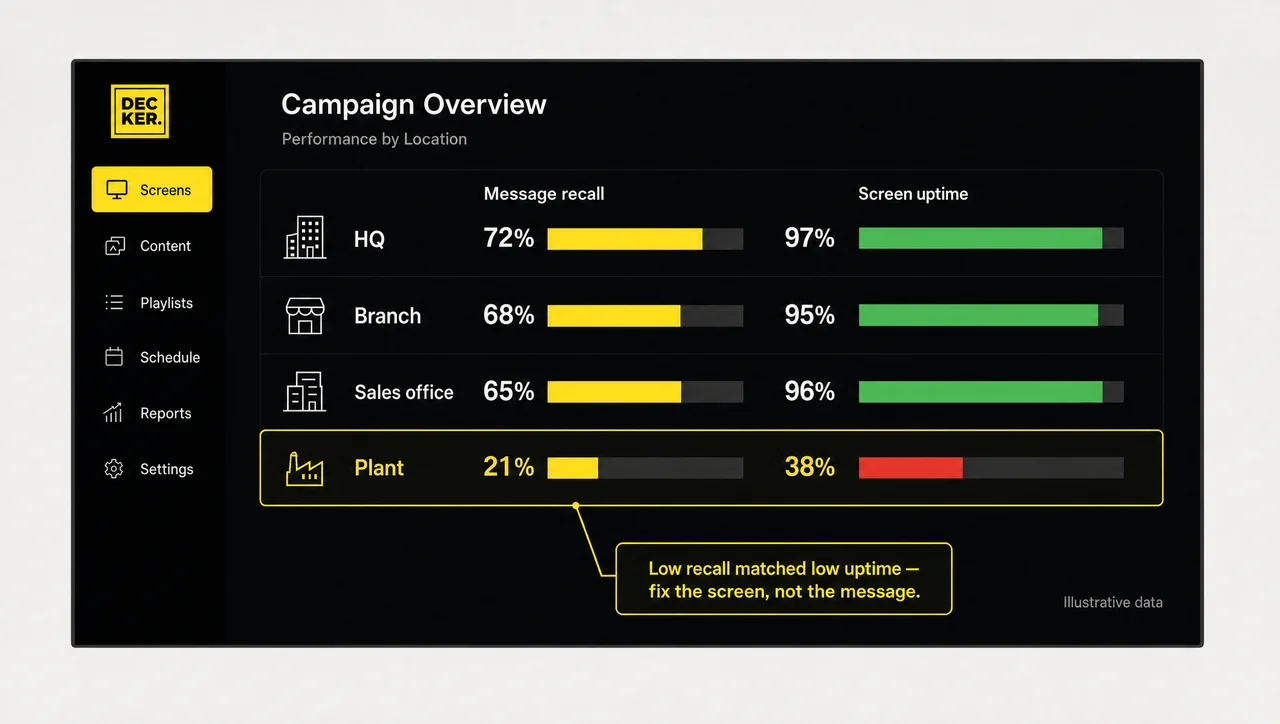
The last row matters most. Low recall at one site may mean the screen was off for three days, not that the message failed. Therefore, check uptime before rewriting a campaign that each employee seemed to miss.
How to Roll Out Corporate Digital Signage Systems Across Your Company
Company-wide screen networks roll out best in four stages that move from a small pilot at headquarters to a monthly content calendar across every site. Every stage uses the same player, CMS, and Verifier, which is how Decker digital signage works at any scale, so the hundredth screen runs like the first.
-
Step 1.
Run a pilot at headquarters
Start with three to five screens and one measurable goal, such as recall of a single campaign. Test message length, slide design, and screen placement before spending on more hardware.
-
Step 2.
Define owners and rules
Decide who publishes company-wide, who manages local content, and who signs off on sensitive messages. Involve HR, IT, and facilities early, and train everyone who will publish.
-
Step 3.
Roll out to every site
Group screens by site and region, set schedules by location, and connect each screen to its own player. Verifier then confirms that the new screens show content without anyone checking them in person.
-
Step 4.
Run a monthly content calendar
Plan a quarterly theme and a monthly rhythm of news, results, events, and seasonal campaigns. Run the same theme on screens, the intranet, and the newsletter at the same time. As a result, every channel repeats one message.
Related Scenarios
-
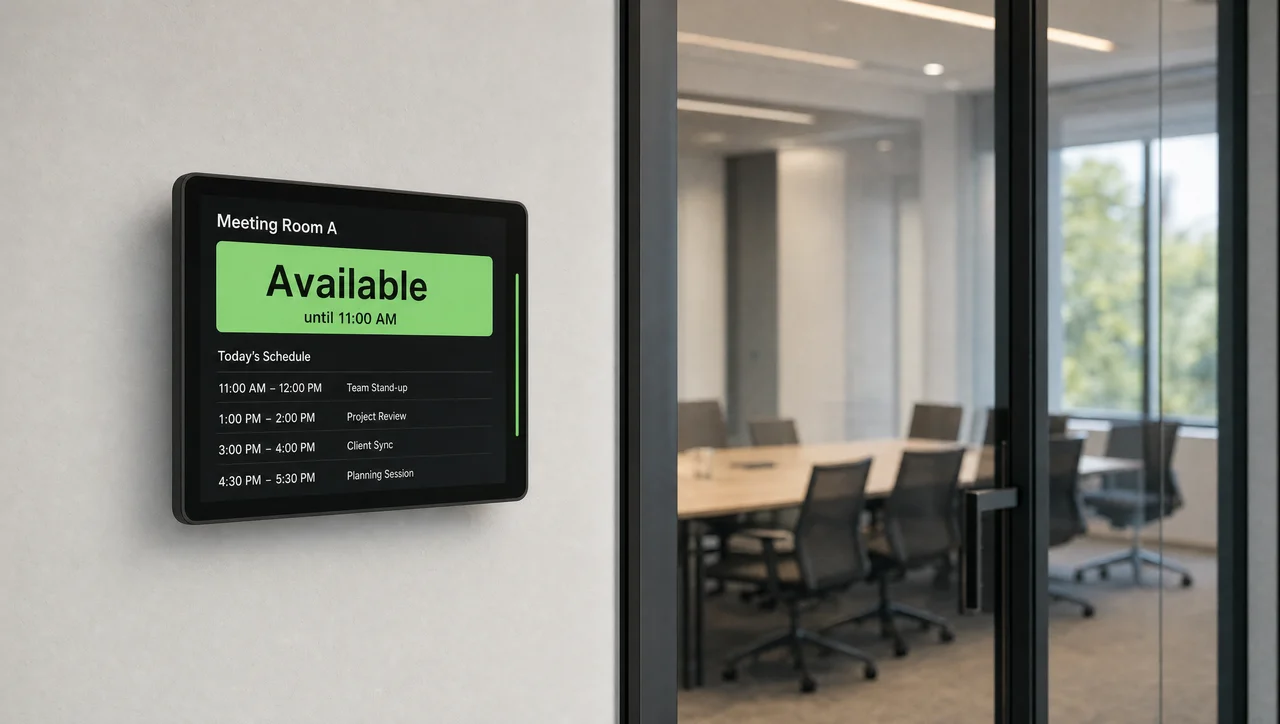
Meeting Room Screens
Room status and bookings on the doorShow who booked a room and when it frees up, right on a screen outside each room.
-
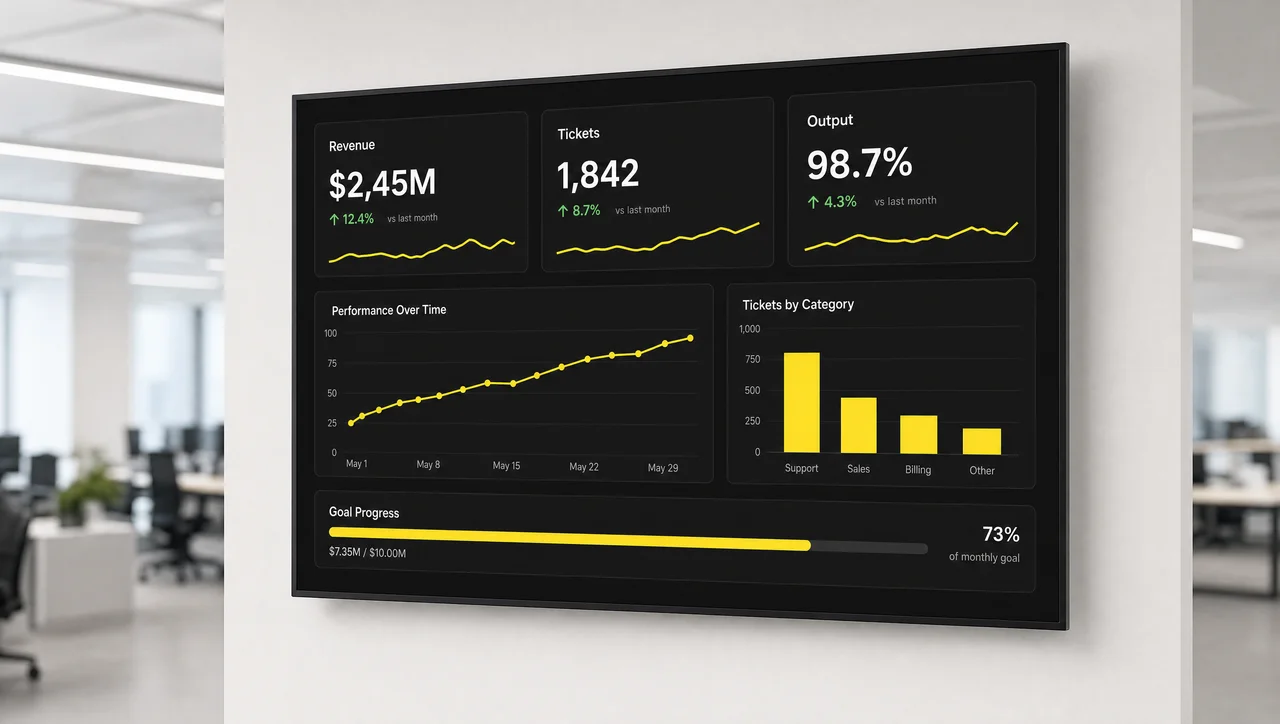
Dashboards and KPIs
Company goals on the wallPut live sales, service, and operations figures in front of the teams that drive them.
-
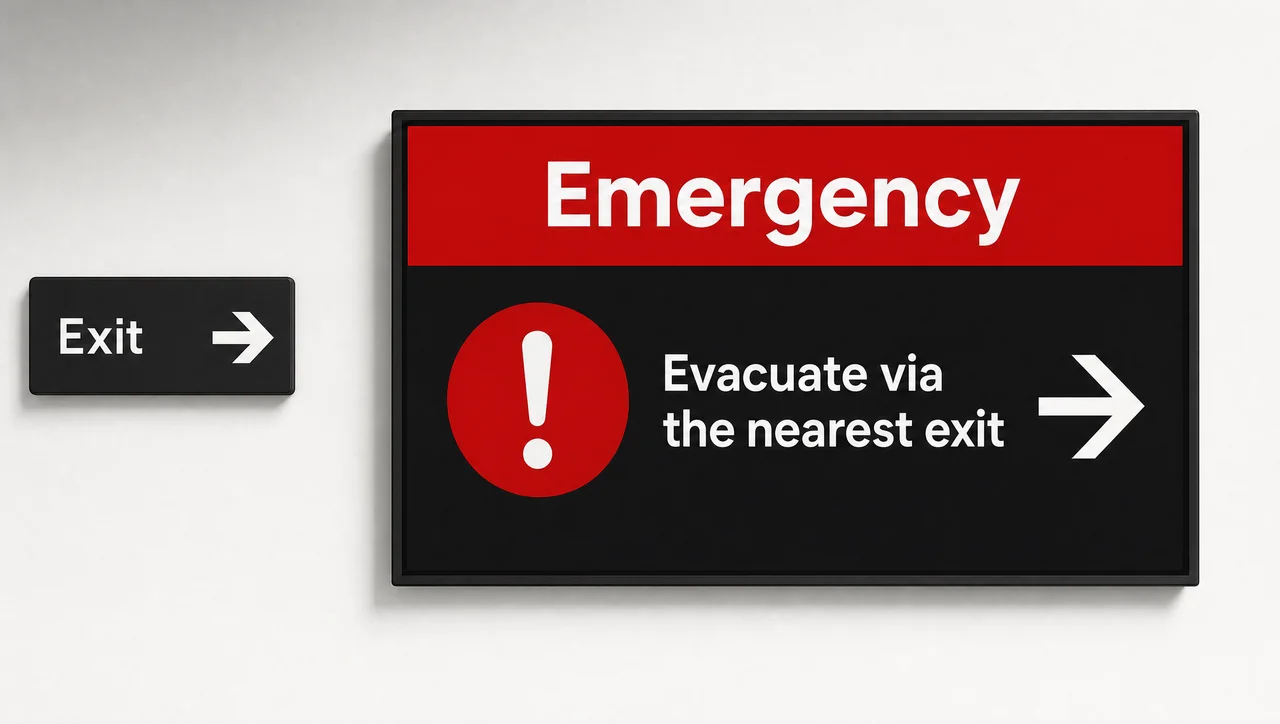
Emergency Alerts
Take over every screen at onceReplace all playlists with evacuation or severe-weather instructions in one step.
-
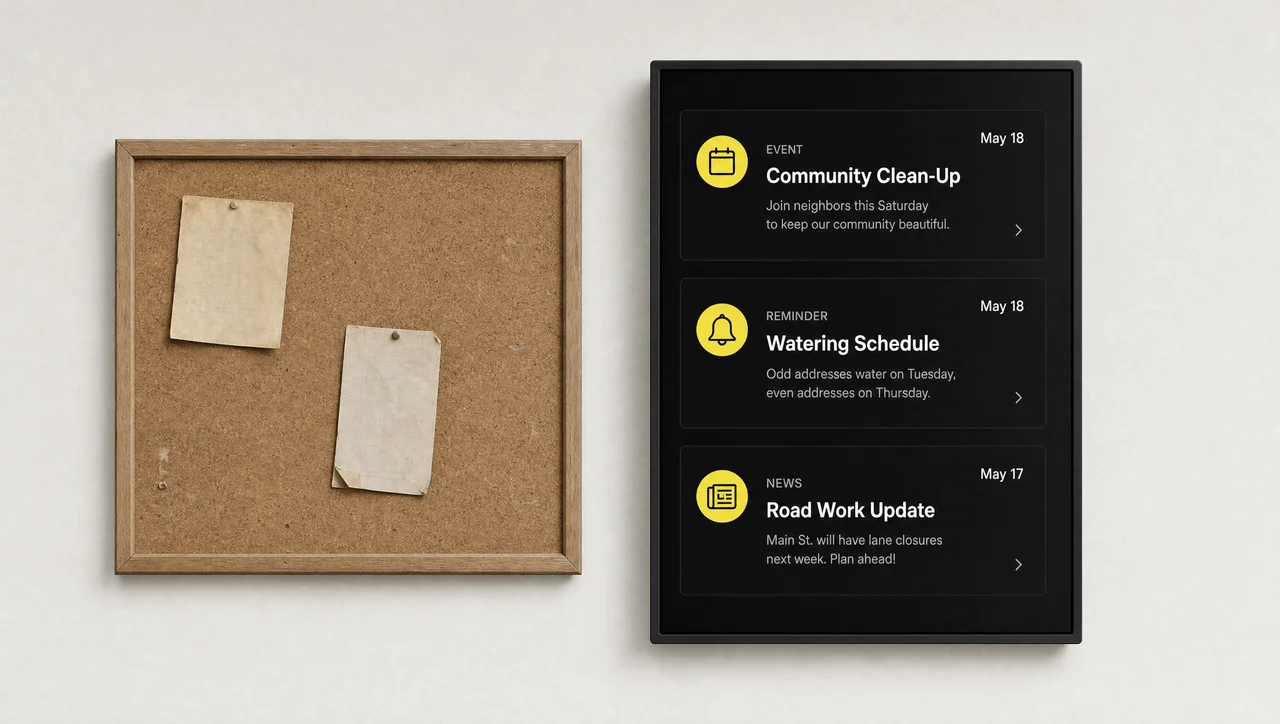
Digital Notice Boards
Announcements without paperSwap corkboard notices for screens that update themselves and remove expired posts.
-
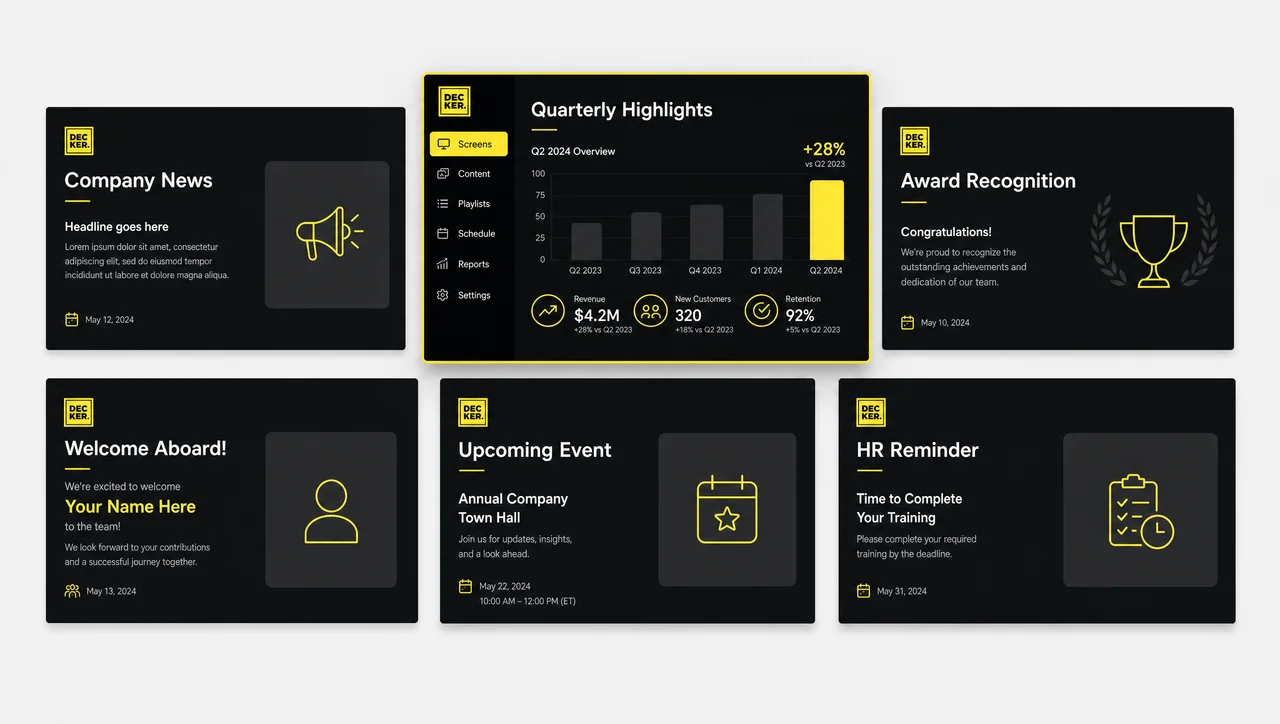
Corporate Templates
Ready-made layouts for company newsSimilarly, start from templates for news, results, recognition, and new-hire welcomes.
Corporate Digital Signage FAQ
What is corporate digital signage?
It is a network of screens that a company manages from one CMS to show company news, leadership messages, HR deadlines, results, and safety reminders to employees and visitors at every site.
How is digital signage different from email and the intranet for corporate communications?
Email and the intranet carry full details but reach only people who open them. Digital signage for corporate communications shows a short version of the message where employees already work, with no click required, and points them to the intranet for the rest.
Who should own corporate screens: communications or IT?
Usually both. In digital signage, corporate communications owns the content and the calendar, and IT owns the players, the network, and user access. Many companies name one person who coordinates both teams.
How do you split global and local messages across sites?
Group screens by site and region, give the communications team the company-wide playlist, and let site managers add local content to their own screen groups. Company messages then reach every location, while each site keeps its own news.
How often should corporate communications content change?
Live data should update by itself, announcements should change with each event, and evergreen slides such as company values should rotate every few weeks. If the same slide has been on screen for a month, most employees no longer notice it.
How much time does it take to run corporate screens?
For most companies it takes part of one person’s week, not a full-time job. Most of the time goes into preparing content, while templates, schedules, and expiry dates handle the routine work, and Verifier alerts replace manual screen checks.
Get Your Company Message on Every Screen
Tell us how many sites and screens you run. Next, we will show you how Decker publishes company-wide and local content and confirms every screen shows it.


