

Confirmed upsell rate
The confirmed upsell rate is the share of offers shown that ended with the add-on rung up and kept on the paid order.
For example, 20 add-ons kept ÷ 200 offers shown = 10%. An add-on voided before payment doesn't count.
AI Upsell Screen is a customer-facing display that upsells at checkout: it shows each guest one add-on a second or two after an item hits the order, picked from pairings you approve, such as a pastry with coffee, a dip with nuggets or bacon on a burger. The guest asks for it, and the cashier rings it up. As a result, nobody has to pitch.
✔️ Each order gets one offer, never a question.
The customer-facing display engages each guest at checkout, from the first item to payment, when they decide what else to buy.
Prime space that sells nothing: most customer-facing displays show the check, a tip prompt or a logo.
Nobody follows the script when the line runs long. As a result, extra sales depend on who is at the register.
A customer-facing display is a secondary screen for the POS system that faces the guest and shows their order, prices and payment details in real time. AI Upsell Screen gives that screen a different job: one add-on for the item just ordered, picked from pairings you approve.
Guests see and check items, prices, modifiers, tax, discounts and the total, often with a tip prompt, on a tablet, desktop monitor or pole display.
A POS with a customer display confirms the check, for better order accuracy, checkout speed and tips. Most POS systems offer a customer-facing display as a second screen.
One add-on with a photo and a price, a second or two after an item hits the order. Between orders, your logo.
It doesn’t show the check, ask questions or take the order from the cashier. As a result, guests ask for the add-on on their own.
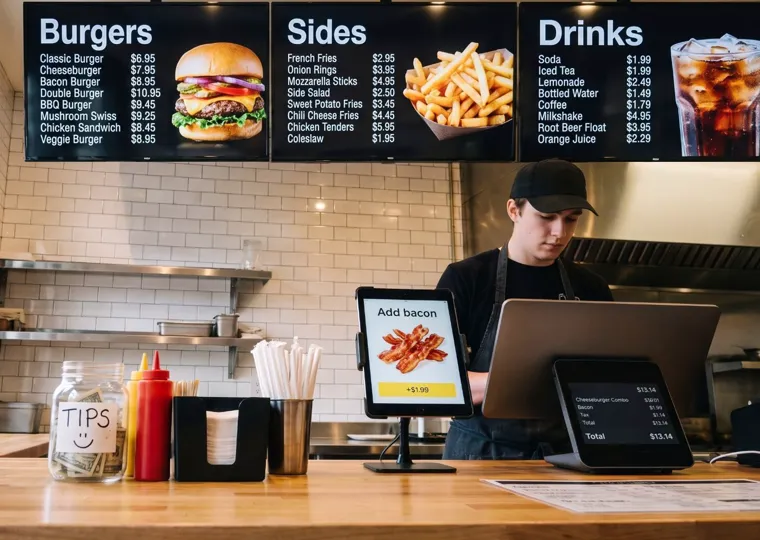
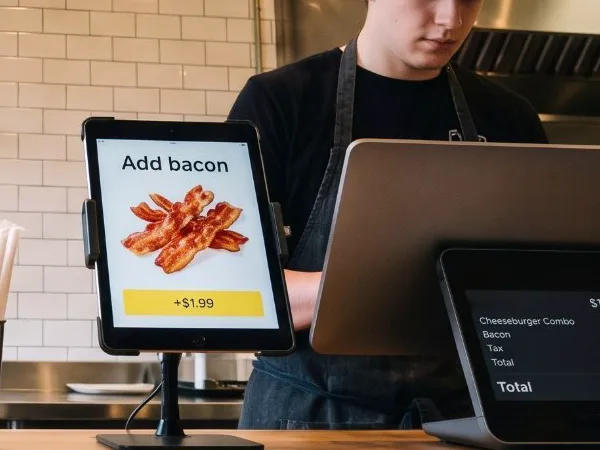
AI Upsell Screen is a customer-facing display built around one feature most POS screens leave out: an upsell suggestion, like $0.99 cheese foam on milk tea, tied to the item just ordered. Standard customer facing display system features cover real-time order visibility, payment prompts, tipping and loyalty. In the 28-second video, a guest sees bacon on the customer-facing display and asks for it.
When an item hits the order, the customer-facing display shows its pairing with a photo and a price. Only the center block changes.
You set every pairing in advance, and your screens show nothing else. The screen can’t invent an offer of its own.
The customer-facing display picks up each item from your POS. The cashier rings up the add-on like any other item.
Your logo stays on screen between offers. After the order, the screen thanks the guest and resets for the next one.
Unlike most customer-facing displays, it never shows the check or an “Added” message, and every offer reads as a statement.
Decker logs each offer shown and each add-on rung up. Next, here is one order from start to finish.
AI Upsell Screen reads each order from your POS, and the customer-facing display shows one add-on from an approved pairing, such as bacon for $1.99, a second or two after the item hits the order. Take one cheeseburger combo.
The cashier takes the order and rings it up in the POS, the same way as always.
“Hi! What can I get you?”
“A cheeseburger combo, please.”
“Anything else?”
A second or two after the combo hits the order, the display shows its pairing: bacon.
Cheeseburger combo→Bacon +$1.99
The offer matches the item just ordered.
The guest asks for bacon, and the cashier rings it up. Decker counts the offer and the sale, and next the screen returns to your logo.
“Oh, and add bacon, please.”
↓ Cashier adds bacon, $1.99
What it can add · illustrative example
With AI Upsell Screen, one add-on on the customer-facing display for 1 in 10 orders comes to about $1,790 in extra sales a month per checkout.
An illustrative example, not a forecast. However, your order count, take rate and add-on prices will differ.
AI Upsell Screen turns the customer-facing display into a seller that is more consistent than a cashier script: the same offer at every register, in every shift, 7 days a week. A script depends on who is at the register.
Your best cashier upsells, and your newest one forgets. The offer shows on the screens at every register, rush hour included.
The offer appears on the screen the guest already watches, while adding an item still takes one sentence.
Unlike the tip prompts on most customer-facing displays, nobody asks the guest anything. However, a shared screen in the room works differently.
A menu board speaks to the whole room, a standard customer-facing display shows one guest the check, and AI Upsell Screen uses that one-guest screen for one add-on, like $3.99 garlic knots with a pizza.
| Shared menu board | Standard POS customer display | AI Upsell Screen | |
|---|---|---|---|
| Who sees it | Everyone in the room | The guest at the register | The guest at the register |
| What it shows | Menu, prices, promotions | Transaction details: items, tax, total, tip prompt | One add-on for the item ordered, then your logo |
| When it changes | On a schedule or a menu update | With every item rung up | A second or two after an item hits the order |
| Measuring the effect | Hard to tie to one order | Not tied to a specific offer | Offers shown vs. add-ons kept |
A personal offer on shared screens can look odd to the people in line. Next come the pairings the screen can show.
Every offer on AI Upsell Screen comes from a pairing you approve in advance, so each add-on on your customer-facing displays, from $0.99 to $3.99 below, fits the item just ordered.

Latte → Cinnamon bun
+$1.99
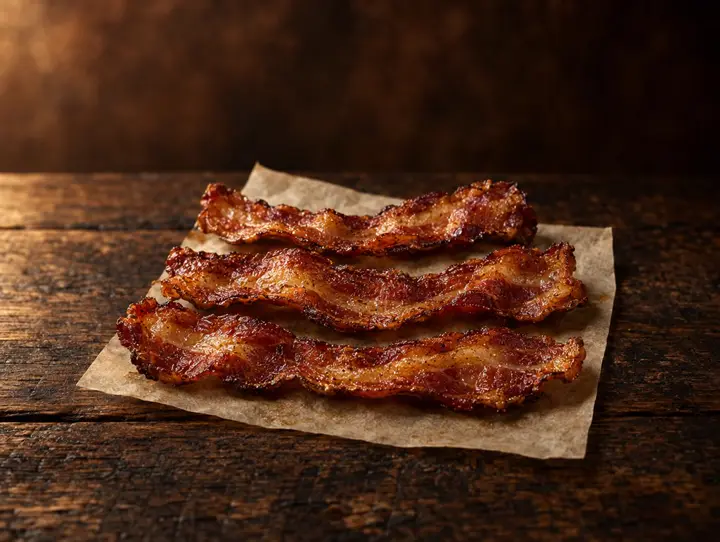
Cheeseburger combo → Bacon
+$1.99
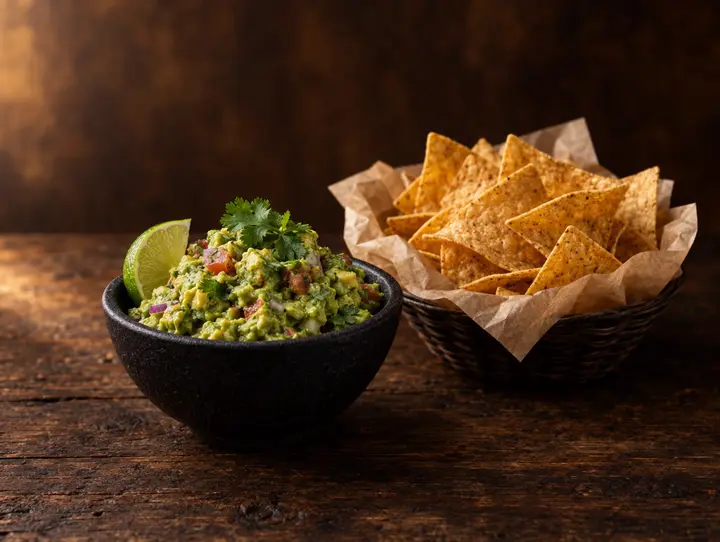
Tacos → Chips & guac
+$2.49
Large pizza → Garlic knots
+$3.99
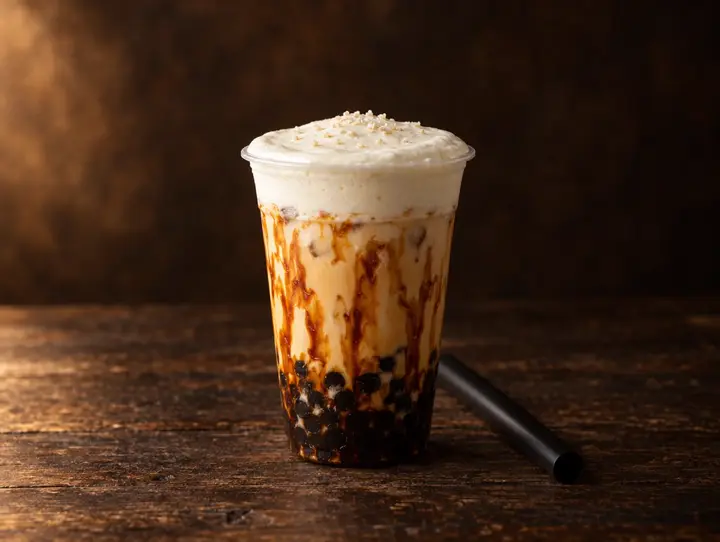
Milk tea → Cheese foam
+$0.99
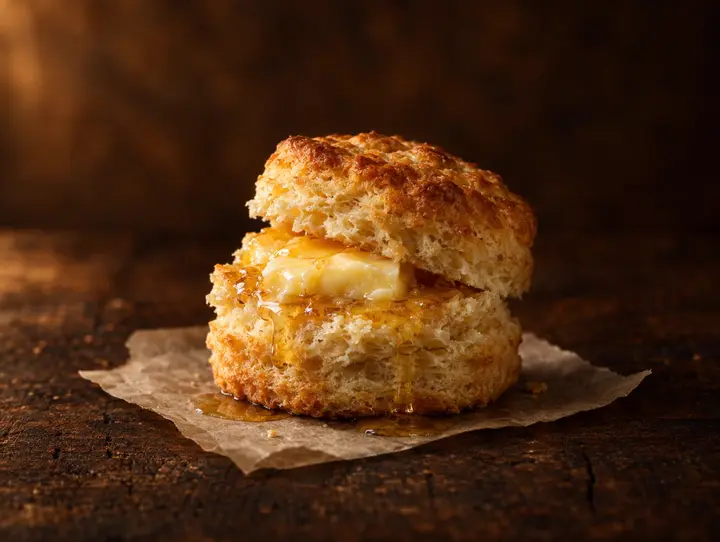
Chicken sandwich → Honey butter biscuit
+$1.49| When the guest orders | The screen offers |
|---|---|
| Burger or sandwich | Fries |
| Coffee | A pastry |
| Pizza | A drink or wings |
| Salad | Extra protein or a drink |
| Kids' meal | A drink or dessert |
| Combo | A size upgrade |
Start with one or two pairings. When the offer stays the same every time, it's easy to see how many guests take it.
+$1.99Just ask the cashier
Would you like to add bacon?
A question puts the guest on the spot. That is exactly why the customer-facing display only shows the add-on and its price, and the guest asks the cashier if they want it.
AI Upsell Screen tracks 4 numbers that matter: the confirmed upsell rate, lift over a control group, the add-on rate by pairing and the negatives. The cashier doesn't pitch and the screen doesn't ask, so the numbers show what the offer itself did.
The confirmed upsell rate is the share of offers shown that ended with the add-on rung up and kept on the paid order.
For example, 20 add-ons kept ÷ 200 offers shown = 10%. An add-on voided before payment doesn't count.
A high take rate alone doesn't prove the screen sells, because some guests would add the item anyway. So Decker compares results with matching orders, hours or locations that had no offer on their screens.
The add-on rate for each pairing shows which offers to keep and which to replace.
Decker logs these as well. Overall, the numbers show which pairings earn their place.
Pricing
AI Upsell Screen is priced per checkout: a one-time payment for the customer-facing display and its installation, then one monthly plan from $49.
$49per checkout
per month
$99per checkout
per month
Every price is per checkout, so 2 registers need 2 customer-facing displays and 2 plans. Next, a way to try it at no cost.
Try it free
AI Upsell Screen costs $0 to try as a design partner: the customer-facing display, install and setup, and the monthly plan.
All at no cost.
5Open to our first 5 restaurants as design partners, and the next step is a demo call
Claim 1 of 5 free spotsDecker Menu Boards and AI Upsell Screen are two standalone products on one Decker platform. You can add AI Upsell Screen on its own, even if your locations run another vendor's menu boards.
On digital menu boards, shape what guests choose: what stands out, what's promoted and what's in stock. Prices follow the register through POS integration for menu boards.
One relevant offer for this guest's order on the customer-facing display. As a result, more checks end with an add-on.
Who we are
Decker is the digital signage software behind menu boards and promo screens in restaurants. Beyond those screens, the same platform now runs AI Upsell Screen at checkout.
A customer-facing display is a screen at checkout that faces the guest; most such displays show the order, tax and total while the cashier rings it up. AI Upsell Screen is a customer-facing display built to sell: one add-on per order from pairings you approve, and your brand between orders.
Your logo, then one offer with a photo and a price shortly after an item hits the order, and a thank-you at the end. Unlike most customer-facing displays, it never shows the check, totals or an “Added” message.
Some state and city rules require customer-facing displays in certain cases, so check the rules where you operate. AI Upsell Screen never shows the total, so it doesn’t replace a POS customer display that shows the price.
Like any customer-facing display, POS data drives it: the screen reads the order from your POS and shows the add-on paired with each item moments later.
You do. You approve each pairing in advance, and your screens show only those. We help you pick the first ones.
No. It shows the add-on and its price, like “Add bacon · +$1.99,” and never asks “Would you like to add bacon?”
No. The guest asks the cashier for the item, and the cashier rings it up as usual.
Decker counts every offer shown and every add-on rung up, then compares results with a control group of matching registers, hours or locations without the offer.
Per checkout: a one-time $299 for the customer display screen and $149 for install and setup, then $49 a month on Basic or $99 a month on Premium.
Yes. Our first five restaurants get the display, install and setup, and the monthly plan at no cost, in return for honest feedback, a short monthly call and feature ideas.
Yes. AI Upsell Screen is a standalone product and works next to another vendor’s menu boards or screens.
If guests order at the table and never stand at a register, there is no screen facing them at checkout for an offer to appear on. A menu where most orders are a single item with nothing that pairs with it gives the screen no add-on to suggest. At the example take rate of 1 in 10 and a $2 add-on, a checkout that rings 8 orders a day or fewer brings in less extra revenue than the $49 Basic plan costs. A store that takes every order through a drive-thru lane is outside what a customer-facing display that upsells covers today.
We do. We install and set up the customer display at your checkout, with your logo and your pairings. As a result, your team only picks the pairings.
Get started
Getting AI Upsell Screen live takes 3 steps that we handle with you, and our first 5 restaurants pay $0 for customer-facing displays, install and plans.
Tell us your best add-ons, and we help you choose the first pairings.
We set up the display at your checkout with your logo and pairings.
Offers go live on your screens, and Decker counts every sale.