
Free Catering Menu Templates
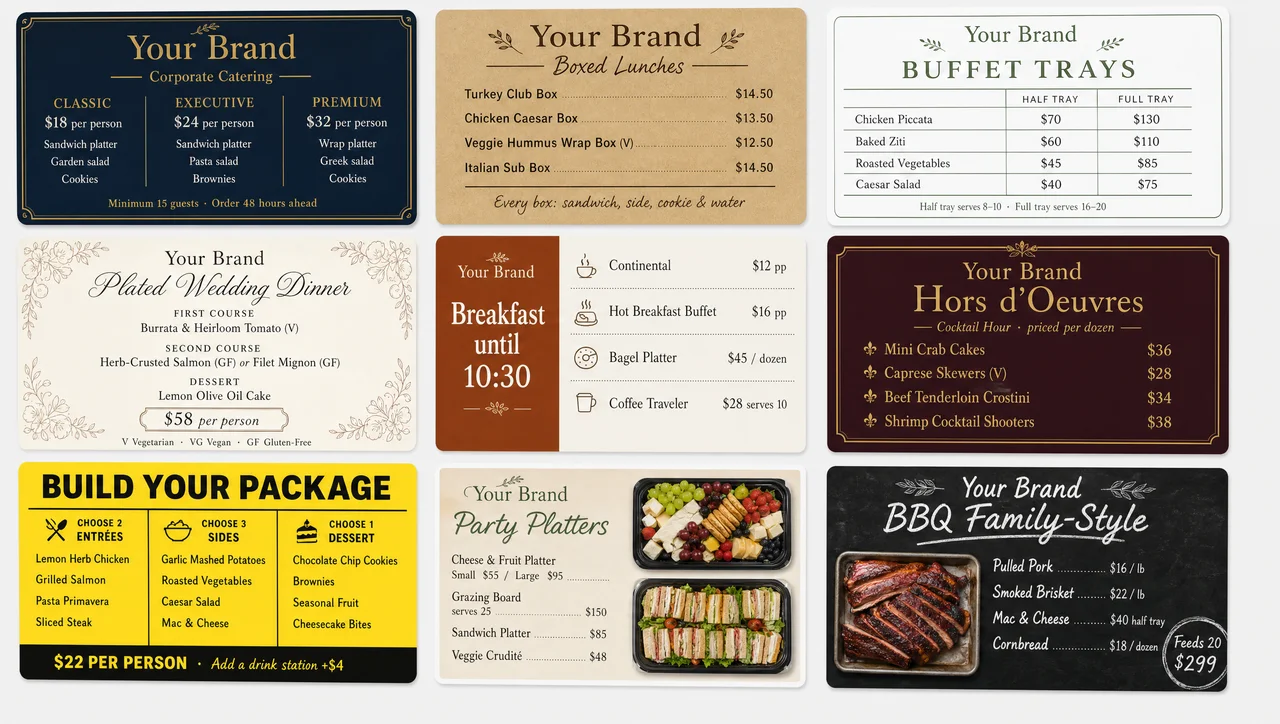
Free catering menu templates for corporate drop-off, boxed lunches, buffets, and weddings, with packages, per-person prices, and a dietary key already in place. Start from a blank catering menu layout or a finished design from our free menu templates library, edit the dishes and prices, then print it, send it as a PDF, or put it on a screen.
-
1–5 s POS prices Catering menu template on screens
Run a catering menu template on a counter screen and per-person prices update from your POS in 1–5 seconds, with no new PDF or reprint.
-
Per guest or tray Catering pricing template built in
Price lines take per person, half tray, full tray, or per dozen, with guest minimums and serves counts already placed in the layout.
-
Quote and buffet Sample catering menu with prices
Send the layout to a client as a PDF sample with prices, then show the same catering menu design at the buffet or pickup counter.
No templates found.
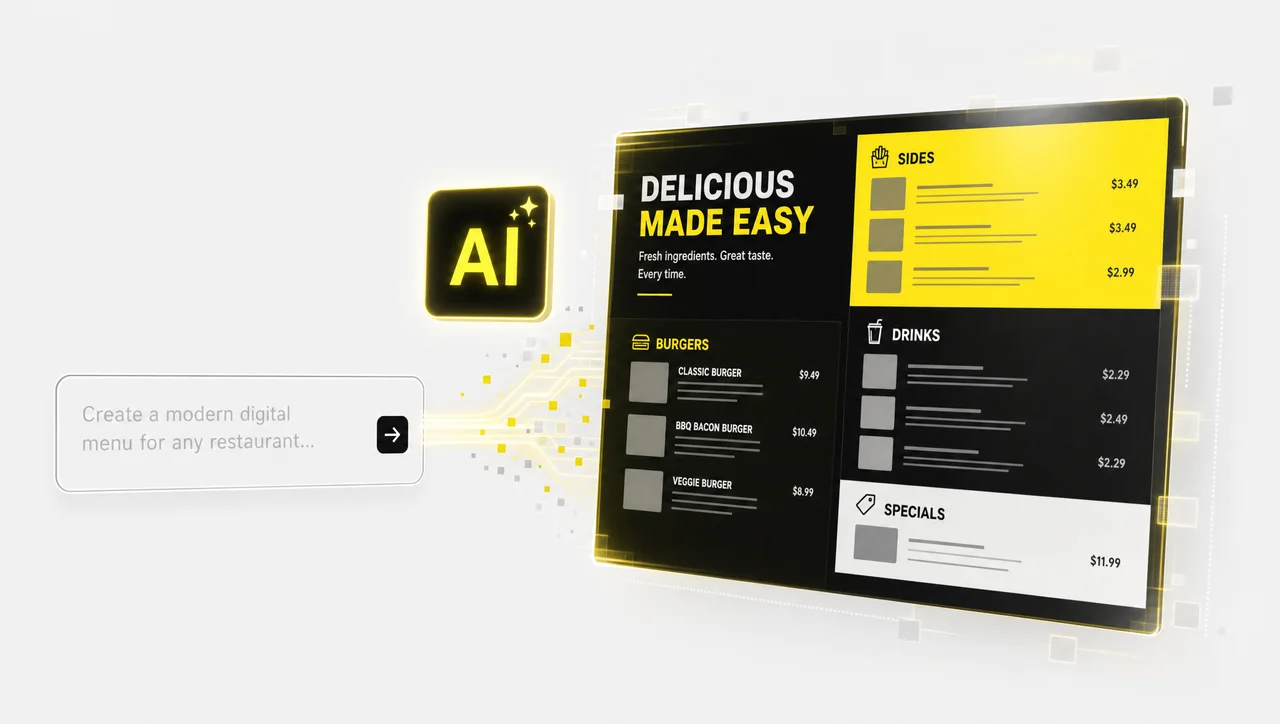
Can't find the right catering menu design?
Let AI generate a custom catering menu layout in seconds, matched to your packages, per-person prices, and event colors.
What a catering menu template has to handle
Catering is sold by headcount, not by plate. The client reads it days before the event to build an order, and guests meet the same dishes again on buffet labels. These layouts are built for that double life, while dine-in cards live in our restaurant menu templates.
-
Catering pricing template: person, tray, dozen
Clients compare the total for 40 guests, not the price of one plate. Price lines take any unit, per person, half tray, full tray, or per dozen, with a serves line under each tray, so the price sheet and the menu stay one page.
-
Package tiers in every catering menu layout
Most orders start from a package: two entrées, three sides, and a dessert at a set per-person rate. Package tiers sit at the top with everything they include, and add-ons follow below, so a client can build the order without a phone call.
-
Order terms on every sample catering menu
Ordering terms decide whether a quote turns into a booking. A reserved footer holds the guest minimum, the notice you need, such as 48 hours, and delivery, setup, and deposit terms, instead of leaving them buried in an email thread.
-
A dietary key built into the catering menu design
Federal law names nine major food allergens, sesame included since 2023, and buffet guests read labels instead of asking staff. Each layout keeps a dietary key for V, VG, and GF marks plus an allergen line, and the same marks carry over to table tent cards.


Catering menu layout: printed vs. on a screen
| Printed menu or PDF | Menu on a screen | |
|---|---|---|
| Pros | ✅ Travels with the quote and to any venue; needs no power; cheap for a single event | ✅ Change a per-person price or pull a sold-out tray in seconds; schedule breakfast and lunch packages; no reprint |
| Cons | ❌ Every new price or package means a new PDF and another print run; tent cards get lost | ❌ Needs a screen, power, and a network at the counter; stays at your storefront |
What free covers on these catering templates
Every catering layout on this page opens and edits at no cost, and blank catering menu templates sit next to the finished ones. Free has a plain meaning here: no charge per design, no watermark over your logo, and no locked preview. Professional catering menu design templates are not held back for a paid tier, so the best choice is simply the layout that matches how you price: per person for drop-off, per tray for family-style orders. If you are still collecting catering menu design ideas, start from a finished layout and strip it back; if you need a food catering menu sample for a client pitch, replace the dishes and keep the structure. An account comes in only when you publish to a live screen, where POS price sync and daypart schedules run.
Catering Menu Templates FAQ
Is every catering menu design here free?
Yes. Each catering menu template, free to edit and print, comes in a finished and a blank version, from drop-off sheets to buffet layouts and package menus. There is no budget or premium tier in this category and nothing sits behind a subscription. You need an account only when a menu goes on a live screen: one screen is free forever, while POS price sync runs on paid plans.
Can I get a printable PDF of a catering menu design?
There is no export button on the page yet, but the workaround takes about a minute. Open the finished design, press Ctrl+P or Cmd+P, and choose Save as PDF, which gives you a file at the page size you set, ready to attach to a quote email. The same print dialog sends the menu straight to an office printer, so printable copies for buffet tables need no extra step. In practice, that PDF is the free download most caterers are looking for.
Can I edit a catering template in Word, Excel, or PowerPoint?
Not directly. The layouts are edited in the browser-based builder, so there is no .docx, .xlsx, or .pptx file to open. If a client expects a quote in Word or a proposal deck, save the finished design as a PDF or image and place it into that file. Prices in the copy then stay fixed until you edit the design and export it again.
Is each layout a sample catering menu with prices?
Yes. Every card in the catalog comes filled in, so you can see how per-person rates, tray sizes, and package tiers read before you replace them with your own, and many caterers send one as the sample menu for catering services with a first quote. Treat them as catering menu examples of structure, not price advice: your food cost and region set the numbers. If you are still choosing dishes, sample catering menu ideas by event type are collected in a separate guide.
Can I use a catering menu template for a menu board?
Yes. Layouts in this category come in landscape and portrait at standard screen sizes, so the same design works as a catering digital menu board template at a pickup counter or tasting room. Prices come from your POS, and a schedule can show the breakfast package until 10:30 and the lunch trays after it. Nothing is rebuilt for the screen: you pick the orientation and publish.
What if I need a simple one-page catering menu layout?
One-page layouts are here for drop-off lunches, small events, and food trucks that cater on the side. They fit three or four packages and a short add-on list on one letter-size sheet, which is about where a client can still compare options at a glance.
When does a catering business not need a menu on a screen?
A caterer with no storefront, pickup counter, or tasting room has no place for a screen, and a PDF plus printed buffet labels covers every event. The same holds when packages and per-person prices change fewer than twice a year, because a reprint every six months costs less than a screen. If every order is a custom quote with no fixed packages, a quote document fits better than a catering menu template on a board. And a counter with no network connection cannot receive new prices: the screen keeps showing the last menu it saved.
Ready to run your catering menu layout on a screen?
Put your catering packages on a screen at the pickup counter or tasting room, synced with your POS and updated the moment a package price changes.


