Burger Shop Case Study: From Print Menus to Digital Menu Management

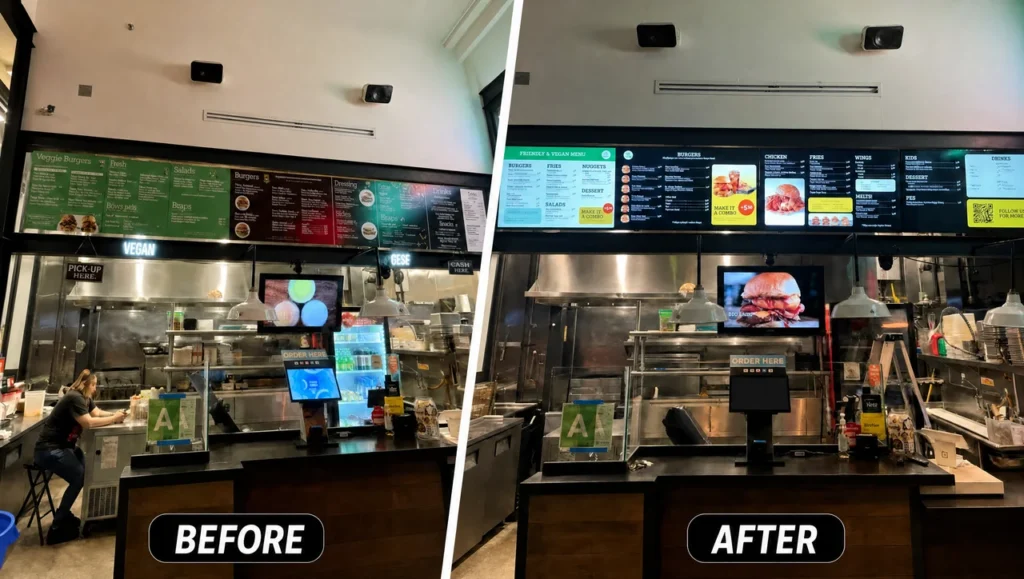
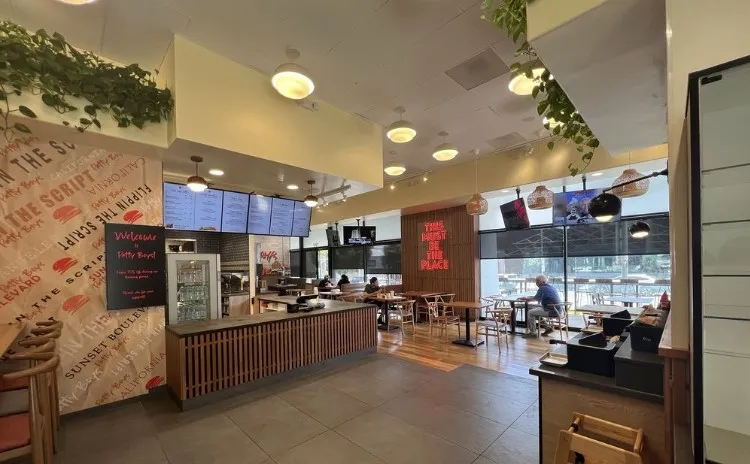
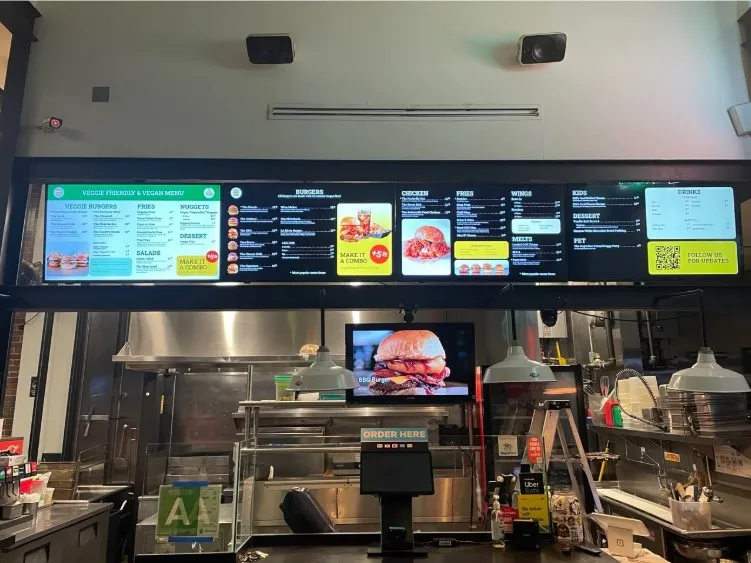
Burger Shop rolled out a digital menu on the Decker management platform and set up 4 screens in its order area to replace print menus. The case shows how a digital update process took over from printing, contractors, and manual layout prep. After launch, prices, items, and availability began updating on the screens automatically in 1–2 minutes.
About the client: Burger Shop
Burger Shop is a restaurant chain in Los Angeles, with a location at 724 S Spring St, Los Angeles, CA 90014. The spot runs a quick-order counter format, where the menu helps the guest pick a dish and see current prices before paying.
The restaurant’s menu spans classic and signature burgers, chicken sandwiches, fries, vegan items, and seasonal offers. A lineup like this calls for fast price edits, new items added on demand, promos launched quickly, and one consistent menu standard across the order area.
Before the project, Burger Shop worked with print menus. The move to Decker was about turning price updates, lineup changes, and on-screen content into a digital process.
The original process
Burger Shop updated its print menu about once a quarter, so changing a price, an item, or a promo took anywhere from a few days to a few weeks.
Every edit went through design, approval, printing, and delivery. The restaurant worked with a design studio and a print shop, and operations management ended up tracking printed materials instead of data in a system.
That model touched 6 operational processes:
- Prices and the lineup updated on a quarterly cycle.
- A print menu could still show an old price.
- The team had to coordinate edits with design and print contractors.
- Routine changes carried prep and printing costs.
- Operations management tracked the printed materials themselves.
- Launching new dishes and promos depended on the menu-prep cycle.
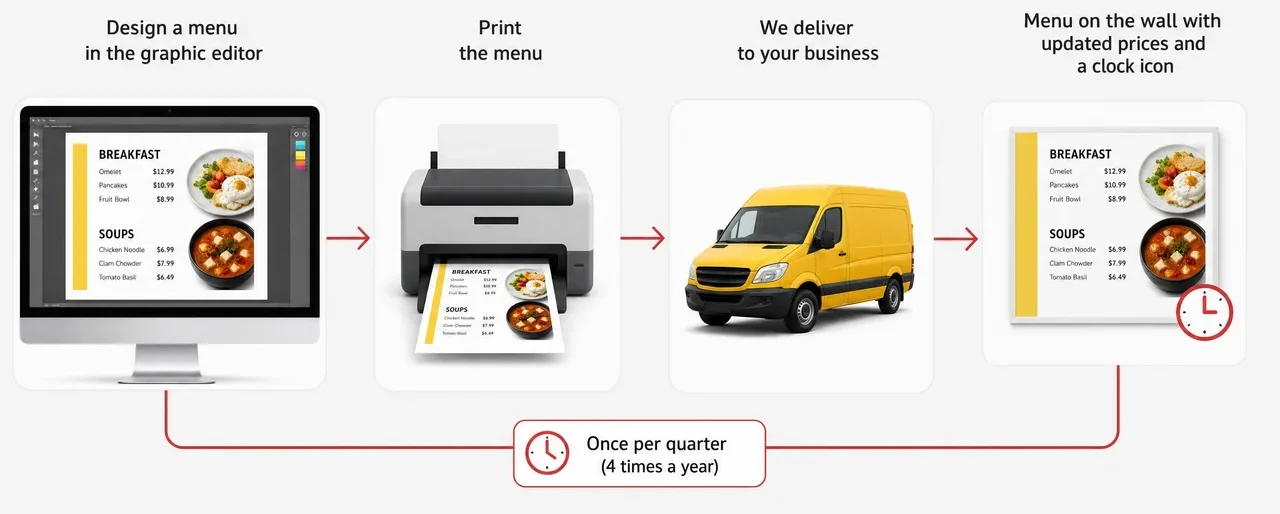
A quarterly cycle locked the menu in place for a long stretch and didn’t match the pace at which prices, promos, and the lineup actually changed.
Project goals
Burger Shop set out to find a digital menu solution that would replace print and connect to the restaurant’s POS system.
The project had to solve 4 goals:
- Install 4 digital screens in the order area.
- Connect the menu to the restaurant’s record-keeping system.
- Automate updates to prices, items, and availability.
- Remove printing, manual layouts, and contractor management from the update process.
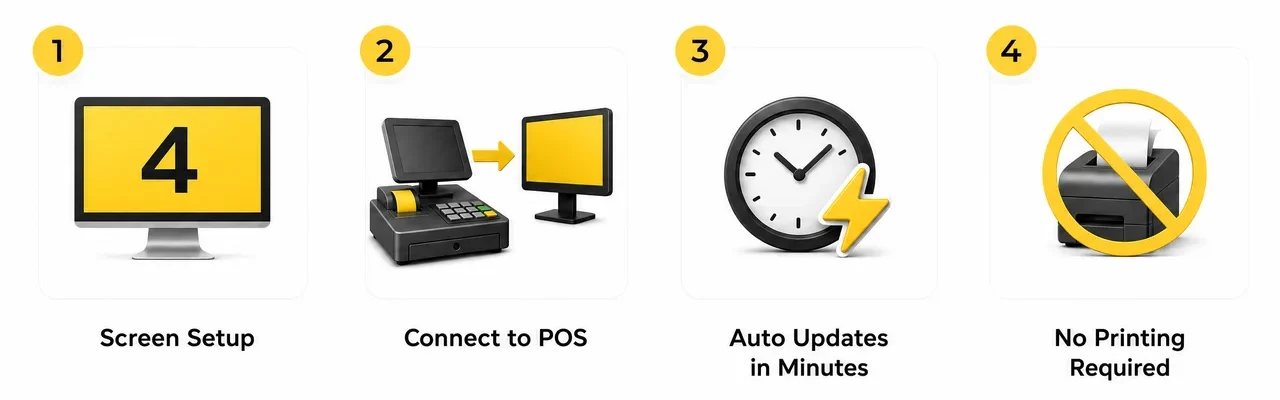
For Burger Shop, this wasn’t just a visual refresh. The restaurant needed a process where changes in its record-keeping system reach the screens automatically, so guests see accurate information the moment they order.
How the project was implemented
The Decker platform connected Burger Shop’s 4 digital screens to the restaurant’s POS system and moved the menu into a digital management process.
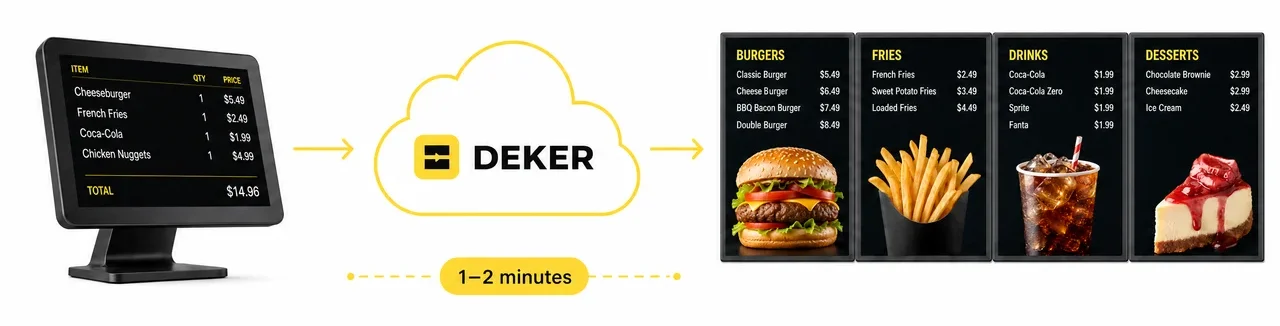
POS integration became the core of the project. When prices, items, or availability change in the POS, Decker processes that data and publishes the current information across all screens in the order area.
The restaurant no longer needs to prep a separate layout, send it to print, wait for delivery, and check that the new version made it onto the floor. Updating the menu became part of a digital process rather than a separate cycle of working with printed materials.
For Burger Shop, Decker’s digital signage software acted as the management layer for the digital menu, tying together price, item, and availability data with the 4 screens in the order area.
The Burger Shop team gained a way to change prices fast, launch promos, and keep data accurate without a separate print cycle.
How the digital menu works now
The Burger Shop team makes changes in the restaurant’s record-keeping system, and Decker automatically pushes the current data to all 4 screens in the order area.
When the restaurant changes a price, adds a new dish, or updates availability, the information appears on the screens with no manual layout prep. Guests see the current menu, and operations management no longer works with print contractors for every edit.
Each screen shows current prices and available items, so the guest can order with accurate information in hand.
Results
The Burger Shop project moved the restaurant from a print menu to a digital system where changes take 1–2 minutes instead of weeks.
The project gave Burger Shop 8 changes:
- The menu began updating without manual steps.
- Rollout time for changes dropped from weeks to 1–2 minutes.
- Routine edits no longer need a separate design-and-print cycle.
- The restaurant’s record-keeping system became the source of current prices, items, and availability.
- The team lowered the risk of errors tied to manual data handoffs.
- Operations management no longer runs the menu-printing process.
- The restaurant gained the flexibility to launch promos and change prices on demand.
- Guests started seeing current information on the screens.
Burger Shop effectively stepped away from managing printed materials. The client noted that the print-studio workflow had simply dropped off their radar — one of the clearest signs the rollout had worked.
The main outcome for Burger Shop is a move from a slow, print-based menu model to real-time digital management. The Decker platform ties the restaurant’s record-keeping, its menu, and its screens into one process that speeds up changes and improves the accuracy of what guests see.
Before and after
Burger Shop moved from a print menu on a quarterly cycle to digital management through Decker, tied to the restaurant’s POS system.
| Before Decker | After the rollout |
|---|---|
| ❌ the menu updated through design, approval, printing, and delivery | ✅ the menu began updating without manual steps |
| ❌ a price or item change took a few days to a few weeks on the quarterly cycle | ✅ rollout time for changes dropped from weeks to 1–2 minutes |
| ❌ every edit ran through a separate cycle with a design studio and print shop | ✅ routine edits no longer need a separate design-and-print cycle |
| ❌ the POS system wasn’t connected to the screens | ✅ the record-keeping system became the source of current prices, items, and availability |
| ❌ manual layout handoffs risked an outdated price on the print menu | ✅ the team lowered the risk of errors tied to manual data handoffs |
| ❌ operations management manually tracked the printed materials | ✅ operations management no longer runs the menu-printing process |
| ❌ launching new dishes and promos depended on the print-menu prep cycle | ✅ the restaurant gained flexibility to launch promos and change prices |
| ❌ guests could see an outdated price or item on the print menu | ✅ guests started seeing current information on the screens |