How Crave Cafe Replaced USB Menus and Cut Updates From 2 Weeks to Minutes

Crave Cafe replaced static USB menus with the Decker platform to update items, prices, and visuals on its screens in a few minutes instead of 2 weeks. After the rollout, staff edit the menu themselves, with no Photoshop files, no designer, and no manual swapping of flash drives.

About the client: Crave Cafe
Crave Cafe is a modern cafe at 22950 Vanowen St #E in the West Hills neighborhood of Los Angeles. The place is open every day from 8 a.m. to 1 a.m. and uses digital screens to display its menu.
The cafe runs a broad menu. On the official Crave Cafe West Hills site, the lineup covers breakfasts, sandwiches, wraps, salads, coffee, tea, and crepes. For a format like this, the menu on the screens has to reflect price changes, item availability, seasonal dishes, and visual accents quickly.
Crave Cafe was already using a digital menu before Decker, but the menu itself stayed static. Files were prepared as images, loaded through USB flash drives, and gave staff no flexibility in managing the lineup day to day.
When edits are this frequent, the menu on the screens becomes a working tool rather than just a picture above the register.
The problem
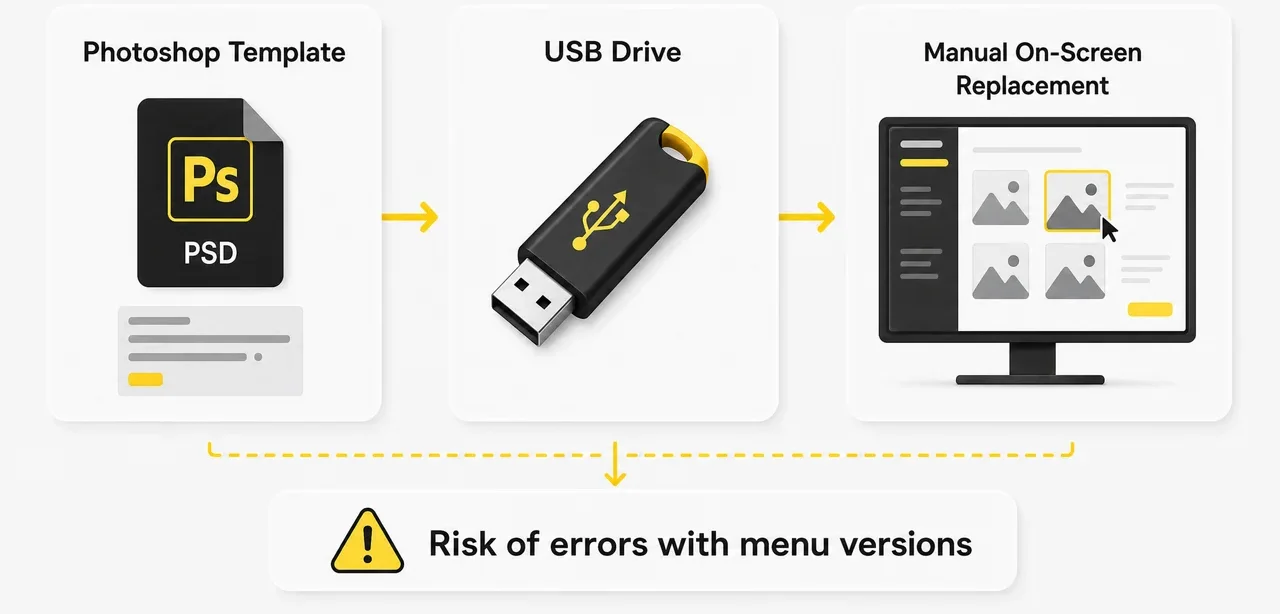
Before Decker, Crave Cafe managed its menu through static images, Photoshop, and USB flash drives.
Every change went through a designer. He edited the layouts in Photoshop, prepared new images, and the files were then carried to the screens on USB media. Because the designer had limited availability, menu updates were completed only about once every two weeks.
That process created 5 operational problems:
- The team waited a long time for menu updates.
- Staff could not change prices on the spot.
- Swapping flash drives by hand caused errors with the screen or the menu version.
- The cafe depended on a single specialist who prepared the layouts.
- Managing the lineup stayed inflexible.
The core limitation was speed. A price, an item, or a visual could change faster than the team could prepare a new file and swap it on the right screen.
Project goals
The cafe needed to replace USB menus with a content management system for digital signage that runs in a web browser.
The project had to meet four goals:
- Move the menu from static images to a manageable digital format.
- Let staff edit items and prices without a designer.
- Cut update time from 2 weeks to 1–2 minutes.
- Remove manual work with USB flash drives and file versions.
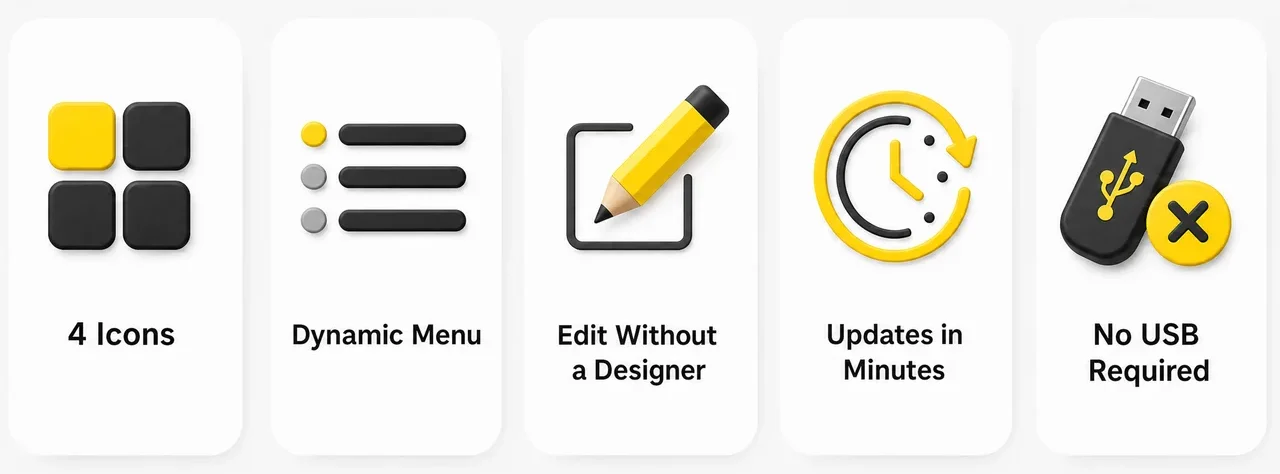
For the team, this was not only a technical upgrade. They wanted to change prices faster, add new items, refresh visuals, and manage the lineup without waiting on a contractor or on the designer’s free time.
How the project was implemented
Decker moved the Crave Cafe menu from static images to cloud management through a web interface.
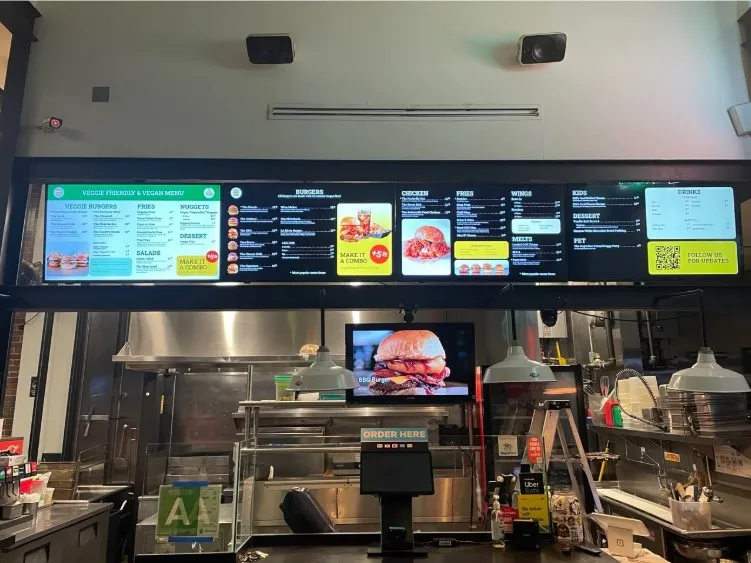
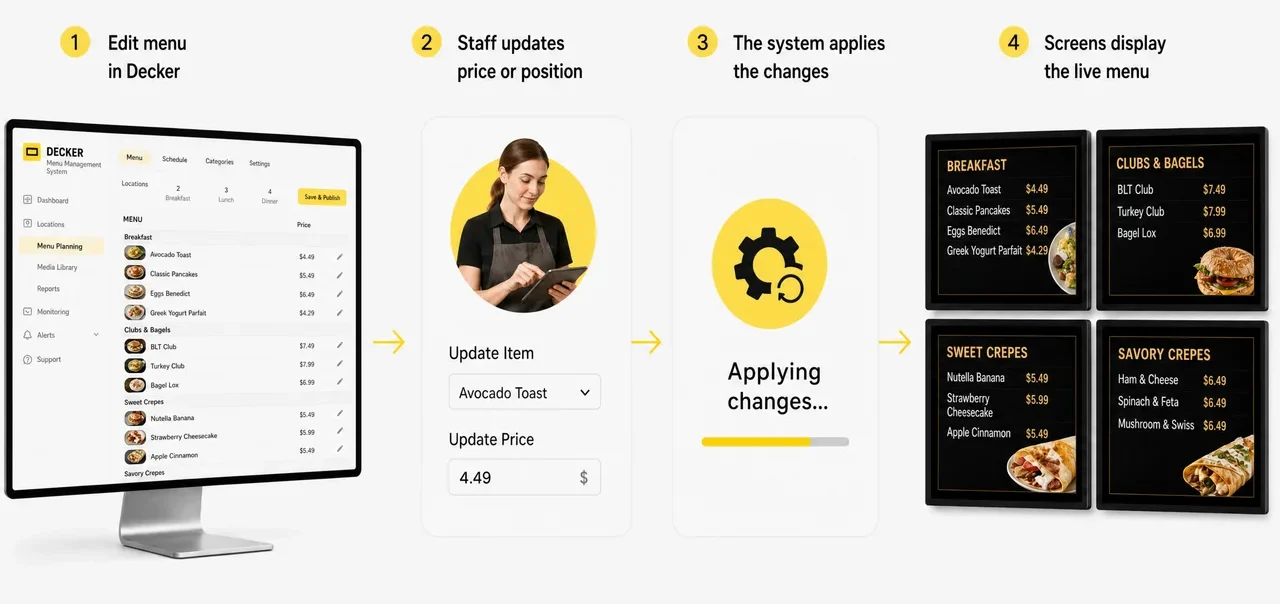
The menu became dynamic. An employee can change a price, update an item, remove a dish that is unavailable, or swap a visual directly in the system. Once published, the changes apply across all connected screens with no USB flash drives and no manual file swapping.
In this project, Decker replaced the old scheme in which every screen depended on a separate image and a physical drive. The cafe got a single process for the menu, prices, and visuals instead of a set of disconnected devices.
Decker also gave the team centralized screen control. Staff can see what is supposed to be displayed on each screen, fix the menu faster, and lower the risk of an old version being left on a screen.
How it works now
A Crave Cafe employee opens the Decker web interface and edits the menu without Photoshop.
When a price has to change, a new item has to go up, or a visual needs refreshing, the team makes the edit in the system. After publishing, the change appears on all screens within a few minutes. The designer is no longer a required participant in every edit, and USB flash drives are no longer needed to update the screens.
This helps the cafe respond to lineup changes faster. The team can update the menu during the working day instead of waiting for the next round of layout prep.
Results
Crave Cafe cut menu updates from 2 weeks to a couple of minutes and moved from USB flash drives to centralized screen management.
The project delivered seven operational improvements:
- The menu became dynamic and manageable through a web interface.
- Items and prices are now edited by staff without a designer.
- Updates apply across all screens within a few minutes.
- USB flash drives were removed from the update process completely.
- Errors from swapping media by hand went down.
- The cafe stopped depending on Photoshop files for every edit.
- Screen management became centralized instead of spread across disconnected devices.
The main outcome is a menu that staff can update within minutes. Decker replaced static images and manual file uploads with a cloud process in which the team updates prices, items, and visuals on its own — the same approach behind our digital menu boards for other food service locations.
Before and after
The Crave Cafe project replaced the old USB flash drive scheme with a managed menu system.
| Before Decker | After the rollout |
|---|---|
| ❌ static menu images | ✅ a dynamic menu in a web interface |
| ❌ edits through a designer in Photoshop | ✅ staff edit items and prices themselves |
| ❌ updates roughly once every 2 weeks | ✅ changes apply within a few minutes |
| ❌ files loaded through USB flash drives | ✅ publishing to the screens through Decker |
| ❌ risk of the wrong version or the wrong screen | ✅ single control over screens and menu accuracy |
| ❌ dependence on one specialist | ✅ the cafe team manages the menu on its own |
| ❌ low flexibility of the lineup | ✅ fast edits to prices, items, and visuals |