


Starter
One window screen with media, playlists and schedules, free forever.
$0
Free forever · 1 screen No credit card
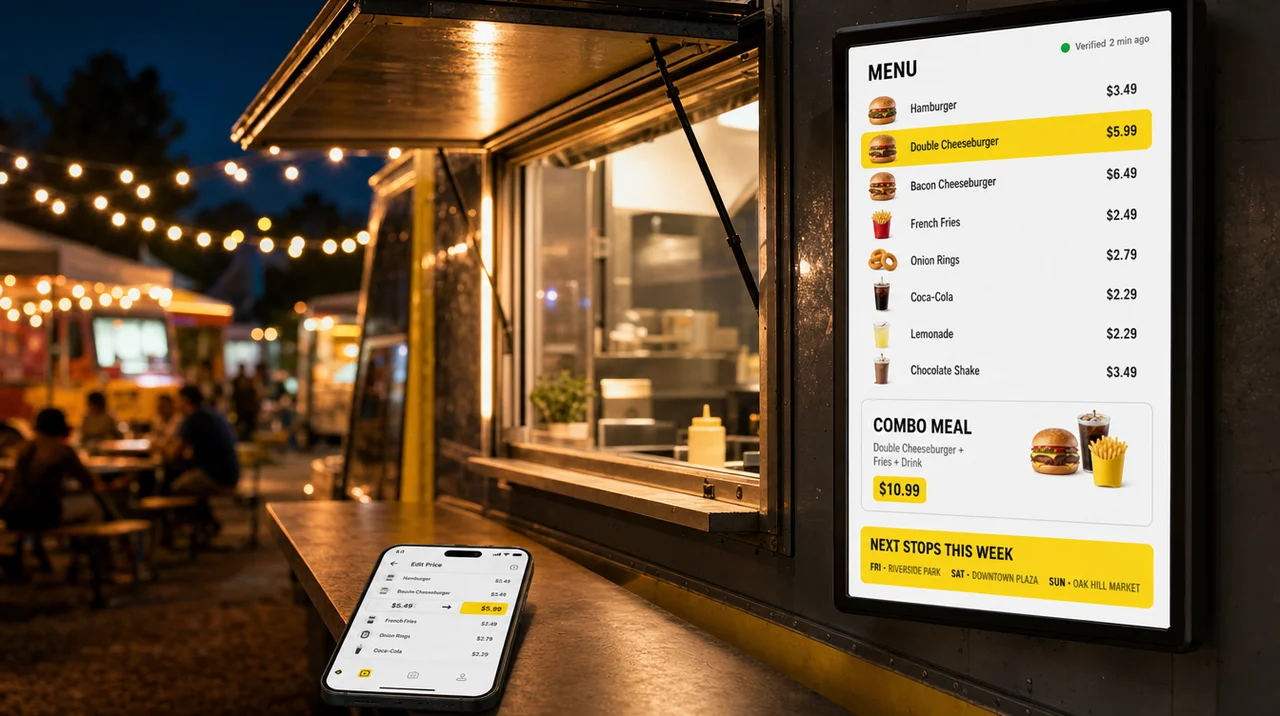
A food truck digital menu board is a screen at your service window that Decker runs from your POS and the browser on your phone. Prices from Square, Toast or Clover reach the screen in 1–5 seconds. In addition, each stop can show its own menu, and the player keeps the menu playing offline when an event’s cell signal drops.
Change a price in Square, Toast or Clover and the screen redraws that one line in 1–5 seconds, with no flicker and no reload.
When thousands of phones overload the event’s cell towers, the player keeps showing the last menu and catches up once the link returns.
The player is rated at 5V and 2A, 10 watts at most, compared to a generator that typically puts out 5,000 to 7,500 watts.
A food truck digital menu board is a screen at the service window that shows items and prices from live menu data, so you update the menu remotely and instantly instead of reprinting a panel. Like other digital menu boards, it runs on three parts, and Decker supplies two of them:
Any TV or commercial display with an HDMI input works, from the set you already own to an outdoor high-brightness panel for a window that faces the afternoon sun.
A palm-sized Android 10 device connects to the screen over HDMI, joins Wi-Fi or Ethernet and keeps the current menu in its cache.
The Decker account is where you build the layout, connect the POS, set schedules and publish to the screen from a laptop or the browser on your phone.
An electronic menu board for food truck service is often confused with two cheaper setups. A TV with a USB stick needs a new file walked to the screen for every price change, and a light-up LED message board is a sign you write on with a marker. Next, here is how the options compare.
A food truck menu board can be printed, written by hand, played from a USB stick or run from software, and the right one is the format that keeps up with how often your prices, stock and stops change.
| Printed or PVC board | Chalk or magnetic strips | TV + USB stick | Decker on any screen | |
|---|---|---|---|---|
| Change a price | Reprint the board | Rewrite or swap a strip by hand | Export a new file, walk it to the TV | Edit it in the POS, on screen in 1–5 seconds |
| Different prices per event | A second board | Rewrite before service | A second file | A price list per stop, switched by schedule |
| Sold-out items | Tape over them or tell guests | Wipe them off | Stay on screen | Hidden as soon as the POS marks them |
| Specials and combos | Fixed until the next print | Handwritten | One file for every hour | By daypart, date and stop |
| Several trucks | Print one per truck | Each crew rewrites | One stick per truck | One account, prices per truck |
| Upfront spend | Lowest | Low | A TV you own | A screen, plus the player and software |
Food truck digital menu boards make the menu part of service speed. Guests read today’s prices and specials while they wait, so they decide before they reach the window and the crew answers fewer questions. Sold-out items leave the board, so nobody orders food that is gone, and combos sit where the line looks first. A price change never goes to the print shop. Printed food truck menu boards keep one advantage, no glare at noon, so some trucks keep the core menu printed and move what changes to screens. Beyond that, the software is where the real difference starts.
A digital menu board for food truck windows has to keep up with three things that a restaurant counter rarely faces at once: a new stop every day, a cooler that empties mid-service and a crowd that changes by the hour. Digital menu boards for food trucks help the crew show specials, update prices and hide sold-out items in seconds, and Decker handles each task from one account:
Edit a price in the POS, and the window screen shows it in 1–5 seconds, with only that price redrawn. A truck without a supported POS can keep prices in an Excel sheet instead, and POS menu board sync explains how register items match the layout.
A truck carries one cooler of stock, so items run out on every busy shift. Mark an item unavailable in the POS, and it disappears from the board until you mark it available again, so nobody at the window orders what the kitchen no longer has.
Each stop can carry its own price list, item set and promo page. A digital menu for food truck stops switches between them on a schedule, or with one tap in the browser on your phone, as the next section shows.
Set dayparts once: coffee and breakfast burritos lead at 7 a.m. by the office park, lunch combos at 11, and shareables after 9 p.m. outside the brewery. The switch happens on the screen by itself, with nobody at the window.
Highlight high-margin items and combos, rotate a promo page with food photos or a short MP4 clip, and add next week’s stops and your Instagram handle between menu pages. Each promo page runs only for the dates you set.
Start from a ready layout, or let the AI design generator build a first version from your menu. Food truck menu templates give you a head start. In addition, prices stay live elements in every layout, so a POS change still redraws them.
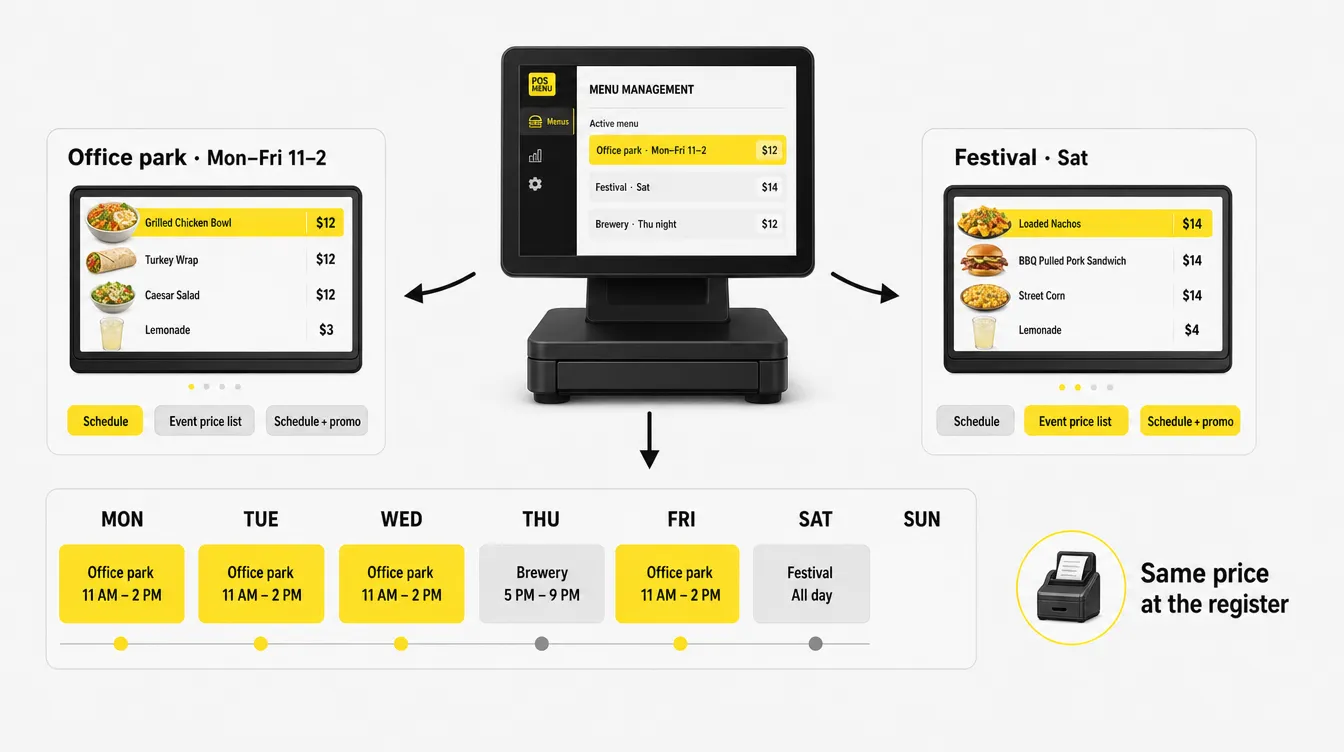
A food truck digital menu can show a different price list, item set and promo at every stop, as long as the register charges the same price that the board shows. Decker gives you two ways to keep the screen and the register in step.
The first starts in Square. Price overrides set a different price for one item at each Square location, and you create them in the Square Dashboard rather than in the POS app. Set up a location for each recurring event, and the screen reads prices from whichever location the truck works today, switching on a schedule or by hand. The second lives in Decker: a separate Excel price list tied to the date of an event. In both cases, ring up the same prices at the register.
| Stop | When | On the board | How it switches |
|---|---|---|---|
| Office park | Mon–Fri, 11 a.m.–2 p.m. | Lunch menu, six items, combo with a drink | Schedule by day and hour |
| Saturday festival | Sat, noon–10 p.m. | Short menu of fast items, event prices, sold-out hiding on | Event price list for that date |
| Brewery night | Thu, 6–11 p.m. | Late-night menu, shareables, next stops on a promo page | Schedule plus a promo page |
When a stop comes up at the last minute, the manager switches the digital food truck menu from a phone at the window. Next comes the part every truck asks about first: the connection.
See Your Menu Switch by Stop
Connect one screen and set two stops. Next, watch a menu board that switches prices on schedule before the weekend rush.
A food truck digital menu board needs internet only to receive changes, because the menu that it shows plays from the player’s cache. For a digital menu board, food truck connectivity comes down to your phone’s hotspot, the venue’s Wi-Fi or a portable LTE router:
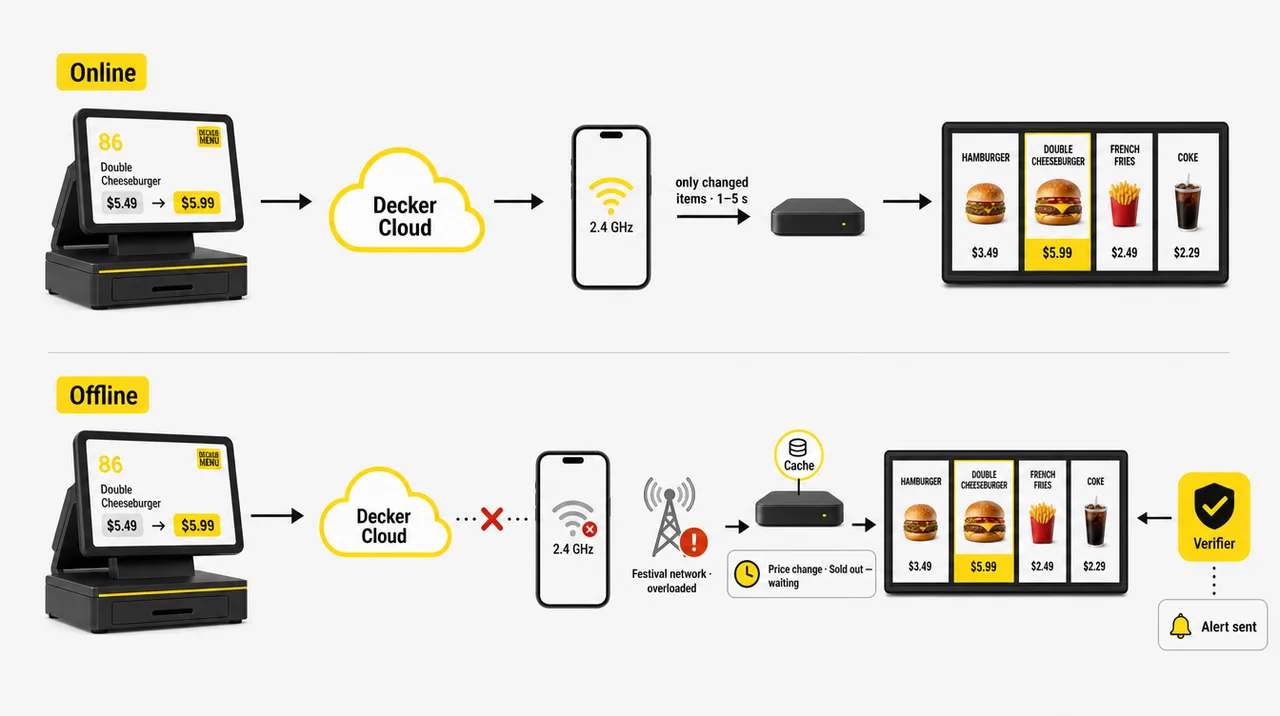
An electronic menu board for food truck stops connects through your phone’s hotspot and uses little data, because the player receives only the changed parts of the menu.
Thousands of phones on the same cell towers exceed their capacity, so full signal bars can still mean no usable data. The board keeps the last published menu on screen, and new prices arrive once the link returns.
Offline play does not mean offline updates. An item you mark sold out during an outage stays on screen until the player reconnects, so tell the window crew.
The board faces the street, and the cook at the grill never sees it. Decker Verifier for digital signage remote management flags a black screen, a frozen player, wrong content or a sold-out item still showing, sends an alert, and can restart the player or the display. Next comes the screen itself.
Decker runs any menu board over HDMI, so a food truck menu display can be the TV you already own or an outdoor screen that suits where your window faces. Here is what each setup needs:
A regular TV for shade and evenings. A food truck TV menu works with a regular TV behind the window, where a screen needs about 500–700 nits, while an awning or shade calls for 700–1,500.
An outdoor panel for direct sun. A menu board in direct sun needs an outdoor high-brightness panel rated at 2,500 nits or more, and the same player drives it.
A player that runs on 10 watts. Decker Player is rated at DC 5V/2A, fits behind the screen at about 3.5 inches square, and runs from its adapter on an inverter outlet.
Back on by itself, on trucks and trailers. When power returns, the player opens the menu on its own, and with Verifier the screen powers off remotely while the truck is parked. A food trailer menu board or a menu sign for food truck windows uses the same player and layout. Beyond the hardware, the next question is a second truck.
With two or more trucks or trailers, Decker keeps one menu board design for the fleet, while each truck shows the prices, stock and stops that belong to it. Four tools keep the fleet in step:
Publish to one truck, a group or the whole fleet. Each truck reads prices and sold-out items from its own Square location or POS, so the trailer at the stadium and the truck downtown share a design while their screens show different numbers.
Custom roles let a shift lead update what changes without touching the layout, and single sign-on keeps the crew’s logins in one place.
Proof of Play reports show which truck screens displayed which menu and when, so a sponsor can see that their promo ran.
A new truck copies the working menu and pairs a player. A menu board for food trailer service added next season goes live the same way. As a result, food truck digital menu boards grow with the fleet.
Launching a menu board for food truck service takes five steps that run from choosing the screen to the first service with it:
Use the TV you have for shade and evenings, or an outdoor high-brightness screen for a window in direct sun.
Connect Decker Player to the screen over HDMI and to power, join it to your phone’s hotspot or the venue’s Wi-Fi, and add the screen to your Decker account.
Authorize Square, Toast or Clover, or upload an Excel price list. The first sync pulls in your items, and you confirm once how they match the layout.
Add the weekly schedule of stops, the price list or Square location for each one, your dayparts, and the promo pages with their dates.
Change one test price in the POS and time the screen, read every price from 10 feet at midday, and switch off the hotspot to confirm the menu stays up. Next, open the window.
Start with one food truck digital menu board free, test every paid feature on up to five screens for 30 days, and pay per screen only when you add trucks. POS price and sold-out sync, dayparts and a menu for every stop start on Professional; custom roles and API access come with Premium.
One window screen with media, playlists and schedules, free forever.
Menus that change by day, with templates, playlists and app integrations.
POS prices and sold-out sync, dayparts and a menu for every stop.
A fleet of trucks with workspaces, custom roles, SSO and API access.
Custom rollout, training, a 1-hour SLA and a dedicated manager, specifically for large fleets.
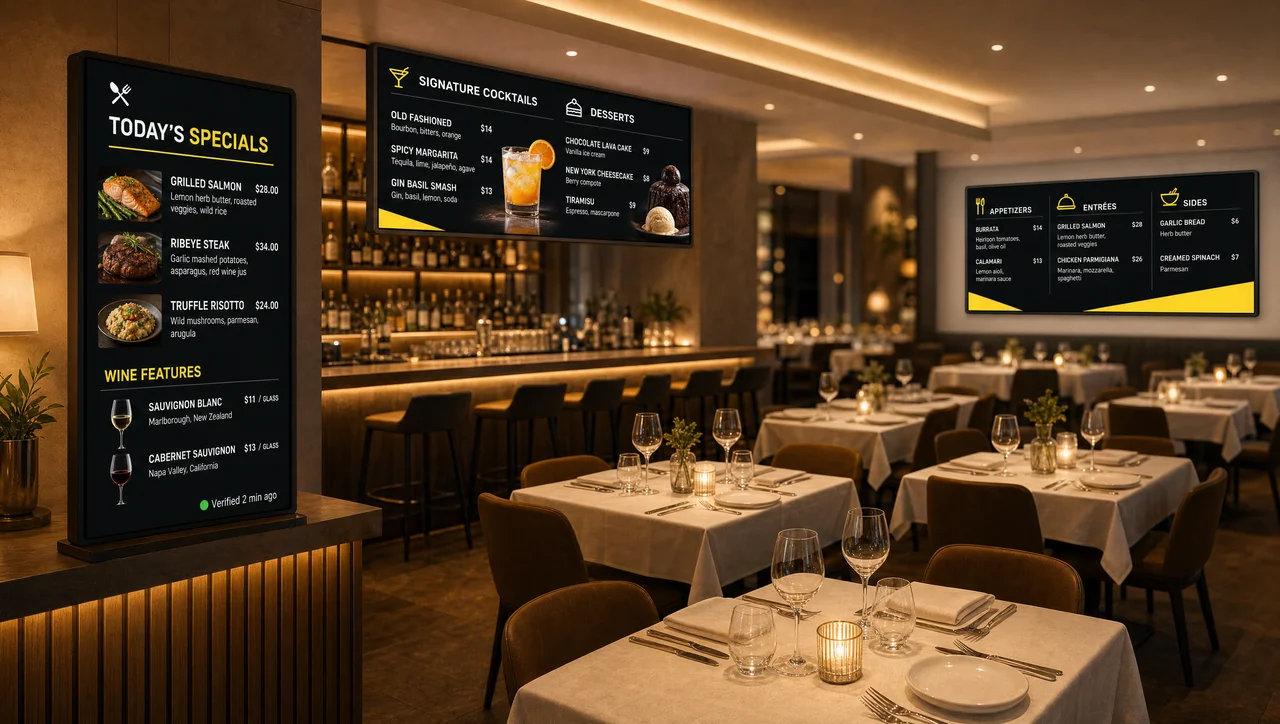
Full menus for restaurants with a kitchen, from the host stand to the dining room.
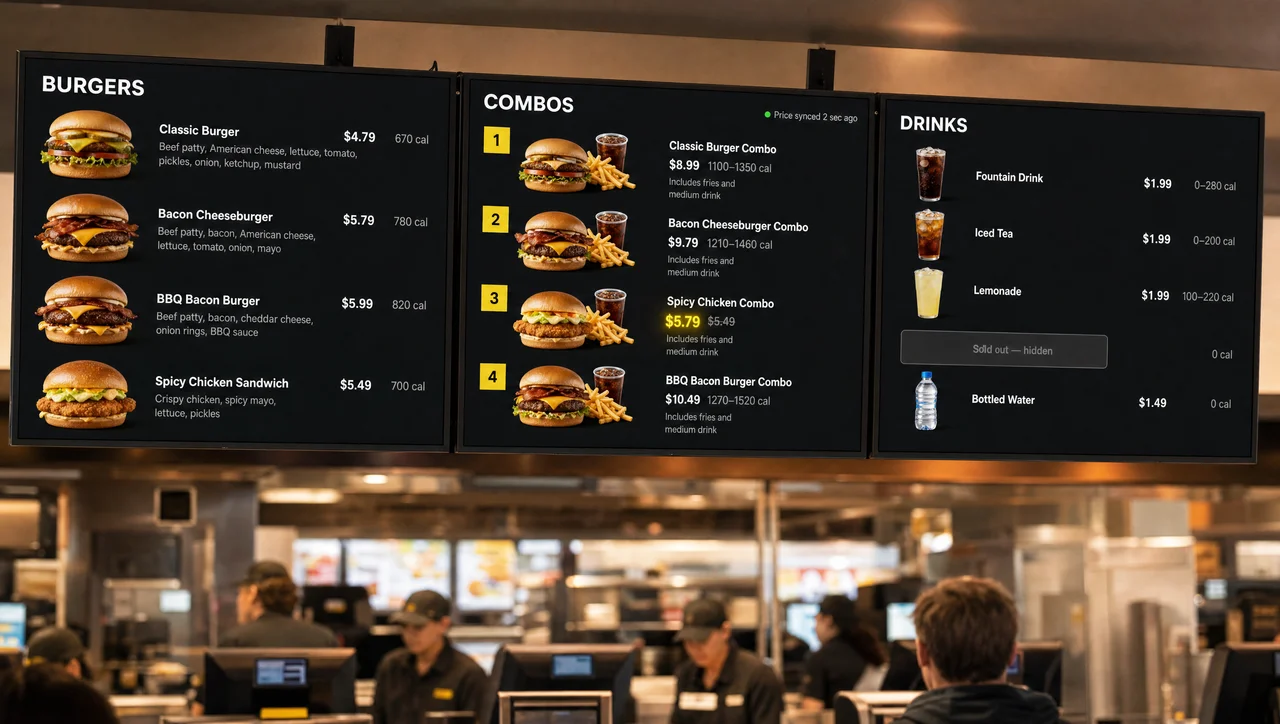
Dayparts, limited-time offers and local prices across a quick-service chain.
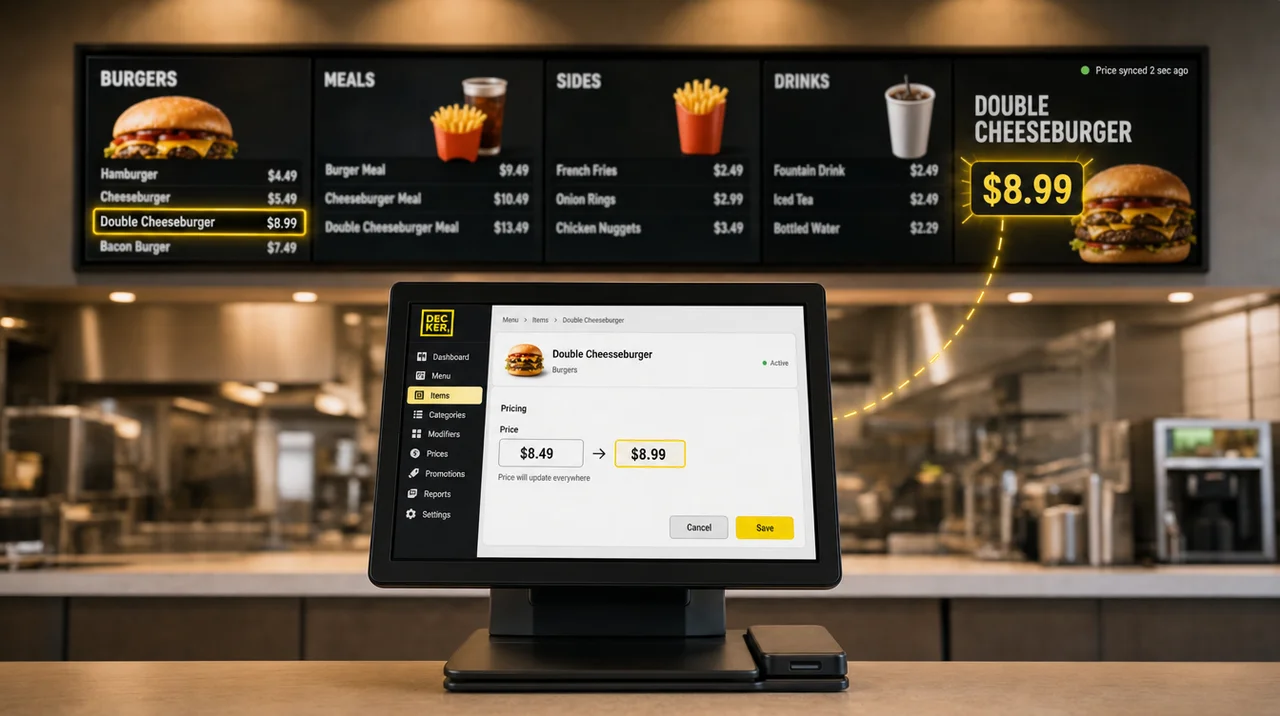
How Toast, Square and Clover feed the board, with only the changed price redrawn.
Pair a player over your hotspot and sync prices from your POS. Next, watch a menu board that updates in seconds before the window opens.
A food truck menu board usually needs a 32- to 43-inch screen that guests read from about 3 to 15 feet. Sign makers allow 1 inch of letter height for every 10 feet, so item names should be around 1.5 inches tall. On a 14- to 20-foot truck, a 32-inch screen beside the window is usually enough for a short menu. Vertical screens fit a narrow panel next to the window, and horizontal screens fit above it.
Yes, in shade, at night or inside the truck behind the window. Connected to Decker Player over HDMI, it runs the same menu as a commercial display. In direct sun, however, a consumer TV at 250–500 nits washes out, and most are rated to run at 32–104°F with humidity under 80%, a range a closed truck in summer can exceed, so outdoor-rated high-brightness screens are the safer choice for a sunny window.
Display makers recommend 500–700 nits for a screen read through the window from inside the truck, 700–1,500 nits under an awning or in partial shade, and 2,500–4,000 nits or more for direct sun on the screen. Test the result the way guests read it: stand 10 feet back at midday and check every price.
Under IEC 60529, IP54 protects against dust and splashes, while IP65 is dust-tight and withstands water jets. A menu board on screens mounted outside in the rain needs IP65 or IP66. A screen inside the truck behind the window needs no weather rating.
The cost has three parts: the screen you choose, Decker Player and the Decker software. Current rates are on the Decker pricing page, and what digital menu boards cost adds up screens, players and installation.
No, that is a myth. A digital menu board for food truck service plays the menu from the player’s cache, so a dropped hotspot or an overloaded festival network does not blank the screen. Price changes, sold-out items and new promos wait until the connection returns, and then they reach the screen in seconds.
Yes. The player uses Wi-Fi 802.11 b/g/n, so set the hotspot to a 2.4 GHz-compatible mode; on an iPhone, that switch is called Maximize Compatibility. Updates use little data, because only the changed parts of the menu travel to the player.
Not the player: it is rated at 10 watts at most. A typical food truck generator puts out 5,000 to 7,500 watts, a POS draws about 150 watts and a 50-inch home TV about 105, while high-brightness outdoor screens draw more, so check the spec sheet of the menu board’s screen before you size the inverter. With Verifier, you can also power the screen off remotely when the truck closes.
A food truck menu sign hangs on a VESA bracket bolted to a reinforced part of the body, with cables in conduit away from grease. Never hang screens directly above the grill or fryer, where hot, greasy air rises, and match the bracket’s load rating to the screen, because outdoor-rated screens weigh more than home TVs. A screen outside comes down or locks into a case before you drive, while the player stays attached behind it and opens the menu on its own when power returns.
Yes. Give each recurring event its own Square location with price overrides, or tie a separate Excel price list to the event date, and the board switches on a schedule or by hand from your phone. Keep the register on the same prices, so the window never charges more than the screen shows.
A truck with six to eight items whose prices have not changed in six months gets little from a screen, because a printed board stays accurate and reads without glare. A truck that serves only in the evening and in shade can rely on a lit printed board that guests read from the back of the line. Without a cloud POS or a price sheet, nothing syncs automatically, although manual edits from a phone still work. And a truck that parks at the same spot all year has no stops to switch between, which removes the strongest reason for a food truck digital menu board.


