
Decker Verifier: Digital Signage with Remote Management
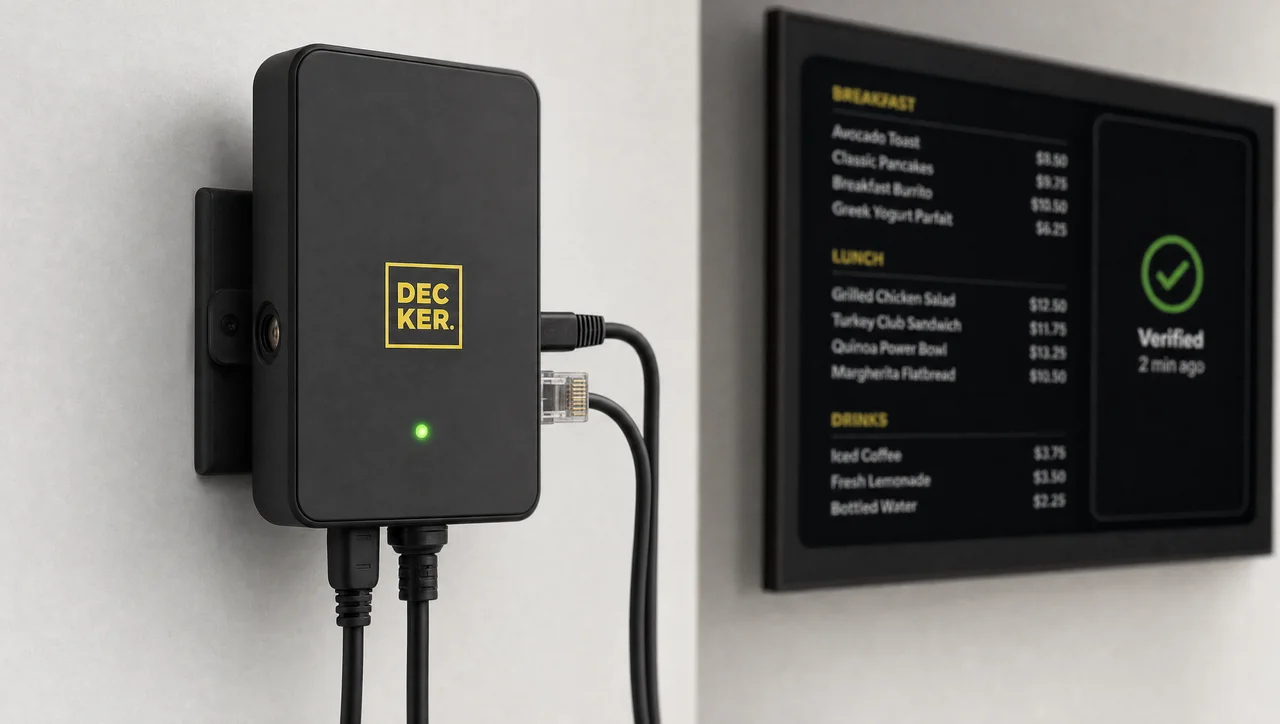
Digital signage remote management usually fails at the last foot: the platform confirms a successful publish, and the screen behind the counter shows nothing. Decker Verifier checks the screen at every display, reports status in real time, and restarts the picture remotely. However, that check needs hardware.



-
2,600 devices deployed behind customer screens
Decker runs hardware verification on screens in live networks, not in a pilot — one Verifier pairs with a Decker Player at every display.
-
Screen + player monitored as two separate devices
Decker Verifier captures the screen and confirms what it shows, because a frozen player still reports success while the panel displays the wrong content.
-
No truck roll remote reboot and HDMI recovery
Decker Verifier power-cycles displays and switches the HDMI input from the dashboard, so a black screen never waits for a technician.
Why Digital Signage Remote Management Starts at the Screen
Decker Verifier closes the gap that digital signage remote management leaves open, because HDMI delivery is not proof that a screen displays anything. Software-only platforms end the job at delivery: content leaves the server, the log records “published”, and everyone assumes the rest.
Decker Verifier watches the screen that fails quietly. Displays lose power and wake on the wrong HDMI input. Devices drop off the network silently. Decker Player keeps cycling a playlist and reporting normal operation while the panel behind it stays dark. Screens stay blank until a customer mentions it at the register.
Decker builds devices for that reason, and its digital signage hardware treats every screen as something to verify, not to trust.
⚠️ “Remote management” often covers content only: the dashboard pushes a playlist and schedules it, but it cannot tell whether the display switched on. Check what a platform actually monitors — the player, or the screen.
However, digital signage remote management gains that second device only in hardware, and verified playback then replaces the assumption that content reached the glass.
Verified Playback Instead of Assumed Delivery
Decker Verifier reports verified playback that names the location, which turns an HDMI publish log into evidence: the menu shows on screen in store #247, not on 400 screens in theory. Proof of play digital signage teams can act on records what appeared on screen, where, and for how long, with an audit trail that holds photo evidence of each check.
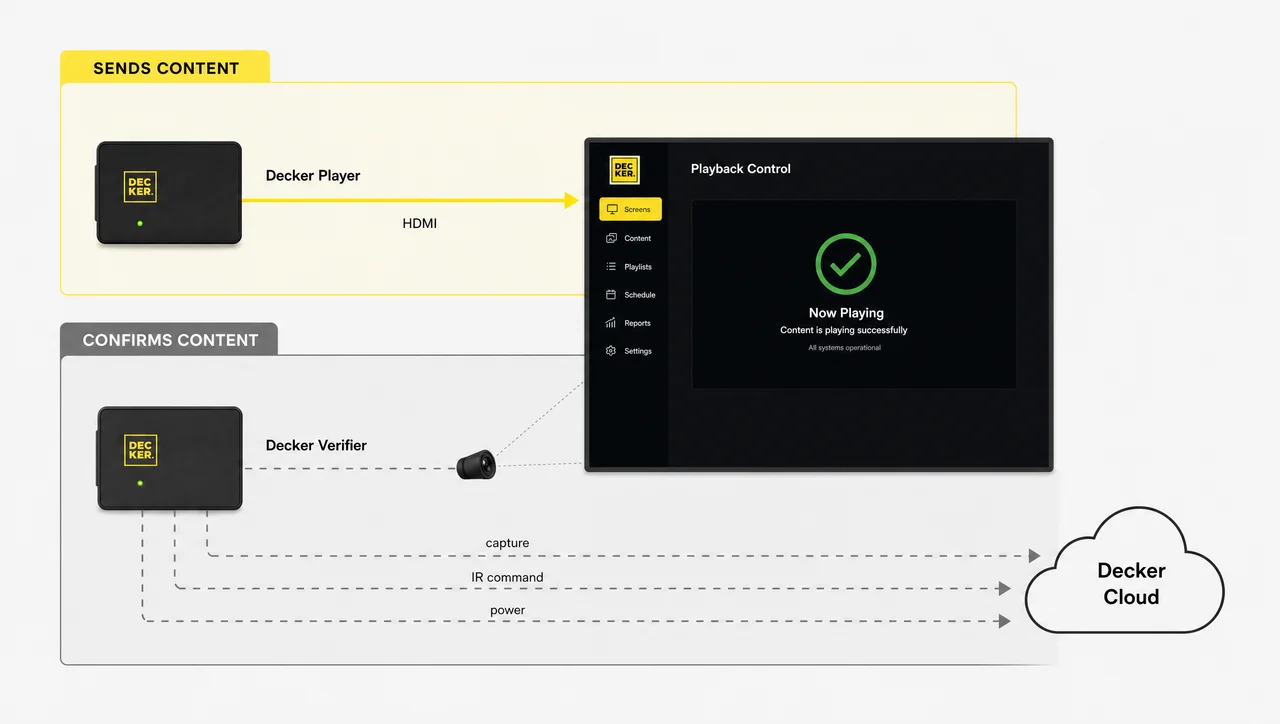
Decker Verifier runs independently of the player. Devices that crash cannot report a crash, so an independent monitor stays online exactly when screens need it. Decker rolls that evidence into proof-of-play reporting per location and per day.
Not to be confused with: Decker Player displays the content, Decker Verifier confirms that it is actually showing.
As a result, every publish ends with a check rather than an assumption.
How Decker Verifier Works: Four Steps to Confirmed Playback
Decker Verifier installs behind displays in four steps that bring power, HDMI, and the network under remote management. Screens keep their original wiring, because the device controls them the way a remote does.
-
Step 1.
Capture the panel
Decker Verifier captures the screen through an image sensor and confirms what the panel actually displays. Screens report their real state visually, independent of anything the media player claims about itself.
-
Step 2.
Report the status
Decker Verifier reports the screen and the player to the monitoring dashboard continuously. Displays appear as online, dark, or out of sync, and alerts fire when a screen stops showing content.
-
Step 3.
Recover the HDMI source
Decker Verifier switches the screen back to the player with infrared commands that restore the correct HDMI input. Screens that wake on a tuner after a power event return to the player through HDMI source recovery.
-
Step 4.
Cycle the power
Decker Verifier restarts the screen, the player, or both remotely, and schedules overnight shutdowns, so that panels never run 24/7 without a break.
Find the Screens That Are Dark Right Now
Dark screens cost revenue that nobody logged, therefore verified playback pays for itself.
Digital Signage Remote Monitoring for Screens and Players
Decker Verifier splits digital signage remote monitoring into two checks that verify the screen and the player separately. Monitoring software reports the health of the process it runs inside — CPU, storage, last heartbeat — which describes the player, not the picture.
-
Player state
Decker Player reports connection, playback activity, and sync status, which Decker Verifier cross-checks on site.
-
Display state
Decker Verifier confirms power, the content on screen, and the active HDMI input at the panel. Remote digital signage monitoring reaches that layer only through hardware, because digital signage monitoring software cannot see the glass.
-
Alerting
Decker Verifier watches the screen continuously, logs the fault, and raises an alert that names the location and the device, so that teams react before a complaint arrives from the floor.


Outage Monitoring for Digital Signage and Screen Uptime
Decker Verifier turns outage monitoring for digital signage into a number that head office reviews in the screen monitoring dashboard: screens log every interval that showed nothing. Networks finally answer a question they could not ask before — how many hours did this screen run last month?
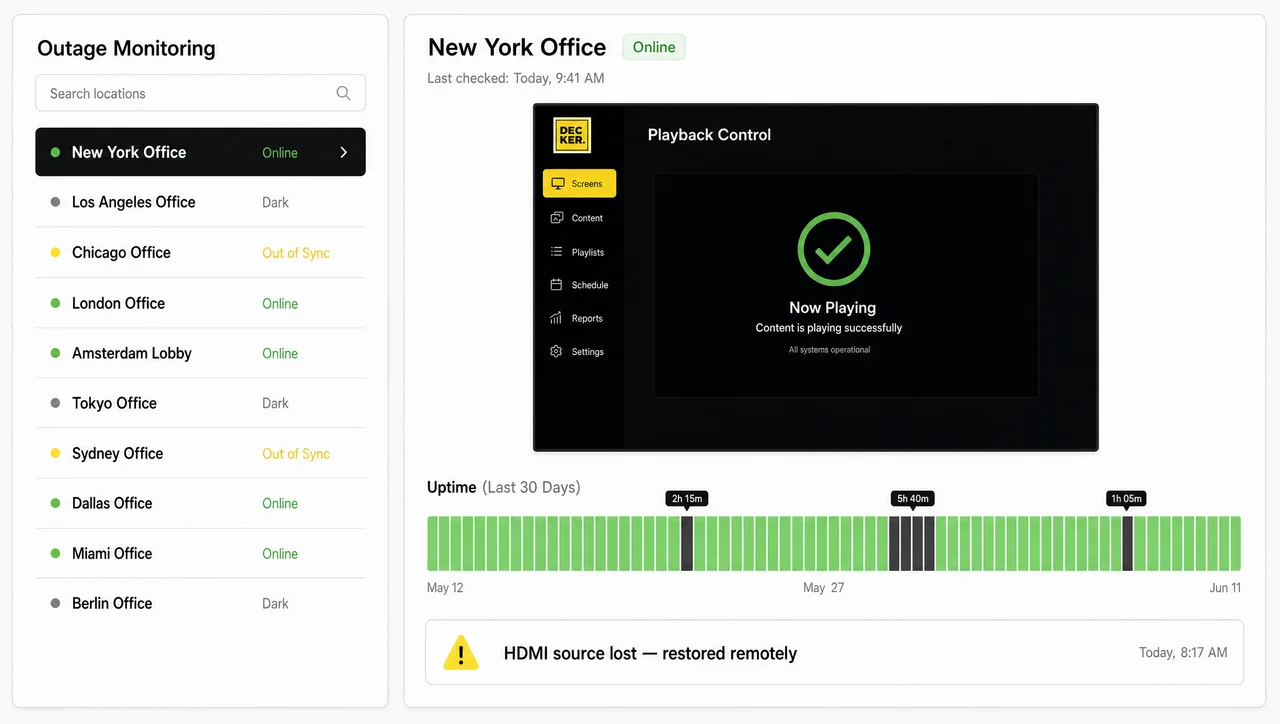
Screens make screen uptime a managed metric across hundreds of locations. Regional teams compare stores, rank the worst performers, and cut downtime deliberately instead of discovering it by accident.
| Remote management capability | Without hardware verification | With Decker Verifier |
|---|---|---|
| Screen status | ❌ Unknown between site visits | ✅ Reported continuously |
| Downtime discovered | ❌ Through a complaint | ✅ At the moment of failure |
| Uptime reporting | ❌ Not available | ✅ Logged per screen, per location |
| Recovery | ❌ Staff or technician on site | ✅ Remote restart from the dashboard |
Screen monitoring turns every dark hour into a line item. Therefore outage data stops being anecdotal and starts driving decisions.
Digital Signage Remote Control and Remote Reboot Without a Site Visit
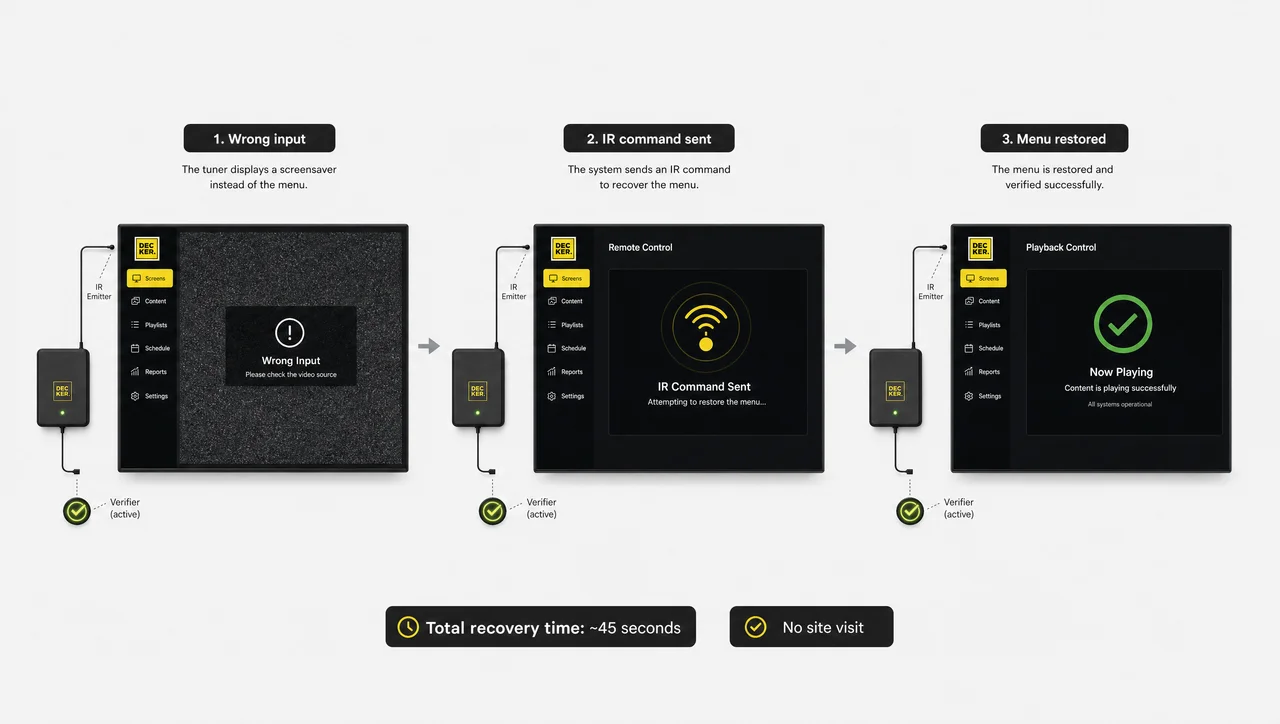
Decker Verifier answers an HDMI failure with digital signage remote control that reaches the input and the power line, which extends remote management to the hardware itself. Voltage dips overnight, displays return on the wrong source, and someone hunts for the right remote before opening.
-
Input switching
Decker Verifier transmits infrared commands that return displays to the correct HDMI input, including through HDMI-CEC where the set supports it.
-
Remote reboot
Decker Verifier performs a digital signage remote reboot that power-cycles players, displays, or both — on demand, or automatically when a screen stops reporting an image.
-
Power scheduling
Decker Verifier shuts screens down at close and starts them before the first shift. Displays run fewer hours, get a planned restart, and draw less power overnight.


Remote Digital Signage Management Across Every Location
Decker Verifier scales remote digital signage management to networks that run up to 500 screens across regions and formats. Decker Verifier reports the screen state from each site into one view. Devices group by location, brand, or store type, so one rule covers a set of restaurants instead of repeating screen by screen.
Decker tracks the estate through digital signage device management: which locations run Verifiers, which displays they pair with, which screens report, and which need attention. Digital signage with device management keeps that control accountable — role-based permissions restrict what each user changes, and every action lands in an event log. Decker keeps digital signage remote administration auditable: a regional manager sees their own stores, while head office monitors the whole network.
In larger digital signage systems remote content management and device management stay separate jobs, which is why the next section draws the line.
Digital Signage Remote Management Software and the Cloud Dashboard
Decker connects digital signage remote management software to the devices behind the screens, so the API, the dashboard, and the hardware work as one system that teams operate from a browser. Decker reports screen status, uptime history, and recovery actions in the same digital signage platform that runs the network, and remote digital signage software in the cloud opens from any browser.
Across digital signage platforms remote management usually stops at content, which makes the split worth stating plainly. Decker Verifier answers for the state of devices. The Decker content management system publishes and schedules, covering remote content management for digital signage, the remote content updates digital signage networks depend on daily, and POS-driven digital menu boards. Teams that need digital signage with remote content control configure it there, not here.
Similarly, Decker installs firmware and cloud digital signage software remote updates on a schedule rather than mid-shift.
Hardware Verification: What’s Inside the Device
Decker Verifier performs hardware verification through components that monitor screens, switch the HDMI source, and restart displays. Decker runs the device 24/7, and it requires no modification to the television itself.
| Component | Function |
|---|---|
| Controller with firmware | Runs device logic and keeps the link to the management server |
| Infrared transmitter | Sends power, input, and macro commands to the display |
| Image sensor | Captures the panel and confirms the content on screen |
| Power module | Controls and schedules power for display and player |
| Wi-Fi / Ethernet | Connects the device independently of the player’s session |
| API and web interface | Reports status and triggers actions from the dashboard |
Decker Verifier works with most displays without touching their internals, which keeps hardware verification available on screens already installed. Decker Verifier reads the screen optically from the outside, so the panel needs no firmware of its own. Specifically, placement rules and supported setups appear under screen compatibility and installation and maintenance.
Where Verified Playback Matters Most
Decker Verifier brings verified playback to screens that sell: menu boards, promo walls, and franchise displays that run unattended all day.
-
 Learn more
Restaurants
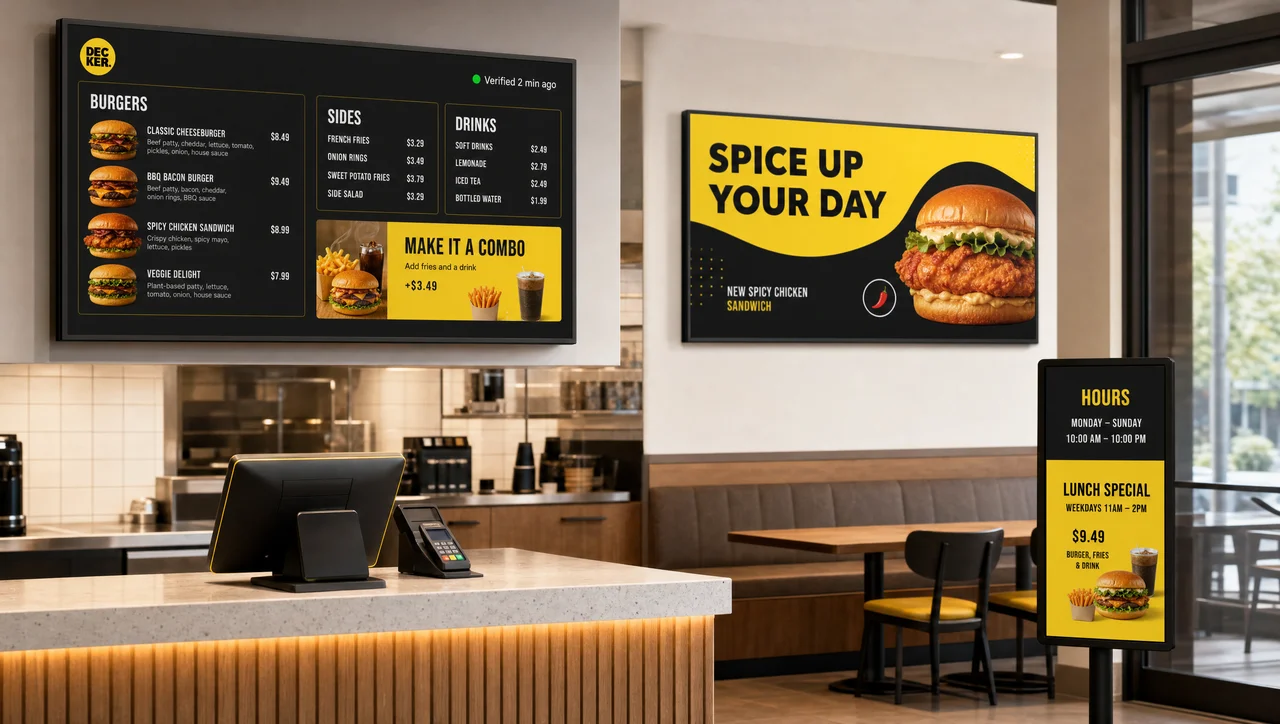
Menu boards and promo screens in dining rooms. Decker Verifier confirms the menu screen runs through every service.
-
 Learn more
Retail chains
Promo screens across hundreds of stores. Decker Verifier shows which locations actually run the campaign, so that head office sees it.
-
 Learn more
QSR
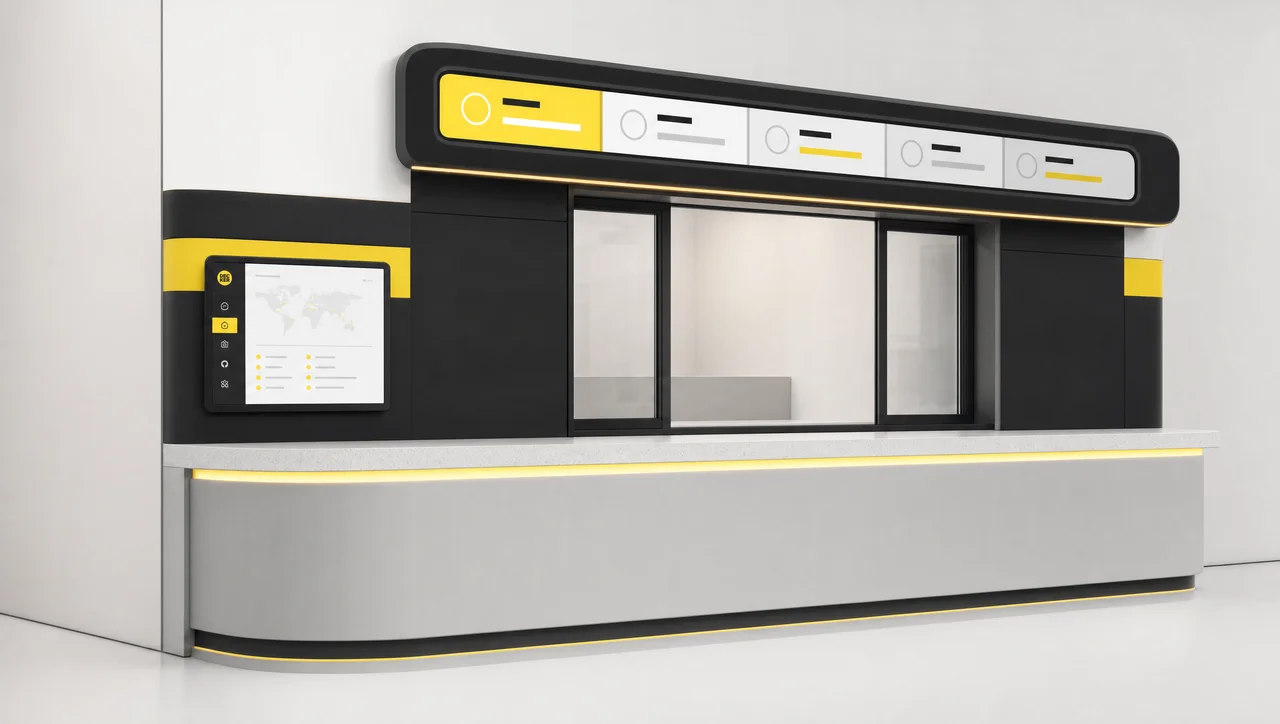
Menu boards at the counter and in the lane. Decker Verifier checks the screen through lunch, because a dark board costs revenue.
Where Decker Verifier Pays Off First
Decker Verifier returns the most in remote management terms where screens run unattended, so most networks sequence the rollout rather than covering every location at once.
- ➕ Screens nobody walks past come first. A display in a staffed back office gets checked hourly anyway, while the drive-through board at a site with one manager on shift does not.
- ➕ Placement decides the reading. Decker Verifier requires a clear view of the panel for the image sensor and a clear infrared path to the set, so deep cabinets and recessed housings need a mounting check before install, which most sites clear in minutes.
- ➕ Connectivity comes before verification. Players keep showing cached content offline, and Decker Verifier resumes reporting the screen the moment the link returns; on sites with permanently unstable networks, the connection is worth fixing first.
- ➕ Daily schedules produce the richest uptime data. Screens that run every trading day generate screen uptime worth reviewing, while a display switched on twice a week reports less to act on.
In other words, Decker Verifier earns its place fastest on the screens that carry revenue while nobody is watching them.
Buy Digital Signage with Remote Content Control and Verification
Decker adds Verifier to any paid plan at $7 per screen per month, so digital signage with remote content control gains the one check that CMS reporting cannot deliver: proof of what each screen actually displayed, not what the platform sent.
-
Real-time screen monitoring
Decker Verifier detects black screens, lost connections, frozen images, and player failures, then routes an instant alert to the people who can act on it.
-
Performance analytics and reporting
Decker Verifier reports incorrect content, outdated menus, wrong prices, and unavailable items, and keeps an audit trail with photo evidence per location and per shift.
-
Pricing — $7 per screen per month
Decker bills Verifier per screen, on top of any paid plan that already runs remote management, so that the rate covers the device, the monitoring, and the recovery commands together. Networks add verification screen by screen — the drive-through board first, the back-office display later — instead of committing the whole estate at once, so the spend tracks the screens that carry revenue.


Answers About Remote Screen Management and Verification
Does Decker Verifier work with any display?
Decker Verifier controls most televisions and commercial panels, because it sends infrared commands the way a remote does and captures the picture optically. Two conditions apply: the transmitter requires a clear path to the set, and the image sensor requires a clear view of the panel. Command sets differ between manufacturers, and HDMI-CEC behavior varies by model.
Do I still need a Verifier if I already run a Decker Player?
Remote screen restart and playback verification are not available from the player alone — a device that crashed cannot report its own crash, and it never sees the panel. The two devices cover different failures, which is why Decker deploys them as a pair on every screen.
What happens when the internet connection drops at a location?
Players keep showing cached content, and screen monitoring pauses. Decker Verifier cannot reach the screen while the link is down, and the outage appears as an interval in the screen uptime history once the connection returns, so the gap stays visible instead of disappearing.
Can we install Verifiers on some screens and not others?
Yes. Decker Verifier installs on the screen that matters first, so screen monitoring starts where revenue sits: networks usually begin with screens that carry it — menu boards, drive-through, entrance displays — and extend from there.
How does this differ from digital signage monitoring software?
Decker Verifier checks the screen from outside the software path. Monitoring software reports on the application and the device it runs on, so when that process hangs, its own status stops being trustworthy. Hardware verification captures displays from outside the software path, which keeps the two checks independent and catches a wrong menu that the player reports as published.
Best digital signage solution remote management: what should it combine?
Judge digital signage remote management on what it proves and what it fixes without sending anyone. A complete setup combines four things: publishing and scheduling from one dashboard; monitoring that covers displays as well as players; recovery that reaches power and the HDMI input, not just a software restart; and screen uptime reporting you can review per location. Platforms that cover only the first item remain content tools, whatever the feature list calls them.
What are the secure remote updating digital signage options?
Decker keeps remote management accountable: the dashboard issues commands and firmware updates, the device confirms delivery back to the server, and every action lands in an event log with a timestamp and an operator. Role-based permissions restrict who triggers a restart, and updates install on a schedule outside trading hours, so screens never reboot mid-shift.
See It Against Your Own Network
Request a demo with the shape of your estate — how many screens, how many locations, what runs on them — and Decker will show how digital signage remote management works across it, verified playback included. Specifically, bring one problem location.


