


Starter
One screen with media, playlists and schedules, free forever.
$0
Free forever · 1 screen No credit card
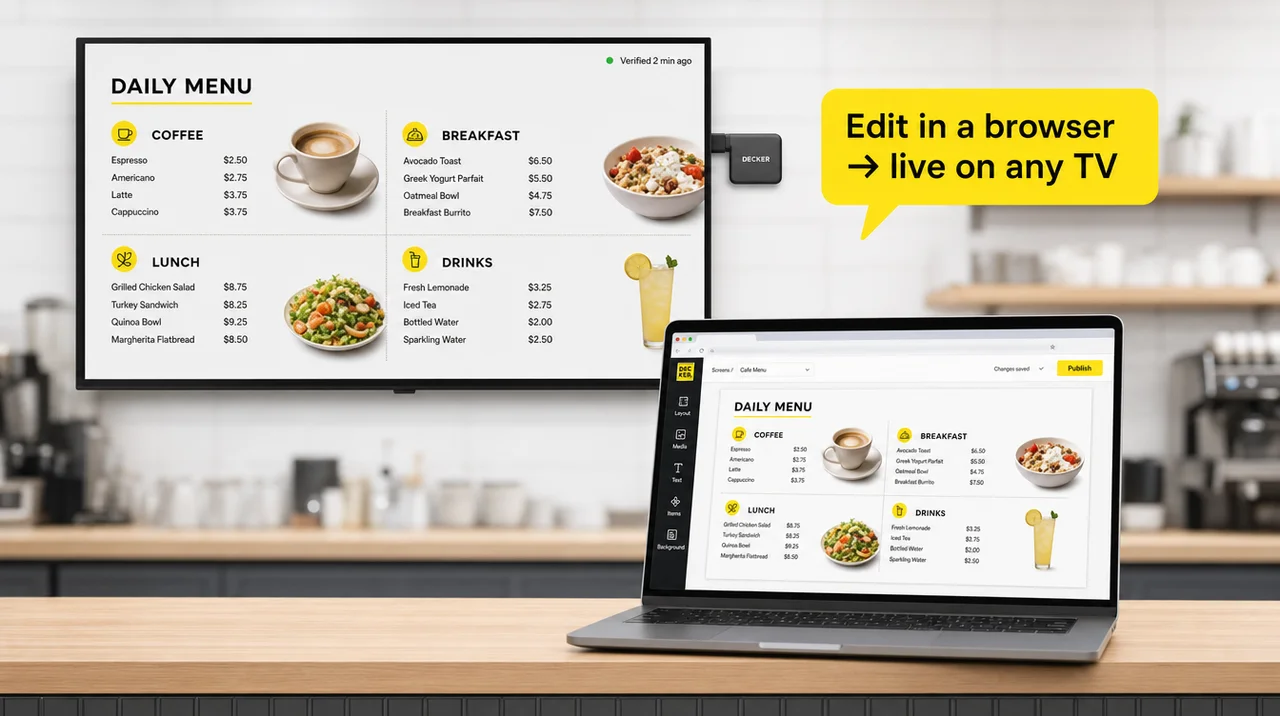
Digital menu board software is an online account where you build menu layouts, pull prices and sold-out items from your POS and publish them to any TV through a small player. Decker keeps one screen free on Starter and opens every paid feature on up to five screens for 14 days, with no card.


Build, schedule and publish a menu on one screen at no cost, with no card on file.
Test POS price sync, dayparts and location rules on up to five screens before you choose a plan.
Toast, Square and Clover connect directly; in addition, any other register can feed prices from an Excel sheet.
Digital menu board software is the layer between your menu data and the screen: a browser editor, a link to the register, a schedule and a player that shows the result. Decker turns digital menu boards from fixed pictures into screens that follow the POS, and its digital menu boards software splits the work into four jobs:
Lay out categories, prices, photos and promos in the browser editor, from a ready layout or an AI first draft.
Link Toast, Square or Clover, or upload an Excel sheet, so prices and stock become live fields.
Set menus by hour, day and location, and give each promo a start and an end date.
Send the menu to one screen or every store; only the changed part of each menu board redraws, in 1–5 seconds. In addition, an optional Verifier reports a screen that went dark.
Decker menu board software keeps every price in data, not in pixels, and that is the one difference from a USB stick, a slide loop or an exported design file that decides the workload. Every other row follows from it.
| USB stick on the TV | Slide loop or design file | General signage app | Decker | |
|---|---|---|---|---|
| Changing a price | Edit, export, carry a new file to each TV | Edit, export, upload to each screen | Upload a new image or edit a text box | Change it in the POS; on screen in 1–5 seconds |
| Sold-out item | Stays until someone swaps the file | Stays until the next upload | Stays until someone removes it | Hidden the moment the POS flags it |
| Breakfast to lunch | Someone swaps the stick | A second file on a timer | Playlist schedule | Dayparts by hour, day and location |
| 10 screens in 3 locations | 10 trips with a stick | 10 uploads | One publish | One publish, local prices per store |
| Checking the screen works | Someone walks past | Someone walks past | Device shows as online | Optional Verifier checks the display |
| Cost to start | A USB stick | Free tools | Often a free tier | One screen free on Starter |
Electronic menu board software from Decker pays off once prices or stock change more than once a month; a menu that changes twice a year runs fine from a stick, where manual file swaps cost little staff time. Therefore, it earns its place first at counters with daily specials and items that sell out by mid-afternoon.
The Decker editor is the part of digital menu board software that builds a menu board from your item list, keeps every price as a live field and publishes the result without a design file in between. Six tools cover the work a designer used to do:
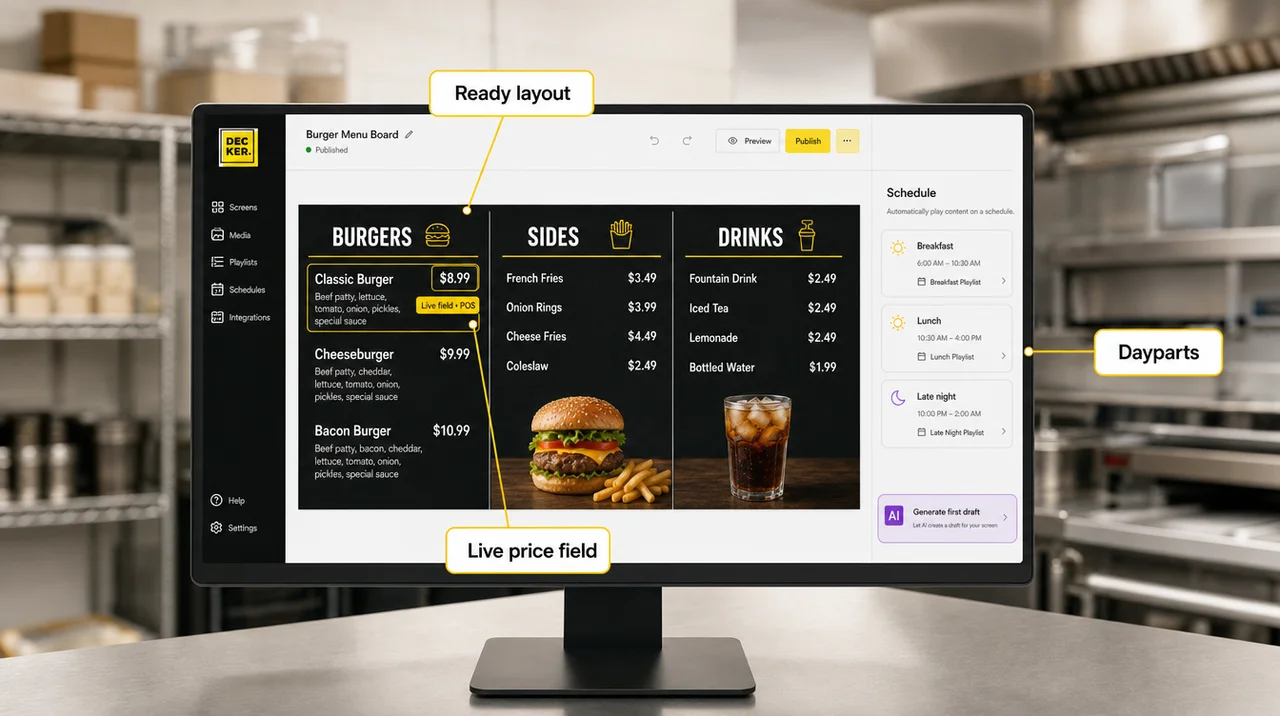
Pick a layout made for a counter, a café, a bar or a specials screen and swap in your items. More starting points sit in the library of menu templates.
On Professional, the AI design generator turns your item list into a first layout with categories and prices placed.
Every price and item name links to the POS or a sheet, so the layout stays put while the numbers change. Calorie counts, which FDA menu labeling requires at chains with 20 or more locations, sit next to each price the same way.
Add food photos, short clips, web pages and YouTube videos between menu pages to push a combo or a new item.
Set brand colors and fonts once; every location inherits them.
Split a screen into zones, run portrait or landscape boards and set which zone shows what. Beyond a single TV, the same layout can also cover a wall of four.
Decker menu board software starts on 1 free screen: pick a ready layout, swap in your items and publish. In addition, the 14-day trial adds POS sync and dayparts on 5 screens.
Decker is restaurant digital menu software that reads prices and stock straight from the register, so the menu changes when the POS changes and nobody edits the board twice. Four connections cover most counters:
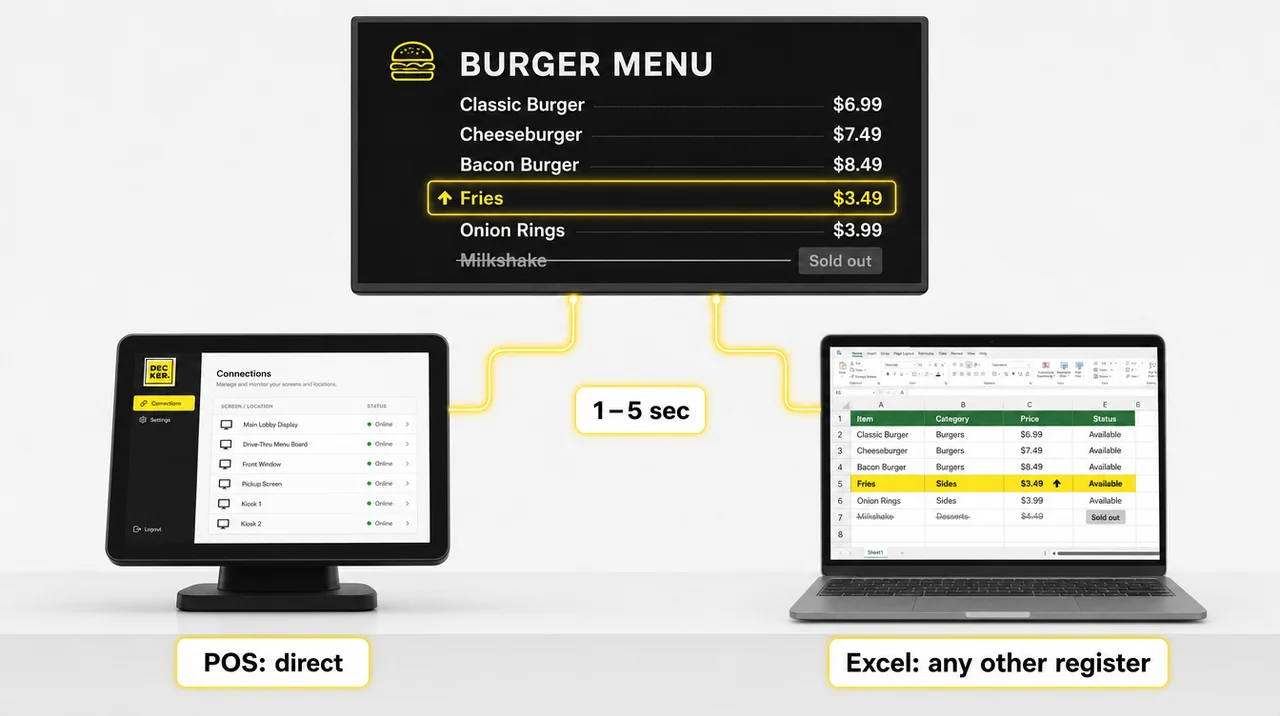
Authorize the account once. A new price redraws only its own line on all menu boards in 1–5 seconds, with no reload and no flicker.
Other registers send prices through an Excel sheet; upload a new version, and every screen updates.
AI matching pairs register items with layout fields, even when names differ slightly. You confirm the pairs once, and later changes flow on their own.
Items marked unavailable leave the screen until the register lists them again. In addition, the API on Premium connects an ERP, and the guide to how register items map to the layout covers each field.
Decker handles the schedules that restaurant digital menu board software is bought for: breakfast becomes lunch at 11 a.m., a promo ends on its last day and each store keeps its own prices under one design. Five controls run it:
Morning, midday and late-night menus change over on their own by hour, weekday and store.
A limited-time deal appears on its first day and drops off every screen after its last.
Every store pulls prices from its own register or sheet, so an airport location can charge more while the layout stays identical everywhere.
Group menu boards by store, zone or counter, then publish to one group, a region or every location at once.
On Premium, custom roles, SAML SSO and audit logs decide who edits prices and who edits the layout. Beyond 50 screens, accounts get volume terms and onboarding.
Decker puts one small player behind every screen, which means its digital menu software for TV needs only an HDMI input and runs the same on any brand or model year.
Decker Player, a palm-sized digital signage media player, plugs into any TV or display over HDMI, joins Wi-Fi or Ethernet and pairs with your account by code. Because the menu runs on the player, this tv menu board software behaves the same on an older consumer set and a new commercial panel.
The player caches the last published menu, so the board stays up when the network drops. In addition, an optional Decker Verifier screen-check device restarts a frozen player and switches a lost HDMI input back.
Menu boards that run all day belong on commercial displays, rated for longer daily hours than consumer TVs. Unlike smart-TV apps tied to one brand’s operating system, digital menu display software on its own player needs no app store, so this menu software for TV never waits on a TV brand.
The Decker digital menu board app is a browser account, so editing needs no download: open it on a laptop for layout work or on a phone for a quick price or sold-out change. Three things to know:
The account opens in any current browser on a laptop, tablet or phone, with no app-store version to keep current.
A shift lead can mark an item sold out or adjust a price from a phone while standing at the counter, and the screen follows within seconds.
Starter works as a free digital menu board app for one screen, on the same browser account. However, the menu itself plays on the player behind the TV, not on the phone.
Decker keeps 1 screen free on Starter with no end date, which matches what digital menu board software free plans usually offer: 1 to 3 screens and basic content management.
The 14-day trial opens every paid feature on up to five screens without a card, from POS sync and dayparts to roles and SSO.
“Unlimited free screens” is a myth. Free tiers almost always stop at one to three screens, and the TV, the player and the electricity still cost money. Here, a second screen means a paid plan or the trial.
In other words, tv menu board software free tiers, this one included, put a menu on the screen, while live prices on two or more screens need the paid sync.
Each plan adds a layer of the menu software workflow that grows from one free screen to a franchise rollout:
One screen with media, playlists and schedules, free forever.
Menu editor, templates, all media, web pages and opening-hours schedules.
POS and Excel price sync, sold-out hiding, dayparts and the AI design generator.
Workspaces, custom roles, SAML SSO, audit logs, franchise tools and API access.
In addition to Premium, onboarding and training, a 1-hour SLA, a dedicated manager and design services.
Restaurants switch to Decker for seven reasons that show up after launch, when prices change, menu boards go dark and the team grows. Each one answers a question owners ask before they choose:
The software reads Toast, Square, Clover or Excel, so a new price reaches the menu boards in 1–5 seconds.
Any TV with an HDMI input works through the player, so the screens on the wall stay in use.
The player shows the last published menu when the router drops and catches up later.
Most tools report that a device stays online, not that the menu shows on the glass. Decker Verifier checks the display and restarts a frozen player, and playback reports show what played on each menu board.
On Premium, each editor gets separate rights, SSO sign-in and audit logs.
One screen stays free, then billing runs per screen, with volume terms past 50 screens.
Ready layouts, an AI first draft and live price fields let a shift lead build the board. Overall, that is the bar any restaurant menu display software should clear before its trial ends.
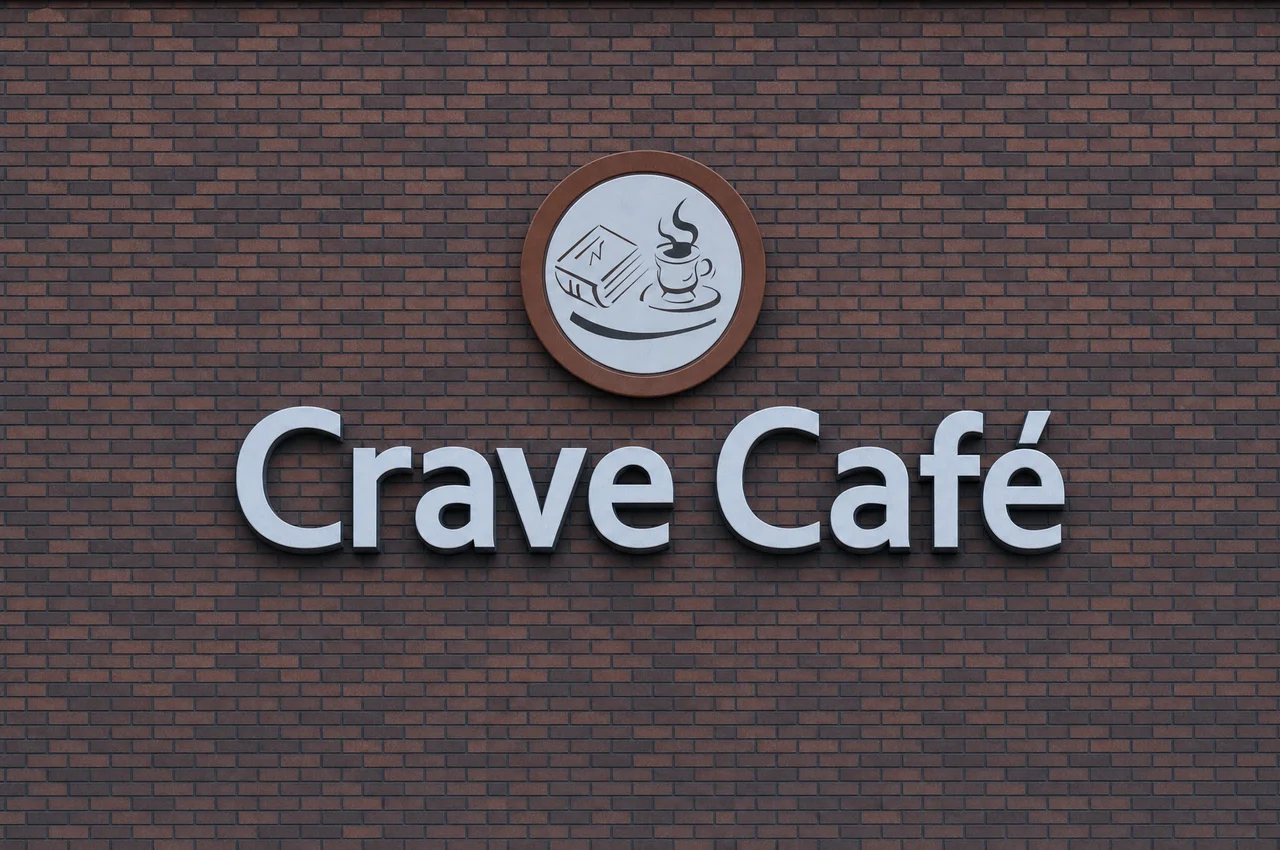
Crave Cafe in West Hills, Los Angeles, already had screens, but the menu ran as static images from USB drives. A designer edited each change in Photoshop, so updates reached the screens about once every two weeks.
Decker's web interface replaced the drives. Staff now edit items, prices and visuals in the browser and publish them to every connected screen, with no designer in the loop.
As a result, menu changes that took about two weeks now reach the screens in a couple of minutes, and the menu no longer depends on one specialist.

Decker gave our team one place to schedule promotions, update menu items, and keep screen content consistent from day one. We avoided printed menus, USB files, and outside contractors, so our staff can manage changes inside one workflow.
Specifically, four other parts of the platform cover the menu data, the layouts and the hardware that keep the software running on every screen:
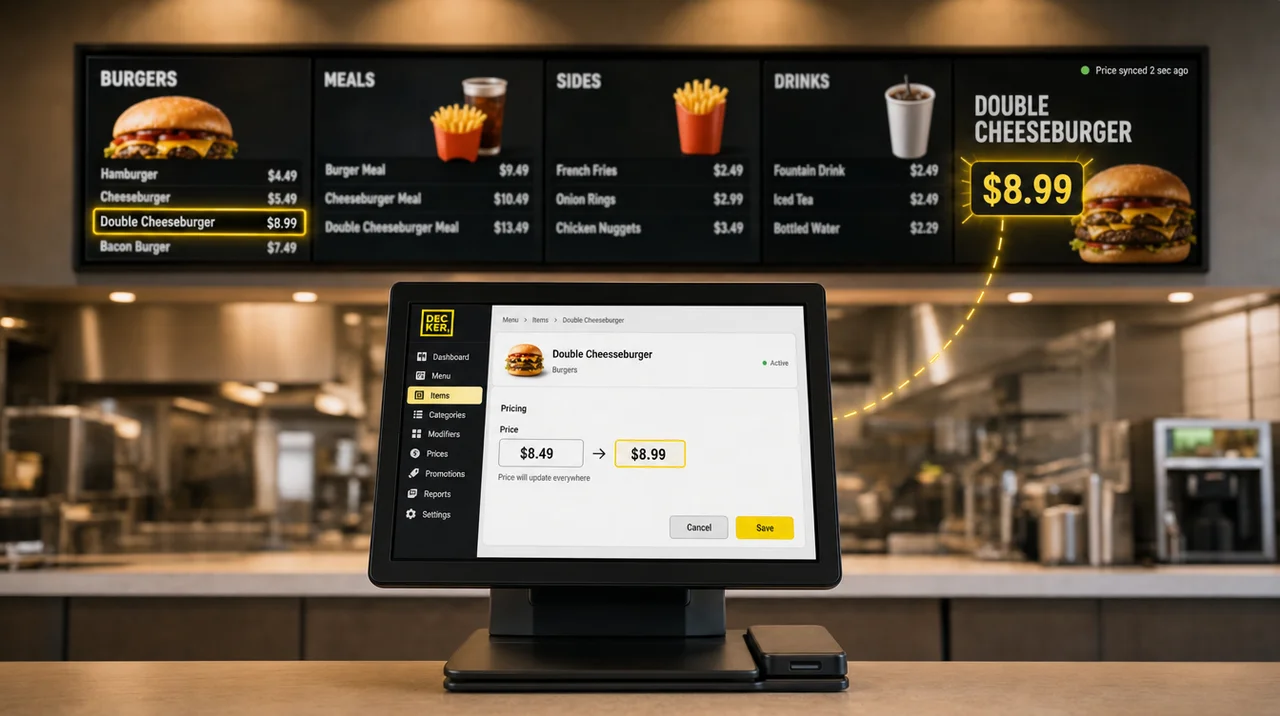
How register items, prices and sold-out flags reach the layout
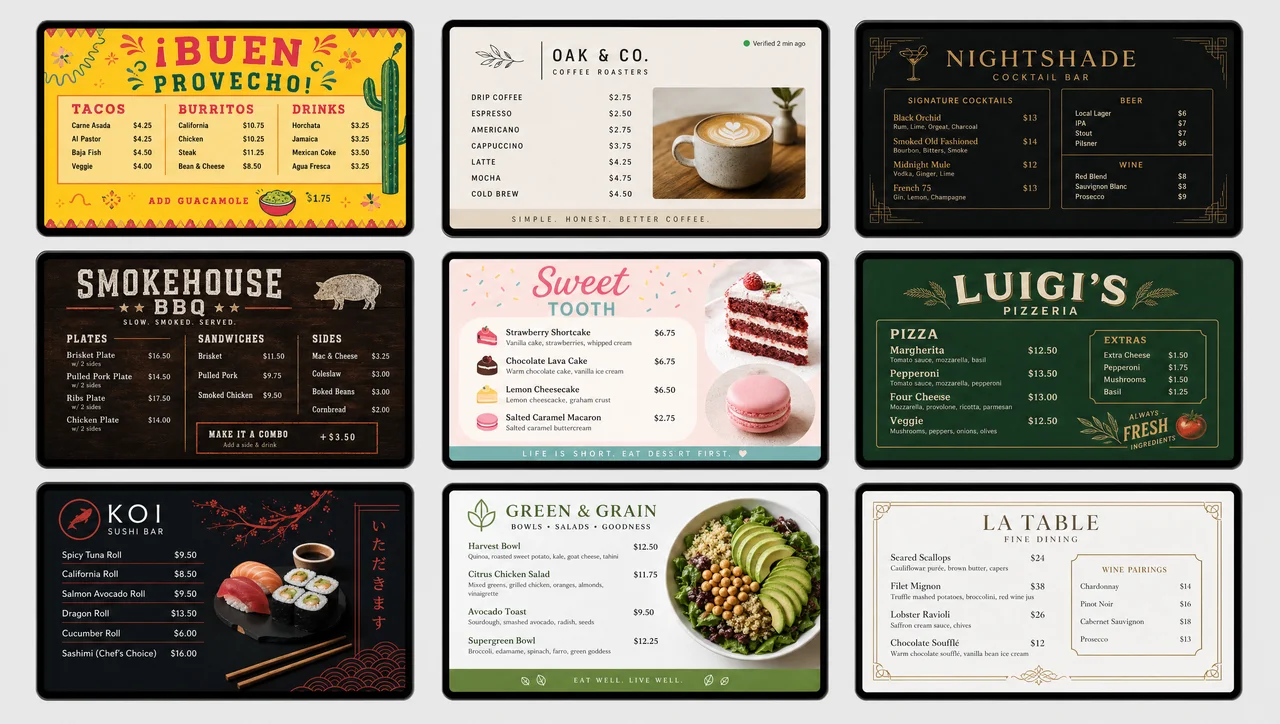
Ready layouts for counters, cafés, bars and specials screens
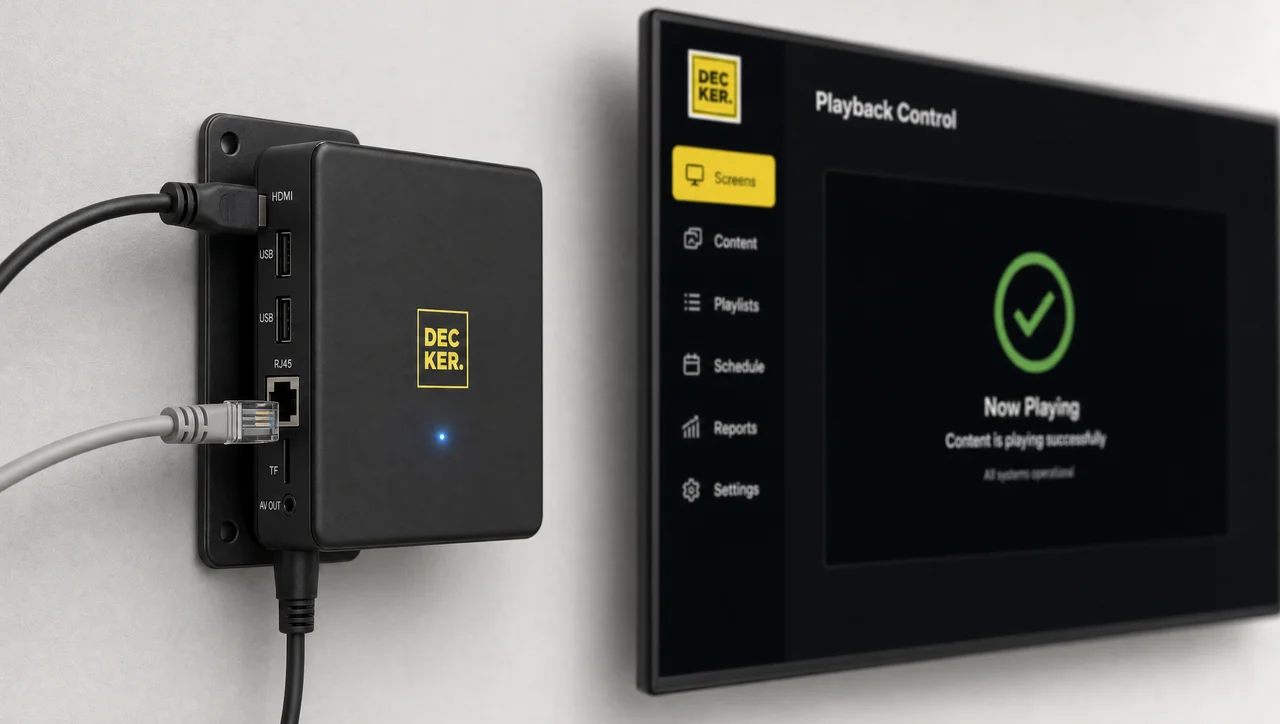
The Android player that runs the menu on any HDMI screen
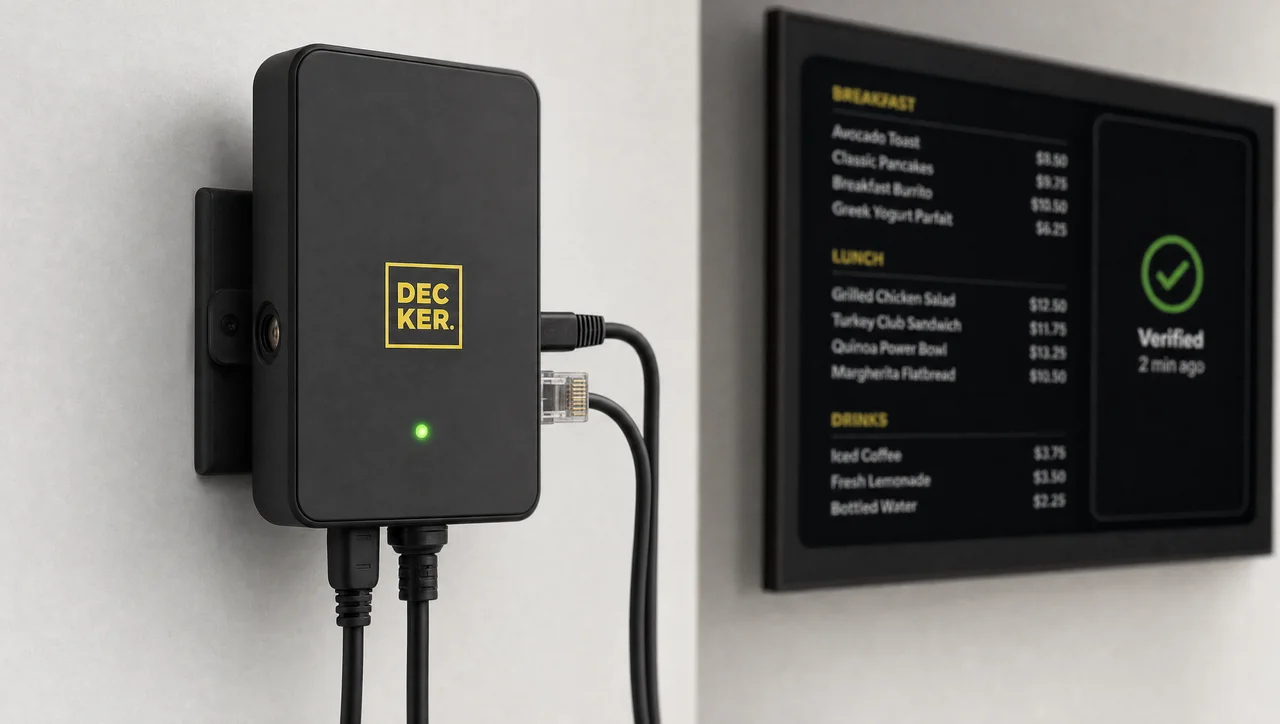
A device that checks the screen itself and restarts a frozen player
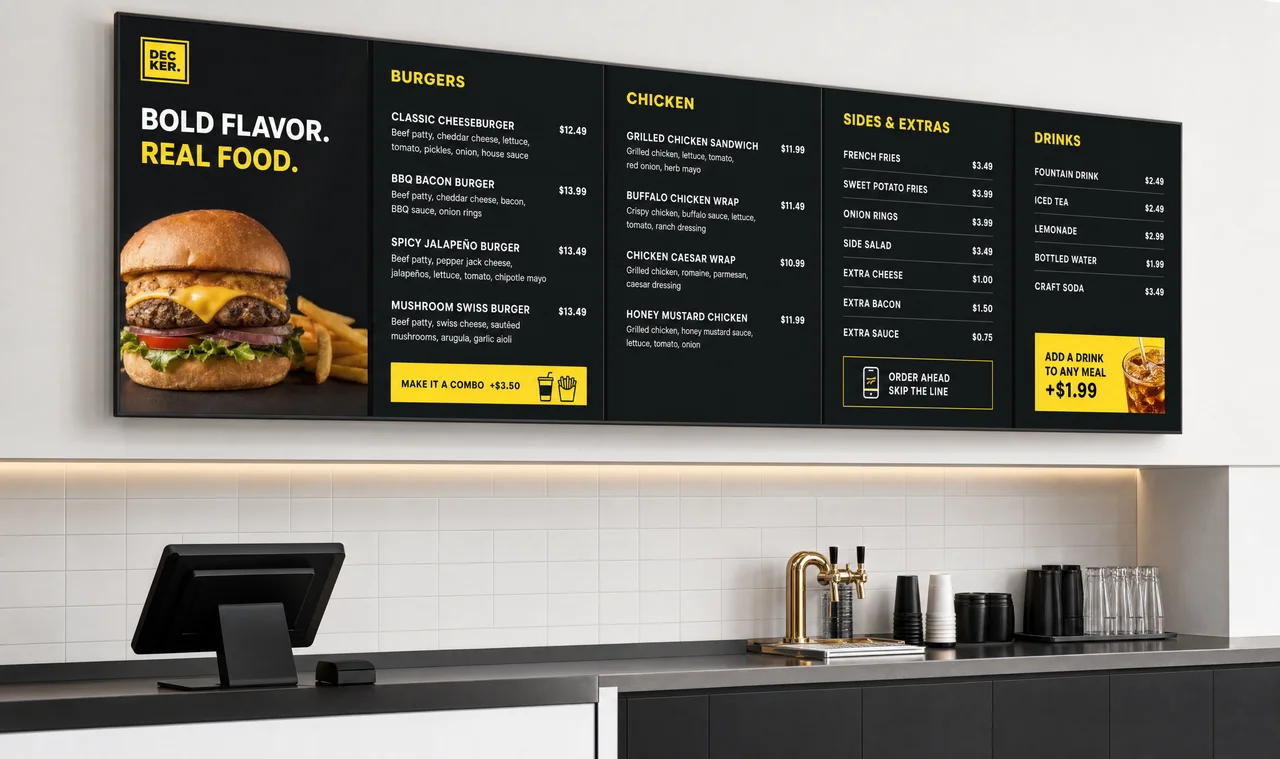
Screens, mounting and setups from one counter to a chain
Build a first menu board that runs on any TV through the player and publish it today. Next, open the 14-day trial for every paid feature; one screen stays free either way.
Decker digital menu boards software bills per screen per month: one screen stays free on Starter, and accounts with more than 50 screens get volume terms. Screens and players come on top, and the per-screen rates sit in the plans table above.
Yes. Starter is free digital menu board software for one screen, with no card and no end date, and the first board can go live the same day. The 14-day trial then opens every paid feature on up to five screens, also without a card.
You need Decker Player, a small Android device that plugs into the TV’s HDMI port; the software does not run as an app installed on the TV itself. That keeps playback and updates identical on every brand and model year.
Use an Excel sheet. Export prices from your register, upload the sheet, and the price fields update on every screen; upload a new version whenever prices change. On Premium, the API can connect an ERP or another system directly.
Upload the existing images or videos unchanged, and the board runs the same day. Then rebuild the price lines as live fields, one category at a time, so future changes come from the POS instead of a new export.
Yes, in focus. Digital menu software treats items, prices and stock as data that follow the POS, while general signage tools play images, video and playlists. Decker does both, so one account can run a menu board and a promo loop side by side.
A café with one screen that loops the same video all month can run it from a USB stick. A menu whose prices change less than twice a year and never runs out of an item gains little from live price fields. A menu wall that will never get Wi-Fi or Ethernet cannot receive updates at all. Similarly, a café that takes every order through QR codes at the table, with no screen above the counter, has nothing for the software to drive.


