


Starter
One screen with your menu, free forever and without a card.
$0
Free forever · 1 screen No credit card
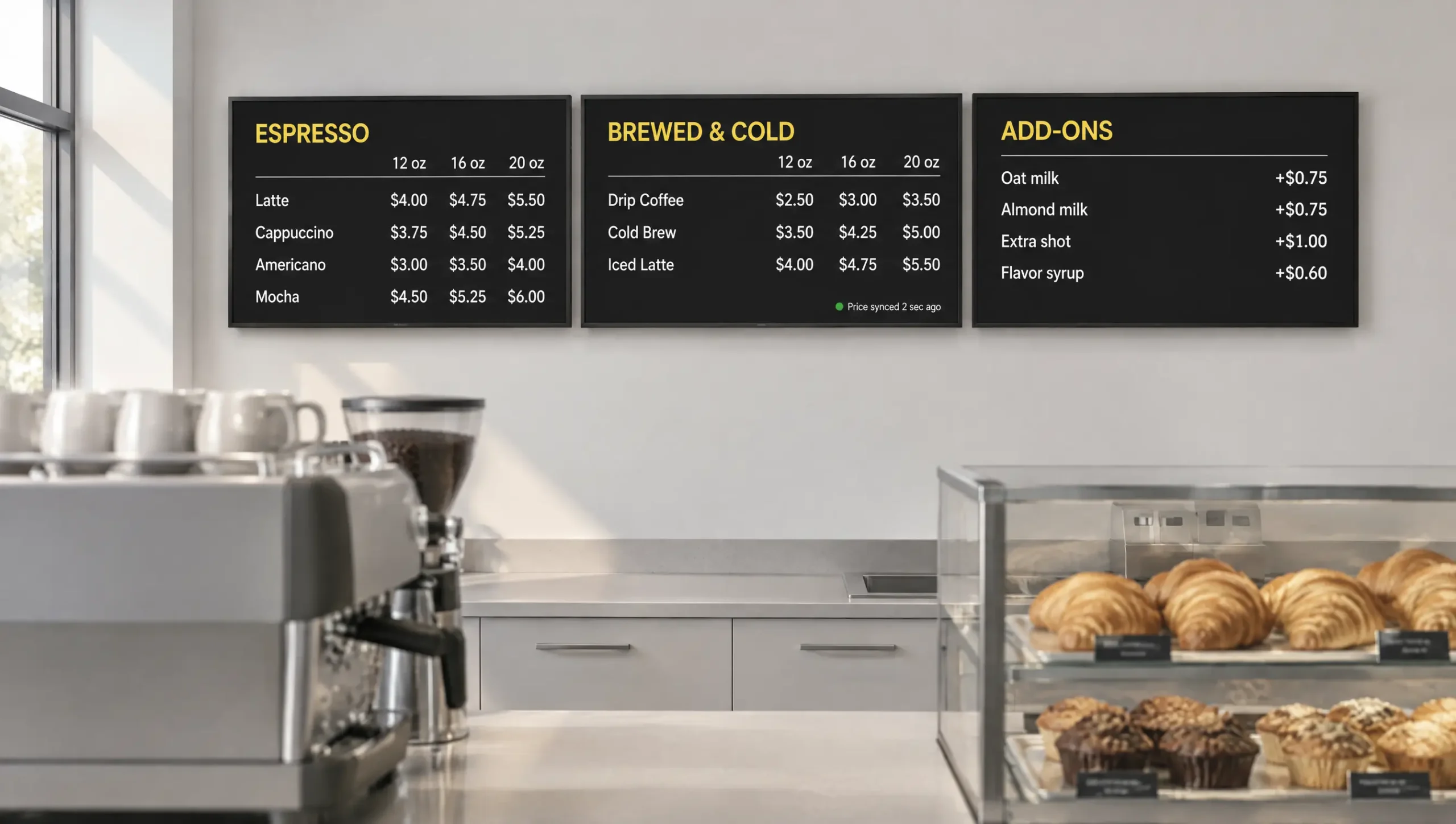
A coffee shop menu board from Decker is a screen behind the counter that takes drink prices and sold-out pastries from Square, Toast or Clover, redraws a changed price in 1–5 seconds and switches the morning menu to the afternoon one on schedule.
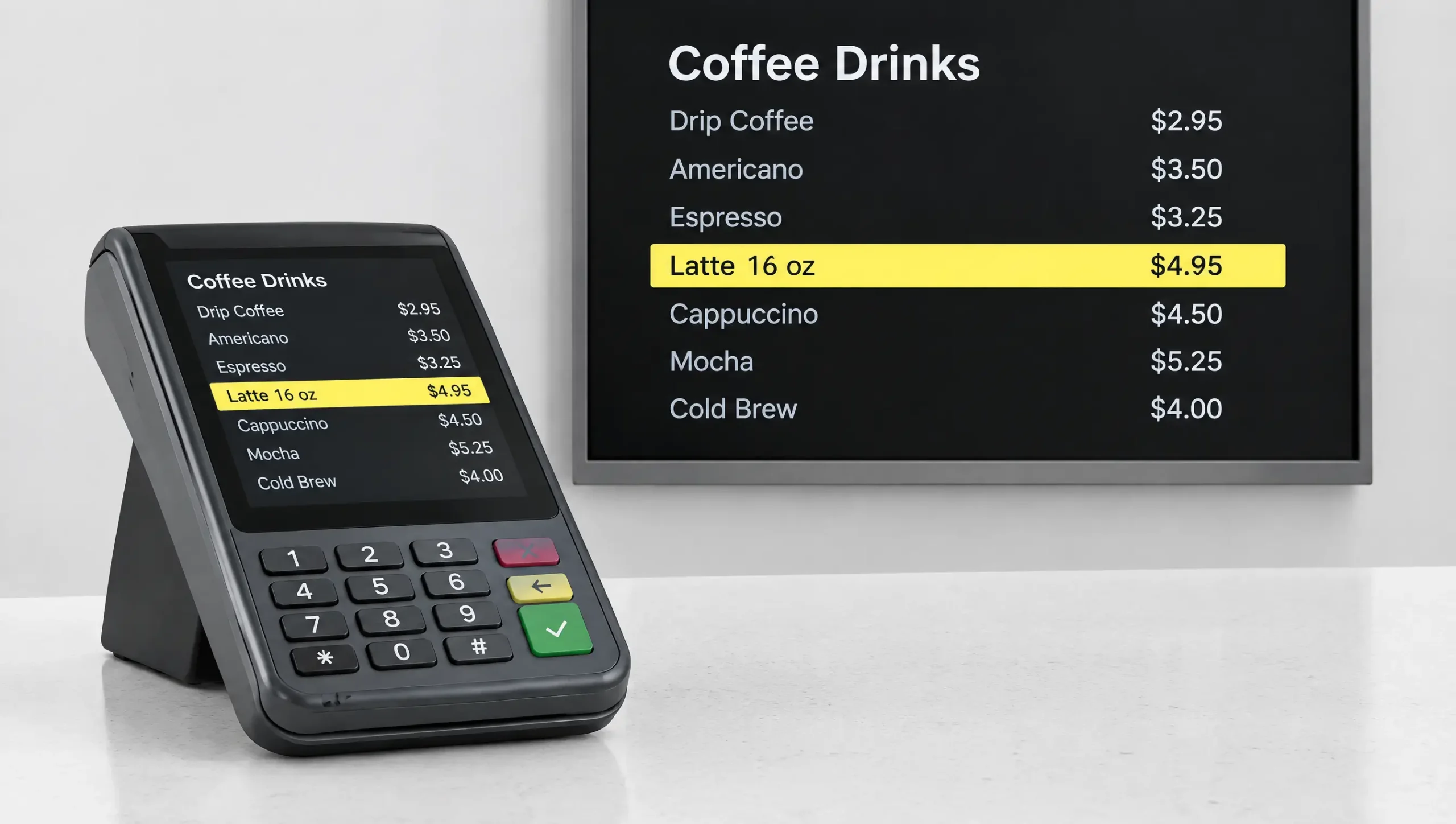
Raise a 16 oz latte by 20 cents in Square, Toast or Clover, and only that number changes on the board above the bar, with no flicker.
Bean price changes, seasonal drinks and the drink of the day go live from one account, so nobody rewrites chalk or reprints a panel at 6 a.m.
Monitoring and remote restarts keep the screens above the counter on through the morning rush, when a blank menu slows every order.
A coffee shop menu board lists drinks in three sizes, a column of milk and syrup upcharges and a pastry case that empties by noon, so it changes more often than most restaurant menus. A screen reads those changes from your register instead of waiting for someone to rewrite chalk. A chalkboard or a coffee shop menu sign with magnetic letters still suits a short menu that rarely changes, and the FAQ below explains when that is the better choice. For everything else, Decker runs the board as part of its digital menu boards, set up for the way a coffee counter sells:
Small, medium and large prices sit in their own columns, usually 12, 16 and 20 oz in US shops, so a guest compares a latte across sizes at a glance.
Oat milk, an extra shot and flavor syrups get a column next to the drinks, so guests build the order before they reach the register.
When the last croissant sells, it leaves the board, so nobody orders what the case no longer holds.
Breakfast sandwiches lead at opening and iced drinks after lunch, while the menu board coffee shop regulars read each morning switches with nobody touching the screen.
A coffee shop digital menu can run a different menu in each part of the day, which means the morning line sees breakfast and the afternoon crowd sees cold drinks. Coffee shop menu boards on Decker take dayparts set once, with separate rules for weekdays and weekends, and follow the clock:
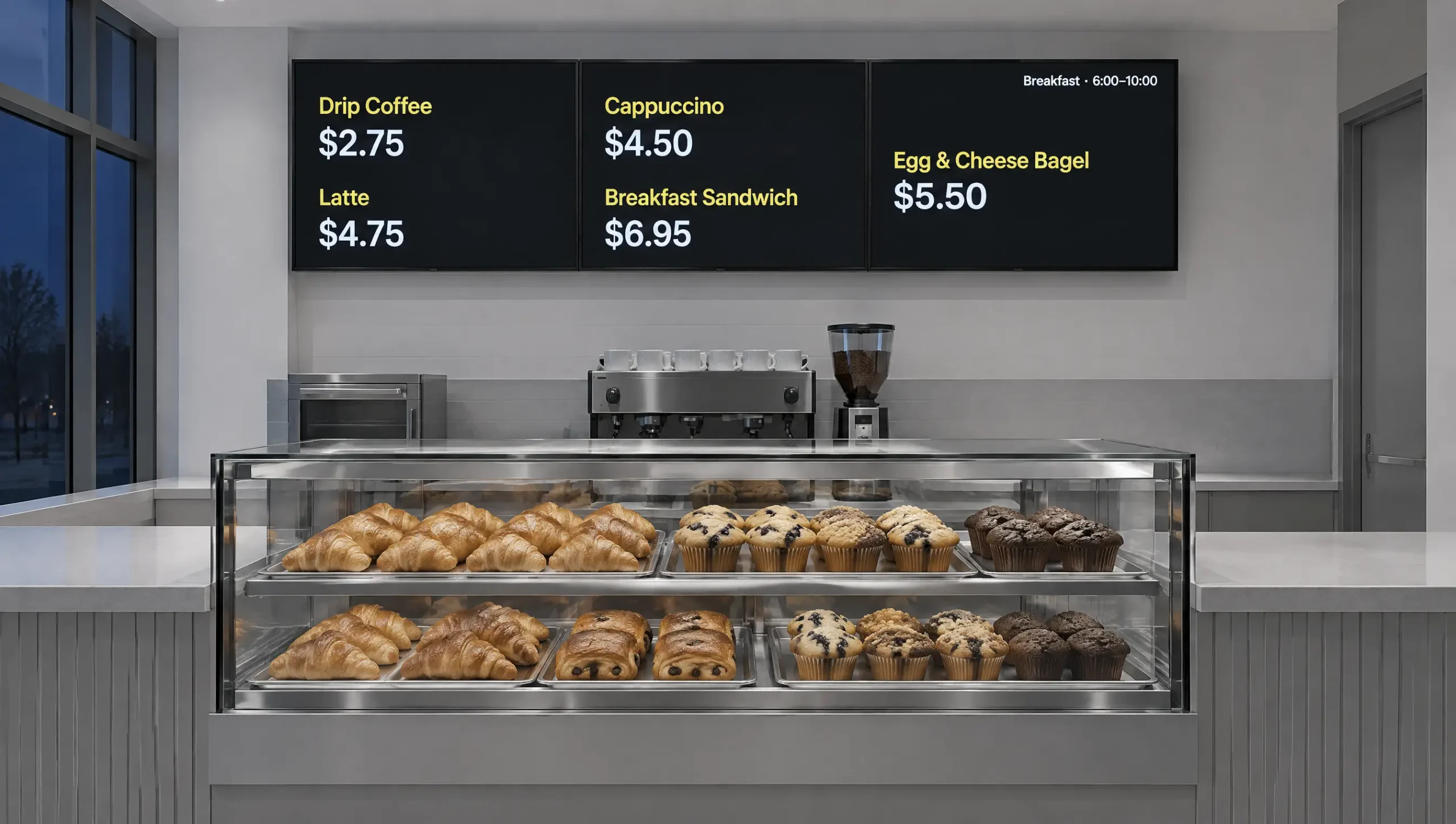
The morning rush wants a short list on the coffee shop menu board. Drip coffee, the core espresso drinks and breakfast sandwiches take the largest type, with the pastry case beside them, so guests decide before they reach the register.
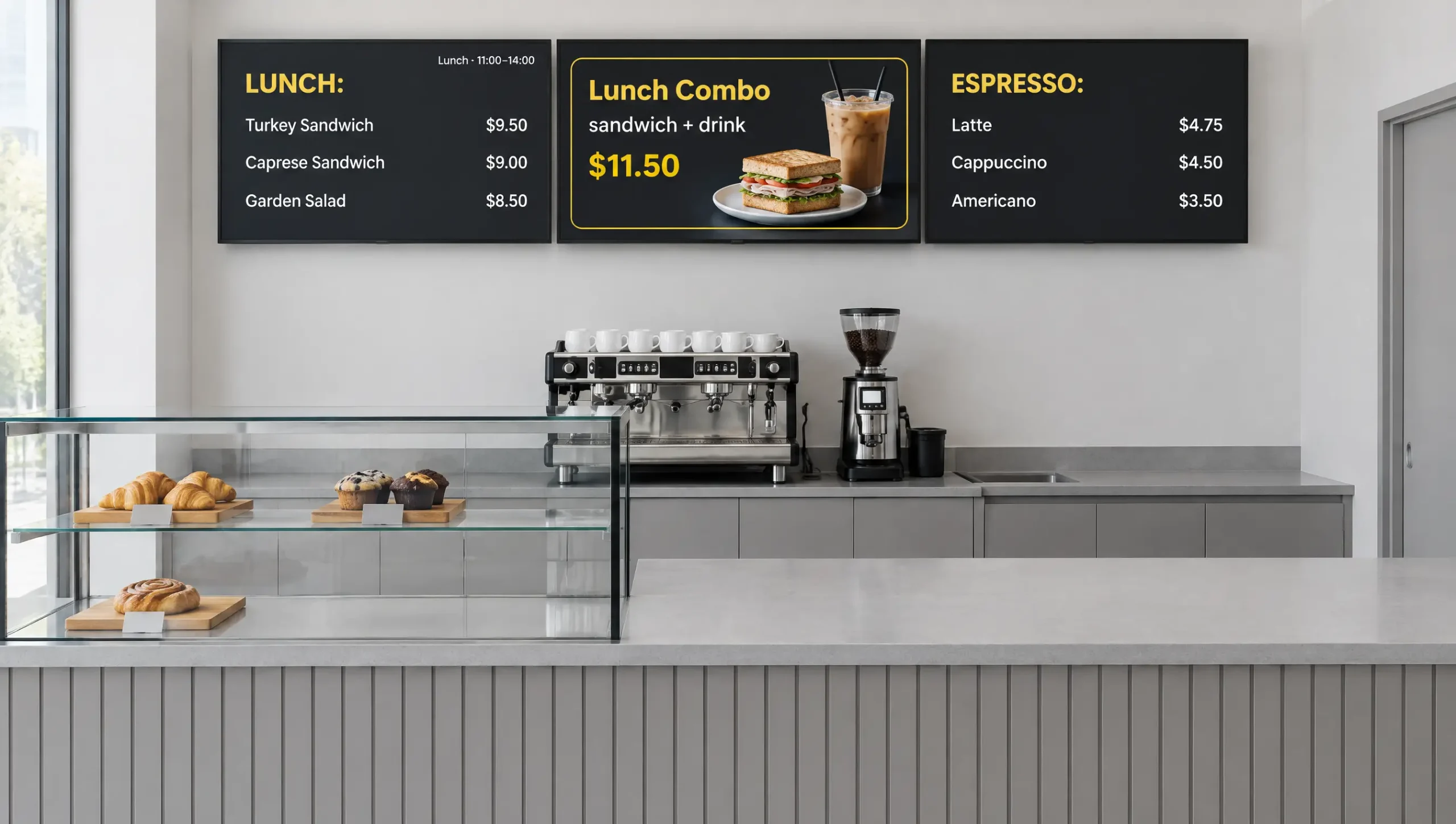
Sandwiches, salads and a drink-and-food combo move to the top, while the espresso menu stays in place for guests who only want a latte.
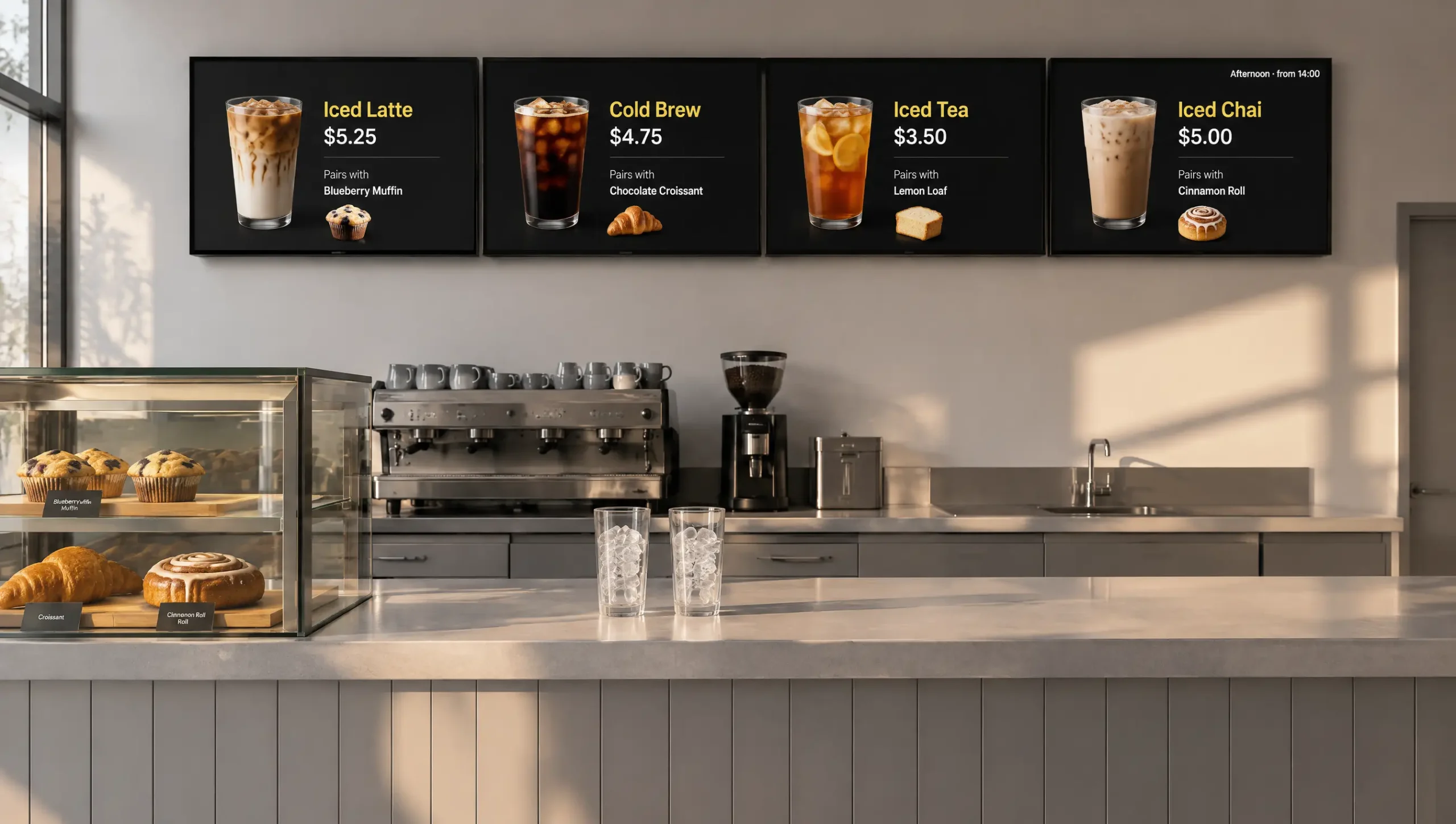
Iced lattes, cold brew and tea lead in the afternoon, paired with the pastries still in the case. Breakfast sandwiches leave the board once the kitchen stops making them.
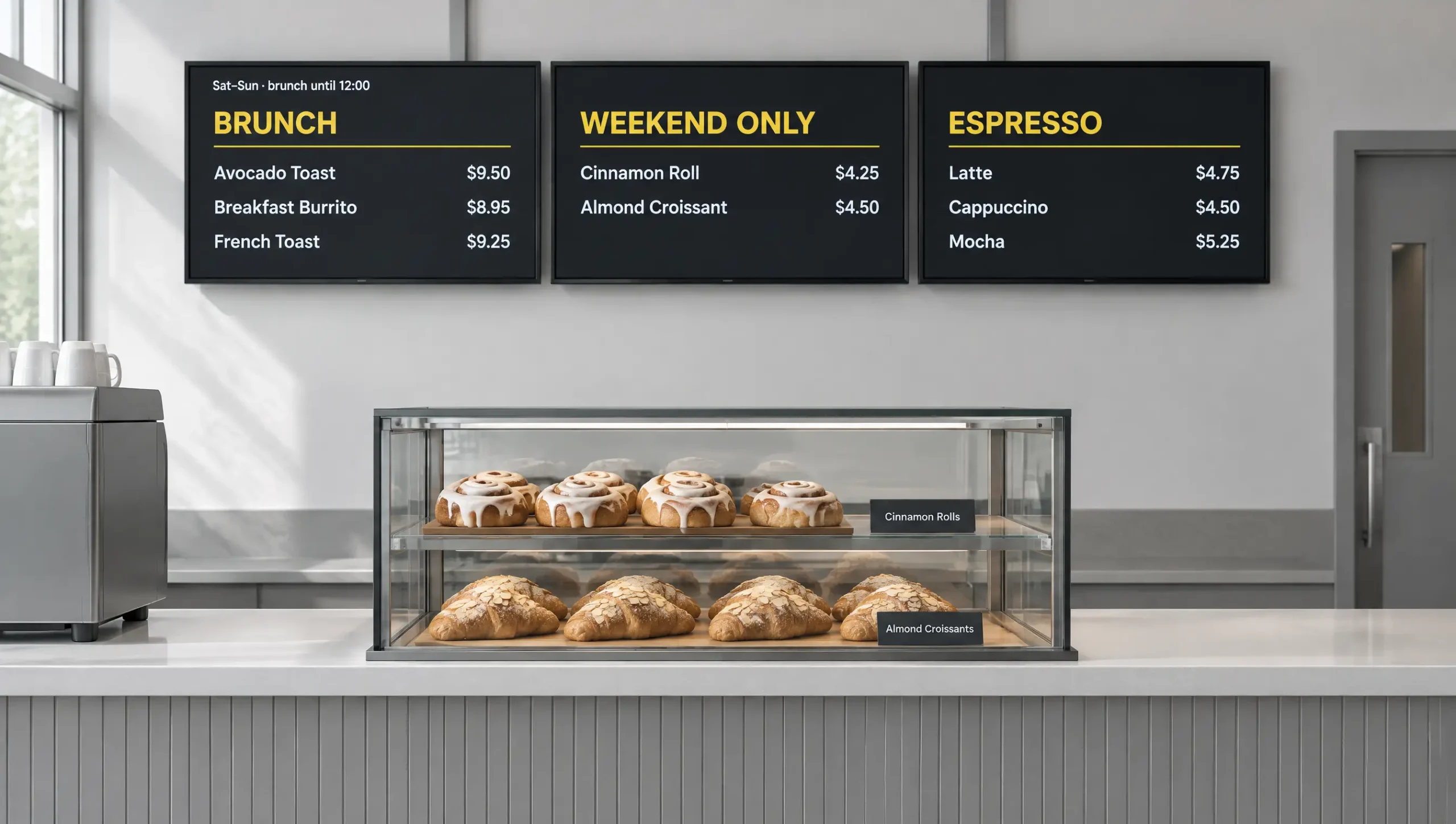
Saturday and Sunday can keep breakfast on the board until noon and add items you bake only on weekends, and nobody changes screens by hand. Beyond the schedule, the layout itself has to fit the way coffee is ordered.
A coffee shop menu display board that runs sizes in columns and keeps add-ons in one list stays readable from the back of the line. Five rules keep coffee shop menu boards from turning into a wall of text:
Put a size header above each price column, usually 12, 16 and 20 oz, so one row shows a latte at every size instead of three lines per drink.
Oat and almond milk, an extra shot and flavor syrups go in their own column with the upcharge beside each one. Guests build the order while they wait, and the barista hears it once.
Espresso drinks, brewed coffee, cold drinks, tea and food run left to right across two or three screens, so a guest finds the category before the drink.
Guests read the board from 10 to 15 feet back in line, and a common signage rule gives each 10 feet of distance about an inch of letter height, so drink names around 1.5 inches tall stay legible to the last person in line.
Under FDA menu labeling rules, a coffee chain with 20 locations or more under one name posts calories for each standard drink on its menu boards. An independent shop is not required to.
Start a coffee shop menu board from menu board templates that already have size columns, or let the AI design generator draft a layout from your menu. Every price stays a live field; as a result, the next price change from the register still reaches it.
A digital menu board for coffee shop counters reads prices and stock from the register, so a latte price that changes or a pastry tray that empties shows up on screen without anyone editing the board. Decker connects directly to Square, Toast and Clover, and a shop with another register keeps prices in an Excel sheet. The full path from a register item to the screen is covered in menu board POS integration. At a coffee counter, it comes down to four everyday cases:
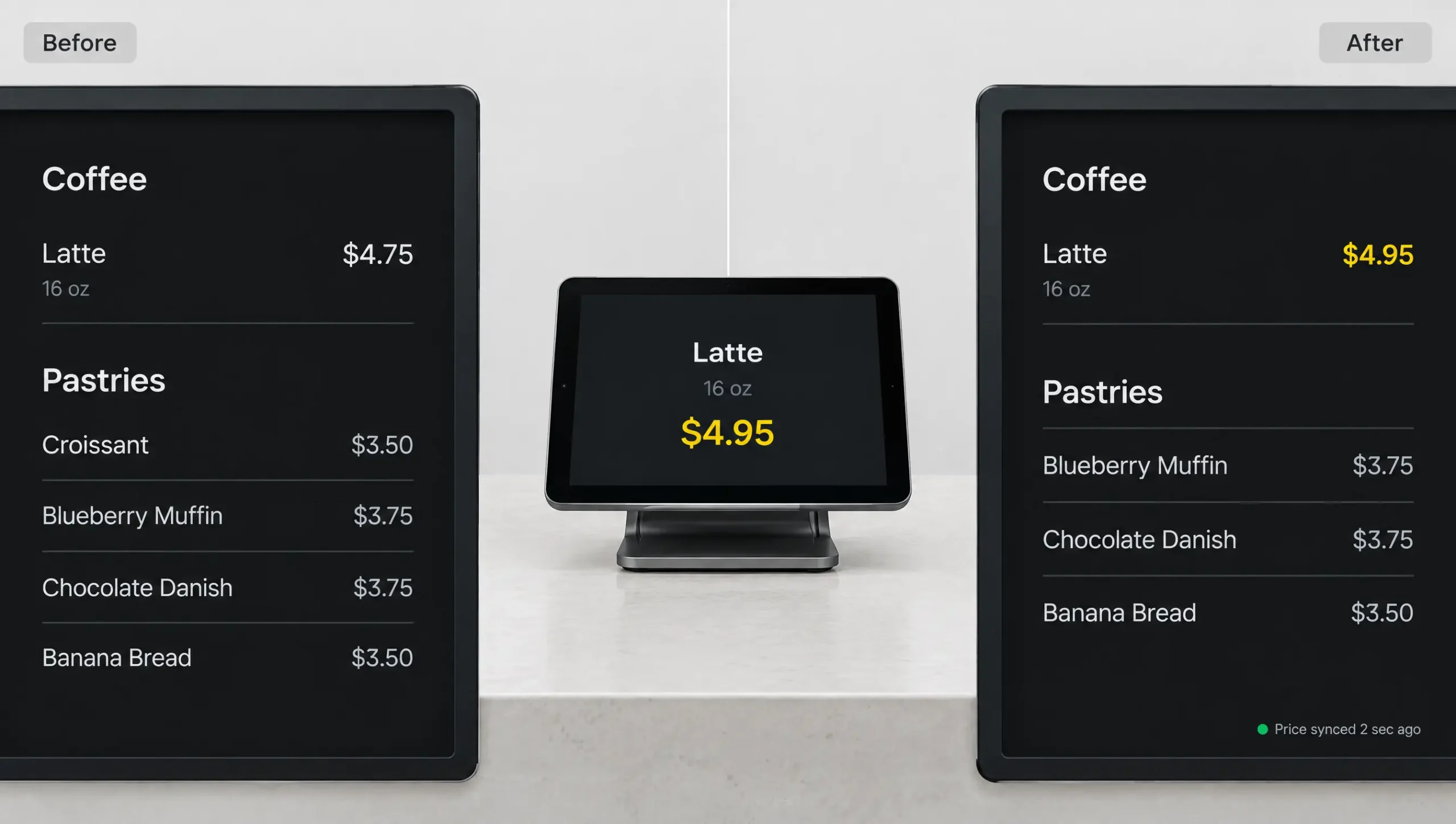
Raise the latte price in the POS, and the board shows the new number in 1–5 seconds. Only that price is redrawn, in the same font, so guests in line see no flicker.
Mark it unavailable in the POS, and it leaves every screen, so nobody orders a pastry the case no longer holds.
Hide the drink built on it the same way, and the board stops selling a pumpkin latte the bar cannot make.
Mark the item available again, and it returns to its old spot with its price. In other words, the menu board always matches the case.
Seasonal drinks and a drink of the day sell best from menu boards for coffee shops when they are scheduled with their sizes and prices, instead of written on a card by the register.
Add the fall or holiday drinks ahead of time and set the first and last day. They appear on every board on launch morning and leave after the final day, and a drink can also run only in certain shops or only in the morning daypart.
Rotate a featured drink by day of the week, such as a honey oat latte on Monday and a cold brew float on Friday. Each one shows with its sizes and price, in a larger tile than the rest of the menu.
Move a signature latte or the highest-margin drink into a larger tile and set the order of items. That order stays the same on every screen in every shop, so coffee shop digital menu boards across a group read alike.
The menu board shows a seasonal drink as an item with a price. A video teaser for the same drink in the window, a pickup board for mobile orders or a screen with the week’s events belong to the other screens in your coffee shop, which run from the same Decker account.
Connect one screen and your POS.
Next, change one price and time how long the menu board takes to follow. One screen stays free forever, and paid features open for 14 days on up to five screens without a card.
Launching a coffee shop menu board takes four steps that run from the TV above the counter to a test during a quiet hour.
Any TV or display with an HDMI input works, mounted on the wall or hanging above the counter. Decker Player connects over HDMI and joins the shop’s Wi-Fi or Ethernet, and Decker Verifier is worth adding if nobody behind the bar can see the screen.
Sign in to Square, Toast or Clover from your Decker account, or upload an Excel price sheet. Decker imports your drinks and pastries and places each price on the layout, even when names differ, such as LG OAT LATTE in the POS and Oat Milk Latte on the board, and you approve the matches once.
Pick a layout with size columns, add the add-on list, then set the dayparts, the drink of the day and the dates of seasonal drinks.
Change one latte price in the POS and time the board, mark a pastry sold out, and read every price from the back of the line. Then open the doors, and as a result the first rush runs on the prices your register charges.
Start with one screen free, open all paid features on up to 5 screens for a 14-day trial with no card, and pay per screen as you add counters or shops. POS price and sold-out sync, dayparts and the AI design generator start on Professional, and Premium adds workspaces and roles for several shops.
One screen with your menu, free forever and without a card.
Menu editor, templates, playlists and schedules for a shop with a few screens.
Prices and sold-out items from your POS or Excel, dayparts and the AI design generator.
Several shops with workspaces, custom roles, menu-to-sales attribution and API access.
In addition to Premium, onboarding, training, a 1-hour SLA and a dedicated manager for large coffee chains.
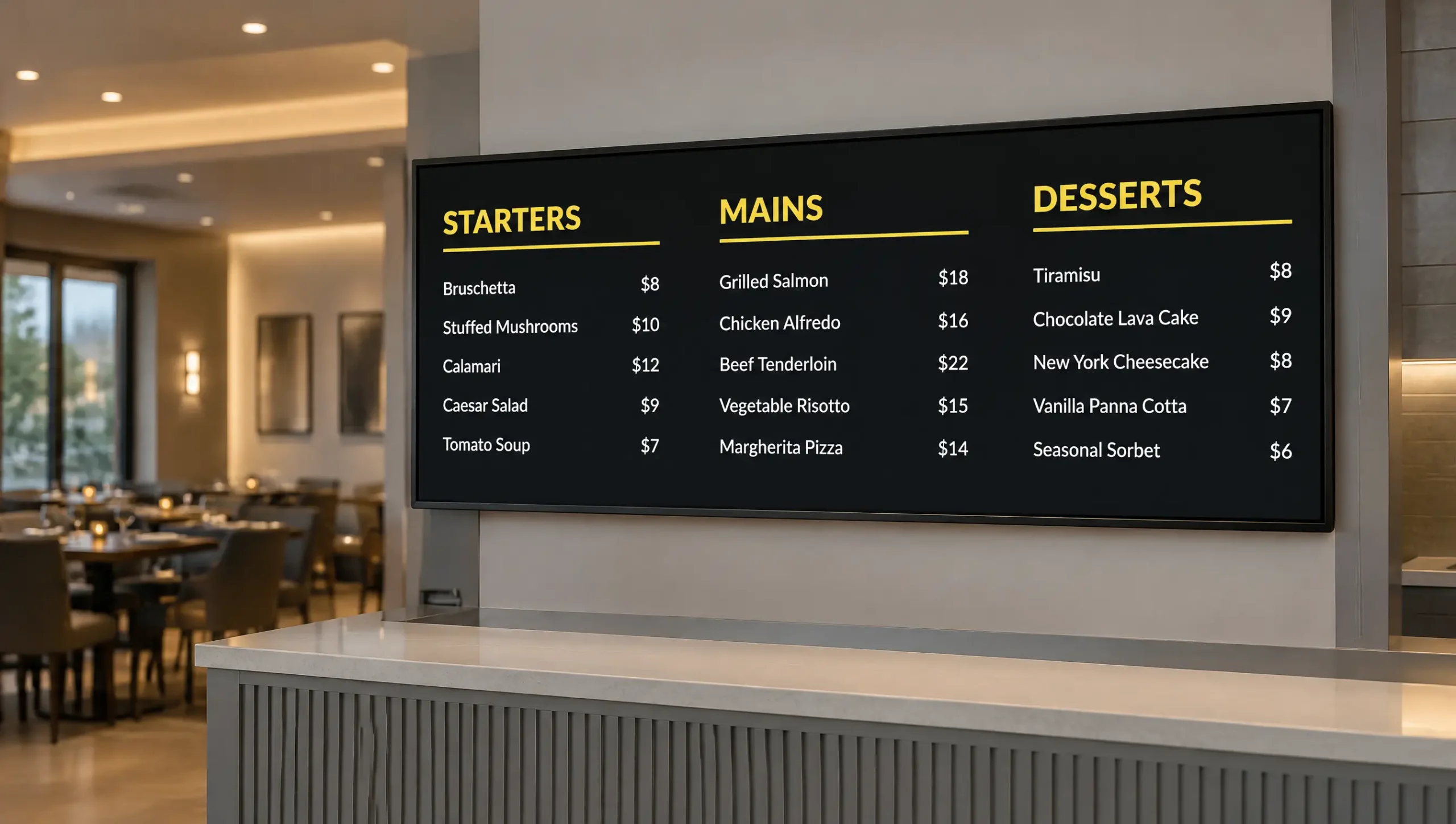
Starters, mains and desserts with prices that follow each restaurant’s register.
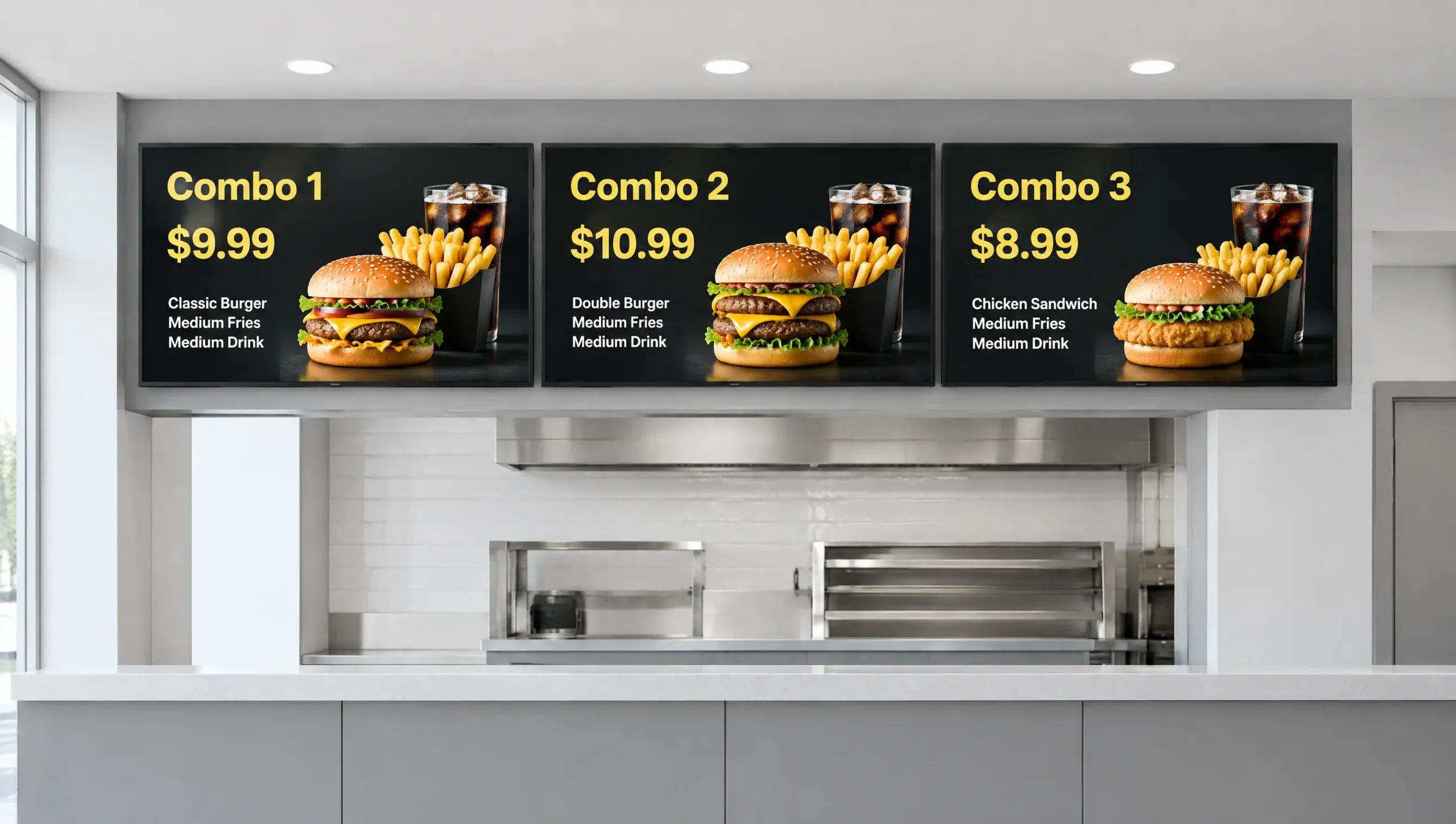
Combo meals and local prices that change by store and by hour.
Which registers connect and how a price moves from the POS to the screen.
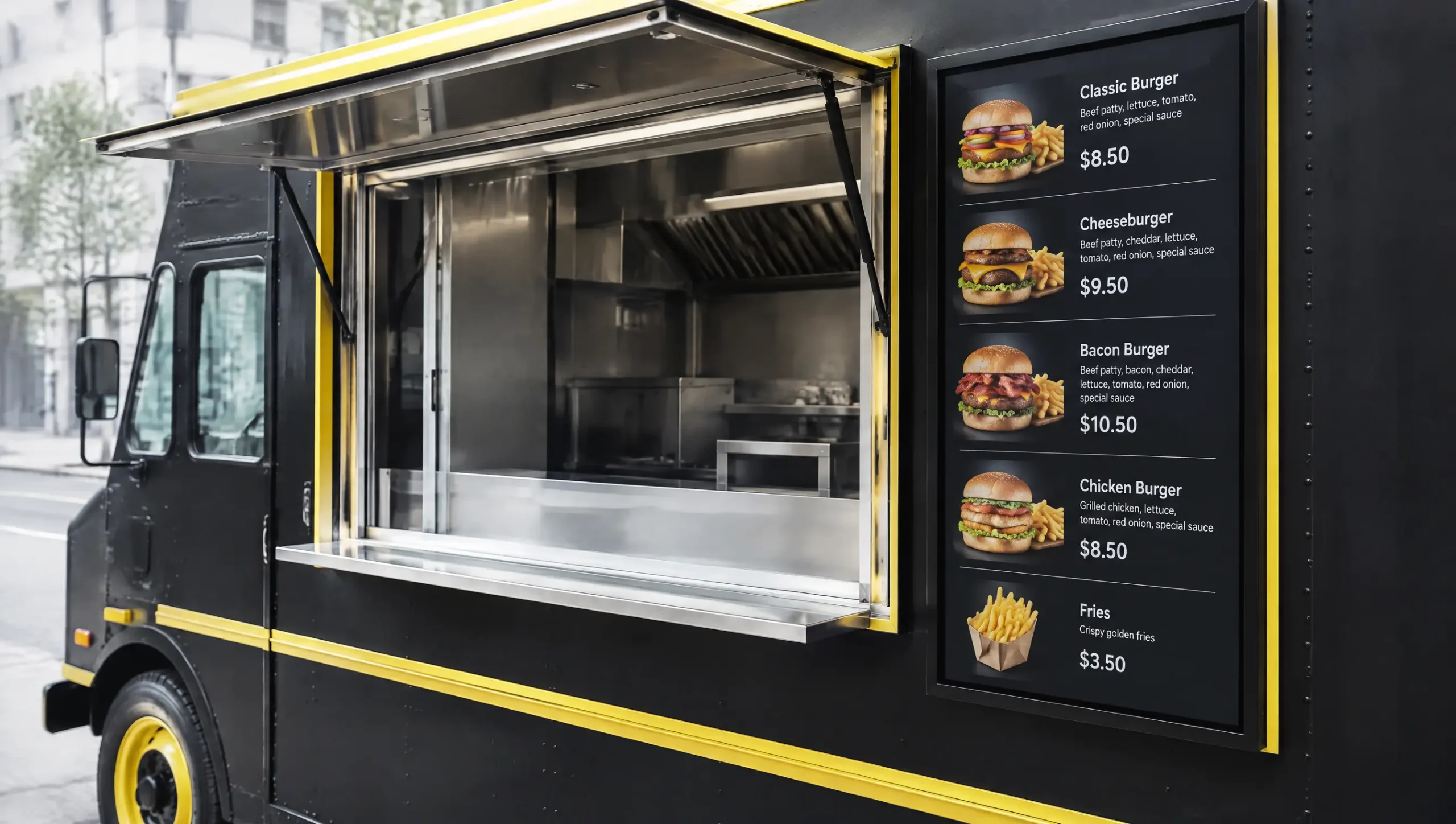
Unlike a coffee counter, window screens switch prices by stop and keep playing when the signal drops.
A menu board that follows your register needs one player and one connected POS. Pair Decker Player with the TV you already have, connect Square, Toast or Clover, and change one price; as a result, the board is ready before the morning rush.
Yes. The menu board switches on a schedule that you set once, for example breakfast from opening, lunch from 11 a.m. and cold drinks from 2 p.m., with separate rules for weekends. The board switches on schedule, and the prices in each daypart still come from your POS.
Give add-ons their own column with the upcharge next to each one. Each upcharge is a price field on the layout like any drink price. If your POS stores add-ons as modifiers rather than items, keep their prices in the Excel sheet so the column stays current.
Mark the item unavailable in your POS, and it leaves every menu board within seconds. When you mark it available after the next bake, it returns to its old spot with its price.
Yes. Assign a featured drink to each weekday and give it a larger tile, and it rotates by itself. Its price syncs from the same POS item as everywhere else on the menu board.
Add the drink in advance, set its start and end dates, and choose the shops and dayparts. It appears on every menu board on launch morning and leaves after the last day.
Square, Toast and Clover connect directly, other registers work through an Excel sheet, and API access on Premium connects other systems. Sync starts on the Professional plan, and a saved price reaches the board in 1–5 seconds.
Only chains do. FDA menu labeling rules cover restaurants and similar food businesses in a chain of 20 or more locations under the same name, and they must post calories for standard items on menus and menu boards. Those boards also state that 2,000 calories a day is used for general nutrition advice and that more nutrition information is available on request.
Yes. TVs and commercial displays with an HDMI input run the menu through Decker Player, with no smart TV app involved. A single counter usually takes a 32- to 43-inch screen, and a board facing a sunny window needs around 500 to 700 nits, more than many home TVs reach. Keep the screen out of the steam over the espresso machine, and add Decker Verifier to get an alert when a screen goes black during the rush.
Yes, a dropped router does not blank the board. The player stores the last published menu and keeps it on screen, and new prices or sold-out items arrive once the connection is back.
A shop with fewer than 15 drinks and pastries, and prices that held for a year, will find a chalk or letter board accurate enough and cheaper. A kiosk under 100 square feet may have no wall guests can read from 10 feet back. A register that keeps prices offline, with no Excel sheet either, turns a coffee shop menu board into a TV someone edits by hand. And with no seasonal drinks and one menu from open to close, the schedule, the second reason to switch, has nothing to do.


