7 OptiSigns Alternatives for Restaurants That Price From the POS



The best OptiSigns alternative for a restaurant is Decker: prices and sold-out items follow Toast, Square or Clover directly on Professional at $12 per screen, while OptiSigns reads a POS only through OptiSync on Pro Plus at $15. For a smaller bill, Juuno and Yodeck cost less per screen; for free screens without a logo, DigitalSignage.com. Next: all 7 options.
What Are the Best OptiSigns Alternatives?
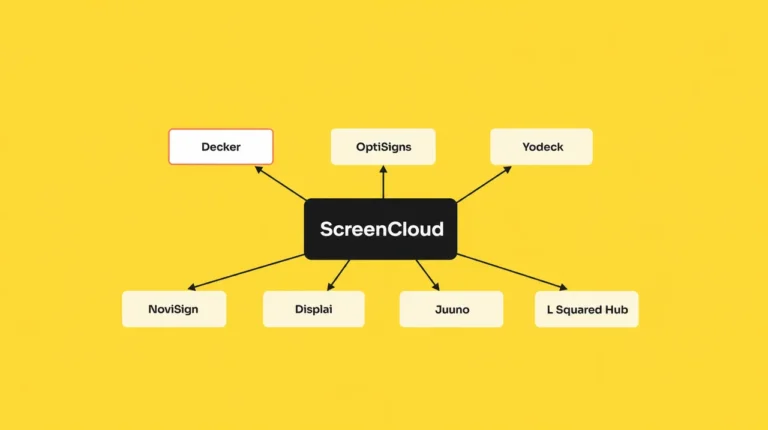
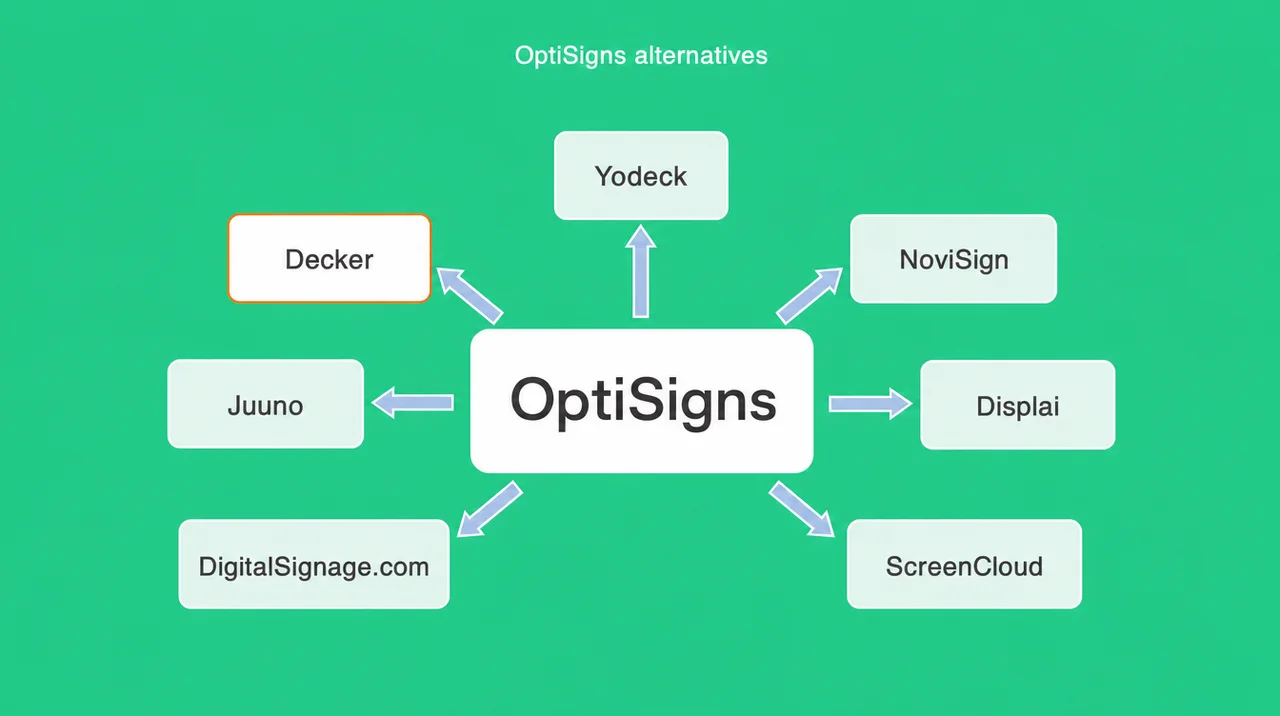
The best OptiSigns alternatives are Decker, Yodeck, NoviSign, Displai, Juuno, DigitalSignage.com and ScreenCloud, each fixing one weakness.
- Decker — the OptiSigns alternative for POS menus: Toast, Square and Clover connect directly from $12 per screen; a sold-out item leaves the screen, and a sensor checks the panel itself.
- Yodeck — the cheaper OptiSigns alternative with its own player: $2 less than Standard at $8, a free Raspberry Pi player on annual plans, no POS link.
- NoviSign — the OptiSigns alternative that syncs a Toast menu through Google Sheets on Business Plus at $17, $2 above Pro Plus, with list prices quoted on yearly billing.
- Displai (formerly Raydiant) — native Toast and Square apps that pull 86’d items; $49 per screen on G2 plus $169 hardware.
- Juuno — the lowest-priced OptiSigns alternative at $5 per screen, half the Standard price, with no POS link.
- DigitalSignage.com — the same three free screens, without a watermark, then $3 per screen.
- ScreenCloud — $20 per screen, twice OptiSigns Standard, built for office content approvals.
These OptiSigns alternatives answer three problems restaurants leave over: POS menu cost, logo-branded free screens and player changes. OptiSigns itself earns 4.8 out of 5 on Capterra from 4,588 reviews, so the search for an OptiSigns alternative rarely starts with a broken product.
The first problem is the menu. OptiSigns connects to a register through OptiSync, which starts on Pro Plus at $15 per screen a month. Toast adds about $25 a month per location for the API access that OptiSync reads, and the owner builds the sold-out rule by hand. For a café with three screens, the POS link adds $40 a month, more than the $30 those screens cost on Standard, so the POS path comes first in any OptiSigns alternative.
The second problem is the free plan. It covers three screens, but each one shows the OptiSigns logo and runs only on OptiSigns devices, Windows, Linux or Raspberry Pi. The third is hardware: Fire OS 8 removed auto-start on Fire TV Sticks in October 2024, and OptiSigns plans to end FireStick support, so every OptiSigns alternative above has to run on the screens you keep.
For a restaurant, the closest OptiSigns alternative on the menu problem is Decker digital menu boards for restaurants, so the line-by-line comparison comes next. After it, the remaining OptiSigns alternatives sit in one table.
The OptiSigns Alternative for Restaurant Menus: OptiSigns vs Decker
OptiSigns and Decker both run menus on ordinary TVs, but Decker reads the POS directly and checks that each screen shows it. For anyone weighing an OptiSigns alternative, both companies bill per screen: Decker charges $8 on Essential, $12 on Professional and $16 on Premium, with 15% off annual billing, as the Decker pricing page shows. Among OptiSigns alternatives, the real gap opens in the minutes after a price changes at the register.
| OptiSigns | Decker | |
|---|---|---|
| Free plan | ✅ 3 screens, OptiSigns logo, OptiSigns, Windows, Linux or Pi devices | Starter: one screen free with no time limit |
| Paid plans | $10–45 per screen a month; 10% off annual | ✅ $8–16 per screen a month; 15% off annual |
| Trial | 14 days, 2 screens, Pro Plus features | 14 days, up to 5 screens, no card |
| Players | ✅ 15+ device types, including Apple TV, Roku, Samsung and LG apps | Any TV’s built-in browser or another web browser; Decker Player or Android TV app for unstable internet |
| Menu prices from POS | Toast through an API request and OptiSync on Pro Plus; Toast charges about $25 per location a month | ✅ Toast, Square and Clover connect directly; Excel covers any other register |
| A price changes | Fields you mapped update inside a template you built | ✅ The layout rebuilds itself; only changed lines redraw in 1–5 seconds |
| An item sells out | The owner writes a sold-out rule in OptiSync | ✅ The item leaves the screen on its own |
| What gets watched | Device status; email alert on Pro Plus and Enterprise | ✅ The panel: black screen, wrong HDMI input, frozen player, wrong prices |
| Fixing a dark screen | Remote troubleshooting; auto power on and off on Pro Plus | ✅ Verifier restarts the player and the TV and switches the input back |
| Offline | Content stored on each device | The browser plays from cache through short outages; a Decker Player for daily ones |
| Locations | Screen groups and campaign management on Pro Plus | ✅ Location management; franchise module and menu-to-sales attribution on Premium |
| Interactive kiosks | ✅ Engage plan: Kiosk Designer, Lift & Learn, check-in | — |
| SSO and audit logs | ✅ Pro Plus | Premium |
| Support | ✅ Email; phone from Pro Plus; 7 a.m. to 7 p.m. CT | Email Monday to Friday, 9 a.m. to 6 p.m.; 1-hour SLA and phone on Enterprise |
| Security report | ✅ SOC 2 Type II | — |
POS sync without the Pro Plus step. OptiSigns reaches Toast through its API request tool, a token fetched on every call, and an OptiSync template the owner maps field by field. Decker connects Toast, Square and Clover directly on Professional at $12 per screen, $3 under Pro Plus, and an Excel sheet covers any other register. With no field mapping or token renewals, Decker is the OptiSigns alternative that removes the API work.
A sold-out item leaves the board. In OptiSigns, the owner decides how a sold-out item looks and builds that rule. In Decker, an item marked unavailable in the POS disappears from the screen, and the layout closes the gap by itself. Only the changed lines redraw, within 1–5 seconds, so guests never see the board blink. In the Burger Shop case in Downtown Los Angeles, four counter screens tied to the POS cut menu updates from days or weeks to minutes. The menu boards that sync with your POS page shows the setup by register.
The panel, not just the device. OptiSigns Monitoring & Alert sends an email when a device stays offline past a set time, and it starts on Pro Plus. A TV that switched to the wrong HDMI input still reports a healthy device. Decker Verifier, mounted beside the screen or built into the player, reads the panel itself and catches a black screen, a wrong input or a stale price. It restarts the player, the TV or both, switches the input back and keeps a photo log per location. Decker Verifier adds that check as a separate option, and the browser player holds the last menu from its cache through a short dropout, with a Decker Player for sites that lose the internet daily.
For chains that judge an OptiSigns alternative by its location tools, Decker manages locations on Professional and adds a franchise module with menu-to-sales attribution on Premium. That attribution shows how a menu change moved sales.
Where OptiSigns stays ahead. OptiSigns runs on more devices than the other OptiSigns competitors in this guide, gives three free screens and sells interactive kiosks on Engage. A lobby screen or a training room with no POS gets all it needs from OptiSigns, and switching to an OptiSigns alternative would add work without a gain.
🔌 An OptiSigns alternative with the POS built in. Connect Toast, Square or Clover and watch a new price reach the menu in seconds. 14 days free on up to 5 screens, no card. Start free
Beyond Decker, six more OptiSigns competitors fit specific budgets and setups, and the table below sets them against OptiSigns.
OptiSigns Competitors Compared: Price, Players and POS Sync
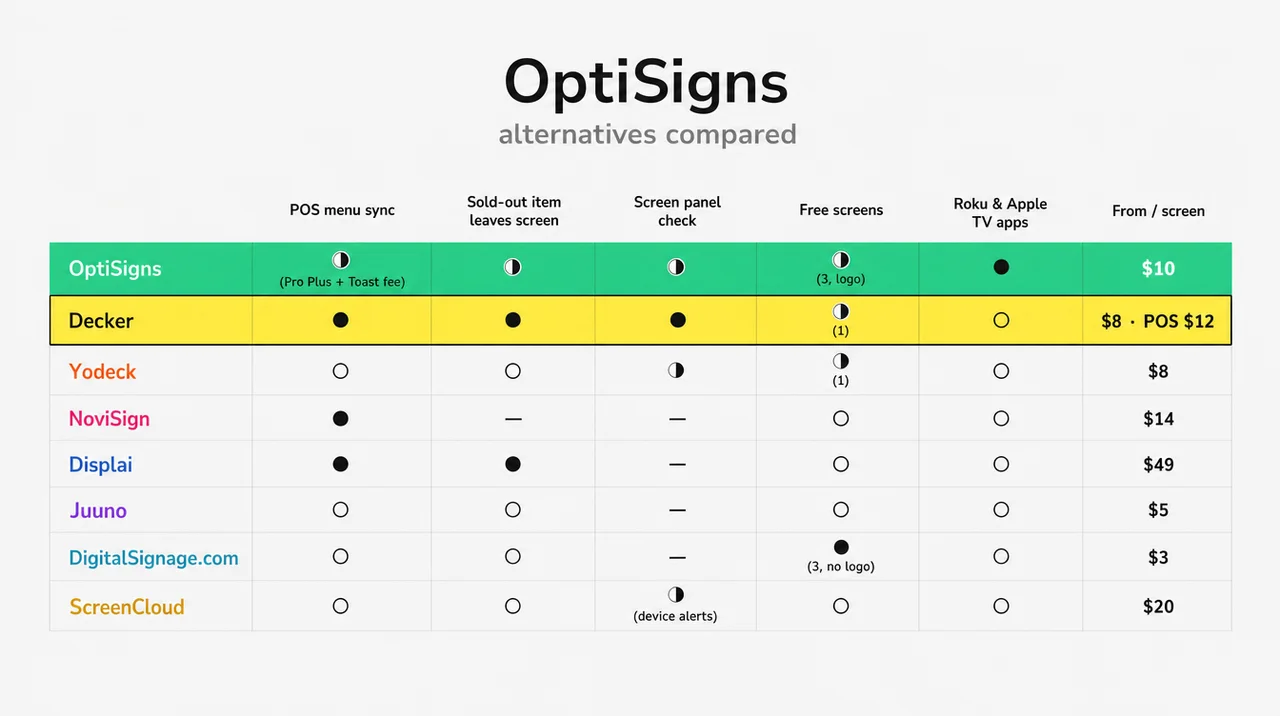
Six OptiSigns competitors cost $3 to $49 per screen, and two of them link a POS without custom work. The last column shows what changes after moving to each OptiSigns alternative.
| Platform | Price per screen a month | Free option | Players | POS menu sync | What changes vs OptiSigns |
|---|---|---|---|---|---|
| OptiSigns (reference) | $10–45; $9–40.50 annual | 3 screens with logo | 15+ device types | OptiSync on Pro Plus; Toast API fee | — |
| Decker | $8–16; POS sync from $12 | 1 screen, no time limit | Smart TV browser; Decker Player optional | Toast, Square, Clover direct; Excel | POS link $3 below Pro Plus, sold-out items leave, panel check |
| Yodeck | $8–16 | 1 screen while the account has one | Pi 4, Android, Fire OS, ChromeOS, Windows, webOS, Tizen, BrightSign | None; menus in DSMenu by hand | $2 cheaper; free Pi player on annual plans; no Apple TV or Roku |
| NoviSign | $14–25, annual (monthly costs more) | 30-day trial | Android, Windows, ChromeOS, Tizen, webOS, BrightSign | Clover, Lightspeed, Revel, Upserve | More registers; no free plan; 10% off only on yearly billing |
| Displai (ex-Raydiant) | $49 on G2, 1-year prepay | 14-day trial | Own hardware, $169 on G2 | Toast and Square native, with 86’d items | Native POS for chains; 3x the price of Pro Plus |
| Juuno | $5–9 | 7-day trial | Signage Stick, Android TV, Chromecast, TV browser, Pi | None | Half the Standard price; no POS |
| DigitalSignage.com | $3 | 3 screens, no watermark | Windows, Mac, Linux, Android, ChromeOS, Pi, iPad | None | Same 3 free screens without a logo |
| ScreenCloud | $20–30, annual | 14-day trial | No Pi, Linux, Apple TV or Roku | None | Office approvals and governance; 2x the price |
List prices for all OptiSigns competitors in the table come from each vendor’s site; Displai’s figures come from its G2 listing.
Yodeck
As an OptiSigns alternative, Yodeck charges $8 per screen on Basic, $2 under Standard, and ships a free Raspberry Pi 4 player with annual plans. Its logo-free screen stays free only while the account has one screen. Apple TV and Roku apps disappear, and menus run through DSMenu, a separate account with no POS link. The profile of Yodeck alternatives covers the rest.
NoviSign
Among OptiSigns alternatives, NoviSign links more registers without an API build: Clover prices sync automatically, and Lightspeed, Revel and Upserve connect too. Its list prices assume yearly billing: $14 on Business, $17 on Business Plus and $25 on Premium. The page on NoviSign alternatives sets its POS options against Decker’s.
Displai (Formerly Raydiant)
Displai Systems bought Raydiant’s assets in 2025 and kept a restaurant-first OptiSigns alternative: native Toast and Square apps update 86’d items for chains of 10 to 10,000 locations. Its G2 listing shows $49 per screen a month on a one-year prepay plus $169 for hardware. The comparison of Raydiant alternatives goes line by line.
Juuno
Juuno costs $5 per screen on Business and $9 on Growth, the lowest paid price among these OptiSigns alternatives, so a Standard account pays half as much after the switch. It runs in a smart TV browser, on the Amazon Signage Stick, Chromecast or a Pi, and has no POS link; its founder points restaurant owners to its Canva app for menu edits. It suits cheap digital signage with static menus best.
DigitalSignage.com
As a free OptiSigns alternative, DigitalSignage.com matches the free plan at three screens but drops the watermark, then bills $3 per screen once a fourth screen joins. It plays on Windows, Mac, Linux, Android, ChromeOS, Pi and iPad, with no POS link. The roundup of best free digital signage software lists free plans beyond these OptiSigns alternatives.
ScreenCloud
As an OptiSigns alternative, ScreenCloud costs twice as much: $20 per screen on Core and $30 on Pro, billed annually. It adds content approvals for office teams, skips Raspberry Pi, Linux, Apple TV and Roku, and edits its Digital Menu app by hand. Teams on it can weigh ScreenCloud alternatives built for menus.
Next, the price side of OptiSigns shows what each OptiSigns alternative has to beat.
OptiSigns Pricing 2026: Tiers, Add-Ons and the Toast Fee
OptiSigns pricing in 2026 runs $10 to $45 per screen per month, with 10% off for annual billing. Every OptiSigns plan bills per screen, and features step up by tier, so the plan a menu needs matters more than the headline price. Every OptiSigns alternative in this guide bills per screen too, so compare at your own screen count.
| Plan | Monthly | Annual, per month | What it adds |
|---|---|---|---|
| Free | $0 | $0 | 3 screens, 3 users, 25 apps, 1 GB, OptiSigns logo |
| Standard | $10 | $9 | Playlists, schedules, 100+ apps, templates, zones, Designer; email support |
| Pro | $12.50 | $11.25 | Roles, approval workflow, proof of play, unlimited users |
| Pro Plus | $15 | $13.50 | OptiSync and POS data, Microsoft 365, Power BI, SAML SSO, audit logs, alerts; phone support |
| Engage | $30 | $27 | Interactive kiosks, Lift & Learn, QR, check-in |
| Enterprise | $45 | $40.50 | GraphQL API, on-premise option, dedicated manager; 25-screen minimum |
OptiSigns pricing per screen per month, from optisigns.com.
Across OptiSigns pricing plans, add-ons change the bill too. A video wall costs $25 a month per wall, background music $15 per screen and wireless presentation $20 per screen. Enterprise needs at least 25 screens, which means $1,125 a month on monthly billing. The OptiSigns plans page offers nonprofit discounts without published terms.
The OptiSigns free plan covers three screens, three users, 25 basic apps and 1 GB of storage, with playlists capped at 30 items. The trial runs 14 days on two screens with Pro Plus features, after which the account drops to the free plan without schedules or split screens. Four of the seven OptiSigns competitors above offer only a trial and no free plan.
For a restaurant that wants menu prices from Toast, the OptiSigns cost lands on Pro Plus plus the Toast API fee, while Decker turns on POS sync with Professional:
| Setup | OptiSigns Standard, no POS | OptiSigns Pro Plus + Toast API fee | Decker Professional, POS sync |
|---|---|---|---|
| 1 location, 3 screens | $30 | $70 | $36 |
| 1 location, 5 screens | $50 | $100 | $60 |
| 4 locations, 4 screens each | $160 | $340 | $192 |
Monthly billing, software only, before players and add-ons; Decker figures exclude any fee a POS vendor charges. Run the same three setups through each OptiSigns alternative.
💸 “OptiSigns is free for three screens” holds only with the OptiSigns logo on every screen, and only on OptiSigns, Windows, Linux or Raspberry Pi devices. A café on smart TV apps or Fire TV Sticks pays from the first screen.
As a result, the free plan suits a test bench more than a counter, and reviews show how paying users judge the rest.
OptiSigns Reviews: Pros and Cons From 8,600+ Ratings
OptiSigns reviews are 4.7 to 4.8 out of 5 across four sites: fast setup wins praise, screen fit draws complaints. This OptiSigns review sums up what buyers repeat on each site.
| Site | Rating | Reviews |
|---|---|---|
| Capterra | 4.8 | 4,588 |
| G2 | 4.7 | 3,884 |
| Trustpilot | 4.7 | 120 |
| Gartner Peer Insights | 4.8 | 57 |
| Pros reviewers repeat | Cons reviewers repeat |
|---|---|
| Screens go live in minutes: “Configured and deploys in minutes” | Content does not always fit the screen’s resolution |
| Non-technical staff manage playlists without training | Some changes have to be made “individually for each device” |
| Price undercuts Yodeck, Rise Vision and Appspace, in reviewers’ words | Large video files, YouTube and Vimeo cause playback trouble |
| Responsive support, according to Trustpilot and Capterra | Recurring schedules confuse; Fire Stick setups cause device trouble |
Ratings come from Capterra, OptiSigns G2 reviews, Trustpilot and Gartner, and one Software Advice reviewer sums up the praise: “easy to use, reliable, and great value for money.” A sample of 25 Capterra reviews contains no mention of a restaurant menu or a POS: buyers praise OptiSigns for communication screens, not for menus.
On Reddit, the picture sharpens. A donut shop owner with two smart TVs wrote that OptiSigns “takes forever to load” and that animations make “the screen glitches,” and asked for one thing: to “update pricing in both places at once” with Square. That request sends many owners toward OptiSigns alternatives. In contrast, that request lands on the menu side of OptiSigns, which the next section covers.
OptiSigns for Restaurant Menus: OptiSync, Toast and Sold-Out Items
OptiSigns links a menu to a POS through OptiSync, a data-mapping tool that starts on the Pro Plus plan. At the 2026 National Restaurant Association Show, OptiSigns presented restaurant features: live price updates, dayparts, sold-out warnings, offline playback and menu templates. Dayparts run on schedules from Standard, and scheduled menus keep playing during an internet outage because each device stores its content locally.
Behind those features sits the setup OptiSigns support documents for Toast:
- Gather the hostname, client ID and client secret from the Toast portal.
- Add a pre-request step that fetches a new token, because Toast requires one with every call.
- Add the authorization and restaurant ID headers and call the Toast menus endpoint.
- Build the menu in Designer with OptiSync and map each field.
- Pay Toast for Standard API access, about $25 a month per location.
The OptiSigns integrations list covers 100+ apps, from Power BI to Google Slides, and the OptiSigns API request tool can call a register’s own API. Still, every register beyond that list means a custom build, and four of the seven OptiSigns alternatives in this guide skip POS links entirely. The Reddit owner on Square heard the same from the community: “Most off-the-shelf CMS platforms don’t natively sync pricing cleanly with POS systems.”
Decker connects Square, Toast and Clover with no API work, and a menu edit made at the register reaches the screen in seconds. That makes it the OptiSigns alternative built for the counter. When comparing OptiSigns menu boards competitors, three questions sort them fast:
- Which plan of each OptiSigns alternative turns on the POS link, and does the register charge for API access?
- What happens to a sold-out item: does it leave the screen, or does someone build that rule?
- Does the menu redraw its own layout when a long name or a new price no longer fits?
The digital menu board software guide lists the rest of what a menu editor needs. Next comes the hardware question, because many OptiSigns screens run on devices that change soon.
OptiSigns Player Options and the Fire Stick Change
An OptiSigns player is a stick, a Pro box, a smart TV app or a computer running the app. OptiSigns supports 15+ device types: its own OptiStick and Pro players, Android, Amazon Signage Stick, ChromeOS, Windows, macOS, Linux, Raspberry Pi, BrightSign, LG webOS, Samsung Tizen, Apple TV, Roku and iOS.
The OptiSigns FireStick setup is the one to plan around. OptiSigns support states that “in October 2024, Amazon eliminated the ability to auto start the app with FireStick & Fire TVs starting with FireOS 8.” Fire OS 8 sticks no longer restart OptiSigns after a power cut, and OptiSigns plans to drop Fire Stick support “in the near future.” It recommends the OptiStick or the Amazon Signage Stick instead.
For OptiSigns Roku and OptiSigns Apple TV users, the apps keep working, but few OptiSigns alternatives match them: Yodeck, NoviSign and Juuno skip Roku, and ScreenCloud skips both. An OptiSigns Raspberry Pi works with Yodeck’s own image, PiSignage or DigitalSignage.com after a fresh SD card, the same route several OptiSigns alternatives use.
Device choice also explains much of the lag owners blame on OptiSigns. In the Reddit thread above, the donut shop ran OptiSigns straight from LG and Sony smart TV apps, and replies pointed to underpowered players and weak Wi-Fi before the software. A cheap stick that renders animated layouts slowly makes any platform look broken.
Decker takes another route: the menu opens in the TV’s own web browser, so the TV brand stops mattering. The old stick or Pi stays in a drawer as a spare. Similarly, support levels decide how fast a dark screen comes back.
OptiSigns Support, SOC 2 and Uptime Alerts
OptiSigns support is email on Standard, and phone support starts on Pro Plus at $15 per screen. Engage adds Zoom sessions, and Enterprise adds a dedicated account manager and onboarding. Phone lines run from 7 a.m. to 7 p.m. Central Time, and OptiSigns customer service replies to most public reviews.
OptiSigns holds an AICPA SOC 2 Type II report, as does ScreenCloud among OptiSigns competitors, while NoviSign announced SOC 2 certification in 2023 without naming the type. It uses encryption and offers SAML SSO from Pro Plus. Monitoring & Alert, the feature that emails a team when a device goes offline, is a Pro Plus and Enterprise feature; the owner sets how many minutes or hours of downtime trigger the message. Advanced proof of play, with start and end times for each file, also starts on Pro Plus.
Support hours belong on the list when comparing OptiSigns alternatives. Decker support runs by email Monday to Friday, 9 a.m. to 6 p.m., with a 1-hour SLA and phone on Enterprise, so OptiSigns covers more hours. The difference sits in what gets watched: OptiSigns watches the device, while Decker Verifier watches the panel and fixes the input or power on its own. Next, switching to OptiSigns alternatives takes less work than most owners expect.
Switching From OptiSigns: What Moves and What Stays
Moving off OptiSigns takes one pilot screen, a billing check and a rebuild of any OptiSync mappings, which never transfer. Images, videos and PDFs move to any of the OptiSigns alternatives above; apps, Designer layouts and OptiSync menus stay behind.
- Check the renewal date. Annual OptiSigns plans run to the end of the term, so time the switch to it.
- Export your media. Download images and videos from the OptiSigns asset library before the account closes.
- List every OptiSync mapping. Each mapped field and sold-out rule needs a replacement; with Decker, the POS link replaces all of them.
- Sort the hardware. Retire Fire OS 8 sticks, reuse a Pi or a Windows PC where the new OptiSigns alternative supports it, or open Decker in the TV’s web browser.
- Pilot one screen for 4–7 days. Run the new OptiSigns alternative beside the old board and read it from the back of the line.
- Close the Toast API access if the menu was its only use, so the $25 monthly fee per location stops.
In contrast, a few setups gain nothing from leaving, and the next section names them.
When You Don’t Need an OptiSigns Alternative
OptiSigns remains the right pick when a setup needs 3 free screens, Roku players or interactive kiosks. Five cases keep it ahead of every OptiSigns alternative:
- A venue that runs signage on Roku, Apple TV or Samsung apps with no extra box behind the TV.
- A test or a lobby that fits on three free screens and does not mind the OptiSigns logo.
- A store that needs touch kiosks, Lift & Learn or QR check-in, which Engage sells at $30 per screen.
- An IT team that needs SOC 2 Type II and SAML SSO at $15 per screen on Pro Plus.
- A menu without a POS that changes less than once a month, where Standard at $10 covers the job.
Next come quick answers on price, Toast and support.
Questions and Answers
1 What are the best alternatives to OptiSigns?
For a restaurant that prices in Toast, Square or Clover, the best OptiSigns alternative is Decker, because the menu reads the POS directly from $12 per screen and sold-out items leave the screen. Juuno and Yodeck cost less per screen, DigitalSignage.com gives three free screens without a logo, and among OptiSigns competitors, NoviSign and Displai link other registers.
2 What is OptiSigns?
OptiSigns is a cloud platform for digital signage that turns TVs, sticks and computers into managed screens. It reports 210,000+ screens and 30,500+ customers in 121 countries. OptiSigns digital signage runs on 15+ device types and sells its own OptiStick and Pro players.
3 Is OptiSigns free?
OptiSigns has a free plan that supports up to 3 screens with OptiSigns branding, three users and 25 apps, and it runs only on OptiSigns, Windows, Linux or Pi devices. Paid plans start at $10 per screen a month, and the 14-day trial covers two screens. Free OptiSigns alternatives include DigitalSignage.com, with three screens and no watermark.
4 How much does OptiSigns cost?
OptiSigns costs $10 per screen a month on Standard, $12.50 on Pro, $15 on Pro Plus, $30 on Engage and $45 on Enterprise, with 10% off for annual billing. Enterprise needs 25 screens, and video walls, music and wireless presentation cost extra; compare that total against each OptiSigns alternative.
5 Does OptiSigns integrate with Toast?
OptiSigns reads Toast data through its API request tool and builds the menu with OptiSync on Pro Plus. Toast charges about $25 a month per location for the Standard API access this setup uses, and the owner defines how sold-out items appear.
6 Is OptiSigns SOC 2 certified?
Yes. OptiSigns holds an AICPA SOC 2 Type II report and offers SAML SSO and audit logs from the Pro Plus plan at $15 per screen a month. Among OptiSigns alternatives, ScreenCloud holds the same report, and NoviSign announced SOC 2 certification in 2023.
7 Can I reuse my OptiSigns player with another platform?
A Raspberry Pi, a Windows PC or an Android box can run several OptiSigns alternatives after a reinstall. Fire OS 8 sticks lose auto-start, so OptiSigns itself recommends replacing them. Decker plays in the TV’s web browser, and the old device stays as a spare.
8 Does OptiSigns offer phone support?
Phone support starts on Pro Plus, from 7 a.m. to 7 p.m. Central Time. Standard includes email only, Engage adds Zoom, and Enterprise adds a dedicated account manager. Overall, phone access and a POS link both start on the same $15 tier.
Sources
- Official websites of the brands reviewed in this article
- OptiSigns reviews on Capterra
- OptiSigns reviews on G2
- OptiSigns on Gartner Peer Insights
- OptiSigns on Trustpilot
- Raydiant pricing on G2
- r/digitalsignage: “Alternative to Optisign?”