Keep or Replace the Box: 7 BrightSign Alternatives for Restaurants 2026


A BrightSign alternative swaps the $380–$1,335 player each screen needs for software that runs on the TV already on the wall. For restaurant counters, Decker reads menu prices from Toast, Square or Clover and checks what the panel shows. Teams that keep their players can change only the CMS: Kitcast, OptiSigns and NoviSign install on those players.
What Are the Best BrightSign Alternatives 2026?
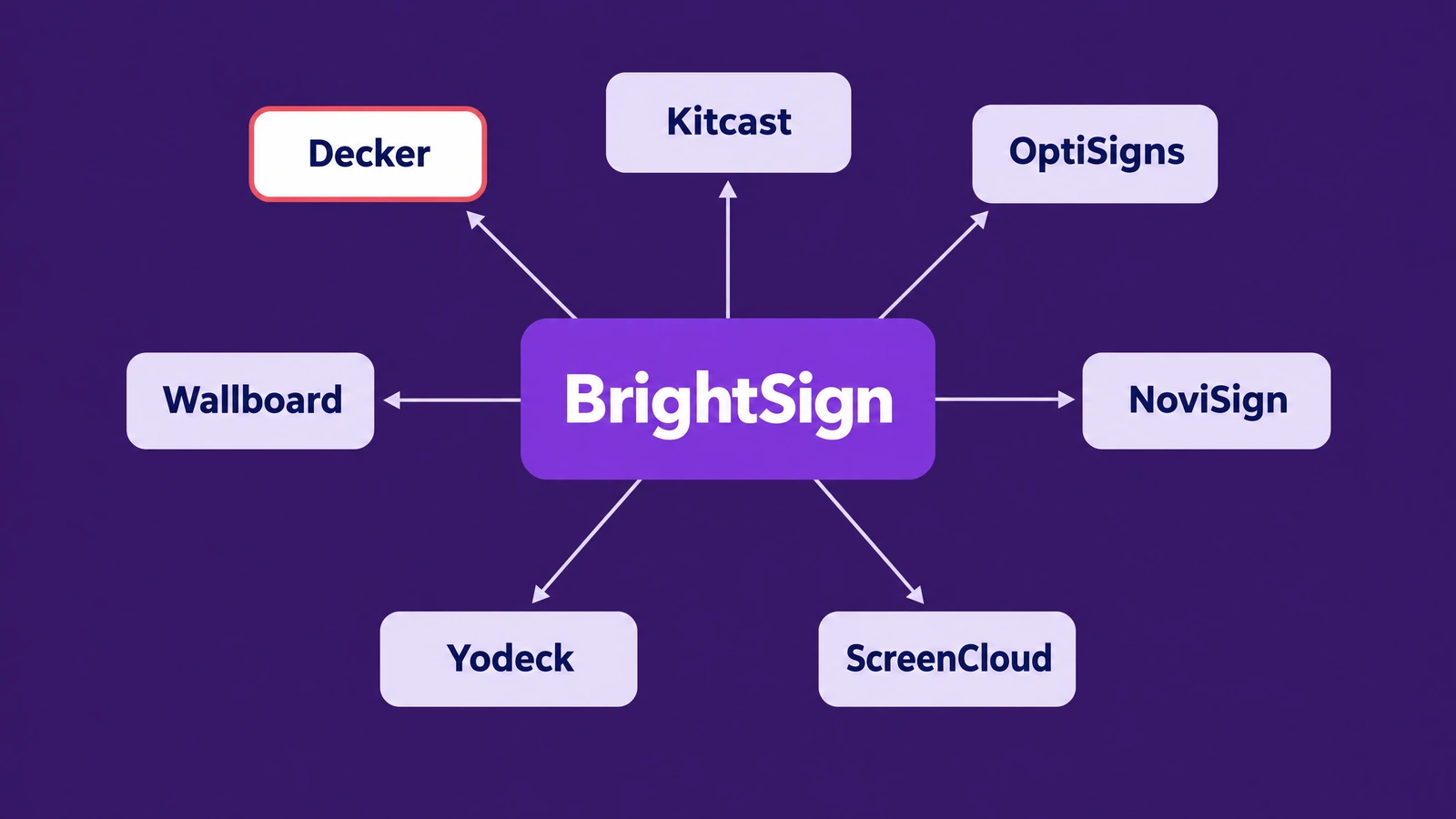
The best BrightSign alternatives are Decker, Kitcast, OptiSigns, NoviSign, Wallboard, Yodeck and ScreenCloud; five of them also run on BrightSign players.
- Decker — the BrightSign alternative with no player to buy: supported smart TVs run the Decker app, and other screens use an Android box or a mini PC. Decker menu prices follow Toast, Square or Clover on Professional at $12 per screen.
- Kitcast — the BrightSign alternative for teams that keep their players and swap the CMS, or move to Apple TV: $7 per screen on Starter and $10 on Pro, billed annually.
- OptiSigns — installs on BrightSign players, keeps three screens free with its logo and starts at $10 per screen on Standard.
- NoviSign — runs on BrightSign too and reads a Toast menu through Google Sheets on Business Plus at $17.
- Wallboard — a BrightSign Alliance Premier Partner that binds Toast and Google Sheets data to layouts, from $25 a month.
- Yodeck — the low-cost route: $8 per screen, one free screen and a Raspberry Pi player at no charge on yearly plans.
- ScreenCloud — an office-first platform with dashboards and 80+ apps, from $20 per screen on Core, billed annually.
Three reasons push buyers toward BrightSign alternatives. First, every screen needs its own player, and the entry LS425 costs $380 against $30–$50 for a Fire TV Stick. Second, the authoring tool divides users: in one r/CommercialAV thread, an installer called it “pretty terrible and non-intuitive,” and another client walked away over it. Third, the cloud tiers, Control Plus and Author Plus, carry no published price.
Choosing a BrightSign alternative can mean two different things. One path keeps the players and replaces only the content system, since Kitcast, OptiSigns, NoviSign, Wallboard and Yodeck install on BrightSign hardware. The other path retires the players and runs content on screens the business already owns. For a restaurant counter on that second path, Decker digital menu boards for restaurants run on the TV with prices from the POS. Next comes the player itself, because its strengths explain who should stay.
Pros and Cons of BrightSign Media Players
BrightSign media players run offline, but every screen needs a $380+ player, and its June 2026 cloud tiers list no price. The company reports 3M+ players sold across 130+ countries and more than one million Series 4 units in the field. BrightSign’s Swiss site claims a failure rate below 0.1% across millions of players, a vendor figure rather than an audit.
| ➕ Pros | ➖ Cons |
|---|---|
| BrightSignOS “self-healing protocols” restart a stuck player on its own | One player per screen, from $380 (LS425) to $1,335 (XC2055) |
| Offline playback from local microSD or SSD storage | Control Plus and Author Plus prices are quote-only |
| 8K on Series 5, 4K 60Hz and an AI-ready NPU on Series 6 | Physical install and setup per screen |
| GPIO, serial, IR and PoE+ ports, plus touch, motion sensors and RFID | Authoring has a learning curve, by users’ own account |
| SOC 2, plus SSO, MFA and SAML sign-in documented for BrightSign Cloud | No POS menu connector of its own |
| BrightSign Control and BrightSign Author free with every player | Software runs only on BrightSign hardware |
Integrators who compare BrightSign competitors still like these media players for transport hubs, stadiums, museums and flagship video walls, where a player runs for years without a reboot. BrightSign complaints cluster around software and money rather than hardware. One installer on Reddit put the cost plainly: “You pay a $$$ premium first for the brightsign players,” then another premium for a third-party CMS. His rule of thumb was to shop around above $50 per player and $20 a year per TV for software.
For a menu board, the strongest pros matter least. A counter rarely needs 8K, GPIO triggers or a video wall, while it does need prices that follow the register. Therefore, that gap decides which BrightSign alternative fits a counter.
A BrightSign Alternative Without a Player: BrightSign vs Decker
BrightSign and Decker play through outages, but BrightSign sells a $380+ player, while Decker runs on the TV and checks the panel. As a BrightSign alternative for restaurants, Decker publishes every plan: Essential $8, Professional $12 and Premium $16 per screen a month, with 15% off yearly billing, as the published Decker plans show.
| BrightSign | Decker | |
|---|---|---|
| What each screen needs | A BrightSign player, $380–$1,335 | ✅ No player on supported smart TVs; an Android box or mini PC otherwise |
| Software price | Control and Author free; Control Plus and Author Plus by quote | Starter: one screen free; Essential $8, Professional $12, Premium $16 |
| Menu prices from POS | No connector of its own; through a CMS partner | ✅ Toast, Square and Clover directly on Professional; Excel or API for others |
| A price changes | Depends on the CMS; BrightSign Author has no POS feed | ✅ Only the changed values redraw, in 1–5 seconds |
| An item sells out | Edited in the content unless a partner CMS reads the POS | ✅ Leaves the screen once marked unavailable in the POS |
| What gets watched | Player health, logs and alerts on Control Plus (June 2026) | ✅ The panel: black screen, wrong HDMI input, frozen frame |
| Fixing a dark screen | Bulk remote reboot of players on Control Plus | ✅ HDMI source recovery, TV power control, player restart, photo log |
| Offline playback | ✅ Plays from local storage with no time limit | Local cache through outages of up to 72 hours |
| 8K and video walls | ✅ 8K on Series 5, walls from one player | Multi-panel walls; no 8K claim |
| Interactive I/O | ✅ GPIO, serial, IR, PoE+, RFID | Touchscreens supported |
| Security | ✅ SOC 2; SSO, MFA, SAML | TLS 1.3, MFA, role permissions, IP allowlisting |
| Trial | No published trial; players are bought | 14 days on up to 5 screens, no card |
| Support | Partners and integrators; vendor forums | Email Monday to Friday; 1-hour SLA and phone on Enterprise |
BrightSign sells a player; Decker uses the TV you own. Ten LS425 players cost $3,800 before any cloud tier. Decker Professional costs $1,224 a year for ten screens on yearly billing, on TVs already hanging above the counter. Where a TV has no Decker app, a Decker Player or an Android box drives it over HDMI.
BrightSign watches the player; Decker watches the glass. BrightSign Control Plus, launched on June 4, 2026, reboots players in bulk and raises alerts from health dashboards. A TV that woke on its tuner input after a power dip still passes those checks, because the player keeps running. Decker Verifier watches the panel itself, switches the HDMI source back, cycles the TV’s power or restarts the player, and keeps a photo for the audit trail, at $7 per screen a month on any paid plan.
Prices that follow the register. A price changed in Toast rebuilds the Decker layout without a new presentation, and a sold-out item leaves the board. The setup for each register sits on the page about menus that follow Toast, Square and Clover.
BrightSign stays ahead on raw hardware: 8K and 4K 60Hz video walls from one player, industrial I/O for kiosks and museums, and offline playback with no time limit. A venue built on those three would give them up for any software-first BrightSign alternative.
🧾 Price your counter without buying a player: connect Toast, Square or Clover to one Decker screen, change a price at the register and time the board. Free for 14 days, no card needed. Start free
Beyond Decker, the other six options split by one question: do they keep the BrightSign players or replace them?
BrightSign Competitors That Run on BrightSign Players, and Those That Don’t
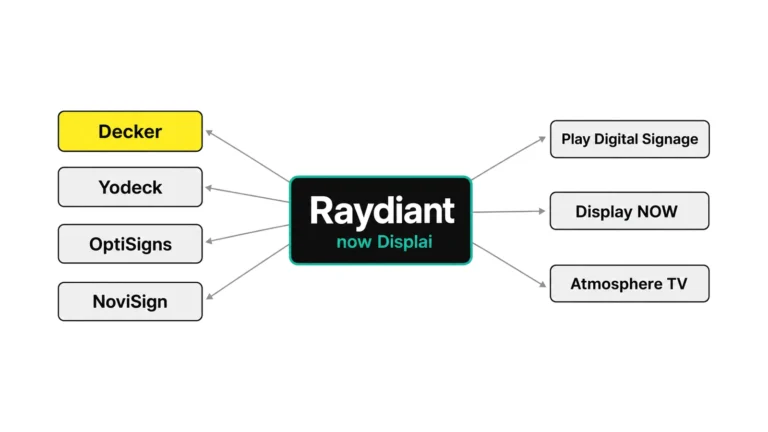
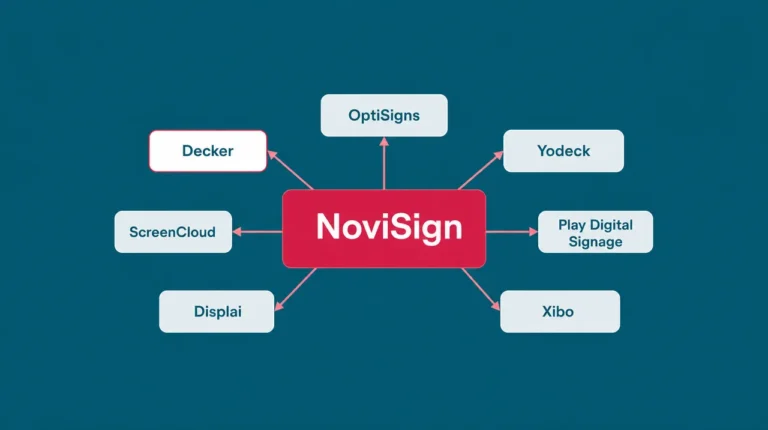
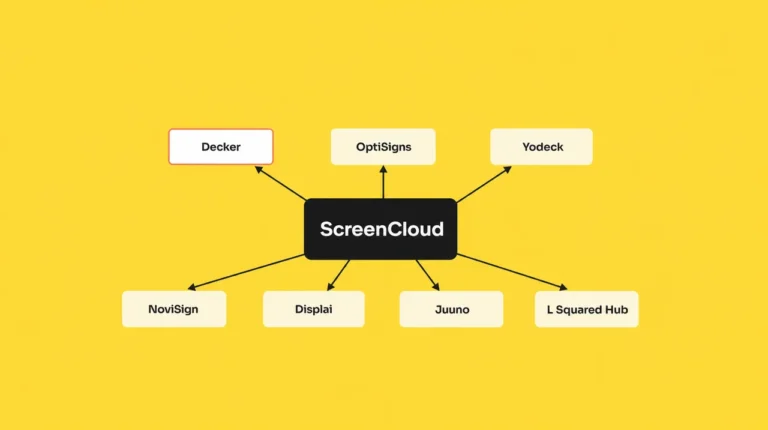
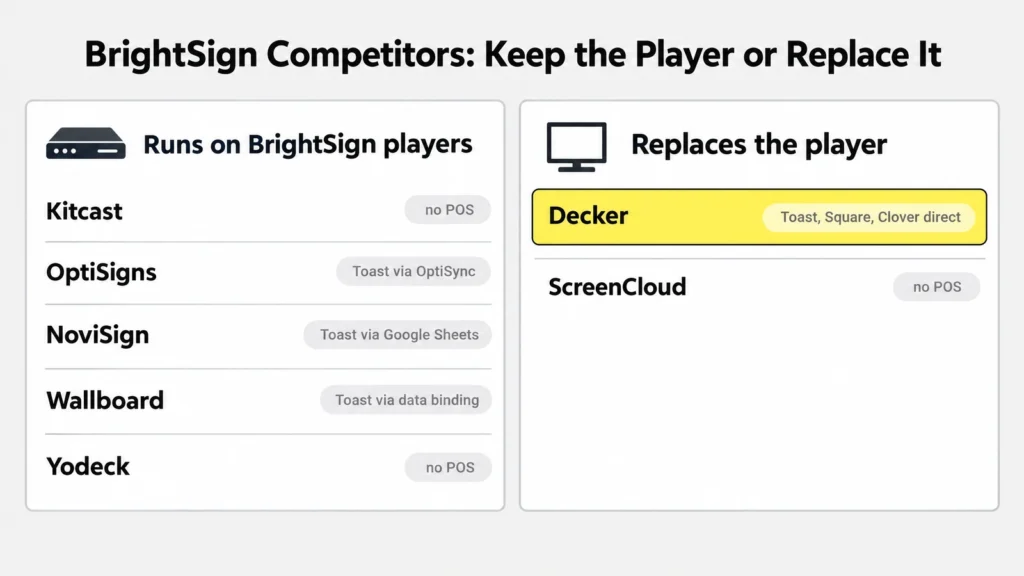
BrightSign competitors split into two groups in November 2026: CMS apps from $7 that run on the players, and platforms replacing them. Kitcast, OptiSigns, NoviSign, Wallboard and Yodeck belong to the first group, along with enterprise systems such as Appspace, Carousel and Signagelive. Decker and ScreenCloud belong to the second.
| Option | Runs on BrightSign players | Other devices | From, per screen a month | Restaurant menu from POS | What changes for a BrightSign owner |
|---|---|---|---|---|---|
| BrightSign (reference) | — | BrightSign Built-In displays | Players $380–$1,335; software free or quote | None of its own | — |
| Decker | No | Smart TV app, Android box, mini PC | $8; POS on Professional at $12 | Toast, Square, Clover direct; Excel | Players retired; register prices; panel check |
| Kitcast | Yes | Apple TV, Fire TV, Android TV, ChromeOS, Samsung, LG | $7, annual | None | Same players, new cloud editor; published SSO and API |
| OptiSigns | Yes | Android, Fire TV, Apple TV, Roku, Windows | $10 | Toast through OptiSync on Pro Plus | Same players; three free screens; Toast API fee |
| NoviSign | Yes | Android, ChromeOS, Windows, Tizen, webOS, Raspberry Pi | $14, annual | Toast through Google Sheets on Business Plus | Same players; kiosk tools; a sheet between POS and screen |
| Wallboard | Yes | Windows, LG, Android, Samsung | $25 a month | Toast and Google Sheets data binding | Same players; on-premise option |
| Yodeck | Yes, compatible models | Raspberry Pi, Tizen, webOS, Fire TV, Windows | $8 | None | Free Pi player on yearly plans; prices typed by hand |
| ScreenCloud | Not listed | Fire TV, Tizen, webOS, own players | $20, annual | None | Players retired; office apps and dashboards |
List prices from each vendor’s site, 2026; BrightSign player prices from its store, August 2026.
Among these BrightSign competitors, Decker is the only one that reads Toast, Square and Clover directly. NoviSign, OptiSigns and Wallboard reach Toast through a sheet, an API tool or data binding.
Kitcast
As a BrightSign alternative, Kitcast suits an owner who likes the hardware but not the authoring tool. Its app installs on BrightSign players as well as Apple TV, with a native tvOS app since 2015. Starter costs $7 per screen and Pro $10 on annual billing, and Pro lists SSO, SCIM, a REST API, audit logs and Apple MDM. Kitcast holds 4.7 from 46 Capterra reviews and offers a 30-day money-back guarantee, yet it connects no register, so a menu still gets typed.
OptiSigns
OptiSigns installs its player on BrightSign hardware, keeps three screens free with its logo and holds 4.8 from 4,593 Capterra reviews. Standard starts at $10 per screen. A Toast menu runs through OptiSync on Pro Plus at $15, and Toast bills separately for API access. The roundup of OptiSigns alternatives tracks that fee in detail.
NoviSign
NoviSign runs on BrightSign along with Android, ChromeOS, Windows and Raspberry Pi, and holds 4.9 from 121 Capterra reviews. Business costs $14 per screen on yearly terms, and the Toast menu arrives through Google Sheets on Business Plus at $17. Touch widgets and a videowall editor keep kiosk owners loyal. The list of NoviSign alternatives follows where its users go.
Wallboard
Wallboard is a BrightSign Alliance Premier Partner, so its CMS treats BrightSign players as first-class devices. Data binding pulls from Toast, Google Sheets, SharePoint, JSON and CSV, and an on-premise edition serves compliance-heavy sites. Its Professional plan is listed at $25 a month with unlimited users and 3 GB of storage, Premium at $30 and Video Wall at $50.
Yodeck
As a low-cost BrightSign alternative, Yodeck runs on compatible BrightSign players, though its home turf is Raspberry Pi: yearly plans ship a Pi player at no charge. Plans cost $8, $12 and $16 per screen, Capterra users rate it 4.8 from 4,929 reviews, and one screen stays free while the account holds only that screen. Prices go into its menu app by hand. The guide to Yodeck alternatives covers who outgrows it.
ScreenCloud
As a BrightSign alternative, ScreenCloud replaces the player rather than reusing it, running on Fire TV, Samsung Tizen, LG webOS and its own players. Core costs $20 and Pro $30 per screen on annual billing, with Power BI dashboards and SSO aimed at offices. It holds 4.8 from 289 Capterra reviews of its signage platform but reads no POS. The breakdown of ScreenCloud alternatives lists the office-first options.
Meanwhile, owners who stay on the hardware still have to pick a model, and the lineup decides what any new CMS can do.
BrightSign Player Lineup: LS, HD, XD, XT and XC Models Compared
The BrightSign player lineup runs from the Full HD LS to the 8K XC, at $380 to $1,335 in August 2026. Series 4 models end in 4, BrightSign Series 5 models in 5, and the Series 6 line, including the XD6, HD6 and XS6, adds an AI-ready NPU and PoE+.
| Series | Example model | Store price | Built for |
|---|---|---|---|
| LS (entry) | LS425, LS5 | $380 | Full HD loops and slideshows |
| HD (mainstream) | HD225, HD226 | $500 (HD225, earlier list); $595 (HD226) | 4K, HTML5, menu boards, light interactivity |
| XD (performance) | XD236 | $720 | 4K dual decode, HTML5 animation, PoE+ |
| XT (expanded I/O) | XT1144, XT1145, XT245 | $1,005 (XT245); XT1145 about $1,011 at retail | 8K60p, dual HDMI output, live video input |
| XC (enterprise) | XC2055 | $1,335 | 8K video walls, synchronized displays |
Store prices as published in August 2026; HD225 from an earlier BrightSign price list.
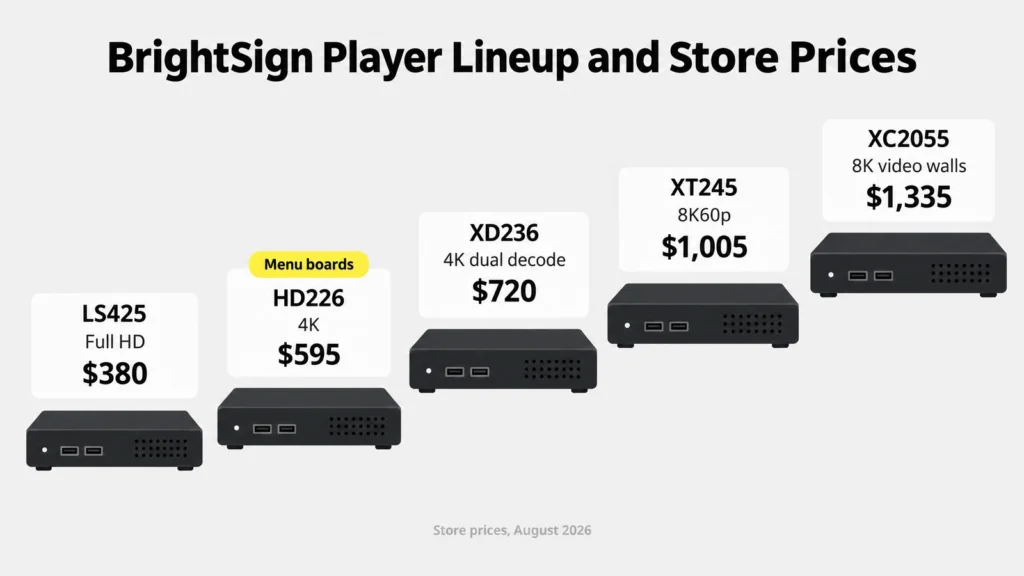
Any BrightSign signage player with HTML5 and 4K covers a restaurant menu, which makes the HD class the usual pick for menu boards. BrightSign XT1144 and XT1145 models belong to museum and live-video projects with sensors and HDMI input. BrightSign Series 5 models, LS5, XD5 and XT5, run BrightSignOS 9.
Hardware also decides what happens after a switch. A BrightSign media player keeps its value with a CMS partner that installs on it. On a platform that does not support the hardware, such as Decker, the player leaves the wall. Similarly, BrightSign Built-In, a version of BrightSignOS on a chip inside commercial displays, rules out reuse for a business that owns consumer TVs.
BrightSign Software After the June 2026 Rename: Author, Control and BSN.cloud
BrightSign software was renamed on June 4, 2026, and Control stays free with every $380+ player. bsn.Control became BrightSign Control, brightAuthor:connected became BrightSign Author, and bsn.Content became Author Plus. At the same time, BrightSign launched Control Plus, a paid device-management tier.
| Earlier name | Name since June 2026 | Price | What it does |
|---|---|---|---|
| bsn.Control | BrightSign Control | Free with every player | Setup and provisioning |
| — | BrightSign Control Plus | Not published | Bulk remote reboot and reconfiguration, alerts, health dashboards, logs |
| brightAuthor:connected | BrightSign Author | Free, local use | Authoring presentations and playlists |
| bsn.Content | BrightSign Author Plus | Not published | Cloud scheduling, distribution, roles and permissions |
Older guides still call the cloud BSN.cloud, short for BrightSign Network cloud, and quote a BrightSign price of about $103.99 per device a year, a figure that circulates as a third-party estimate. BrightSign’s documentation for BrightSign Cloud lists sign-in through SSO, MFA, OpenID Connect, OAuth 2.0 and SAML. BrightAuthor Classic, the legacy desktop tool, still downloads but gets little new development.
BrightSignOS runs only on BrightSign hardware, and BrightSign says Control runs on hundreds of thousands of players. As a result, since June 2026 fleet monitoring and remote reboot sit in a paid tier with a quote. A BrightSign CMS swap to a partner platform avoids that quote, and a software-first platform avoids the player as well.
What BrightSign Costs Over Three Years for 1, 5 and 10 Screens
BrightSign cost is mostly upfront: one player per screen at $380–$1,335 in August 2026, plus free basic software. Decker spreads the cost across a subscription on TVs already in place. Decker and BrightSign totals land closer over three years than the upfront prices suggest.
| Screens | BrightSign LS425 + free software | BrightSign HD226 + free software | Decker Professional, yearly billing | Decker Professional + Verifier |
|---|---|---|---|---|
| 1 | $380 | $595 | $367 | $619 |
| 5 | $1,900 | $2,975 | $1,836 | $3,096 |
| 10 | $3,800 | $5,950 | $3,672 | $6,192 |
Three-year totals. BrightSign columns include players only, since Control Plus and Author Plus are quote-only. Decker columns exclude TVs and any fee a POS vendor charges.
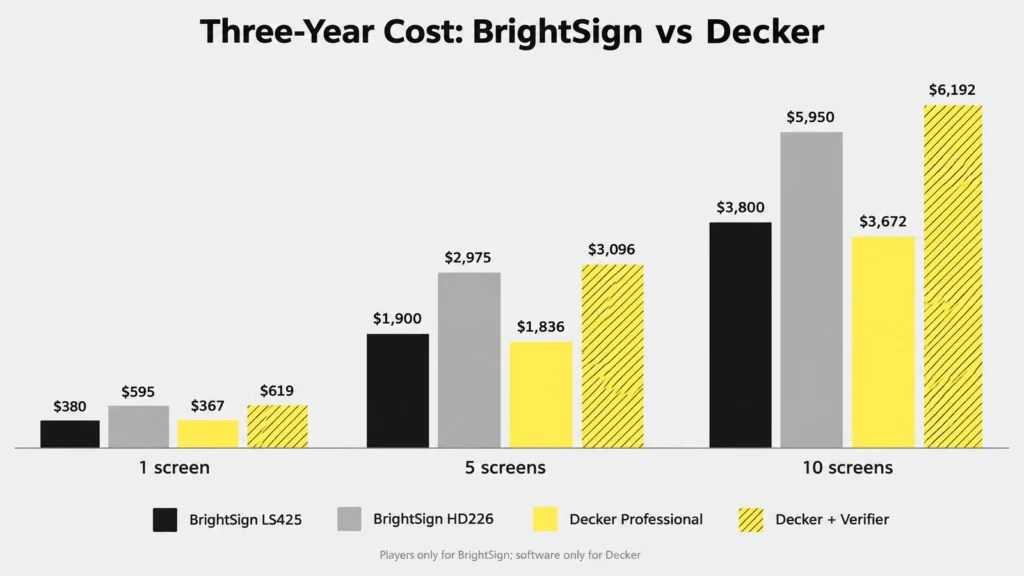
On paper, BrightSign pricing with free software ties Decker Professional over three years, yet the free BrightSign stack reads no register and does not see the panel. Adding Control Plus, a CMS partner or a POS connector pushes the BrightSign side up by an amount that no public price list shows, while most BrightSign competitors publish their per-screen plans. A full breakdown of panels, mounts and installation sits in the guide to the full cost of a screen.
⚖️ “BrightSign software is free” holds only for provisioning and local authoring, and only with a player bought for $380 or more. In other words, remote monitoring, bulk reboot and cloud scheduling sit in Control Plus and Author Plus, and both are priced by quote.
BrightSign for Restaurant Menus: What the Counter Needs
A menu board in 2026 needs POS prices, sold-out items, dayparts and checked screens; Decker covers them for $12 a screen. BrightSign’s HD series handles menu graphics well, and comparison guides name it a step up for “basic interactivity, or menu boards.” The register link, though, comes from elsewhere: BrightSign lists no POS connector of its own, so a Toast feed reaches the screen through a partner CMS such as Wallboard.
BrightSign plus a partner CMS means a second subscription on top of the player, and it still covers only Toast. A counter on Square or Clover finds few partners that read its register at all, so each price change means one edit in the POS and a second one in the CMS.
Decker reads Toast, Square and Clover directly on Professional at $12 per screen, and an Excel import covers any other register. A price changed at the register redraws only its own line in 1–5 seconds, and a sold-out item leaves the board while the layout closes the gap. In addition, breakfast switches to lunch by a schedule rule, and Verifier confirms the panel shows the result.
Leaving BrightSign Hardware Without a Dark Screen
A move off BrightSign starts with one choice, partner CMS or TVs, and a side-by-side pilot of 7 days settles it. Keep the players with a partner CMS, or retire them for TVs that run the software directly.
- Count the players by series. HD and XD models keep their value with BrightSign alternatives that install on them: Kitcast, OptiSigns, NoviSign or Wallboard. On Decker, the screens need a supported smart TV, an Android box or a mini PC instead.
- Export what moves. Images, videos and fonts leave BrightSign Author as plain files. Interactive presentations, GPIO triggers and live-video zones need rebuilding.
- Check the Plus contracts. Control Plus and Author Plus have no public terms, so ask for the renewal date in writing before the cutover.
- Run one screen side by side for seven days. Put the new board next to a BrightSign screen through a breakfast-to-lunch switch and one price change at the register.
Overall, once the pilot passes, the TVs stay on the wall and only the source changes, so each location switches screen by screen without a dark menu.
When BrightSign Still Fits Better
BrightSign stays the stronger choice where 8K walls, GPIO ports or a SOC 2 report matter, and no BrightSign alternative replaces it. A museum or stadium driving an 8K or 4K 60Hz video wall from one player gains nothing from a TV app. BrightSign ports suit a kiosk wired to GPIO buttons, RFID readers or motion sensors, which a smart TV lacks. BrightSign local storage plays with no time limit at a site without internet for days, while a cloud cache, Decker’s included, covers outages of up to 72 hours. Finally, a buyer whose procurement rules require a SOC 2 report from the hardware vendor will find one at BrightSign.
Questions and Answers
1 What is BrightSign?
BrightSign is a San Jose, California maker of digital signage players and BrightSignOS, the operating system they run. BrightSign Series 4, 5 and 6 players connect to a screen over HDMI and play video, HTML5 and interactive content, and BrightSign digital signage is common in transport, retail and museums. The company reports 3M+ players sold in 130+ countries, and its BrightSign competitors range from CMS partners to software-first platforms.
2 Is BrightSign software free?
Partly. BrightSign Control and BrightSign Author come free with every player, covering setup and local authoring. Control Plus, with bulk reboot and alerts, and Author Plus, with cloud scheduling, are priced by quote. No BrightSign subscription is needed to play content from a microSD card.
3 How much does a BrightSign player cost?
BrightSign’s store lists the LS425 at $380, the HD226 at $595, the XD236 at $720, the XT245 at $1,005 and the XC2055 at $1,335. Retailers sell some models slightly below or above those prices, such as the HD226 at $559.99. Each screen needs its own player.
4 What operating system does BrightSign use?
BrightSign players run BrightSign OS, written BrightSignOS, a purpose-built operating system that works only on BrightSign hardware; Series 5 players run BrightSignOS 9. Third-party CMS platforms such as Kitcast, OptiSigns, NoviSign and Wallboard install apps on top of it.
5 Can I run a different CMS on BrightSign players?
Yes. Kitcast, OptiSigns, NoviSign, Wallboard, Yodeck, Appspace and Carousel all install on BrightSign players, and BrightSign Control can point a player to a new CMS. Decker does not run on BrightSign players; it uses smart TVs, Android boxes or mini PCs.
6 Which BrightSign alternative reads a restaurant POS?
Yes. Kitcast, OptiSigns, NoviSign, Wallboard, Yodeck, Appspace and Carousel all install on BrightSign players, and BrightSign Control can point a player to a new CMS. Decker does not run on BrightSign players; it uses smart TVs, Android boxes or mini PCs.
7 Which BrightSign alternative reads a restaurant POS?
Decker is the BrightSign alternative that reads Toast, Square and Clover directly, on Professional at $12 per screen. NoviSign reads Toast through Google Sheets, OptiSigns through OptiSync on Pro Plus and Wallboard through data binding. In contrast, Kitcast, Yodeck and ScreenCloud connect no register.
Sources
- BrightSign store
- BrightSign release, on Business Wire
- BrightSign documentation
- Official websites of the brands reviewed in this article: plans, prices per screen, supported devices and POS links.
- Alternatives to BrightSign on r/CommercialAV
- Retail listings at Displays2Go and Creation Networks: XT1145 and HD226 street prices.